1. Introdución
The ECHO Rainbow Lite Smartwatch is designed to integrate seamlessly into your daily life, offering advanced features for communication, health monitoring, and fitness tracking. This manual provides essential information to help you get the most out of your device.
O que hai na caixa
- ECHO Rainbow Lite Smartwatch
- Two interchangeable silicone straps (one pre-installed, one additional)
- Cable de carga magnético
- Manual de usuario (este documento)

Image: The ECHO Rainbow Lite Smartwatch displayed with both a light pink and a light grey silicone strap, showcasing its customizable style.
2. Guía de configuración
2.1 Cargar o reloxo intelixente
Before initial use, fully charge your ECHO Rainbow Lite Smartwatch. Connect the magnetic charging cable to the charging points on the back of the watch and plug the USB end into a standard USB power adapter (not included). A full charge takes approximately 1.5 hours and provides up to 5 days of battery life depending on usage.
2.2 Installing the Da Fit App
The ECHO Rainbow Lite Smartwatch requires the Da Fit application for full functionality. Download the Da Fit app from your smartphone's app store (available for Android and iOS devices).
- Scan the QR code provided in the quick start guide (if applicable) or search for "Da Fit" in the App Store (iOS) or Google Play Store (Android).
- Instala a aplicación no teu teléfono intelixente.
2.3 Emparellamento co teu teléfono intelixente
Asegúrate de que o Bluetooth do teu teléfono intelixente estea activado.
- Open the Da Fit app on your smartphone.
- Follow the on-screen instructions to add a new device. The app will search for available Bluetooth devices.
- Select "Rainbow Lite" or a similar device name from the list.
- Confirma a solicitude de emparellamento tanto no teu teléfono intelixente como no reloxo intelixente.
- Once paired, the app will synchronize data with your watch.
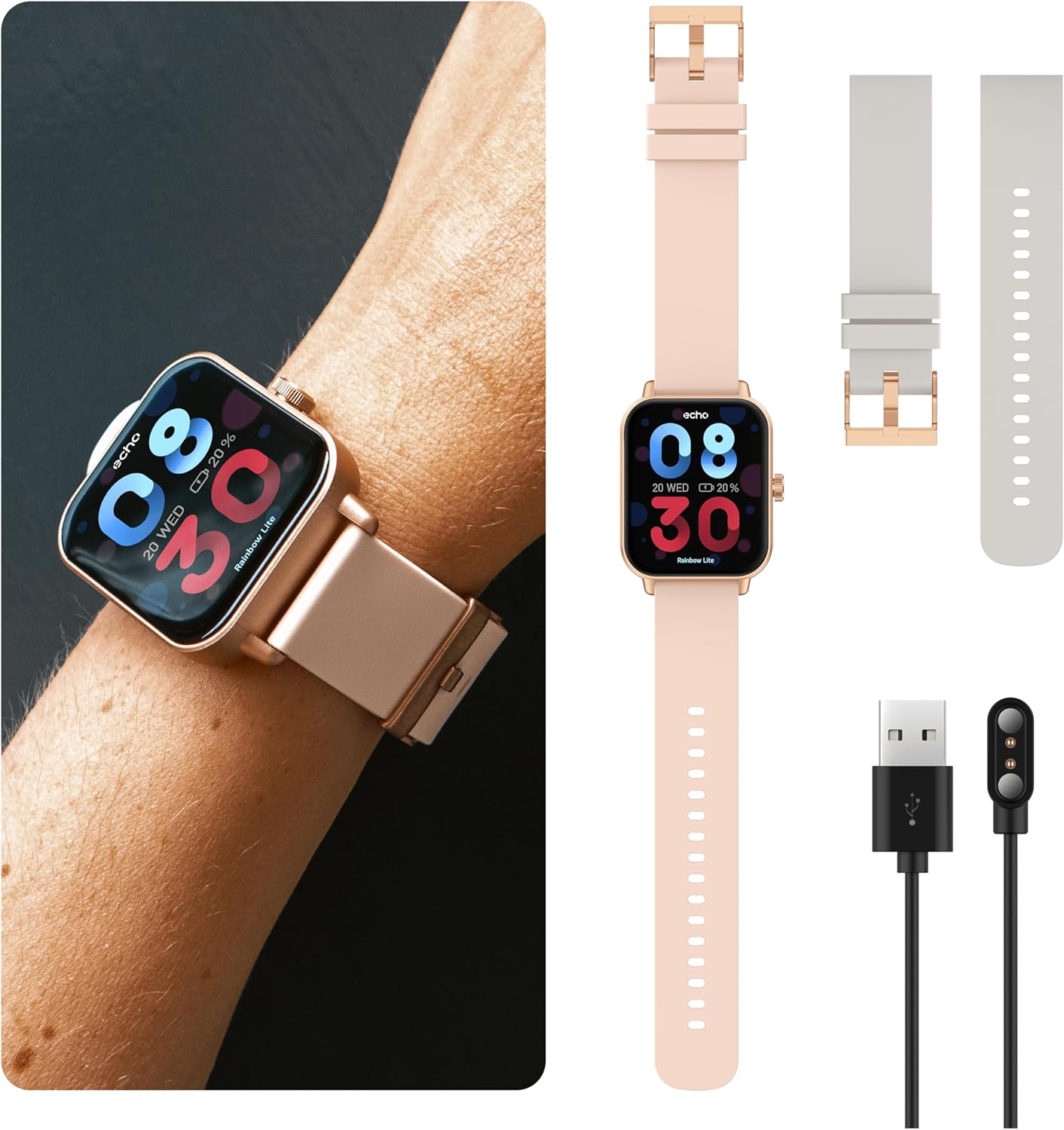
Image: The ECHO Rainbow Lite Smartwatch, its magnetic charging cable, and both the pink and grey silicone straps, illustrating the components included for setup.
3. Instrucións de funcionamento
3.1 Navegación básica
- Pantalla táctil: Desliza o dedo cara á esquerda, á dereita, cara arriba ou cara abaixo para navegar polos menús e as funcións. Toca para seleccionar unha opción.
- Botón lateral: Preme para volver á pantalla de inicio ou activar o dispositivo. Mantén premido para ver as opcións de acendido e apagado.
Chamadas Bluetooth 3.2
The Rainbow Lite Smartwatch allows you to make and receive calls directly from your wrist, thanks to its integrated microphone and speaker. Ensure your watch is connected to your smartphone via Bluetooth.
- Facer chamadas: Accede ao marcador ou á lista de contactos do reloxo para iniciar unha chamada.
- Recepción de chamadas: Cando chega unha chamada, podes contestala ou rexeitala directamente desde a pantalla do reloxo.
3.3 Notificacións
Receive real-time notifications for calls, messages, and app alerts directly on your smartwatch. Manage notification settings through the Da Fit app on your smartphone.
3.4 Vixilancia da saúde
The smartwatch is equipped with sensors to track various health metrics. These features are for informational purposes and are not intended for medical diagnosis or treatment.
- Frecuencia cardíaca: Controla a túa frecuencia cardíaca ao longo do día.
- Oxíxeno no sangue (SpO2): Mide os teus niveis de saturación de osíxeno no sangue.
- Presión arterial: Track your estimated blood pressure.
- Seguimento do sono: Analyze your sleep patterns, including deep sleep, light sleep, and wake times.
- Podómetro: Count your daily steps and estimate distance covered.

Image: The ECHO Rainbow Lite Smartwatch screen showing heart rate and blood oxygen saturation (SpO2) measurements, along with a smartphone screen displaying detailed health data within the Da Fit app.
3.5 Sport Modes and Coaching
The Rainbow Lite offers over 100 sport modes to track your workouts. The Da Fit app also provides coaching videos to enhance your fitness routines.
- Seguimento da actividade: Record data for various activities like running, cycling, walking, and more.
- Adestramento: Access guided exercises and training programs through the Da Fit app.

Image: A collage showing the ECHO Rainbow Lite Smartwatch interface with different sport modes, alongside smartphone screens illustrating fitness tracking and coaching features within the Da Fit app.
3.6 esferas de reloxo personalizables
Personalize your smartwatch with over 100 downloadable watch faces available through the Da Fit app.
4. Mantemento
4.1 Limpeza do reloxo intelixente
To maintain optimal performance and appearance, regularly clean your smartwatch. Use a soft, lint-free cloth to wipe the screen and body. For stubborn dirt, slightly dampEnxágüe o pano con auga. Evite o uso de produtos químicos agresivos ou materiais abrasivos.
4.2 Resistencia á auga
The ECHO Rainbow Lite Smartwatch is rated IP67 water-resistant. This means it is protected against immersion in water up to 1 meter for up to 30 minutes. It is suitable for daily use, such as washing hands or light rain, but not recommended for swimming, diving, or high-pressure water activities.
4.3 Coidado coa batería
To prolong battery life, avoid exposing the watch to extreme temperatures. Charge the watch regularly, even if not in use for extended periods, to prevent deep discharge.
5 Solución de problemas
- O reloxo non se acende: Ensure the watch is fully charged. Connect it to the magnetic charger and check if the charging indicator appears.
- Non se pode emparellalo co teléfono intelixente:
- Asegúrate de que o Bluetooth estea activado no teu smartphone.
- Asegúrate de que o reloxo estea dentro do alcance do Bluetooth (normalmente 10 metros).
- Reinicia tanto o teu teléfono intelixente como o reloxo intelixente.
- Check if the Da Fit app has necessary permissions enabled on your phone.
- Datos sanitarios inexactos:
- Asegúrate de levar o reloxo ben axustado ao pulso, nin demasiado axustado nin demasiado solto.
- Limpa o sensor que está na parte traseira do reloxo.
- Note that environmental factors and individual physiology can affect readings. These measurements are not for medical use.
- Non aparecen as notificacións:
- Verify that notifications are enabled in the Da Fit app.
- Check your smartphone's notification settings to ensure the Da Fit app has permission to send notifications.
- Asegúrate de que o reloxo estea conectado por Bluetooth.
6. Especificacións
| Marca | ECO |
| Nome do modelo | Rainbow Lite |
| Número de modelo interno | 512553e7-4c5f-4e86-b901-f586539e6b59 |
| Tamaño da pantalla | 1.83 polgadas |
| Conectividade | Bluetooth V5.3 |
| Características especiais | Bluetooth Calling, Health Tracking (Heart Rate, SpO2, Blood Pressure), Sport Coaching, IP67 Water Resistance |
| Dispositivos compatibles | Smartphones (Android/iOS), Tablets, Laptops, PCs |
| Duración da batería | Ata 5 días (uso típico) |
| Tempo de carga | Aproximadamente 1.5 horas |
| Clasificación de resistencia á auga | IP67 |
| Peso | Ultra-light (approx. 35g) |
7. Garantía e soporte
7.1 Información da garantía
The ECHO Rainbow Lite Smartwatch comes with a standard manufacturer's warranty. Please refer to the warranty card included in your product packaging or contact your retailer for specific warranty terms and conditions.
7.2 Atención ao cliente
If you encounter any issues or have questions not covered in this manual, please contact ECHO customer support through the contact information provided on the official ECHO websitio web ou a túa plataforma de compra. Ten á man o número de modelo e os detalles da compra cando contactes co servizo de asistencia.


