Introdución
Thank you for choosing the Defender ARGA GM-049 Gaming Mouse. This manual provides detailed instructions for setting up, operating, maintaining, and troubleshooting your new gaming mouse. Please read this manual carefully before use to ensure optimal performance and longevity of your device.
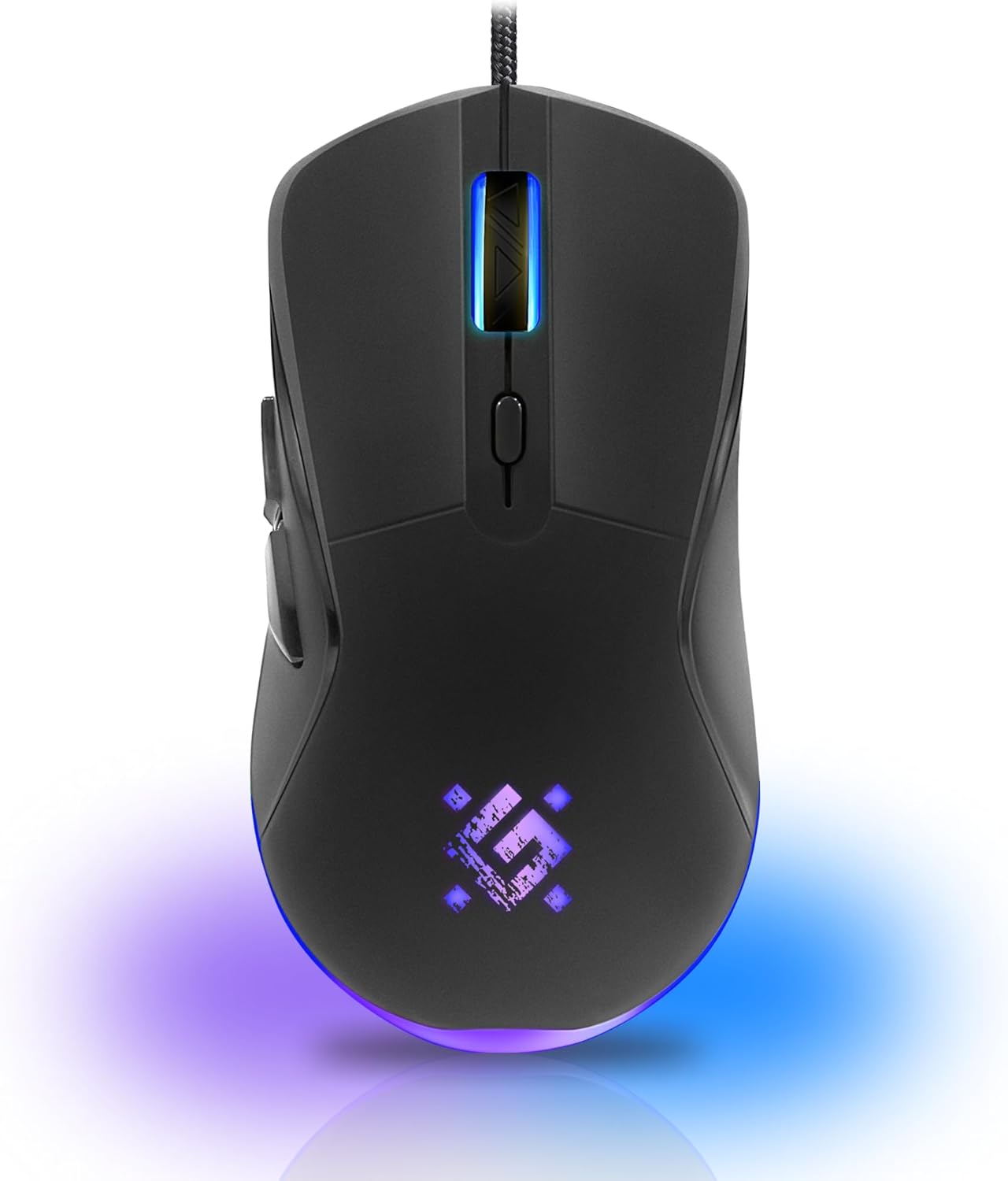
Imaxe: Fronte view of the Defender ARGA GM-049 Gaming Mouse, showcasing its ergonomic design and customizable RGB lighting.
Configuración
1. Conectando o rato
- Localiza un porto USB dispoñible no teu ordenador.
- Plug the gold-plated USB connector of the Defender ARGA GM-049 mouse into the USB port.
- O sistema operativo detectará e instalará automaticamente os controladores necesarios. Este proceso pode tardar uns intres.
2. Instalación do software (opcional)
For advanced customization, including macro programming and button remapping, install the Defender Game Center Software.
- Visit the official Defender website to download the latest version of the Defender Game Center Software.
- Siga as instrucións en pantalla para completar a instalación.
- Once installed, launch the software to configure your mouse settings.

Image: Diagram illustrating the Defender Game Center Software, macro editor, optical sensor, and compatibility with Windows 2000/XP/Vista/7/8/10+ and macOS X10+.
Instrucións de funcionamento
1. Funcións básicas
- Clic esquerdo: Acción primaria.
- Clic dereito: Acción secundaria, normalmente abre menús contextuais.
- Roda de desprazamento: Desprazar cara arriba/abaixo documentos ou web pages. Pressing the scroll wheel often acts as a middle click.
2. Axuste de DPI
The Defender ARGA GM-049 features adjustable DPI (Dots Per Inch) settings, allowing you to change mouse sensitivity on the fly. The available DPI levels are 1200, 1800, 2400, and 3600.
- Press the dedicated DPI button (usually located behind the scroll wheel) to cycle through the preset DPI levels.
- Each DPI level may correspond to a different LED lighting color for easy identification (refer to software for customization).
3. Botóns programables
The mouse is equipped with 6 buttons, 5 of which are programmable using the Defender Game Center Software. These include the two main clicks, the scroll wheel click, and two side buttons.
- Launch the Defender Game Center Software.
- Navigate to the button assignment section.
- Select a button and assign a desired function, macro, or key combination.
4. Iluminación RGB
The ARGA GM-049 features customizable RGB lighting. The lighting effects and colors can be configured through the Defender Game Center Software to match your preferences or current DPI setting.

Image: Visual representation of the mouse's features including 10 million clicks lifespan, 5 programmable buttons, RGB lighting, and DPI settings (1200/1800/2400/3600).
Mantemento
Un mantemento axeitado garante a lonxevidade e o rendemento óptimo do teu rato para xogos.
1. Limpeza
- Desconecte o rato do ordenador antes de limpalo.
- Use un pano suave, seco e sen fiapos para limpar a superficie do rato.
- Para a sucidade persistente, d lixeiramenteampEnxágüe o pano con auga ou un limpador suave e non abrasivo. Evite produtos químicos agresivos.
- Use a cotton swab or compressed air to clean around the buttons and scroll wheel.
- Non permita que entren líquidos no rato.asing.
2. Atención xeral
- Evite deixar caer o rato ou sometelo a impactos fortes.
- Manteña o rato lonxe de temperaturas extremas e da luz solar directa.
- Do not attempt to disassemble the mouse, as this may void your warranty.
Resolución de problemas
If you encounter issues with your Defender ARGA GM-049 mouse, refer to the following common solutions:
| Problema | Posible Solución |
|---|---|
| O rato non responde |
|
| Movemento errático do cursor |
|
| Os botóns ou a roda de desprazamento non funcionan |
|
| A iluminación LED non funciona |
|
Especificacións
| Característica | Detalle |
|---|---|
| Marca | Defensor |
| Modelo | ARGA GM-049 |
| Tecnoloxía de conectividade | Wired USB (Gold-plated connector) |
| Tecnoloxía de detección de movemento | Óptica |
| Niveis de DPI | 1200 / 1800 / 2400 / 3600 |
| Número de botóns | 6 (5 programables) |
| Características especiais | RGB LED lighting, Programmable buttons, Macro editor, Durable rubberized surface, Teflon feet, Ferrite noise filter |
| Lonxitude do cable | 1.5 meters (Braided cable structure) |
| Vida útil do botón | Ata 10 millóns de clics |
| Compatibilidade | Windows 2000/XP/Vista/7/8/10+, macOS X10+ |
| Accesorio incluído | Mouse Pad (220 x 180 mm) |

Image: Product packaging highlighting key features such as rainbow backlight, 2 thumb buttons, 4 resolution modes up to 3600 DPI, wide rubberized backlit scroll wheel, 5 customizable buttons, durable Teflon feet, ferrite noise filter, gold-plated USB connector, and bonus mouse pad.

Image: The Defender ARGA GM-049 Gaming Mouse shown alongside its included mouse pad, indicating dimensions of 220mm by 180mm.
Garantía e Soporte
Información da garantía
For detailed warranty information regarding your Defender ARGA GM-049 Gaming Mouse, please refer to the warranty card included with your product or consult the retailer from whom you purchased the device. Warranty terms and conditions may vary by region and retailer.
Soporte técnico
If you require further assistance or encounter issues not covered in this manual, please visit the official Defender website for support resources, FAQs, and contact information for technical support.


