1. Produto rematadoview
The ASUS ZenWiFi BT6 is a tri-band WiFi 7 mesh system designed to provide extensive and high-speed wireless coverage for your home. This system utilizes next-generation Smart AiMesh technology to deliver fast tri-band speeds up to 9.4 Gbps, leveraging superior 6 GHz WiFi for optimal performance.
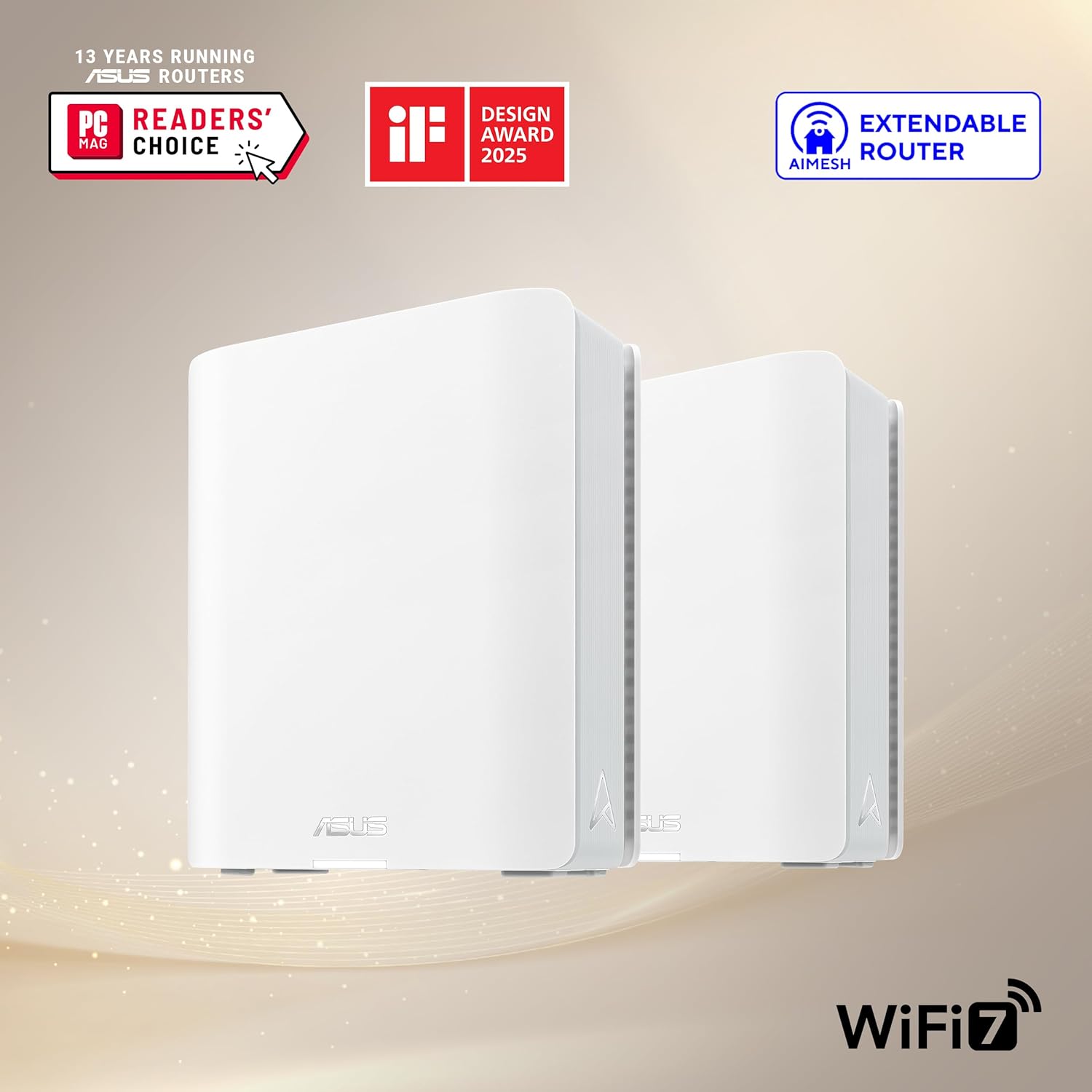
Image: Two ASUS ZenWiFi BT6 mesh units, showcasing o seu deseño compacto.
Características principais:
- Tri-band WiFi 7 Speeds: Achieves speeds up to 9.4 Gbps with Multi-link Operation (MLO) and 4K-QAM technology.
- AI-powered Smart AiMesh: Extends coverage up to 5800 sq.ft. (with a 2-pack system) for seamless whole-home WiFi. Compatible with other ASUS AiMesh routers.
- Optimized Signal Strength: Features seven internal antennas and eight high-power front-end modules to minimize WiFi dead zones.
- Seguridade de rede avanzada: Includes commercial-grade AiProtection Pro and advanced VPN features for 24/7 end-to-end protection.
- Smart Home Master SSIDs: Facilitates easy setup and management of IoT Network, parental controls, and VPNs across multiple devices.
- Conectividade versátil: Equipped with a 2.5G WAN Port and supports 4G & 5G Mobile Tethering.
2. Que hai na caixa
Verifica que todos os elementos estean presentes no teu paquete:
- ASUS ZenWiFi BT6 (W-2-PK) Units (2 units for the 2-pack)
- Cable Ethernet RJ45
- Adaptadores de alimentación
- Tarxeta de garantía
- Guía de inicio rápido
3. Instrucións de configuración
Follow these steps to set up your ASUS ZenWiFi BT6 mesh system:
- Unpack and Place Units: Carefully remove both ZenWiFi BT6 units from the packaging. Place them in central locations within your home, ensuring they are within reasonable range of each other for optimal mesh performance.
- Connect the Main Unit:
- Connect one end of the provided RJ45 Ethernet cable to the 2.5G WAN port on the back of one ZenWiFi BT6 unit (this will be your main router unit).
- Conecta o outro extremo do cable Ethernet ao porto LAN do teu módem.
- Connect the power adapter to the main router unit and plug it into a power outlet. Power on the unit.
- Connect the Satellite Unit(s):
- Place the second ZenWiFi BT6 unit (satellite node) in another area of your home where you need extended coverage.
- Connect its power adapter and plug it into a power outlet. Power on the unit.
- The units will automatically attempt to establish a mesh connection. Observe the LED indicators for connection status (refer to the Quick Start Guide for LED meanings).
- Download and Configure via ASUS Router App:
- Download the ASUS Router app from the Google Play Store or Apple App Store.
- Open the app and follow the on-screen instructions to detect and configure your new ZenWiFi BT6 system. This includes setting up your WiFi network name (SSID) and password.
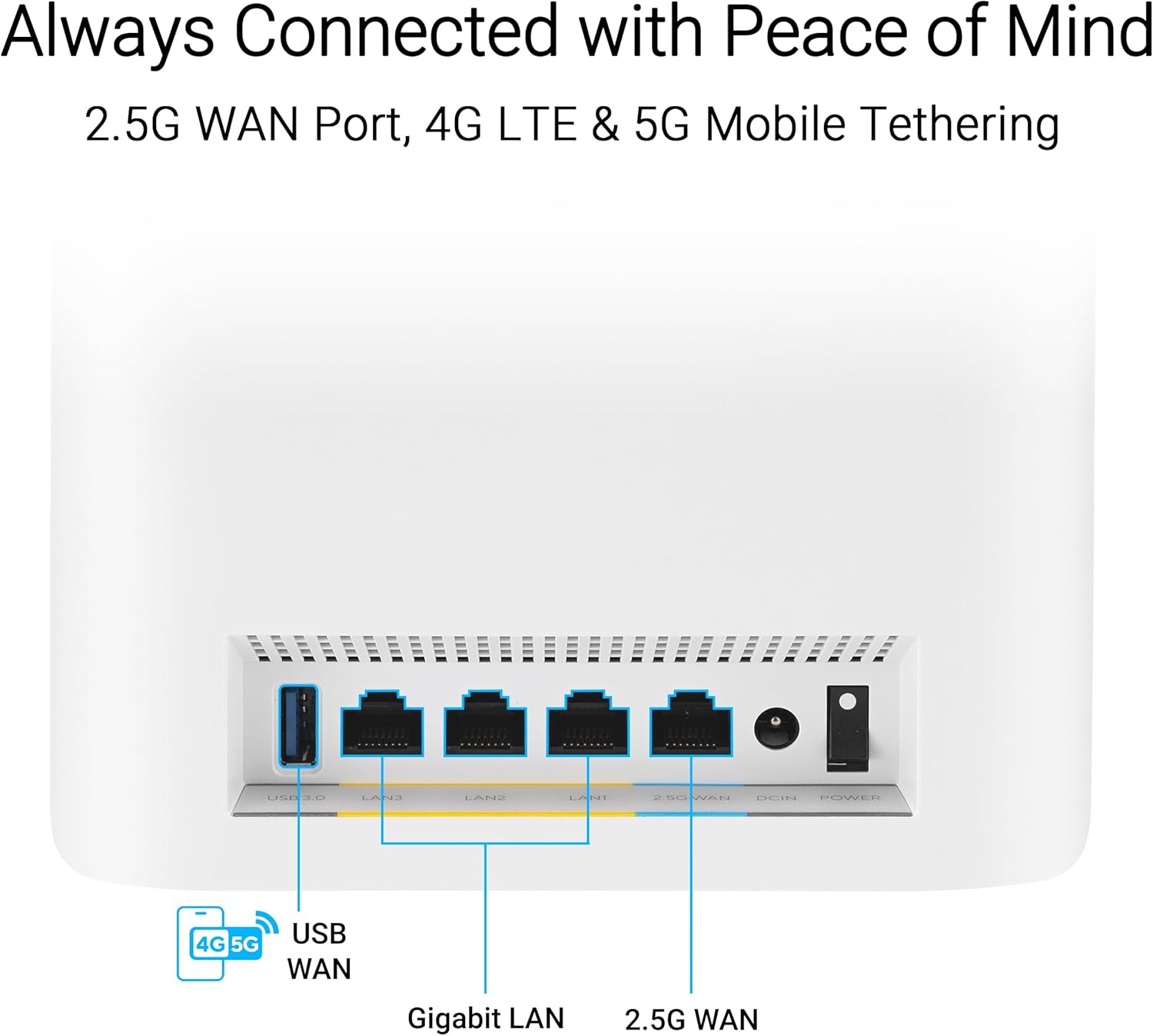
Image: Rear ports of the ZenWiFi BT6, highlighting the 2.5G WAN port for internet connection.

Image: The ASUS Router app interface, showing the easy 3-step setup process.
4. Funcionamento do sistema de malla
4.1. AiMesh Technology
The ZenWiFi BT6 utilizes AiMesh technology to create a unified whole-home WiFi network. This means your devices will automatically connect to the strongest WiFi signal as you move around your home, ensuring seamless connectivity without manual switching between networks.

Image: AiMesh coverage diagram, showing how two units provide WiFi across a large area.
4.2. Tri-Band WiFi 7 Performance
The system operates on three frequency bands (2.4 GHz, 5 GHz, and 6 GHz) to provide maximum bandwidth and reduce interference. WiFi 7 (802.11be) offers enhanced speeds and efficiency, particularly on the 6 GHz band, which is less congested.

Image: Tri-band speed breakdown, illustrating the performance of each frequency band.
4.3. Network Security with AiProtection Pro
AiProtection Pro, powered by Trend Micro, provides comprehensive network security. This includes protection against malicious sites, vulnerability protection, and infected device prevention and blocking. It operates continuously to safeguard your network and connected devices.

Image: AiProtection Pro interface within the ASUS Router app, detailing security features.
4.4. Advanced Parental Controls
Manage internet access for family members with advanced parental controls. Features include an internet activity dashboard, kid-safe presets, content filtering, and flexible time scheduling. These settings can be configured easily through the ASUS Router app.

Image: Parental controls dashboard in the ASUS Router app, showing options for managing family internet usage.
4.5. Smart Home Master SSIDs
The ZenWiFi BT6 allows you to create up to three distinct SSIDs (network names) for different purposes: an IoT Network for smart devices, a Kid's Network with specific access rules, and a VPN Network for secure connections. This segmentation enhances security and network management.

Image: Smart Home Master SSIDs feature, illustrating separate networks for IoT, VPN, and kids.
4.6. 4G & 5G Mobile Tethering
For backup internet or mobile connectivity, the ZenWiFi BT6 supports 4G and 5G mobile tethering. Connect a compatible 4G/5G USB dongle to the USB port on the router to use a mobile data connection as your internet source.
5. Mantemento
To ensure optimal performance and longevity of your ASUS ZenWiFi BT6 system, consider the following maintenance tips:
- Actualizacións de firmware: Comprobe e instale regularmente actualizacións de firmware a través da aplicación ASUS Router ou web interface. As actualizacións adoitan incluír melloras de rendemento, parches de seguranza e novas funcionalidades.
- Limpeza física: Keep the units free from dust. Use a soft, dry cloth to wipe the exterior. Ensure ventilation slots are not obstructed.
- Reiniciar periodicamente: A periodic restart (e.g., once a month) can help clear temporary issues and refresh network performance.
- Colocación óptima: Ensure units are placed in open areas, away from large metal objects, thick walls, and interference sources (like microwaves or cordless phones) to maintain strong signal strength.
6 Solución de problemas
If you encounter issues with your ZenWiFi BT6 system, try the following steps:
- Sen conexión a Internet:
- Comproba se o teu módem funciona correctamente.
- Ensure the Ethernet cable is securely connected from the modem to the 2.5G WAN port of your main ZenWiFi unit.
- Restart both your modem and the ZenWiFi main unit.
- Poor WiFi Signal/Coverage:
- Relocate your satellite ZenWiFi unit closer to the main unit or to a more central location.
- Asegúrate de que non haxa obstáculos importantes entre as unidades.
- Check the AiMesh connection status in the ASUS Router app.
- Devices Cannot Connect to WiFi:
- Verify you are using the correct WiFi network name (SSID) and password.
- Reinicie o dispositivo problemático.
- Check if the WiFi is enabled on your ZenWiFi system via the app or web interface.
- Velocidades lentas:
- Ensure your internet service provider (ISP) is delivering the expected speeds.
- Minimize the number of active devices or bandwidth-intensive applications.
- Consider using a wired connection for devices that require maximum speed.
For further assistance, refer to the comprehensive user manual available on the ASUS support websitio web ou póñase en contacto co servizo de atención ao cliente de ASUS.
7. Especificacións técnicas
| Característica | Detalle |
|---|---|
| Marca | ASUS |
| Nome do modelo | BT6 (W-2-PK) |
| Tipo sen fíos | 802.11.be (WiFi 7), 802.11ax (WiFi 6), 802.11ac (WiFi 5), 802.11n (WiFi 4) |
| Clase de banda de frecuencia | Tripla banda (2.4 GHz, 5 GHz, 6 GHz) |
| Velocidade máxima de datos | Ata 9.4 Gbps |
| Coverage (2-pack) | Ata 5800 pés cadrados. |
| Porto WAN | 1 x 2.5G WAN Port |
| Portos LAN | Multiple Gigabit LAN ports |
| Porto USB | USB 3.0 (for mobile tethering) |
| Sistema Operativo | ASUSWRT |
| Dimensións (LxWxH) | 7.32 x 2.83 x 6.26 polgadas |
| Peso do elemento | 1.88 libras |
| Características especiais | 2 PACKS, Alexa Compatible, Guest Mode, VPN Security, AiProtection Pro, Parental Controls, Smart Home Master SSIDs |

Image: Internal components of the ZenWiFi BT6, highlighting its engineering for performance.
8. Garantía e soporte
Your ASUS ZenWiFi BT6 system typically comes with a manufacturer's warranty. Please refer to the included Warranty Card for specific terms and conditions.
Plans de protección:
Additional protection plans may be available for purchase, such as 3-Year or 4-Year Protection Plans, or a Complete Protect monthly plan. These plans offer extended coverage beyond the standard manufacturer's warranty.
Atención ao cliente:
For technical assistance, product registration, or warranty claims, please visit the official ASUS support website or contact their customer service department. Keep your product model number (BT6) and serial number handy when contacting support.
9. Recursos adicionais
Video: ZenWiFi BT6 Product Video, providing a visual overview of the system's features and benefits.


