1. Introdución
Thank you for choosing the Mesqool CR1025 Clock Radio. This device combines an alarm clock, Bluetooth speaker, FM radio, night light, and phone charger into one compact unit. This manual provides detailed instructions for setup, operation, and maintenance to ensure optimal performance and user experience.

Figure 1: Mesqool CR1025 Clock Radio
2. Produto rematadoview
2.1 Características principais
- Deseño multifuncional: Alarm Clock, Bluetooth Speaker, FM Radio, Night Light, and Phone Charger.
- Bluetooth 5.0: For stable and quick wireless audio streaming.
- Radio FM: 87.5MHz-108.0MHz frequency range with 20 preset stations.
- Brillo axustable: 5 levels for the LED display.
- Volume axustable: 16 levels (45dB to 116dB).
- Temporizador de sono: Allows automatic shutdown of audio playback.
- Función de Snooze: 9-minute delay for alarms.
- Copia de seguridade da batería: Mantén a configuración da hora e da alarma durante o apagadotages.
- Portos de carga USB duales: Type-C and USB-A for device charging.
- Formato horario: 12-hour and 24-hour display options.
- Horario de verán (DST): Quick adjustment feature.

Figura 2: Funcionalidade 5 en 1
2.2 Contido do paquete
- Mesqool CR1025 Clock Radio
- Adaptador de alimentación
- Cable USB
- CR2032 Lithium Battery (pre-installed or separate for backup)
- Manual de usuario (este documento)

Figura 3: Contido do paquete
3. Controles e pantalla
Familiarize yourself with the buttons and ports on your Mesqool CR1025 Clock Radio.
3.1 Controis do panel superior
- Sleep Timer Knob: Rotate to set sleep timer duration. Press to confirm.
- Botón de alarma: Prema para configurar ou activar/desactivar as alarmas.
- Time/12/24 Button: Press to set time. Hold to switch between 12/24-hour format.
- Dimmer/DST Button: Press to adjust display brightness. Hold to activate/deactivate Daylight Saving Time.
- Botón SNOOZE/LIGHT: Press to snooze alarm or turn night light on/off.
- Preset/Pair Button: Press to cycle through FM presets. Hold to enter Bluetooth pairing mode.
- Play/Mode Button: Press to play/pause in Bluetooth mode. Hold to switch between FM/Bluetooth modes.
- Power/Scan Knob: Rotate to adjust volume. Press to power on/off. Hold to auto-scan FM stations.
3.2 Portos do panel traseiro
- DC IN: Porto de entrada de enerxía.
- Saída USB-A: Para cargar dispositivos externos.
- Saída tipo C: Para cargar dispositivos externos.
4. Configuración
4.1 Conexión de alimentación
- Connect the power adapter to the DC IN port on the back of the clock radio.
- Conecta o adaptador de corrente a unha toma de corrente estándar. A pantalla iluminarase.

Figura 4: Conexión de alimentación
4.2 Batería de reserva
The CR2032 battery provides backup for time and alarm settings during a power outage. The display will not show time, and alarms will not sound until power is restored.
- Ensure the battery insulator tab is removed if the battery was pre-installed.
- If replacing, open the battery compartment on the bottom and insert a new CR2032 battery with the correct polarity.
4.3 Axustar a hora
- Manteña premido o Time/12/24 botón ata que os díxitos das horas parpadeen.
- Xire o Alimentación/Escaneo botón para axustar a hora.
- Preme o Time/12/24 de novo para confirmar a hora e os díxitos dos minutos parpadearán.
- Xire o Alimentación/Escaneo knob to adjust the minutes.
- Preme o Time/12/24 button to save the time setting.
4.4 12/24-Hour Format
Para cambiar entre os formatos de hora de 12 horas e 24 horas, prema o botón Time/12/24 button briefly while the time is displayed.

Figure 5: 12H/24H and DST Display
4.5 Horario de verán (DST)
To activate or deactivate DST, press and hold the Dimmer/DST button. The 'DST' indicator will appear or disappear on the display.
5. Instrucións de funcionamento
5.1 Axustar a alarma
- Manteña premido o Alarma botón ata que os díxitos da hora da alarma parpadeen.
- Xire o Alimentación/Escaneo knob to adjust the alarm hour.
- Preme o Alarma de novo para confirmar a hora e os díxitos dos minutos parpadearán.
- Xire o Alimentación/Escaneo knob to adjust the alarm minutes.
- Preme o Alarma button to save the alarm time.
- Para activar/desactivar a alarma, prema o botón Alarma botón brevemente. Aparecerá/desaparecerá unha icona de alarma na pantalla.
5.2 Función Snooze
Cando soe a alarma, prema o botón SNOOZE / LUZ button to activate the 9-minute snooze function. The alarm will sound again after 9 minutes. This can be repeated up to 9 times. To stop the alarm completely, press the Alarma botón.

Figure 6: Snooze Function
5.3 Funcionamento da radio FM
- Preme o Play/Mode botón para cambiar ao modo de radio FM.
- Escaneado automático: Manteña premido o Alimentación/Escaneo knob to automatically scan and save available FM stations (up to 20 presets).
- Sintonización manual: Briefly rotate the Alimentación/Escaneo knob to fine-tune the frequency.
- Seleccione presets: Preme o Preset/Pair botón para percorrer as emisoras gardadas.
- Axuste de volume: Xire o Alimentación/Escaneo knob to adjust the volume (16 levels).

Figura 7: Características da radio FM
5.4 Funcionamento do altofalante Bluetooth
- Preme o Play/Mode button to switch to Bluetooth mode. The 'BT' icon will flash on the display.
- On your mobile device, enable Bluetooth and search for 'CR1025'.
- Select 'CR1025' to pair. Once connected, the 'BT' icon will stop flashing.
- Play audio from your device. Use the Play/Mode botón para reproducir / pausar.
- Axuste de volume: Xire o Alimentación/Escaneo botón para axustar o volume.

Figura 8: Conectividade Bluetooth 5.0
5.5 Funcionamento da luz nocturna
Preme o SNOOZE / LUZ button to turn the night light on or off. The night light provides a soft, warm glow.

Figure 9: Warm Night Light
5.6 Axuste de brillo da pantalla
Preme o Dimmer/DST button repeatedly to cycle through 5 levels of display brightness, from off to brightest.
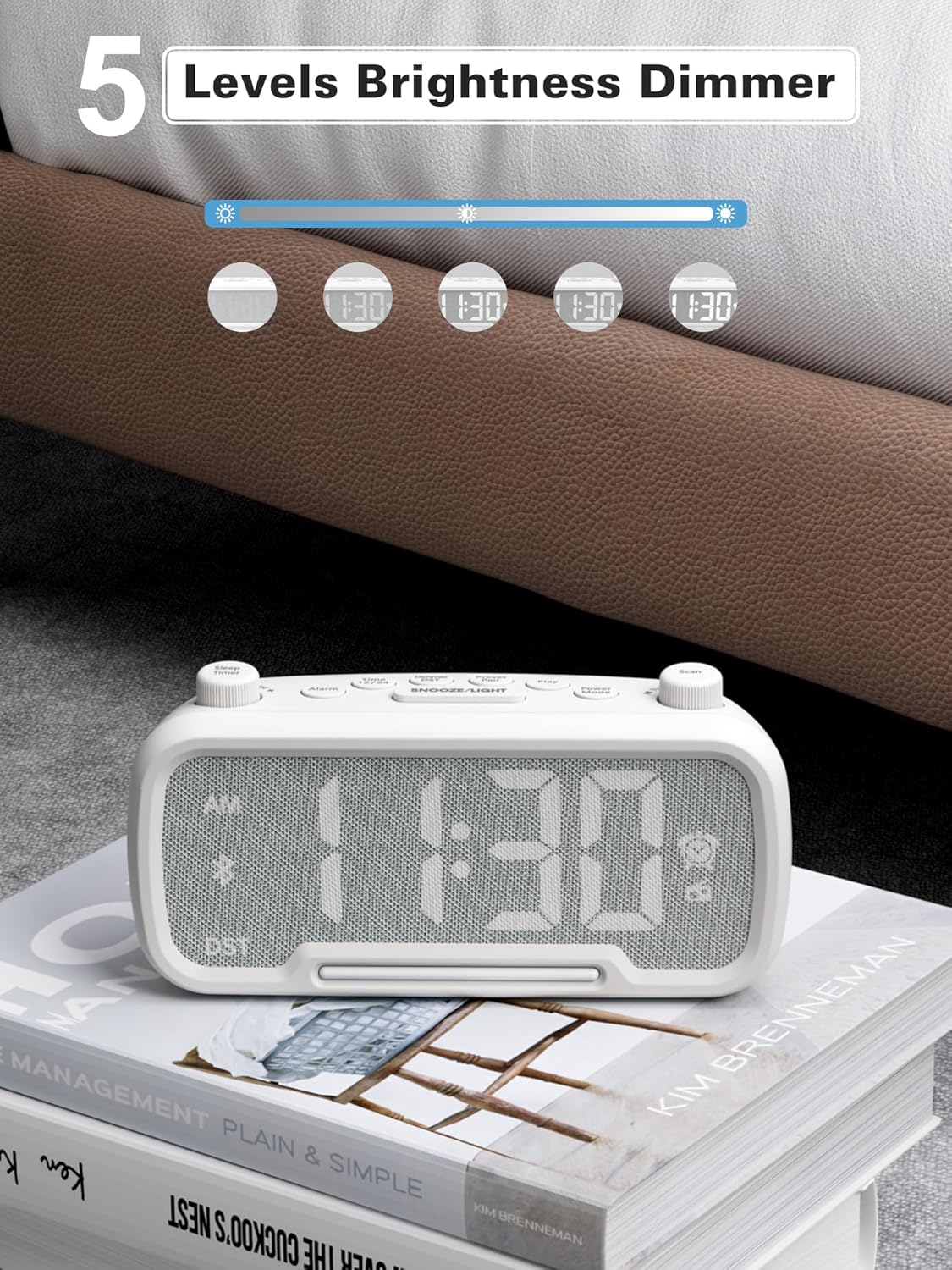
Figure 10: 5 Levels Brightness Dimmer
5.7 Temporizador de sono
The sleep timer allows you to set a duration after which the radio or Bluetooth audio will automatically turn off.
- While playing FM radio or Bluetooth audio, rotate the Temporizador de suspensión knob to select the desired sleep duration (e.g., 15, 30, 60, 90 minutes).
- The display will show the remaining sleep time. The audio will turn off automatically when the timer expires.
5.8 Carga do teléfono
The clock radio features two USB charging ports (Type-C and USB-A) for convenient charging of your mobile devices.
- Connect your device's charging cable to either the USB-A or Type-C port on the back of the clock radio.
- Connect the other end of the cable to your mobile device. Charging will begin automatically.

Figure 11: Dual USB Charging Ports
6. Mantemento
- Limpa a unidade cun pano suave e seco. Non empregues produtos de limpeza abrasivos nin solventes.
- Manteña a unidade lonxe da luz solar directa, de fontes de calor e de humidade.
- Garantir unha ventilación adecuada ao redor da unidade.
- If the unit will not be used for an extended period, unplug it from the power outlet.
7 Solución de problemas
| Problema | Causa posible | Solución |
|---|---|---|
| Sen alimentación/Pantalla apagada | O adaptador de corrente non está conectado ou está avariado. | Ensure power adapter is securely plugged into the unit and wall outlet. Check outlet functionality. |
| A alarma non soa | A alarma non está activada ou está configurada incorrectamente. | Verify alarm time is set and the alarm icon is visible on the display. Check alarm volume. |
| Recepción de radio FM deficiente | Sinal débil ou interferencias. | Adjust the unit's position. Try auto-scanning again. |
| Bluetooth non se sincroniza | O dispositivo non está en modo de emparellamento ou está demasiado lonxe. | Ensure the clock radio is in Bluetooth mode (BT icon flashing). Move device closer. Forget device on phone and re-pair. |
| A carga USB non funciona | Cable faulty or device incompatible. | Try a different USB cable. Ensure the clock radio is powered on. |
8. Especificacións
- Modelo: CR1025
- Entrada de enerxía: CA 100-240 V, 50/60 Hz
- Copia de seguridade da batería: 1 x CR2032 (incluído)
- Frecuencia FM: 87.5 - 108.0 MHz
- Versión Bluetooth: 5.0
- Saída USB: USB-A, Type-C (Charging only)
- Brillo da pantalla: 5 niveis
- Niveis de volume: 16 niveis (45dB - 116dB)
- Dimensións: 5.9 x 3.81 x 8.4 cm (2.32 x 1.5 x 3.31 polgadas)
- Peso: 216 g (0.48 lb)
Figura 12: Dimensións do produto
9. Garantía e soporte
Mesqool products are designed and manufactured to the highest quality standards. For warranty information, technical support, or customer service inquiries, please refer to the contact information provided on the product packaging or visit the official Mesqool websitio.
Websitio: Mesqool Official Store


