1. Introdución
This manual provides essential information for the operation and maintenance of your DOOGEE T35 tablet. Please read it thoroughly before using the device to ensure proper functionality and longevity.
The DOOGEE T35 is an 11-inch tablet featuring a Helio G99 Octa-core processor, Android 14 operating system, and a 2.5K FHD+ display. It comes equipped with 20GB RAM and 256GB internal storage, expandable up to 2TB. Key features include 4G LTE calling, 5G Wi-Fi, an 8580mAh battery with 33W fast charging, and a 20MP camera. Accessories such as a keyboard, stylus, and protective case are included to enhance productivity and user experience.
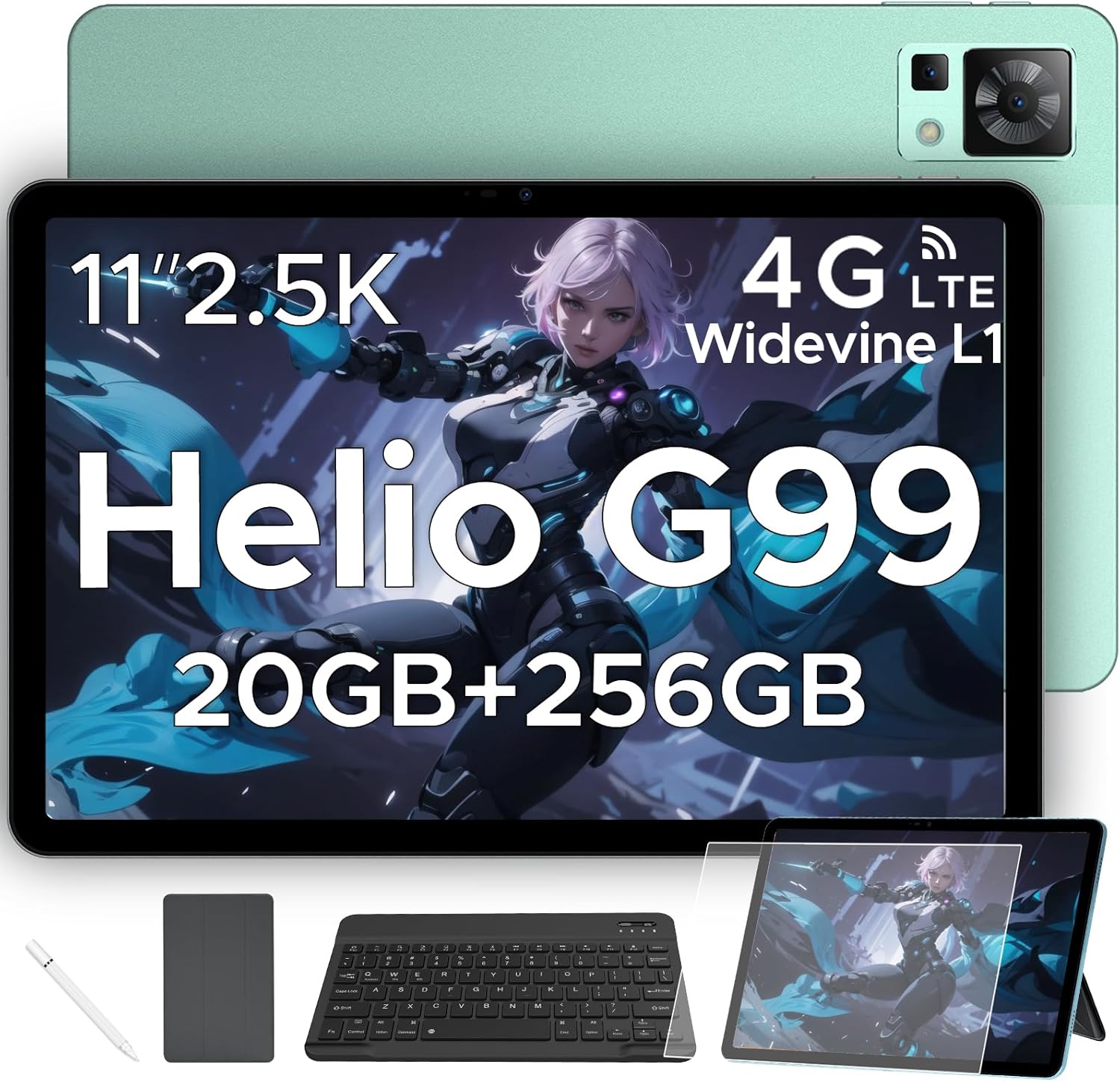
Figure 1.1: DOOGEE T35 Tablet and its accompanying accessories.
2. Que hai na caixa
Ao abrir o paquete, comprobe que todos os elementos enumerados a continuación estean presentes e en bo estado:
- Tableta DOOGEE T35
- Cargador
- Cable USB tipo C
- SIM Card Tray Ejector Tool
- Manual de usuario
- Teclado Bluetooth
- Película protectora
- Touching Pen (Stylus)
- Business Leather Case
Video 2.1: An unboxing video demonstrating the contents of the DOOGEE T35 package, including the tablet and all listed accessories.
3. Configuración
3.1 Encendido inicial
- Manteña premido o botón de acendido e apagado situado no lateral da tableta ata que apareza o logotipo de DOOGEE.
- Sigue as instrucións na pantalla para seleccionar o teu idioma, rexión e conectarte a unha rede wifi.
- Inicia sesión coa túa conta de Google ou crea unha nova para acceder a Google Play Store e outros servizos.
3.2 Inserción da tarxeta SIM e da tarxeta MicroSD
The DOOGEE T35 supports 4G LTE connectivity and expandable storage via a MicroSD card (up to 2TB).
- Localiza a bandexa da tarxeta SIM no lateral da tableta.
- Insert the provided SIM card tray ejector tool into the small hole next to the tray and gently push until the tray pops out.
- Place your Nano-SIM card(s) and/or MicroSD card into the designated slots on the tray, ensuring correct orientation.
- Volva inserir a bandexa con coidado na tableta ata que encaixe no seu lugar.
3.3 Conexión de accesorios
The tablet comes with a Bluetooth keyboard, stylus, and a business leather case.
- Teclado Bluetooth: Turn on the keyboard and enable Bluetooth on your tablet. Busca the keyboard in the Bluetooth settings and pair it.
- Stylus: The stylus is ready for use directly on the screen for drawing or navigation.
- Business Leather Case: Insert the tablet into the protective case for enhanced protection and convenience.
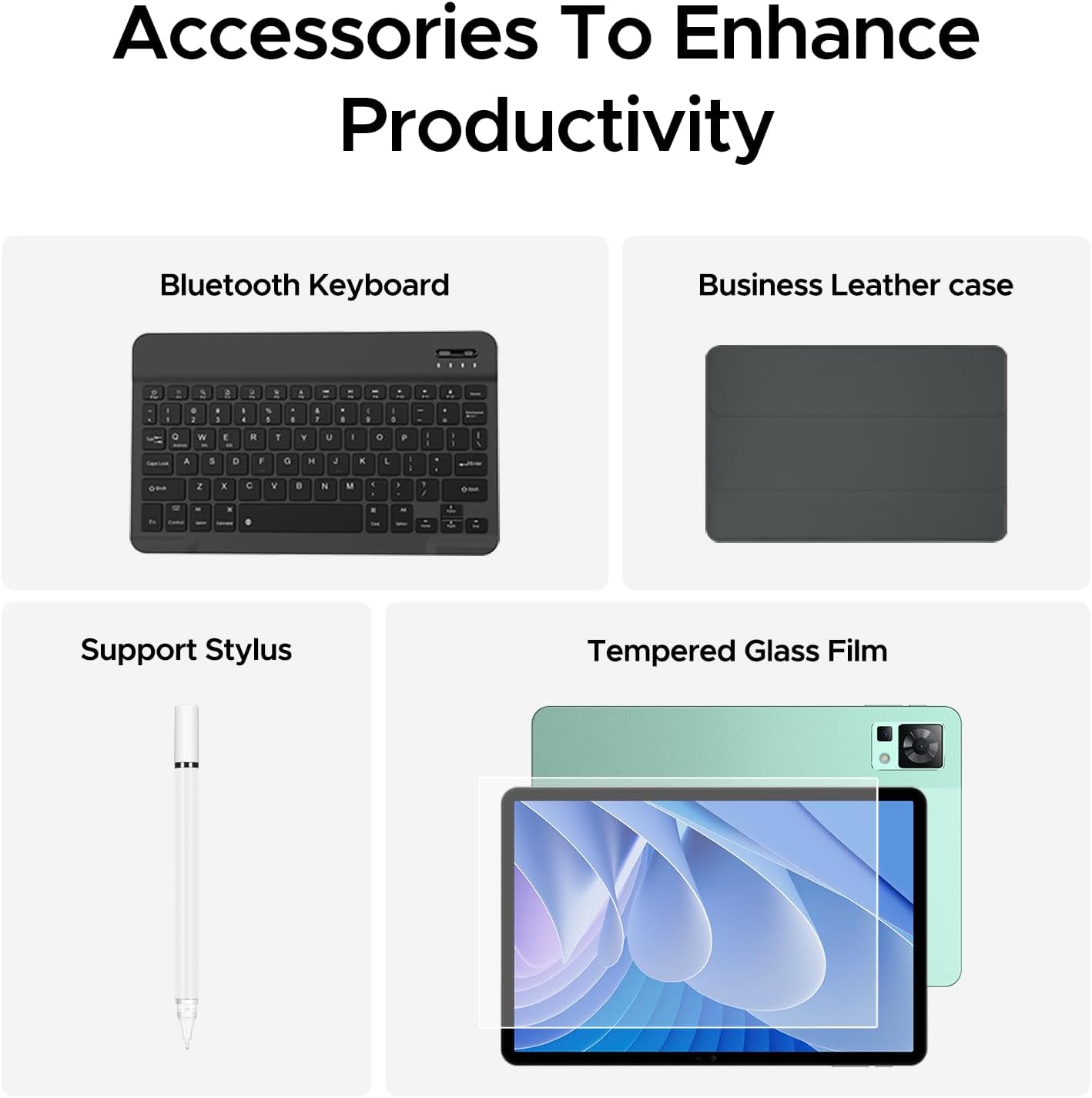
Figure 3.1: The DOOGEE T35 tablet with its included accessories, ready for use.
4. Instrucións de funcionamento
4.1 Pantalla e navegación
The DOOGEE T35 features an 11-inch 2.5K ultra-clear display (2560 x 1600 pixels) for a high-quality visual experience.
- Xestos táctiles: Navigate the Android 14 interface using standard touch gestures like tap, swipe, pinch-to-zoom.
- Pantalla dividida: Utilize the split-screen feature to run two applications simultaneously for enhanced multitasking.
- Modos de lectura: Adjust the display settings to Warm, Standard, or Cool mode for comfortable reading in various lighting conditions.

Figure 4.1: The 11-inch 2.5K ultra-clear display provides excellent visuals for all content.
4.2 Rendemento e almacenamento
Powered by the Helio G99 Octa-core processor, the T35 offers robust performance for gaming, streaming, and productivity. It offers 20GB RAM (8GB base + 12GB extended) and 256GB ROM, expandable up to 2TB with a MicroSD card.
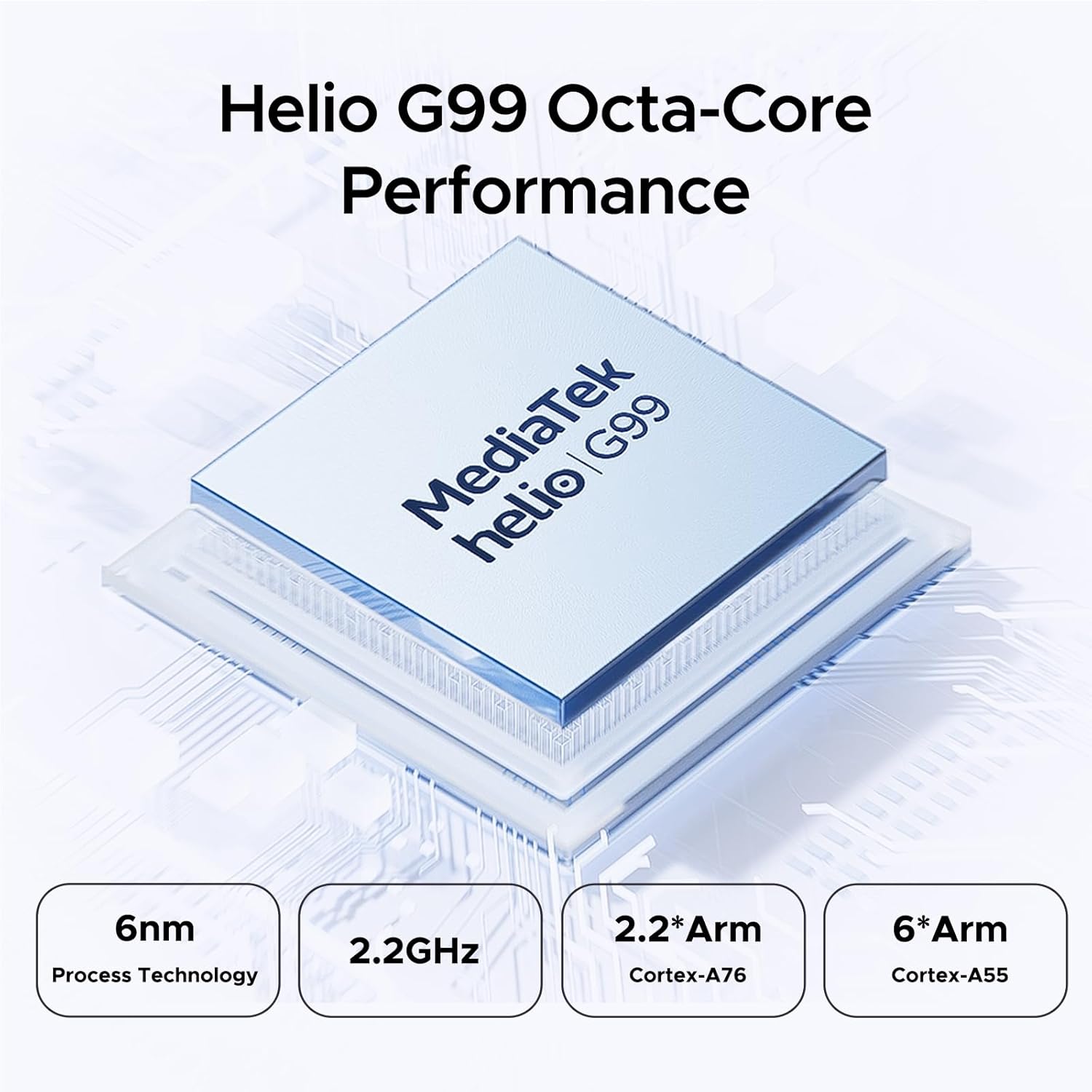
Figure 4.2: Helio G99 Octa-Core Processor for robust performance.

Figure 4.3: Memory and storage capabilities of the DOOGEE T35.
4.3 Xestión da batería
The 8580mAh large capacity battery provides extended usage. It supports 33W fast charging and reverse charging, allowing the tablet to act as a power bank for other devices.

Figure 4.4: 8580mAh Battery with 33W Fast Charging.
4.4 Conectividade
The tablet supports 4G LTE for cellular calls and data, and 5G Wi-Fi for high-speed internet. It also includes GPS, Glonass, Galileo, Beidou, and AGPS for accurate navigation.
4.5 Multimedia
Enjoy immersive audio with quad speakers and Smart PA. Widevine L1 support ensures high-quality streaming from platforms like Netflix and Amazon Prime Video.
Vídeo 4.1: Presentación dun vídeo promocionalasing the DOOGEE T35 Android Tablet and its accessories, highlighting its features and design.
5. Mantemento
5.1 Limpeza da tableta
- Usa un pano suave e sen fiapos para limpar a pantalla e o corpo da tableta.
- Para manchas difíciles, lixeiramente dampEnxágüe o pano con auga ou un limpador de pantallas. Evite produtos químicos agresivos.
- Asegúrate de que todos os portos estean libres de po e residuos.
5.2 Coidado coa batería
- Evite expoñer a tableta a temperaturas extremas.
- Non descargues completamente a batería con regularidade. Cárgaa antes de que baixe do 20 %.
- Use only the provided charger and cable for optimal charging performance and safety.
5.3 Actualizacións de software
Comproba e instala regularmente actualizacións do sistema para garantir que a túa tableta teña as últimas funcións, parches de seguridade e melloras de rendemento. Vai a Configuración > Sistema > Actualización do sistema para comprobar as actualizacións.
6 Solución de problemas
| Problema | Causa posible | Solución |
|---|---|---|
| A tableta non se acende. | Batería baixa; fallo do software. | Carga a tableta durante polo menos 30 minutos. Mantén premido o botón de acendido durante 10-15 segundos para forzar o reinicio. |
| Problemas coa conexión wifi. | Incorrect password; router issues; tablet Wi-Fi disabled. | Verify Wi-Fi password. Restart router. Toggle Wi-Fi off/on on tablet. |
| As aplicacións fallan ou conxélanse. | RAM insuficiente; erro da aplicación; software desactualizado. | Pechar aplicacións en segundo plano. Borrar a caché/os datos da aplicación. Actualizar o software da aplicación ou do sistema. |
| Rendemento lento. | Demasiadas aplicacións executándose; pouco almacenamento; software desactualizado. | Close unused apps. Free up storage space. Perform a system update. |
| Cannot connect to Google server/account. | Network issues; incorrect account details; software glitch. | Ensure stable internet connection. Verify Google account credentials. Restart tablet. If persistent, consider a factory reset (backup data first). |
7. Especificacións
| Característica | Especificación |
|---|---|
| Modelo | DOOGEE T35 |
| Sistema Operativo | Android 14 |
| Procesador | MediaTek Helio G99 Octa-core (6nm, 2.2GHz) |
| Mostrar | 11-inch 2.5K (2560 x 1600 pixels) |
| RAM | 8 GB (ampliable a 20 GB) |
| Almacenamento interno (ROM) | 256 GB |
| Almacenamento ampliable | Ata 2 TB mediante tarxeta MicroSD |
| Capacidade da batería | 8580 mAh |
| Cargando | Carga rápida de 33 W, carga inversa |
| Conectividade | 4G LTE, 5G Wi-Fi (802.11ax), Bluetooth |
| Navegación | GPS, Glonass, Galileo, Beidou, AGPS |
| Audio | Quad Speakers with Smart PA, Hi-Res Audio, 3.5mm Headphone Jack |
| Seguridade | Face ID |
| Dimensións (LxWxH) | 10.12 x 6.64 x 0.3 polgadas |
| Peso | 3 libras |
8. Garantía e soporte
DOOGEE provides comprehensive support for your T35 tablet:
- Garantía de devolución do diñeiro: Goza dunha garantía de devolución do diñeiro de 30 días e devolucións gratuítas.
- Garantía limitada: The tablet comes with a 2-year limited warranty.
- Atención ao cliente: For any inquiries or assistance, please contact DOOGEE customer service.
Para obter máis axuda, consulte a páxina oficial de DOOGEE websitio web ou póñase en contacto cos seus canais de asistencia.


