1. Introdución
This manual provides comprehensive instructions for the installation, operation, and maintenance of your MONTECH HP140mm PWM ARGB Fan 3-in-1 Pack. Please read this manual thoroughly before installation and use to ensure proper function and longevity of the product. This fan kit is designed to provide efficient cooling and customizable ARGB lighting for your computer system.
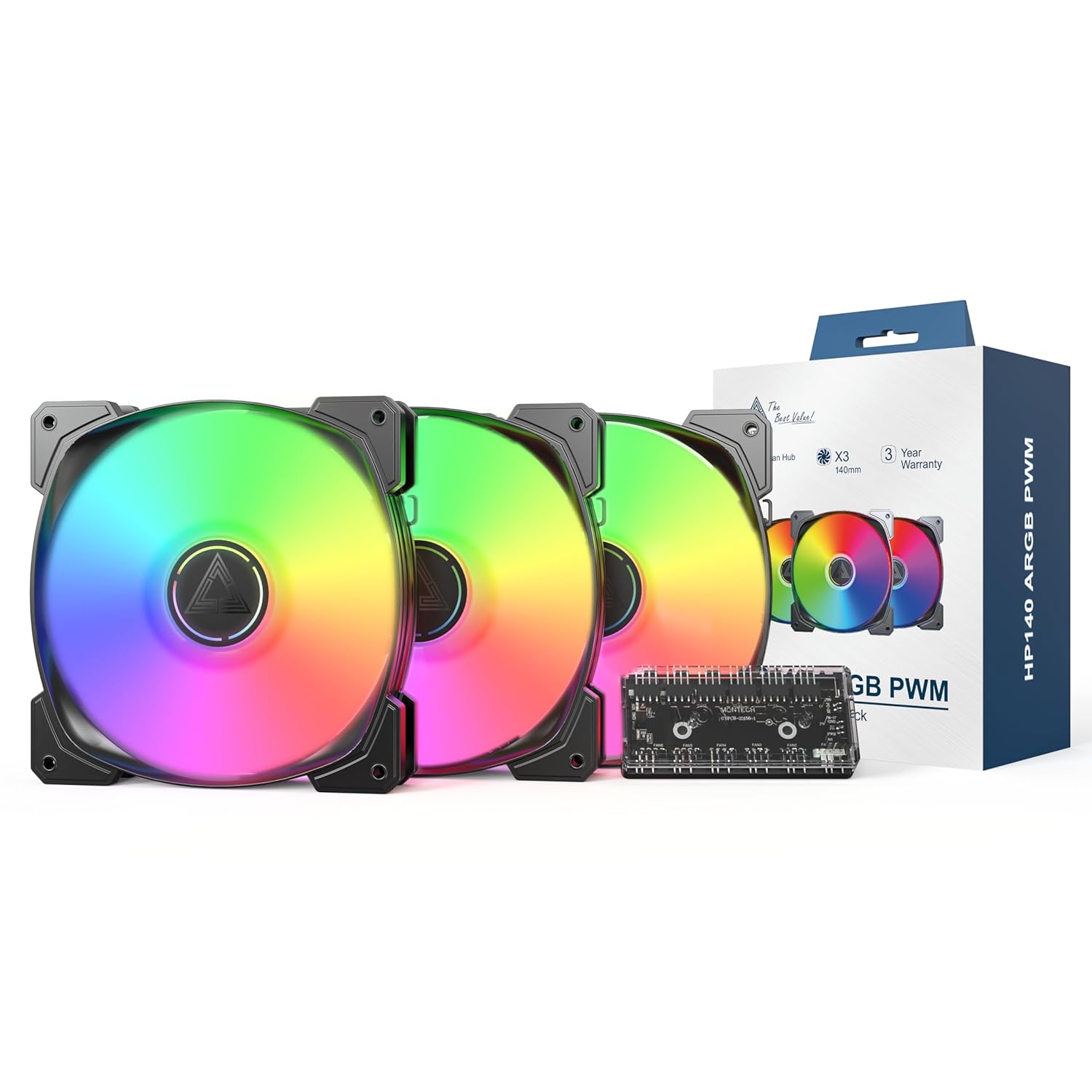
Image 1.1: MONTECH HP140mm PWM ARGB Fan 3-in-1 Pack components including three fans, a fan hub, and product packaging.
2. Contido do paquete
Verifique que todos os elementos que se indican a continuación estean presentes no seu paquete:
- 3 x MONTECH HP140mm PWM ARGB Fans
- 1 x 6x6 Fan Hub (for fan power and ARGB control)
- Parafusos de montaxe
- Manual de usuario (este documento)
3. Características clave
- High Airflow Performance: Max 1600 RPM with an airflow of 95.61 CFM and static pressure of 2.95 mmH2O for effective cooling.
- Funcionamento silencioso: Funciona cun baixo nivel de ruído de 29.2 dBA.
- Vivid ARGB Illumination: Features 8 LED ARGB lights for customizable lighting effects, controlled via a 4-Pin PWM connection.
- Durable Rifle Bearings: Equipped with rifle bearings and advanced lubrication for long-lasting, reliable operation and reduced friction.
- Integrated Fan Hub: Includes a 6x6 fan hub for centralized management of fan power and ARGB lighting.

Image 3.1: Illustration of optimal airflow within a PC case, demonstrating the cooling capabilities of the HP140mm fans.

Imaxe 3.2: Detallada view of the fan's internal structure, highlighting the rifle bearing for enhanced durability and quiet operation.
4. Información de seguridade
- Asegúrate de que o ordenador estea apagado e desconectado da toma de corrente antes da instalación.
- Manexa os compoñentes con coidado para evitar danos.
- Refer to your motherboard manual for specific fan and ARGB header locations and voltage requisitos.
- Do not force connectors. Ensure correct orientation before plugging in.
- Manter fóra do alcance dos nenos.
5. Guía de instalación
Follow these steps to install your MONTECH HP140mm PWM ARGB Fans:
- Prepara o teu sistema: Apaga o ordenador e desconéctao da fonte de alimentación. Abre a carcasa do teu PC.
- Identificar as localizacións de montaxe: Determine where you want to install the 140mm fans (e.g., front, top, rear of the case). Consider airflow direction (intake or exhaust).
- Montar os ventiladores: Place each fan in the desired location and secure it using the provided mounting screws. Ensure the fan blades are not obstructed.
- Connect to Fan Hub: Connect the 4-pin PWM fan cable from each fan to the designated fan headers on the 6x6 Fan Hub.
- Connect ARGB Cables: Connect the 3-pin ARGB cable from each fan to the designated ARGB headers on the 6x6 Fan Hub.
- Connect Hub to Motherboard:
- Connect the 4-pin PWM cable from the fan hub to an available 4-pin PWM fan header on your motherboard (e.g., CPU_FAN, SYS_FAN).
- Connect the 3-pin ARGB cable from the fan hub to an available 5V 3-pin ARGB header on your motherboard. Non o conectes a un conector RGB de 12 V, xa que isto danará os LED.
- Alimenta o Hub: Connect the SATA power connector from the fan hub to an available SATA power cable from your power supply unit (PSU).
- Xestión de cables Pasa todos os cables con coidado para garantir unha circulación de aire axeitada e unha construción limpa.
- Pechar a caixa e acender: Pecha a carcasa do teu PC, conecta o cable de alimentación e acende o computador.
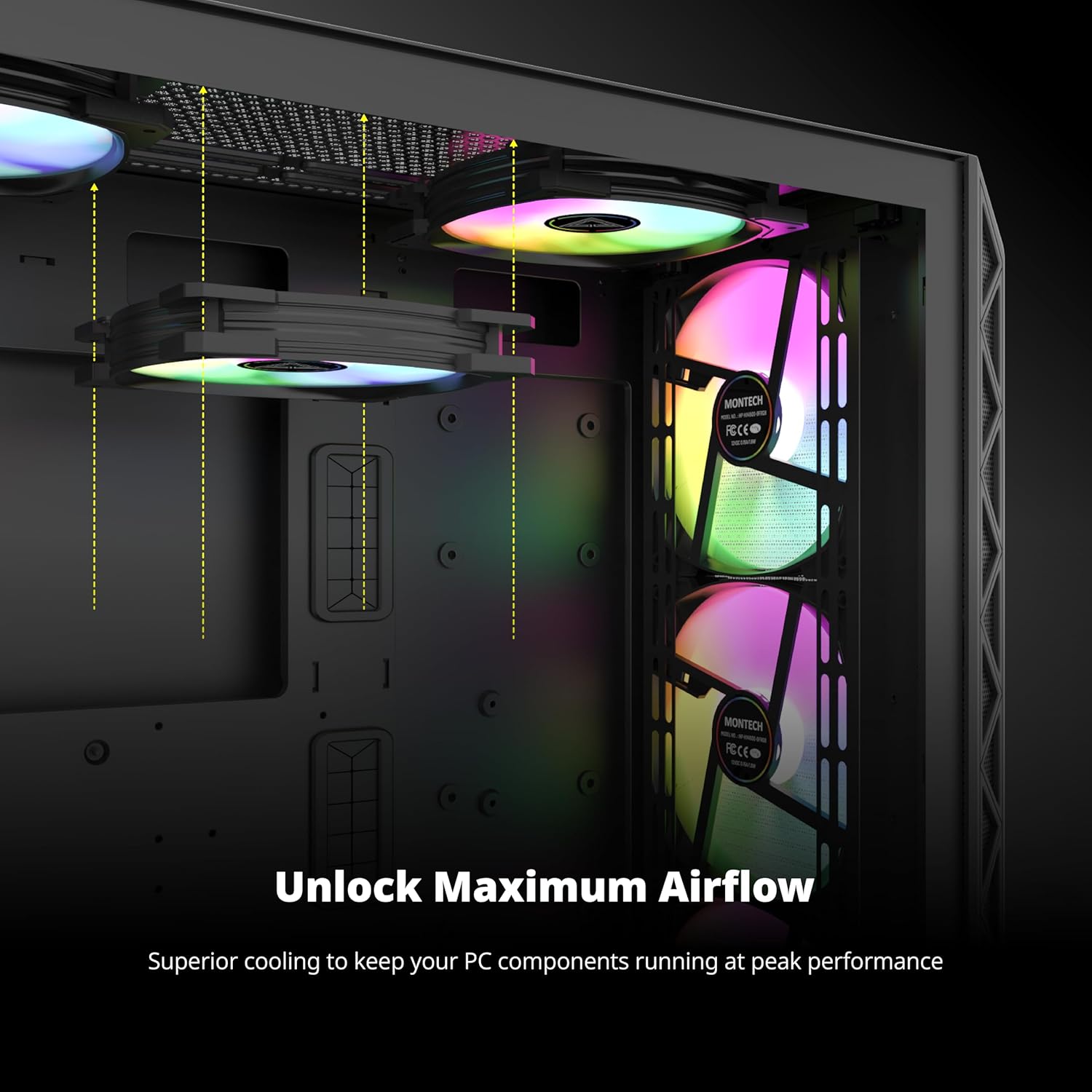
Imaxe 5.1: Ex.ample of HP140mm fans correctly installed within a computer case, demonstrating potential mounting positions and ARGB lighting.
6. Funcionamento
The MONTECH HP140mm fans utilize PWM (Pulse Width Modulation) for fan speed control and ARGB (Addressable RGB) for lighting effects.
- Control de velocidade do ventilador (PWM): The fan speed is automatically controlled by your motherboard based on system temperature, provided the fan hub is connected to a 4-pin PWM header. You can typically adjust fan curves and profiles through your motherboard's BIOS/UEFI settings or dedicated software (e.g., ASUS AI Suite, MSI Dragon Center, Gigabyte SIV).
- Control de iluminación ARGB: The ARGB lighting effects are controlled via your motherboard's 5V 3-pin ARGB header. Use your motherboard's ARGB synchronization software (e.g., ASUS Aura Sync, MSI Mystic Light Sync, Gigabyte RGB Fusion, ASRock Polychrome Sync) to customize colors, patterns, and brightness.
7. Mantemento
Regular maintenance ensures optimal performance and extends the lifespan of your fans.
- Limpeza: Periodically clean the fan blades and frame to remove dust buildup. Use compressed air or a soft, dry cloth. Ensure the fan is powered off and unplugged before cleaning.
- Inspección: Check for any loose cables or obstructions around the fan blades.
- Evitar líquidos: Do not use liquid cleaners directly on the fans or hub.
8 Solución de problemas
| Problema | Causa posible | Solución |
|---|---|---|
| Os fans non xiran | No power to fan hub or fans. Incorrect connection to motherboard. | Ensure SATA power is connected to the hub. Verify 4-pin PWM cable from hub is connected to motherboard fan header. Check all fan cables are securely connected to the hub. |
| ARGB lights not working | Incorrect ARGB connection. Software issue. | Ensure 3-pin ARGB cable from hub is connected to a 5V 3-pin ARGB header on the motherboard (not 12V RGB). Check ARGB cables from fans to hub. Verify ARGB software settings on your motherboard. |
| Fans spinning at full speed / not controllable | PWM signal not detected. Incorrect BIOS settings. | Ensure fan hub is connected to a 4-pin PWM header (not 3-pin DC). Check motherboard BIOS/UEFI settings for fan control mode (set to PWM). |
| Ruído/vibración excesivo | Loose mounting screws. Obstruction. | Tighten mounting screws. Remove any obstructions. Ensure no cables are touching fan blades. |
9. Especificacións
| Característica | Detalle |
|---|---|
| Número de modelo | HP140B3IN1 |
| Dimensións do ventilador | 140 mm x 140 mm x 25 mm (5.52" de longo x 0.99" de ancho x 5.52" de alto) |
| Velocidade do ventilador | 600-1600 rpm (±10%) |
| Capacidade de fluxo de aire | 95.61 CFM (pés cúbicos por minuto) |
| Presión estática | 2.95 mm H2O |
| Nivel de ruído | 29.2 dBA |
| Tipo de rodamento | Rodamento do rifle |
| Conector de alimentación | PWM de 4 pines |
| Conector ARGB | 3-Pin 5V ARGB |
| Vol. Operativotage | 12 voltios (DC) |
| Dispositivos compatibles | Ordenadores de escritorio |
| Método de arrefriamento | Aire |
| Fabricante | MONTECH |
10. Garantía e soporte
The MONTECH HP140mm PWM ARGB Fan 3-in-1 Pack is backed by a 3 ano de garantía desde a data de compra. Esta garantía cobre defectos de fabricación e garante un funcionamento fiable en condicións de uso normais.

Image 10.1: MONTECH 3-Year Warranty shield, symbolizing product reliability and customer support.
For technical support, warranty claims, or further inquiries, please visit the official MONTECH website or contact their customer service department. Please retain your proof of purchase for warranty validation.
Recursos en liña:
- Official MONTECH Websitio: www.montechpc.com


