Introdución
The Hakimonoe 6B17 USB 3.0 WiFi Adapter is designed to provide high-speed, stable wireless connectivity for your desktop PC or laptop. Featuring dual-band support (2.4GHz and 5GHz) and a USB 3.0 interface, it significantly enhances your internet experience for activities such as browsing, streaming, and gaming. Its enhanced antenna design ensures wider coverage and a more reliable connection.

Image: Hakimonoe 6B17 AC1300Mbps WiFi USB 3.0 Adapter with its accompanying USB driver.
O que hai na caixa
- 1 x 6B17 AC1300Mbps WiFi USB 3.0 Adapter
- 1 x USB Driver
- 1 x Manual de usuario
Configuración e instalación
Follow these steps to install your Hakimonoe 6B17 WiFi Adapter:
- Para Windows 11/10: The adapter is designed for plug-and-play functionality. Simply insert the adapter into an available USB 3.0 port on your computer. Your system should automatically detect and install the necessary drivers, allowing you to connect to a wireless network immediately.
- For Windows 8.1/8/7/XP/Vista: Driver installation is required. Insert the included USB driver disk into your computer's USB port. Follow the on-screen instructions to install the driver. Once the driver is installed, plug the WiFi adapter into a USB 3.0 port.
- Driver Troubleshooting (if adapter not recognized):
- Try plugging the adapter into a different USB 3.0 port on your PC.
- Press 'Win+X' to open Device Manager and disable your PC's built-in WiFi network device.
- Unplug the adapter, then plug in the USB Driver to install the driver manually. After installation, plug the adapter back in.
- In Device Manager, right-click on 'Realtek 8812BU Wireless...' and choose 'Update Driver'.

Image: Installation guide illustrating plug-and-play for Windows 10/11 and driver installation for other Windows OS versions.

Image: Visual representation of the adapter's easy setup and broad compatibility with Windows operating systems.
Funcionamento e uso
Dual-Band Performance
The 6B17 adapter supports dual-band frequencies, 2.4GHz and 5GHz, providing flexible connectivity options. The 5GHz band offers speeds up to 867Mbps, ideal for high-bandwidth activities like 4K streaming and online gaming, while the 2.4GHz band provides speeds up to 400Mbps, suitable for general web navegación e correo electrónico.

Image: Speed comparison chart highlighting the performance benefits of AC1300Mbps dual-band WiFi.
USB 3.0 Advantage
Utilizing a USB 3.0 interface, this adapter ensures maximum data transfer speeds, up to 5000Mbps, which is 10 times faster than USB 2.0. This is crucial for achieving the full potential of the 5GHz band's high speeds.

Image: Illustration demonstrating the significant speed advantage of USB 3.0 over USB 2.0 for optimal WiFi performance.
Adjustable High-Gain Antennas
The adapter features two high-gain 5dBi antennas that are adjustable and multi-directional. This design improves signal reception capabilities and, combined with beam-forming technology, intelligently focuses WiFi signals towards your connected devices, providing a more reliable and uninterrupted experience throughout your home or office.

Image: Depiction of the adapter providing wider and more stable WiFi coverage across various rooms.

Image: Details on the adjustable directional antenna with 180-degree rotation and the unique design with additional cooling function.
Seguridade sen fíos
The adapter supports various wireless security protocols including WPA/WPA2/WEP/802.1X/WMM to ensure your network connection is secure and protected from unauthorized access.
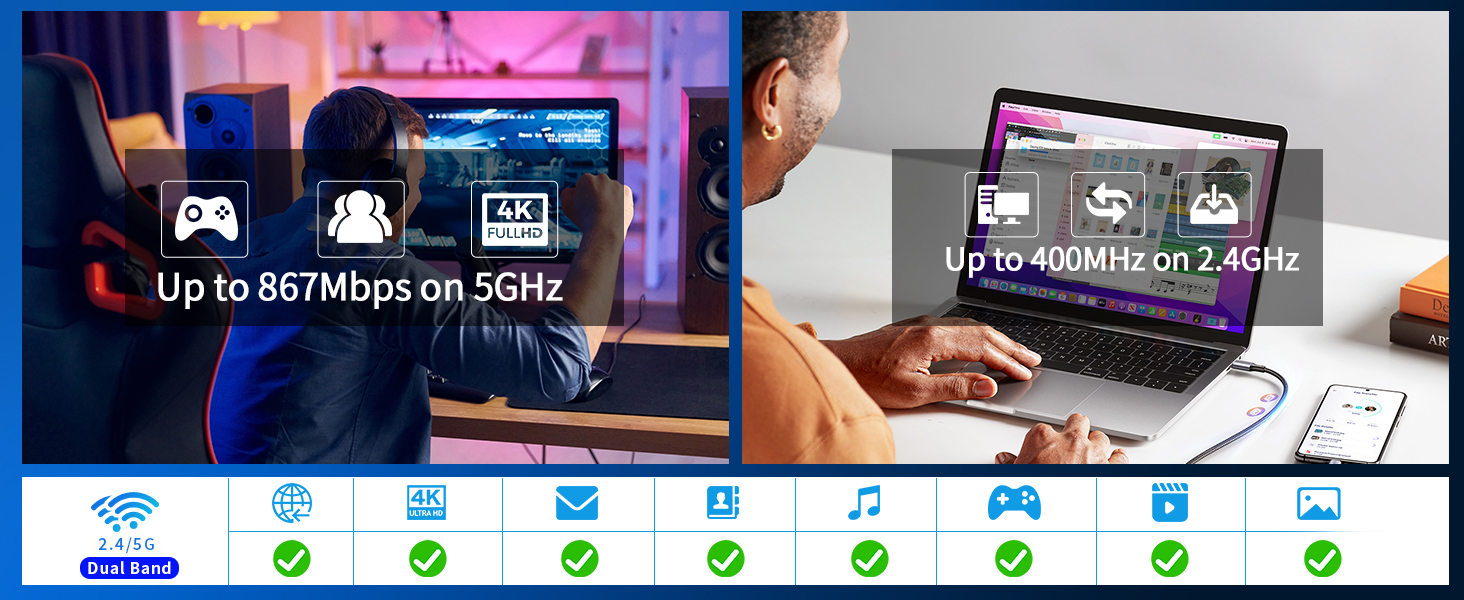
Imaxe: Examples of how the adapter enhances online experiences, from gaming to 4K content.
Especificacións
| Característica | Detalle |
|---|---|
| Dimensións do produto | 5.5 x 1.18 x 0.27 polgadas |
| Peso do elemento | 0.635 onzas (18 gramos) |
| Número de modelo do artigo | 6B17 |
| Marca | hakimonoe |
| Interface de hardware | USB, USB 3.0, USB 2.0, 802.11 ac/b/g/n |
| Cor | Negro |
| Dispositivos compatibles | Desktop, Laptop, PC with Windows 11/10/8.1/8/7/XP/Vista OS |
| Protocolo de enlace de datos | IEEE 802.11ac, USB |
| Taxa de transferencia de datos | 1300 megabits por segundo |
| Fabricante | SHEN ZHEN XIN HUA TIAN TECHNOLOGY CO., LTD |
| País de Orixe | China |

Imaxe: Varios views and dimensions of the Hakimonoe 6B17 WiFi Adapter.
Resolución de problemas
If your WiFi USB Adapter is not recognized or you encounter connectivity issues, please follow these steps:
- Change USB Port: Try plugging the adapter into a different USB 3.0 port on your PC.
- Disable Built-in WiFi: Press 'Win+X' on your keyboard to open the Quick Link menu, then select 'Device Manager'. Locate and disable your PC's built-in WiFi network device.
- Instalación manual do controlador: Unplug the adapter. Insert the USB Driver (included in the package) into a USB port and install the driver directly from it. After successful driver installation, plug the WiFi adapter back into your computer.
- Update Driver via Device Manager: Open 'Device Manager', locate the 'Realtek 8812BU Wireless LAN 802.11ac USB NIC' (or similar), right-click on it, and choose 'Update Driver'.
- Consult User Manual / Contact Support: If the issue persists, refer to the detailed user manual on the USB disk or contact our customer support for further assistance.

Image: Visual guide for common troubleshooting steps if the WiFi adapter is not recognized.
Garantía e Soporte
Hakimonoe is committed to providing excellent customer service. This product comes with a 12-Month Warranty Commitment e Soporte técnico de por vida.
If you have any questions regarding driver installation, product usage, or require technical assistance, please do not hesitate to contact our reliable customer support team via Amazon Message. We aim to reply to all inquiries quickly, typically within 24 hours.


