1. Introdución
Welcome to the user manual for your new redbeat M2 11-inch Android 15 Gaming Tablet. This guide provides essential information for setting up, operating, maintaining, and troubleshooting your device. Please read this manual thoroughly to ensure optimal performance and longevity of your tablet.

Image: redbeat M2 Gaming Tablet with its protective case.
2. Que hai na caixa
Upon unboxing your redbeat M2 tablet, verify that all the following items are included:
- Tableta M2
- Estuche negro
- Cable tipo C
- Libro de instrucións
- Agulla de tarxeta

Image: All items included in the redbeat M2 tablet package.
3. Configuración
Follow these steps to set up your redbeat M2 tablet for first-time use:
- Encendido: Press and hold the power button located on the side of the tablet until the redbeat logo appears.
- Selección do idioma: Escolla o seu idioma preferido da lista.
- Conexión Wi-Fi: Connect to a Wi-Fi network by selecting your network and entering the password.
- Conta de Google: Inicia sesión coa túa conta de Google ou crea unha nova. Isto é necesario para descargar aplicacións da Google Play Store.
- Configuración de seguranza: Configura un bloqueo de pantalla (PIN, patrón ou contrasinal) para a seguridade do dispositivo.
- Modo de lectura: Configure your preferred reading mode (chromatic or grayscale) for optimal viewcomodidade.
- Navigation Mode: Select your preferred navigation method (e.g., 3-button navigation or gesture navigation).
Video: A demonstration of the redbeat M2 tablet's initial setup and user interface.
4. Produto rematadoview
The redbeat M2 tablet features a sleek, all-metal body with a thickness of 0.75mm and a weight of 511g, making it highly portable. Key physical components include:
- Botón de encendido: Located on the side, used for powering on/off and screen lock.
- Botóns de volume: Axustar o volume do son.
- Porto USB-C: Para carga e transferencia de datos.
- Conector para auriculares de 3.5 mm: Para saída de audio.
- Ranura para tarxetas MicroSD: Para almacenamento ampliable.
- Dual SIM Card Slot: Supports 2 Nano SIM cards for 4G LTE connectivity.
- Cámara frontal: Para videochamadas e selfies.
- Cámara traseira: Para fotos e vídeos de alta resolución.
- Relatores: Four stereo speakers for immersive audio.

Image: The redbeat M2 tablet showcasing é Slim Profile and protective case.
Video: A brief demonstration of a tablet's ultra-thin metal body, similar to the redbeat M2.
5. Instrucións de funcionamento
The redbeat M2 runs on the Android 15 operating system, offering a personalized and secure user experience. It is GMS certified, allowing full access to the Google Play Store for downloading your favorite applications.
Navegación básica:
- Pasar o dedo: Navigate through home screens, app drawers, and menus.
- Toca: Select items, open apps, or confirm actions.
- Pinch-to-Zoom: Ampliar ou reducir o contido da pantalla.
- Three-Pointer Screenshot: Use a three-finger gesture to quickly capture a screenshot.
Video: Demonstration of the three-pointer screenshot gesture on an Android tablet.
6. Conectividade
Stay connected with the redbeat M2's versatile connectivity options:
- 4G LTE Dual SIM: The tablet supports two Nano SIM cards, allowing you to make calls and access mobile data simultaneously. Compatible network frequencies include GSM: B2/3/5/8, WCDMA: B1/2/4/5/8, LTE: B1/2/3/4/7/8/12/17/20/28ab/40/41/38/66.
- Wi-Fi de banda dual: Supports 2.4G and 5G Wi-Fi for fast and stable internet access.
- Bluetooth 5.0: For efficient wireless connection to accessories like headphones and keyboards.
- GPS: GPS integrado para servizos de navegación e localización.

Image: redbeat M2 tablet highlighting its 4G Global Connectivity and dual SIM support.
7. Pantalla e rendemento
Experience smooth performance and vibrant visuals:
- Procesador: Powered by the Unisoc T616 octa-core processor, ensuring optimal performance for gaming, high-definition video playback, and graphics-intensive applications.
- RAM: 16GB RAM (8GB physical + 8GB extended memory) for seamless multitasking.
- Almacenamento: 256GB ROM, expandable up to 1TB with an SD/TF card (not included), providing ample space for apps, media, and documents.
- Visualización: 11-inch 2K display with a resolution of 1915*1200, offering sharper images and richer colors.
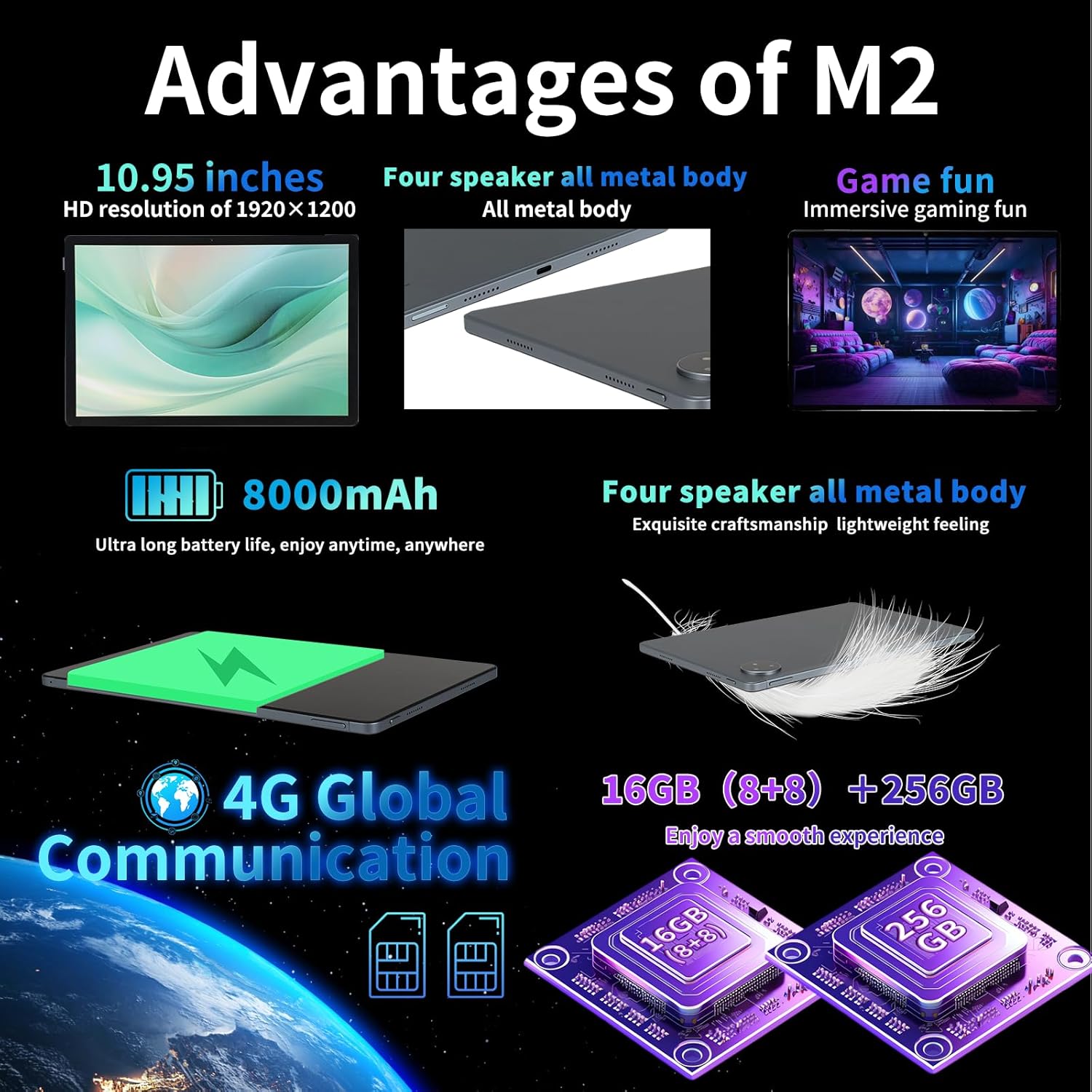
Image: Key advantages and specifications of the redbeat M2 tablet.
8. Cámara
Capture your moments with the integrated cameras:
- Cámara traseira: 13MP for clear photos and videos.
- Cámara frontal: 5 MP para videochamadas e selfies.
9. Batería e carga
The redbeat M2 is equipped with an 8000mAh large-capacity battery and supports 18W fast charging:
- Tempo de uso: Up to 12 hours of continuous TV watching or 10 hours of gaming on a full charge.
- Tempo de espera: Ata 30 días.
- Cargando: Use the provided 18W fast charger and Type-C cable for quick recharging.
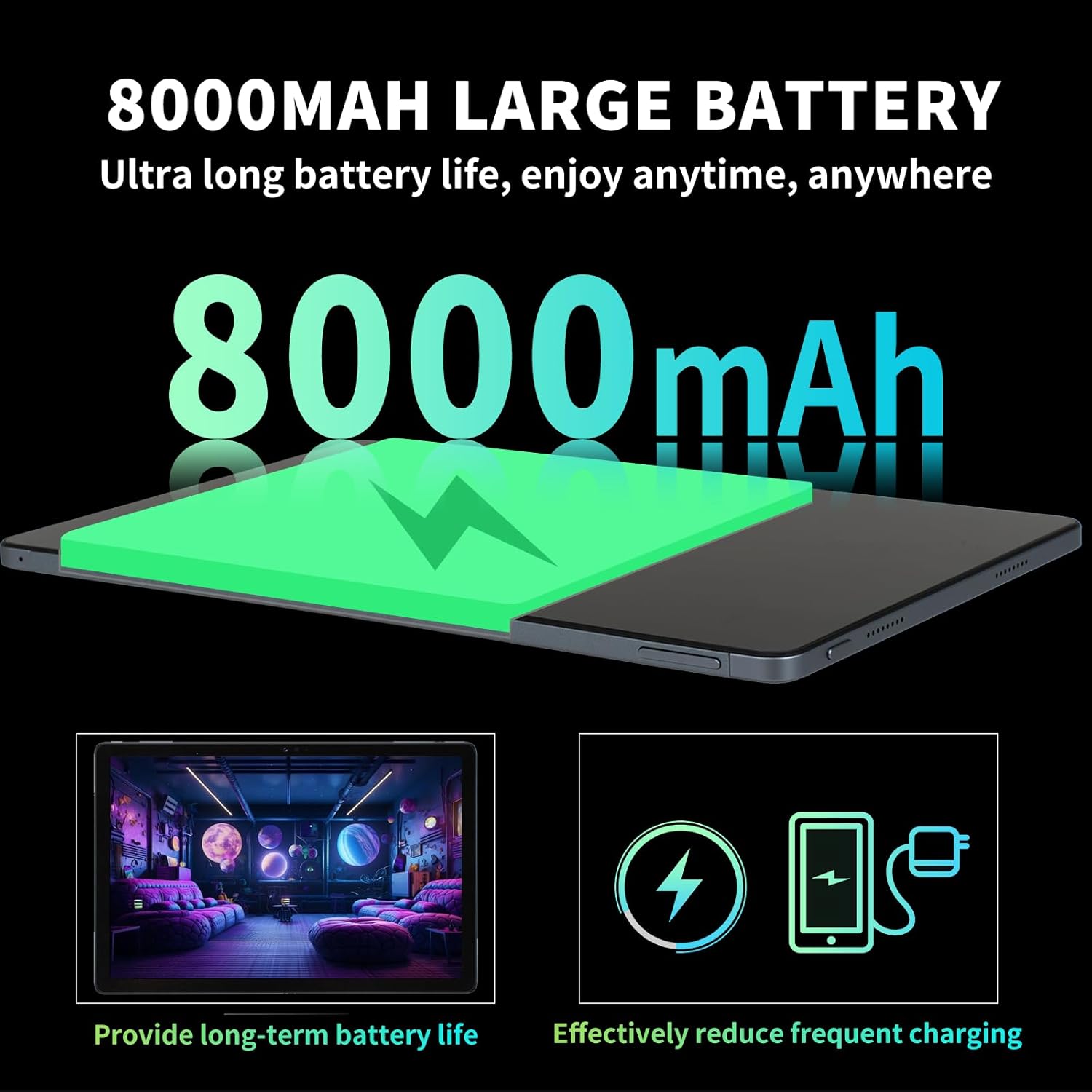
Image: Details on the 8000mAh battery and its benefits.
Video: A demonstration of a tablet's large battery capacity and reverse charging capabilities.
10. Mantemento
To ensure the longevity and optimal performance of your redbeat M2 tablet, follow these maintenance guidelines:
- Limpeza: Usa un pano suave e sen fiapos para limpar a pantalla e a carcasa. Evita produtos químicos agresivos.
- Actualizacións de software: Comprobe e instale regularmente actualizacións do sistema para aproveitar as últimas funcións, parches de seguranza e melloras de rendemento.
- Coidado da batería: Evita temperaturas extremas. Non deixes que a batería se descargue por completo con frecuencia.
- Xestión de almacenamento: Limpar periodicamente o innecesario fileaplicacións para liberar espazo de almacenamento e manter o rendemento.
11 Solución de problemas
If you encounter issues with your redbeat M2 tablet, try the following solutions:
- O dispositivo non responde: Mantén premido o botón de acendido durante uns 10-15 segundos para forzar un reinicio.
- Problemas co Wi-Fi/Bluetooth: Toggle Wi-Fi or Bluetooth off and on. Restart your router if Wi-Fi problems persist.
- Fallo da aplicación: Clear the app's cache and data in Settings > Apps. If the issue continues, uninstall and reinstall the app.
- Rendemento lento: Pecha as aplicacións que non uses, limpa a caché e asegúrate de espazo de almacenamento suficiente. Considera un restablecemento de fábrica como último recurso (primeiro fai unha copia de seguridade dos teus datos).
- Esgotando a batería rapidamente: Reduce screen brightness, disable unnecessary features (GPS, Bluetooth, Wi-Fi when not in use), and identify power-hungry apps in battery settings.
12. Especificacións
| Característica | Especificación |
|---|---|
| Marca | redbeat |
| Nome do modelo | M2 |
| Sistema Operativo | Android 15 |
| Tamaño da pantalla | 11 polgadas |
| Resolución de pantalla | 1920 x 1200 píxeles (2K) |
| Procesador | Unisoc T616 Octa-Core (2 GHz) |
| RAM | 16 GB (8 GB + 8 GB ampliable) |
| Almacenamento interno | 256 GB |
| Almacenamento ampliable | Up to 1TB (via MicroSD/TF card) |
| Capacidade da batería | 8000 mAh |
| Carga rápida | 18 W |
| Cámara traseira | 13 MP |
| Cámara frontal | 5 MP |
| Conectividade | 4G LTE (Dual SIM), 2.4G/5G Wi-Fi, Bluetooth 5.0, GPS |
| Dimensións | 10.28 x 6.89 x 0.47 polgadas |
| Peso do elemento | 1.54 libras (aprox. 698 g) |
| Cor | Black set |
13. Garantía e soporte
redbeat is committed to providing excellent customer service:
- Atención ao cliente de por vida: redbeat offers lifetime customer service to assist with any queries or issues you may encounter.
- Garantía dun ano: The tablet includes a one-year warranty covering manufacturing defects, ensuring your investment is protected.
- Contacte con Soporte: You can contact support by clicking on the seller's name under the 'Add to cart' button on the product page and sending a message via 'Ask a question'. Alternatively, go to your Amazon account > order history > relevant order > contact the seller.


