1. Introdución
This manual provides essential information for the proper setup, operation, and maintenance of your redbeat M2 Android 14 Tablet. Please read this guide thoroughly before using your device to ensure optimal performance and longevity.

Image: The redbeat M2 Tablet shown with its included pink protective case. The tablet features a sleek design with a large display.
2. Que hai na caixa
Verifica que todos os elementos estean presentes no teu paquete:
- redbeat M2 Tablet
- Pink Protective Case
- Cable de carga tipo C
- Libro de instrucións (este manual)
- SIM Card Tray Ejector Tool

Image: A visual representation of the redbeat M2 Tablet's physical features, including camera, ports, and buttons, alongside a list of included accessories: the tablet, pink case, Type-C cable, instruction book, and card needle.
3. Disposición do dispositivo
Familiarize yourself with the physical components of your redbeat M2 Tablet:
- Cámara frontal: Located at the top center when held vertically.
- Pantalla HD de 10.95 polgadas: Main touchscreen interface.
- Cámara traseira: Located on the back, typically in the upper left corner.
- Botón de encendido: Usually on the side, used to turn the device on/off or wake/sleep.
- Botóns de volume: Adxacente ao botón de acendido, para axustar os niveis de son.
- Porto USB tipo C: Para carga e transferencia de datos.
- Conector para auriculares de 3.5 mm: For connecting wired audio devices.
- SIM Card/MicroSD Card Slot: For inserting SIM cards and expanding storage.
- Four Stereo Speakers: Positioned for enhanced audio output.
4. Guía de configuración
4.1 Carga inicial
Before first use, fully charge your tablet using the provided Type-C cable and a compatible 18W fast charger. The 8000mAh battery provides extended usage time.
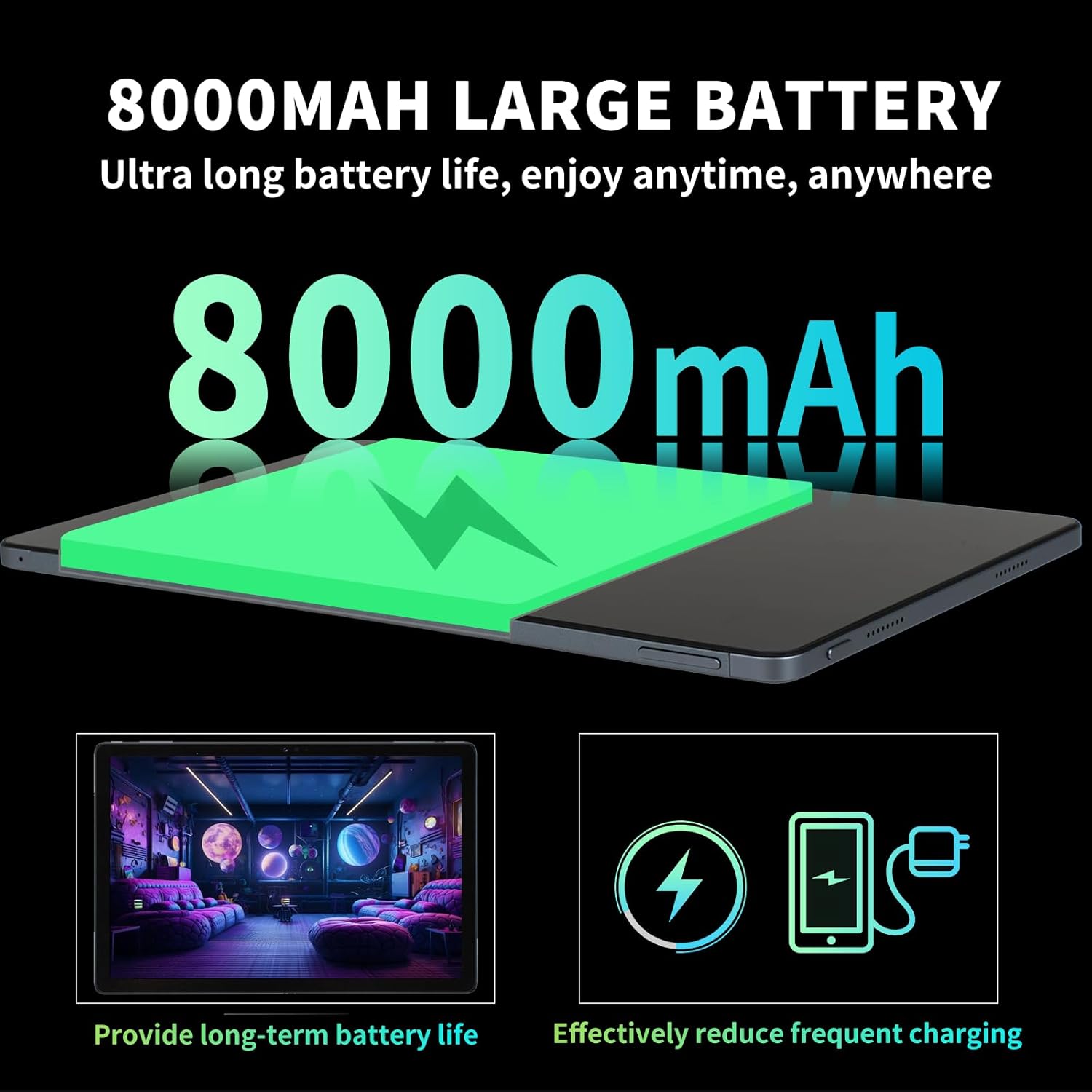
Image: Illustration highlighting the 8000mAh large battery capacity, emphasizing long battery life and reduced charging frequency.
4.2 Encendido/apagado
- Para acender: Press and hold the Power button until the redbeat logo appears.
- Para apagar: Mantén premido o botón de acendido e, a seguir, selecciona "Apagar" entre as opcións que aparecen na pantalla.
- Para reiniciar: Mantén premido o botón de acendido e logo selecciona "Reiniciar".
4.3 Expansión da tarxeta SIM e do almacenamento
The redbeat M2 Tablet supports dual Nano SIM cards for 4G LTE connectivity and a TF (MicroSD) card for storage expansion up to 1TB.
- Localiza a bandexa da tarxeta SIM no lateral da tableta.
- Insert the SIM card tray ejector tool into the small hole next to the tray and press gently until the tray pops out.
- Place your Nano SIM card(s) and/or TF card into the designated slots on the tray. Ensure correct orientation.
- Volva inserir a bandexa na tableta con coidado.

Image: The redbeat M2 Tablet displaying its 4G Global Connectivity feature, with an emphasis on dual SIM card support and compatible network frequency bands.
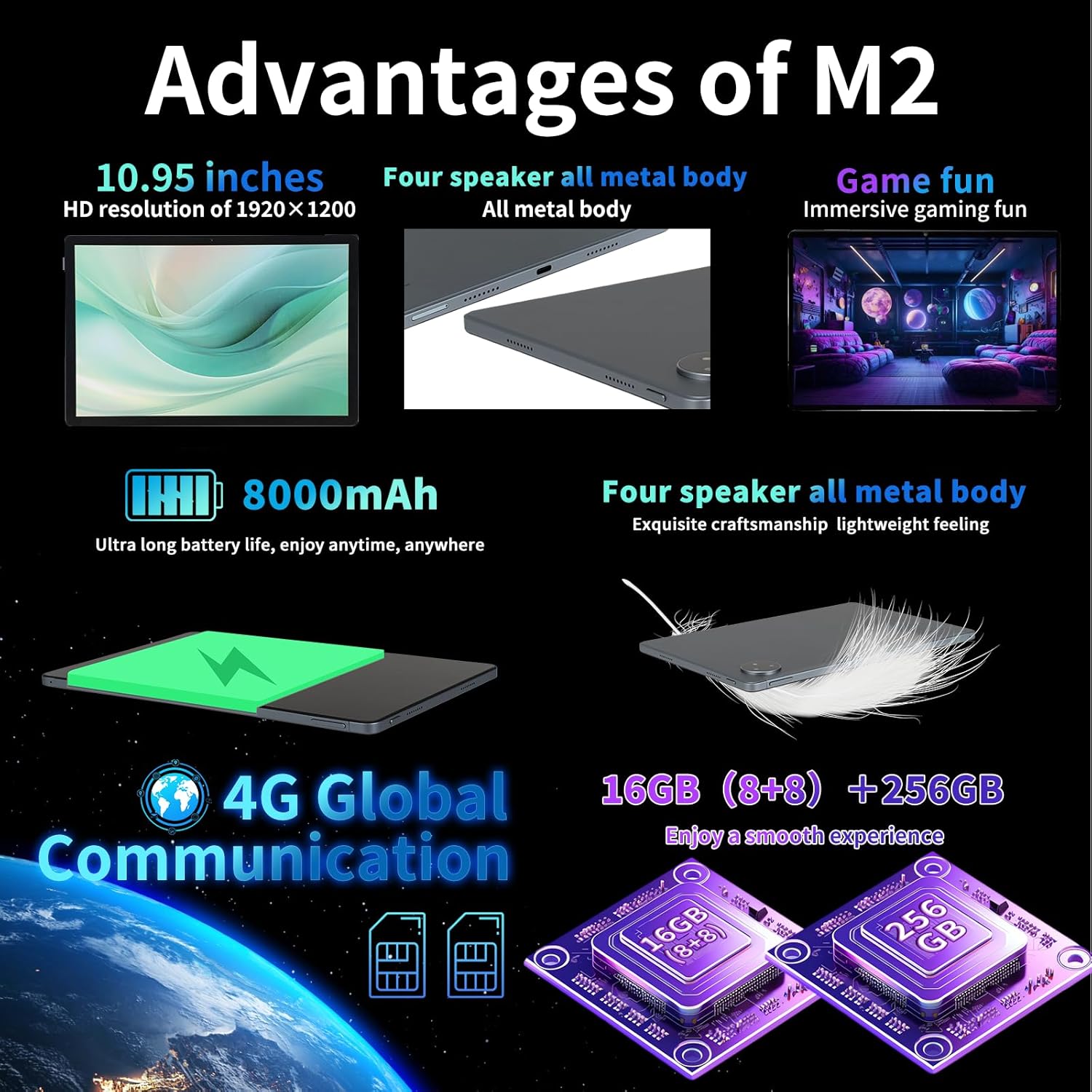
Image: A graphic illustrating the tablet's memory configuration: 16GB (8GB physical + 8GB extended) RAM and 256GB internal storage, with support for up to 1TB external storage.
4.4 Configuración inicial do dispositivo
Ao acender a tableta por primeira vez, siga as instrucións que aparecen na pantalla para configurar a tableta:
- Seleccione o seu idioma e rexión.
- Connect to a Wi-Fi network (2.4G/5G supported).
- Inicia sesión coa túa conta de Google ou crea unha nova. Isto é necesario para descargar aplicacións da Google Play Store.
- Set up screen lock (PIN, pattern, password, or Face Unlock).
- Review e aceptar os termos e condicións.
5. Instrucións de funcionamento
5.1 Xestos na pantalla táctil
Navigate your tablet using standard Android gestures:
- Toca: Selecciona un elemento ou abre unha aplicación.
- Prensa longa: Acceder a menús contextuais ou mover iconas.
- Pasar o dedo: Scroll through pages, lists, or switch between home screens.
- Pinch-to-Zoom: Achegar ou afastar imaxes e web páxinas.
5.2 Conectividade
- Wi-Fi: Ir a Configuración > Rede e internet > Wi-Fi to connect to available networks. Supports 2.4G and 5G bands.
- Bluetooth: Ir a Configuración > Dispositivos conectados > Bluetooth to pair with Bluetooth devices (e.g., headphones, keyboards). Supports BT5.0.
- Datos móbiles (4G LTE): Ensure a valid SIM card is inserted. Enable mobile data in Configuración > Rede e Internet > Rede móbil.
5.3 Uso da cámara
A tableta ten unha cámara traseira de 13 MP e unha frontal de 5 MP.
- Abre a aplicación da Cámara desde a pantalla de inicio ou o caixón de aplicacións.
- Toca o botón do obturador para sacar unha foto.
- Cambia entre as cámaras dianteira e traseira usando a icona da cámara.
- Selecciona o modo de vídeo para gravar vídeos.
5.4 Audio e multimedia
Enjoy immersive audio with the tablet's four stereo speakers and Dolby panoramic surround sound. A 3.5mm headphone jack is available for private listening.

Imaxe: Primeiro plano view of the redbeat M2 Tablet's all-metal body and speaker grilles, highlighting its four-speaker audio system and exquisite craftsmanship.
5.5 Face Unlock and GPS
The redbeat M2 Tablet includes Face Unlock for convenient security and GPS for navigation and location-based services.
6. Mantemento
6.1 Limpeza da tableta
Use a soft, lint-free cloth to clean the screen and body of your tablet. Avoid abrasive materials or harsh chemicals that could damage the surface.
6.2 Actualizacións de software
Comprobe e instale regularmente actualizacións de software para garantir que a súa tableta teña as últimas funcións, parches de seguridade e melloras de rendemento. Vaia a Configuración > Sistema > Actualización do sistema.
6.3 Xestión do almacenamento
To optimize performance, periodically manage your tablet's storage. Delete unnecessary files, desinstalar as aplicacións non utilizadas e mover soportes grandes files to external storage (TF card) if applicable. Go to Configuración > Almacenamento.
7 Solución de problemas
If you encounter issues with your redbeat M2 Tablet, refer to the following common solutions:
- O dispositivo non se acende: Ensure the battery is charged. Connect the tablet to the charger for at least 30 minutes before attempting to power on.
- A pantalla non responde: Try restarting the tablet by holding the Power button for 10-15 seconds.
- Problemas de conectividade Wi-Fi/4G: Toggle Wi-Fi/Mobile Data off and on. Restart your router or check your SIM card insertion.
- As aplicacións fallan ou o seu rendemento é lento: Pechar aplicacións en segundo plano, limpar a caché das aplicacións (Configuración > Aplicacións > [Nome da aplicación] > Almacenamento e caché > Borrar caché), or restart the tablet.
- A batería esgotando rapidamente: Reduce screen brightness, disable unused features (Bluetooth, GPS, Wi-Fi when not needed), and check for power-intensive apps in Axustes> Batería.
- A tableta non carga: Ensure the Type-C cable and charger are working correctly. Try a different cable or power adapter. Clean the charging port for any debris.
If problems persist, contact redbeat customer support for further assistance.
8. Especificacións
| Característica | Especificación |
|---|---|
| Nome do modelo | M2 |
| Sistema Operativo | Android 14 |
| Procesador | Unisoc T616 Octa-Core, 2 GHz |
| RAM | 16 GB (8 GB + 8 GB ampliado) |
| Almacenamento interno | 256 GB |
| Almacenamento ampliable | Ata 1 TB (tarxeta TF) |
| Tamaño da pantalla | 10.95 polgadas |
| Resolución de pantalla | 1920 x 1200 pixels (2K HD) |
| Cámara traseira | 13 MP |
| Cámara frontal | 5 MP |
| Capacidade da batería | 8000 mAh |
| Cargando | 18W Fast Charge (Type-C) |
| Conectividade sen fíos | Wi-Fi (802.11n, 2.4G/5G), Bluetooth 5.0 |
| Conectividade móbil | 4G LTE Dual SIM (GSM, WCDMA, LTE bands) |
| Dimensións (LxWxH) | 10.28 x 6.89 x 0.47 polgadas |
| Peso do elemento | 1.54 libras (aprox. 511 g) |
| Outras características | GPS, Face Unlock, Four Stereo Speakers |
9. Garantía e soporte
redbeat is committed to providing quality products and customer satisfaction.
- Atención ao cliente de por vida: redbeat offers lifetime customer service to assist with any queries or issues.
- Garantía limitada dun ano: Your redbeat M2 Tablet includes a one-year warranty covering manufacturing defects.
- Garantía de devolución do diñeiro de 30 días: A 30-day money-back guarantee and free return policy are available.
For support, please refer to the contact information provided with your purchase or visit the official redbeat websitio.


