1. Introdución
The Hello Kitty Sunrise Alarm Clock is designed to provide a gentle and natural waking experience with its sunrise simulation feature. This digital alarm clock includes multicolor lights, an LED display showing time, date, and temperature, a USB charging port, and a convenient snooze function. Its charming Cinnamoroll design adds a whimsical touch to any room.

Image 1: Hello Kitty Cinnamoroll Sunrise Alarm Clock with multicolor lighting.
2. Información de seguridade
- Non expoñas o dispositivo a temperaturas extremas, luz solar directa nin humidade elevada.
- Empregue só o cable de alimentación USB fornecido ou un equivalente certificado.
- Manteña o dispositivo lonxe da auga ou doutros líquidos.
- Non intente desmontar nin reparar o dispositivo vostede mesmo. Póñase en contacto co persoal de servizo cualificado.
- Asegúrese de colocar o dispositivo nunha superficie plana e estable.
3. Contido do paquete
Comprobe se o paquete contén os seguintes elementos:
- Hello Kitty Sunrise Alarm Clock (Cinnamoroll design)
- Cable de alimentación USB
- Manual de usuario (este documento)
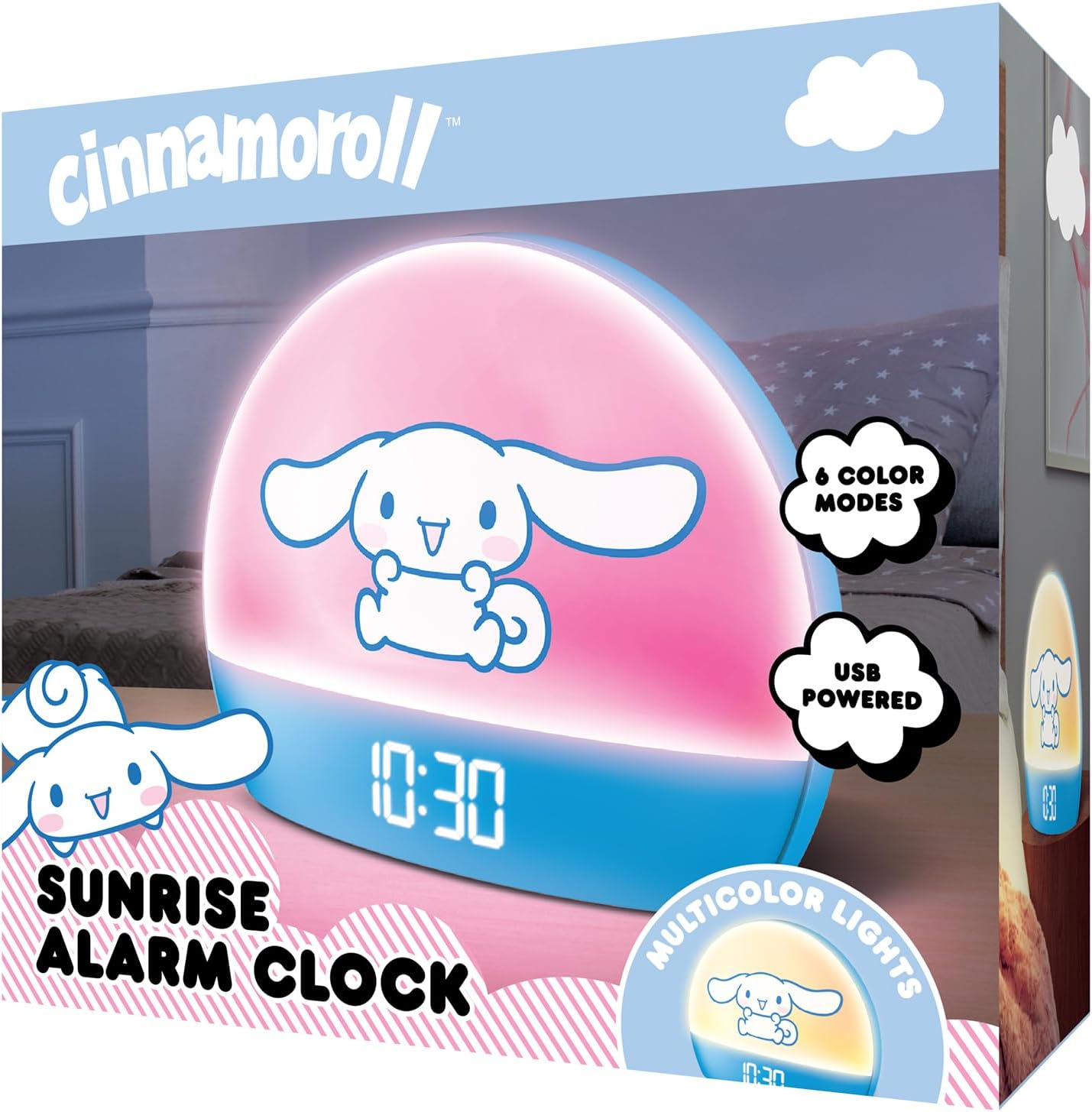
Image 2: Front packaging of the Hello Kitty Cinnamoroll Sunrise Alarm Clock.
4. Produto rematadoview
Familiarízate cos compoñentes principais do teu reloxo despertador.
- Pantalla LED: Mostra a hora, a data e a temperatura.
- Panel de luz: Emits multicolor and sunrise simulation lights.
- Botóns de control: Located on the back or bottom for setting time, alarm, and light functions.
- Porto de carga USB: For powering the device and charging external devices.
- Botón de adiar: Typically a prominent button on the top or front.

Image 3: Hello Kitty Cinnamoroll Sunrise Alarm Clock in a bedroom setting.
5. Configuración
5.1 Conexión de alimentación
- Connect the provided USB power cable to the USB port on the back of the alarm clock.
- Conecta o outro extremo do cable USB a un adaptador de corrente USB compatible (non incluído) ou a un porto USB con alimentación.
- The LED display will light up, indicating the device is powered on.
5.2 Axuste da hora e da data
Specific button names are not provided, so general instructions are given. Refer to the physical device for exact button labels.
- Press the "SET" or "TIME" button to enter time setting mode.
- Use the "UP" and "DOWN" buttons to adjust the hour. Press "SET" again to confirm.
- Adjust the minute using "UP" and "DOWN" buttons. Press "SET" to confirm.
- Continúa este proceso para configurar o ano, o mes e o día.
- The clock may offer 12-hour or 24-hour format selection. Follow on-screen prompts or consult the device's specific button functions.
6. Instrucións de funcionamento
6.1 Axustar a alarma
- Press the "ALARM" button to enter alarm setting mode.
- Use "UP" and "DOWN" buttons to set the desired alarm hour. Press "ALARM" to confirm.
- Adjust the alarm minute. Press "ALARM" to confirm.
- Some models may allow setting alarm volume or sound. Follow prompts if available.
- To activate/deactivate the alarm, look for an "ALARM ON/OFF" button or a toggle within the alarm setting menu.
6.2 Simulación do amencer
The sunrise simulation feature gradually increases light intensity before your set alarm time, mimicking a natural sunrise.
- This feature is typically linked to the alarm function. When the alarm is active, the light will begin to brighten a set period (e.g., 30 minutes) before the alarm sounds.
- Consult the device's specific controls for adjusting the duration or intensity of the sunrise simulation, if applicable.
6.3 luces multicolores
The clock offers various color modes for ambient lighting.
- Press the "LIGHT" or "COLOR" button to cycle through different color options or activate a color-changing mode.
- Press and hold the "LIGHT" button to turn off the ambient light.
- Brightness of the display and ambient light can often be adjusted using dedicated buttons or by holding the "LIGHT" button.
6.4 Función Snooze
When the alarm sounds, press the large "SNOOZE" button (usually on top) to temporarily pause the alarm. The alarm will sound again after a short interval (e.g., 5-10 minutes).
6.5 porto de carga USB
The integrated USB port can be used to charge small electronic devices like smartphones or tablets. Simply connect your device's charging cable to the USB port on the alarm clock.
6.6 Visualización da temperatura
The LED display shows the current room temperature. No specific action is usually required to view this, as it cycles with time and date or is displayed continuously.
7. Mantemento
- Limpa o reloxo cun pano suave e seco. Non empregues produtos de limpeza abrasivos nin solventes.
- Ensure the USB port is free from dust and debris.
- Store the clock in a cool, dry place when not in use for extended periods.
8 Solución de problemas
| Problema | Causa posible | Solución |
|---|---|---|
| O reloxo non se acende. | O cable USB non está conectado correctamente ou hai un problema coa fonte de alimentación. | Check USB cable connection. Try a different USB power adapter or port. Ensure the cable is securely inserted. |
| Time is incorrect or drifts. | Time not set correctly or internal clock issue. | Re-set the time following Section 5.2. If the issue persists, try disconnecting and reconnecting power. |
| Non soa a alarma. | A alarma non está activada ou está configurada incorrectamente. | Verify the alarm is set and activated (check for an alarm icon on the display). Ensure the volume is not set to zero if adjustable. |
| Os botóns non responden. | Fallo temporal de software ou problema co botón físico. | Disconnect power for a few seconds and reconnect to reset the device. If buttons remain unresponsive, contact support. |
| O porto de carga USB non funciona. | Cable issue, device not fully powered, or port malfunction. | Ensure the clock is properly powered. Try a different USB charging cable. Check if the port is clean and free of debris. |
9. Especificacións
| Marca | Ola Kitty |
| Número de modelo | HKCLK01CR-MFN |
| Cor | Rollo de canela |
| Tipo de visualización | Dixital |
| Características especiais | Adjustable Brightness, Alarm, Charging Port, LED Display, Temperature Display, Sunrise Simulation, Multicolor Lights |
| Dimensións do produto | 7" de ancho x 6" de alto |
| Fonte de enerxía | Eléctrico con cable (USB) |
| Material | Plástico |
| Peso do elemento | 0.4 quilogramos (14 onzas) |
| Tecnoloxía de conectividade | USB |
| Fabricante | Southern Telecom |
10. Garantía e soporte
For warranty information or technical support, please refer to the contact details provided on the product packaging or visit the official Hello Kitty product support websitio. Conserve o recibo de compra para reclamacións de garantía.


