Introdución
This manual provides instructions for the AWEI H25 Smart Watch. Please read this manual carefully before using the device to ensure proper operation and maintenance.

Figure 1: AWEI H25 Smart Watch in use.
1. Configuración
1.1 Contido do paquete
Asegúrate de que o teu paquete inclúa os seguintes elementos:
- AWEI H25 Smart Watch
- Cable de carga
- Manual de usuario (este documento)
1.2 Carga do dispositivo
Before first use, fully charge the smart watch. Connect the charging cable to the charging port on the back of the watch and to a standard USB power adapter (not included).
- Unha carga completa normalmente leva entre 2 e 3 horas.
- The watch has a 230mAh battery capacity.
- Battery life is approximately 5-7 days with daily use, and up to 30 days in standby mode.

Figure 2: Battery life and performance overview.
1.3 Descarga e emparellamento da aplicación
To utilize all features, download the companion app to your smartphone. Scan the QR code provided in the watch's interface or search for the app name (usually mentioned in the watch's initial setup screen or packaging) in your phone's app store.
- Activa o Bluetooth no teu smartphone.
- Abre a aplicación complementaria e segue as instrucións en pantalla para crear unha conta ou iniciar sesión.
- Selecciona "Engadir dispositivo" ou "Emparellar dispositivo" dentro da aplicación.
- The app will search for available devices. Select "AWEI H25" from the list.
- Confirma a solicitude de emparellamento tanto no reloxo como no teléfono intelixente.
1.4 Personalización da esfera do reloxo
The AWEI H25 features a 1.83-inch screen. You can customize the watch face through the companion app.
- Choose from multiple cloud-based watch faces.
- Upload your own photos to create a personalized watch face.
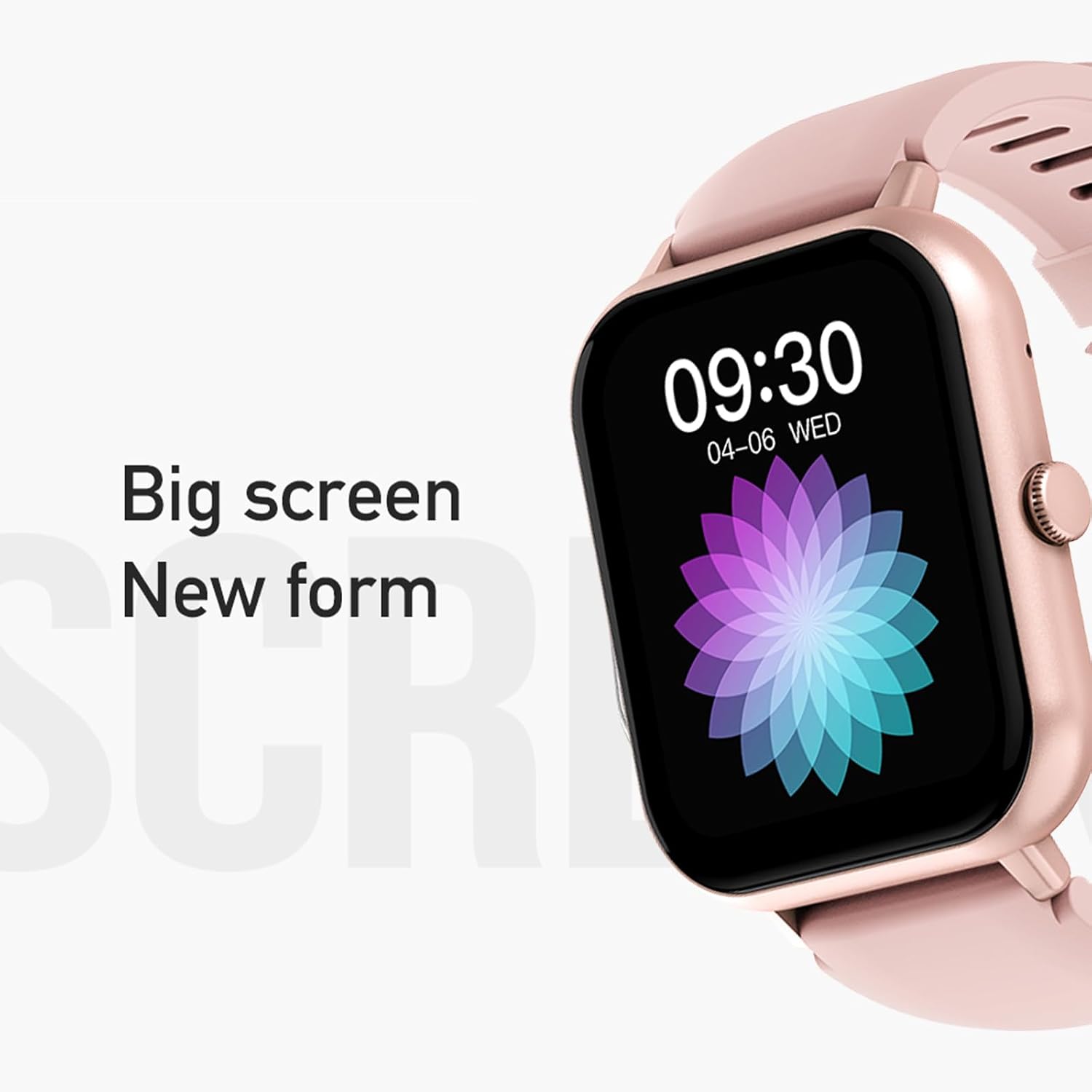
Figure 3: The 1.83-inch screen of the AWEI H25 Smart Watch.
2. Instrucións de funcionamento
2.1 Navegación básica
- Pase o dedo cara arriba/abaixo: Navega polos menús e as notificacións.
- Pase o dedo cara á esquerda/dereita: Acceder a funcións rápidas ou widgets.
- Prema o botón lateral: Volver á pantalla de inicio ou acceder á lista de aplicacións.
- Presión longa do botón lateral: Power on/off or access system settings.
2.2 Función de chamada Bluetooth
After successful pairing with your smartphone, the watch supports Bluetooth calls.
- Responder chamadas: When a call comes in, tap the green icon on the watch screen.
- Facer chamadas: Acceda ao teclado numérico ou á lista de contactos do reloxo para iniciar unha chamada.
2.3 Modos deportivos
The AWEI H25 offers over 100 sport modes to track your physical activity.
- Access the "Sports" menu on the watch.
- Select your desired activity (e.g., Running, Walking, Hiking, Basketball, Cycling, Yoga).
- The watch will track exercise time, calories burned, and other relevant metrics.

Figura 4: Máisview of available sport modes.
2.4 Vixilancia da saúde
The watch provides monitoring for various health metrics:
- Monitorización da frecuencia cardíaca: Continuous or on-demand heart rate measurement.
- Monitorización da presión arterial: Ofrece lecturas estimadas da presión arterial.
- Monitorización de osíxeno no sangue: Mide a saturación de osíxeno no sangue (SpO2).
- Ciclo fisiolóxico feminino: Track and predict menstrual cycles (requires setup in the app).
- Recordatorios de sedentarismo: Avisa para que te movas despois de períodos de inactividade.
Nota: The health monitoring features are for reference only and should not be used for medical diagnosis or treatment. Consult a medical professional for health concerns.
2.5 Asistente de voz intelixente
After binding the watch to the companion app, you can use the smart voice assistant function.
- Click the voice function icon on the watch's menu screen.
- Speak your command (e.g., "What's the weather today?", "Call [Contact Name]").

Figura 5: Interface do asistente de voz intelixente.
2.6 Características adicionais
- Control de música: Controla a reprodución de música no teu smartphone.
- Fotografía a distancia: Usa o reloxo como obturador remoto para a cámara do teu teléfono.
- Espertador: Configura alarmas directamente desde o reloxo.
- Visualización do tempo: Standard time and date display.
- Wrist-Flip Display: Screen activates when you raise your wrist.
3. Mantemento
3.1 Waterproof Rating (IP67)
The AWEI H25 Smart Watch has an IP67 waterproof rating. This means it is protected against dust ingress and can withstand immersion in water up to 1 meter for up to 30 minutes.
- Suitable for daily use such as washing hands, face, or light rain.
- Non apto para: Swimming, diving, hot showers, saunas, or high-pressure water activities.
- Evitar o contacto con auga quente, vapor ou líquidos corrosivos.
3.2 Limpeza e coidado
- Limpe o reloxo e a correa regularmente cun pano suave e seco.
- Se é necesario, use un lixeiramente damp un pano con xabón suave e logo seque.
- Non empregue produtos químicos agresivos, produtos de limpeza abrasivos nin disolventes.
- Manteña os contactos de carga limpos e secos para garantir unha carga axeitada.
3.3 Coidado coa batería
- Evite descargar completamente a batería con frecuencia.
- Do not expose the watch to extreme temperatures (very hot or very cold).
- If storing the watch for an extended period, charge it to about 50% and store in a cool, dry place.
4 Solución de problemas
4.1 O dispositivo non se acende
- Asegúrate de que o reloxo estea completamente cargado. Conéctao ao cargador durante polo menos 30 minutos.
- Try a long press (approx. 10-15 seconds) of the side button to force a power-on.
4.2 Non se pode emparellalo co teléfono intelixente
- Asegúrate de que o Bluetooth estea activado no teu smartphone.
- Asegúrate de que o reloxo estea dentro do alcance do Bluetooth (normalmente 10 metros).
- Reinicia o reloxo e o teu smartphone.
- Borra a caché de Bluetooth do teu teléfono (se é o caso) e tenta emparellalo de novo.
- Asegúrate de que a aplicación complementaria estea actualizada á última versión.
4.3 Lecturas de saúde inexactas
- Asegúrate de levar o reloxo ben axustado ao pulso, nin demasiado axustado nin demasiado solto.
- Manteña o sensor da parte traseira do reloxo limpo e libre de residuos.
- Evitar movementos excesivos durante as medicións.
- Remember that these readings are for reference and not medical grade.
4.4 Watch Not Receiving Notifications
- Check notification permissions for the companion app on your smartphone.
- Asegúrate de que o reloxo estea conectado ao teléfono mediante Bluetooth.
- Verify that "Do Not Disturb" mode is not active on either the watch or phone.
5. Especificacións
| Número de modelo | H25 |
| Marca | AWEI |
| Tamaño da pantalla | 1.83 polgadas |
| Capacidade da batería | 230 mAh |
| Conectividade | Bluetooth |
| Clasificación impermeable | IP67 |
| Características especiais | 100+ sport modes, Multiple customizable dials, Smart voice assistant, Heart rate, Blood pressure, Blood oxygen monitoring, Bluetooth call function. |
| GPS | Sen GPS |
6. Garantía e soporte
6.1 Garantía do produto
The AWEI H25 Smart Watch comes with a one-year warranty from the date of purchase. This warranty covers manufacturing defects under normal use. It does not cover damage caused by misuse, accidents, unauthorized modifications, or failure to follow instructions in this manual.
Conserve o comprobante de compra para reclamacións de garantía.
6.2 Atención ao cliente
If you encounter any issues not covered in the troubleshooting section or require further assistance, please contact AWEI customer support. Refer to the product packaging or the official AWEI websitio para obter a información de contacto máis actualizada.


