Introdución
The RadioShack Tempo Pro Smartwatch is designed to seamlessly integrate into your daily life, offering a blend of style, advanced functionality, and robust technology. This manual provides essential information for setting up, operating, maintaining, and troubleshooting your device to ensure optimal performance and longevity.

Figura 1: Fronte view of the RadioShack Tempo Pro Smartwatch, showcasing its 2.4-inch AMOLED display with current time, step count, and heart rate monitoring. The watch features a sleek black design with a comfortable strap.
Configuración
1. Desembalaxe e Inspección Inicial
Ao abrir o paquete, asegúrese de que todos os compoñentes estean presentes e sen danos. O paquete estándar inclúe:
- RadioShack Tempo Pro Smartwatch
- Cable de carga
- Manual de usuario (este documento)

Figura 2: The contents of the RadioShack Tempo Pro Smartwatch retail box, including the smartwatch itself and its dedicated charging cable, neatly packaged.
2. Cargando o dispositivo
Before first use, fully charge your smartwatch. Connect the provided charging cable to the charging contacts on the back of the watch and plug the USB end into a compatible USB power adapter (not included) or a computer's USB port. A full charge typically takes approximately 2 hours.

Figura 3: Traseira view of the RadioShack Tempo Pro Smartwatch, highlighting the magnetic charging contacts and the optical sensors used for health monitoring, such as heart rate.
3. Acendido e apagado
- Para acender: Press and hold the side button until the RadioShack logo appears on the screen.
- Para apagar: Navigate to the 'Settings' menu on the watch, select 'System', then 'Power Off', and confirm.
4. Emparellamento co teu teléfono intelixente
To unlock the full potential of your Tempo Pro Smartwatch, pair it with your smartphone via Bluetooth. This allows for notifications, data synchronization, and advanced features.
- Download the official RadioShack Smartwatch app from your smartphone's app store (iOS App Store or Google Play Store).
- Asegúrate de que o Bluetooth estea activado no teu smartphone.
- Abre a aplicación e sigue as instrucións en pantalla para crear unha conta ou iniciar sesión.
- Selecciona "Engadir dispositivo" ou "Emparellar novo dispositivo" dentro da aplicación.
- The app will search for available devices. Select 'Tempo Pro' from the list.
- Confirma a solicitude de emparellamento tanto no teu teléfono intelixente como no reloxo intelixente.
Instrucións de funcionamento
1. Navegación pola interface
The Tempo Pro Smartwatch features a responsive 2.4-inch AMOLED touchscreen. Navigation is primarily gesture-based:
- Pase o dedo cara arriba/abaixo: Desprácese polos menús e as notificacións.
- Pase o dedo cara á esquerda/dereita: Accede a diferentes widgets ou configuracións rápidas.
- Toca: Selecciona un elemento ou confirma unha acción.
- Prema o botón lateral: Return to the home screen or wake the device.

Figura 4: Unha longametraxe view of the RadioShack Tempo Pro Smartwatch, showcasing its sleek design and adjustable strap, suitable for various wrist sizes.
2. Funcións principais
- Data e hora: Automatically synchronized with your paired smartphone.
- Notificacións: Receive alerts for calls, messages, and app notifications directly on your wrist. Manage notification settings via the smartphone app.
- Seguimento da actividade: Monitors steps, distance, calories burned, and active minutes throughout the day.
- Monitorización da frecuencia cardíaca: Provides continuous or on-demand heart rate readings.
- Monitorización do sono: Tracks sleep patterns, including deep, light, and REM sleep, and provides insights into sleep quality.
3. Multi-Sport Tracking
The Tempo Pro Smartwatch supports various sports modes to accurately track your workouts. Select your desired activity from the 'Workout' or 'Sports' menu on the watch. Supported activities may include running, walking, cycling, swimming, and more. The watch will record relevant metrics such as duration, distance, pace, and heart rate during your exercise.
4. Control da reprodución de música
Control music playing on your paired smartphone directly from your smartwatch. Access the music control widget to play, pause, skip tracks, and adjust volume without needing to take out your phone.
5. Special Features: Snore Detection
The Tempo Pro Smartwatch includes a unique snore detection feature. When enabled, the watch can monitor for snoring sounds during your sleep, providing data that can help you understand your sleep patterns better. This feature is typically managed and viewed within the companion smartphone application.
Mantemento
1. Limpeza do reloxo intelixente
Regular cleaning helps maintain the appearance and functionality of your device. Use a soft, lint-free cloth to wipe the screen and body. For stubborn smudges, slightly dampEnxágüe o pano con auga. Evite o uso de produtos químicos agresivos ou materiais abrasivos.
2. Resistencia á auga e ao po (IP68)
The Tempo Pro Smartwatch is IP68 certified, meaning it is resistant to dust and can withstand immersion in water up to 1.5 meters for up to 30 minutes. While it is suitable for daily use, hand washing, and light rain, it is not recommended for diving, high-pressure water activities, or prolonged submersion. Always dry the watch thoroughly after exposure to water, especially the charging contacts.
3. Coidado da batería
Para maximizar a duración e lonxevidade da batería:
- Evita temperaturas extremas.
- Cargue o dispositivo regularmente, pero evite deixalo completamente descargado durante períodos prolongados.
- Use só o cable de carga proporcionado.
Resolución de problemas
| Problema | Causa posible | Solución |
|---|---|---|
| O dispositivo non se acende | Batería baixa; dispositivo conxelado. | Charge the device for at least 30 minutes. If still unresponsive, perform a forced restart by holding the side button for 10-15 seconds. |
| Non se pode emparellar co teléfono intelixente | Bluetooth desactivado; problema coa aplicación; dispositivo non detectable. | Ensure Bluetooth is on for both devices. Restart both the watch and phone. Clear app cache or reinstall the app. Ensure the watch is in pairing mode. |
| Notificacións non recibidas | Bluetooth disconnected; app permissions; notification settings. | Check Bluetooth connection. Verify app permissions for notifications on your phone. Ensure notification settings are enabled in the smartwatch app. |
| Seguimento impreciso da actividade | Improper fit; software glitch. | Ensure the watch is worn snugly on your wrist, about one finger's width above the wrist bone. Restart the device. Update firmware if available. |
Especificacións
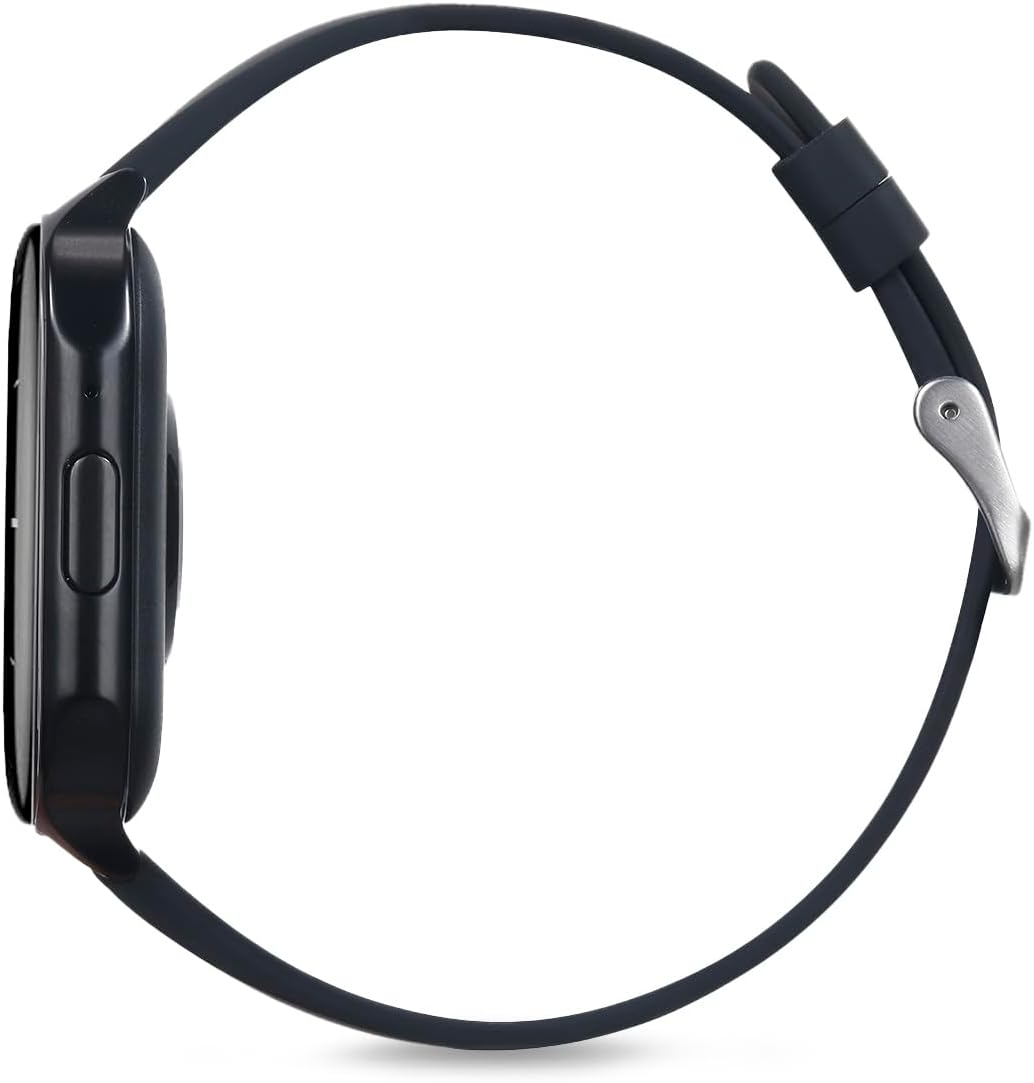
Figura 5: Lado profile of the RadioShack Tempo Pro Smartwatch, illustrating its slim design and the single physical button for navigation and control.
| Característica | Detalle |
|---|---|
| Marca | RadioShack |
| Modelo | 207 ID207 |
| Tamaño de visualización | 2.4 polgadas |
| Tipo de visualización | AMOLED |
| Resolución de visualización | 368 x 448 píxeles |
| Capacidade da batería | 260 mAh |
| Duración media da batería | 24 Hours (typical usage) |
| Conectividade | Bluetooth |
| Resistencia á auga | IP68 (resistente ao po e á auga) |
| Características especiais | Multi-sport tracking, Music control, Snore Detection |
| Dimensións | 19.1 x 11 x 2.4 cm |
| Peso | 170 g |
Garantía e Soporte
Información da garantía
RadioShack products are manufactured to high-quality standards. For specific warranty terms and conditions, please refer to the warranty card included with your product or visit the official RadioShack websitio. Garde o recibo da compra como xustificante de compra para reclamacións de garantía.
Atención ao cliente
If you encounter any issues not covered in this manual or require further assistance, please contact RadioShack customer support. Contact details can typically be found on the product packaging, the official RadioShack website, or through the companion smartphone application.


