Introdución
Welcome to the user manual for your Maxcom Celin FW27 Smartwatch. This guide provides essential information on how to set up, operate, and maintain your device. The FW27 combines elegant design with advanced technology, offering features such as health monitoring, sports tracking, and smart notifications. Please read this manual thoroughly to ensure proper use and to maximize your smartwatch experience.
Contido do paquete
Upon opening your Maxcom Celin FW27 Smartwatch package, please verify that all the following items are included:
- Maxcom Celin FW27 Smartwatch
- Cable de carga
- Manual de usuario (este documento)
- Additional Fabric Strap
- Extra Glass Protector
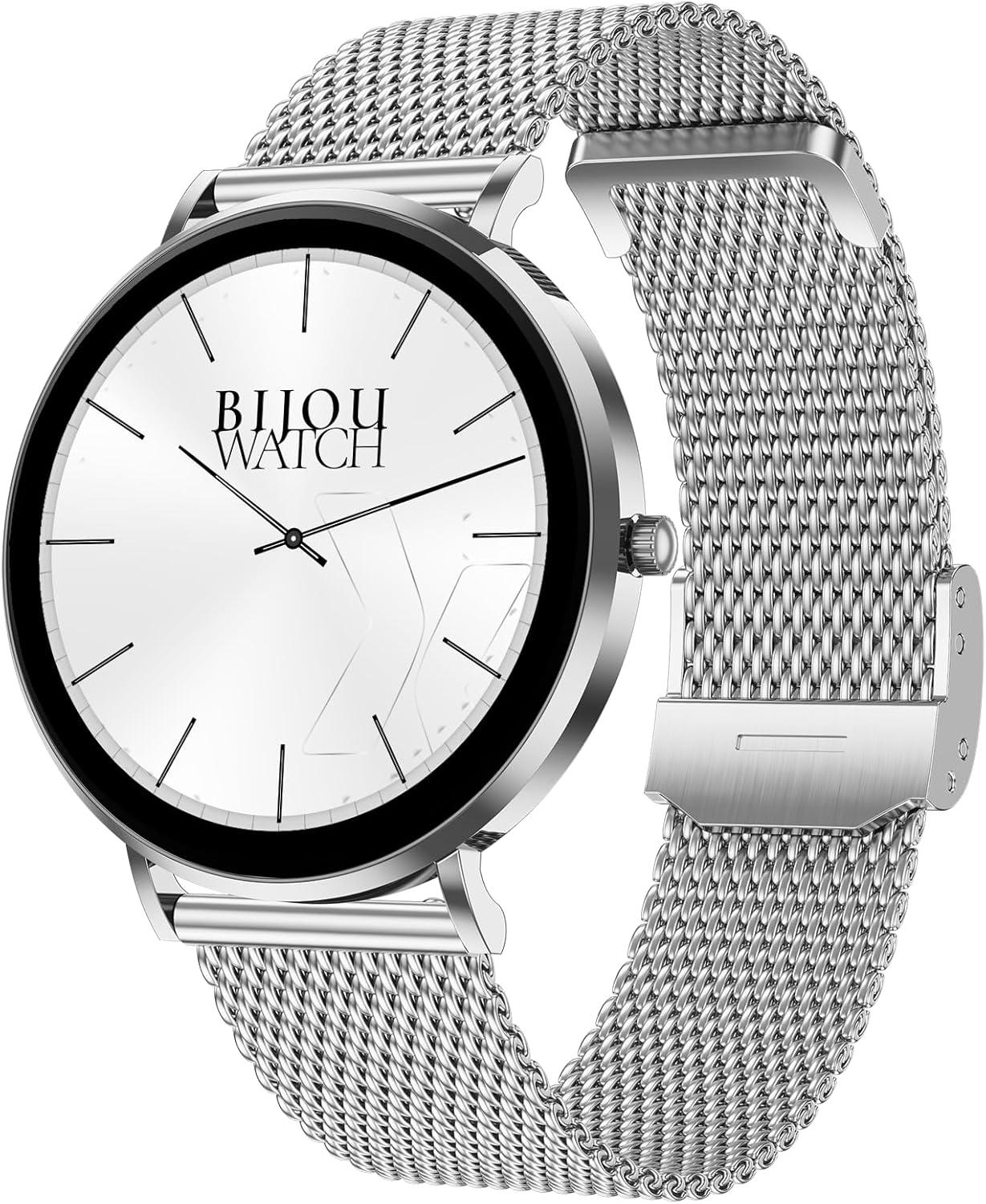
Image: The Maxcom Celin FW27 Smartwatch with its elegant silver mesh strap.
Produto rematadoview
The Maxcom Celin FW27 Smartwatch features a sleek, ultra-slim stainless steel design with a vibrant AMOLED display. It is designed for comfort and durability, making it suitable for daily wear and various activities.
Compoñentes clave:
- Pantalla AMOLED: High-resolution 1.35-inch screen (466x466 pixels) for clear visuals and vibrant colors, supporting Always-On Display (AOD).
- Botón lateral/coroa: Used for navigation, power on/off, and accessing menus.
- Sensores: Located on the back for heart rate, blood oxygen, and blood pressure monitoring.
- Contactos de carga: Contactos magnéticos na parte traseira para conectar o cable de carga.
- Altofalante/Micrófono: For Bluetooth calling functionality.

Image: The smartwatch displaying a digital watch face with time.
Configuración
1. Carga do reloxo intelixente
Antes do primeiro uso, carga completamente o teu reloxo intelixente.
- Connect the charging cable to a USB power adapter (not included) or a computer's USB port.
- Align the magnetic pins of the charging cable with the charging contacts on the back of the smartwatch. The cable will snap into place.
- The watch display will show a charging indicator. Allow approximately 2 hours for a full charge.
2. Acendido/apagado
- Encendido: Press and hold the side button for a few seconds until the Maxcom logo appears.
- Apagado: From the watch face, swipe down to access quick settings, or navigate to the settings menu. Select "Power Off" and confirm. Alternatively, press and hold the side button and select "Power Off".
3. Installing the Da Fit App
To unlock the full potential of your smartwatch, download and install the "Da Fit" app on your smartphone.
- Scan the QR code provided in the quick start guide (if available) or search for "Da Fit" in your smartphone's app store (App Store for iOS, Google Play Store for Android).
- Instala a aplicación e concede os permisos necesarios.
4. Emparellamento co teu teléfono intelixente
- Asegúrate de que o Bluetooth estea activado no teu smartphone.
- Abre a aplicación "Da Fit".
- Follow the on-screen instructions to add a new device. The app will search for your FW27 smartwatch.
- Select "FW27" from the list of available devices to pair.
- Confirma a solicitude de emparellamento tanto no teu teléfono intelixente como no reloxo intelixente.
- For calling functionality, you may need to pair the watch a second time via your phone's Bluetooth settings (look for "FW27_CALL" or similar).
Funcionamento do reloxo intelixente
Navegación básica
- Pasa o dedo cara arriba: Notificacións de acceso.
- Pase o dedo cara abaixo: Access quick settings (brightness, DND, battery, settings).
- Pase o dedo cara á esquerda/dereita: Percorrer os widgets (actividade, frecuencia cardíaca, tempo, control de música, etc.).
- Prema o botón lateral: Volta á esfera do reloxo desde calquera pantalla ou abre o menú da aplicación desde a esfera do reloxo.
- Presión longa na esfera do reloxo: Cambia as caras do reloxo.
Seguimento da saúde e da forma física
The FW27 smartwatch is an effective health and sports tracker. It monitors various metrics to help you stay informed about your well-being.
- Monitorización da frecuencia cardíaca: Continuously tracks your heart rate. Access this feature from the app menu or a dedicated widget.
- Monitorización de osíxeno no sangue (SpO2): Mide os niveis de saturación de osíxeno no sangue.
- Monitorización da presión arterial: Ofrece estimacións da presión arterial.
- Seguimento do sono: Automatically monitors your sleep patterns, including deep sleep, light sleep, and wake times.
- Seguimento da actividade: Records steps taken, distance covered, and calories burned throughout the day.
- Modos deportivos: Supports over 70 sports modes, including cycling, running, yoga, and cardio training. Select a mode before starting your workout to track specific metrics.

Image: The smartwatch displaying a watch face with step count and battery status.
Customization (Watch Faces)
The Celin FW27 offers exclusive watch faces that can be changed to match your outfit, occasion, or mood.
- On-Watch: Long-press the watch face and swipe left/right to select from pre-installed faces.
- A través da aplicación Da Fit: Open the "Da Fit" app, navigate to the "Watch Faces" section. Choose from over 100 free watch faces or customize your own using personal photos.

Image: The smartwatch displaying an analog watch face with additional health metrics like steps and heart rate.
Calling and Notifications
With the FW27, you can answer and make calls directly from your watch. It also keeps you informed of new messages and app notifications.
- Facer/Responder chamadas: Ensure the watch is properly paired for calls (refer to Setup section). You can dial numbers or answer incoming calls directly on the watch.
- Notificacións: The watch will alert you to new messages and app notifications (e.g., WhatsApp). Manage which app notifications appear on your watch through the "Da Fit" app settings.
Duración da batería
The Maxcom Celin FW27 Smartwatch offers an extended battery life. With average use, the smartwatch can provide up to 10 days of operation on a single charge. This reduces the need for frequent charging.
Mantemento
Limpeza
- Limpa a pantalla e a carcasa do reloxo cun pano suave e sen fiapos.
- Para a sucidade persistente, d lixeiramenteampEnxágüe o pano con auga. Evite o uso de produtos químicos agresivos ou materiais abrasivos.
- Limpe os contactos de carga regularmente para garantir unha carga eficiente.
Coidado da correa
- The metal mesh strap can be cleaned with a soft brush and mild soapy water, then rinsed and dried thoroughly.
- The fabric strap can be hand-washed with mild soap and water, then air-dried.
- Ensure straps are completely dry before reattaching to the watch.
Resistencia á auga (IP68)
The FW27 smartwatch has an IP68 rating, meaning it is resistant to dust and can withstand immersion in water up to 1.5 meters for up to 30 minutes.
- É axeitado para o uso diario, como lavar as mans ou chover lixeiramente.
- Avoid using it in hot water, saunas, or during diving, as steam and high pressure can compromise the seal.
- After exposure to water, wipe the watch dry before charging or operating buttons.
Resolución de problemas
| Problema | Posible Solución |
|---|---|
| O reloxo non se acende. | Asegúrate de que o reloxo estea completamente cargado. Conéctao ao cargador durante polo menos 30 minutos. |
| Non se pode emparellar co teléfono intelixente. |
|
| Non se reciben notificacións. |
|
| Datos sanitarios inexactos. |
|
Especificacións
| Característica | Detalle |
|---|---|
| Número de modelo | YG01010000262 |
| Marca | Maxcom |
| Tipo de visualización | AMOLED |
| Tamaño da pantalla | 1.35 polgadas |
| Resolución | 466 x 466 píxeles |
| Conectividade | Bluetooth |
| Resistencia á auga | IP68 |
| Características especiais | Notifications, Health Tracking (Heart Rate, SpO2, Blood Pressure), Sports Modes, Bluetooth Calling, Always-On Display (AOD) |
| Duración da batería | Up to 10 days (average use) |
| Material | Stainless Steel (case) |
| Forma | Redondo |
Garantía e Soporte
Para obter información sobre a garantía e a atención ao cliente, consulte a documentación incluída coa súa compra ou visite o sitio web oficial de Maxcom. websitio. Garda o comprobante de compra para reclamacións de garantía.
If you encounter any issues not covered in the troubleshooting section, please contact Maxcom customer service for assistance.


