Introdución
Welcome to the GOBOULT Mirage Smart Watch user manual. This guide provides detailed instructions on how to set up, operate, and maintain your new smartwatch. Please read this manual thoroughly to ensure optimal performance and longevity of your device.
Produto rematadoview
The GOBOULT Mirage Smart Watch is a feature-rich device designed to enhance your daily life with advanced health monitoring, communication, and fitness tracking capabilities. It features a vibrant 1.39-inch HD display, Bluetooth calling, and a durable zinc alloy frame.
Características principais:
- Pantalla HD de 1.39 polgadas: Bright and clear screen with 500 nits brightness and 360x360 pixel resolution.
- Chamadas Bluetooth: Make and receive calls directly from your wrist with a built-in speaker and microphone.
- Vixilancia integral da saúde: Includes SpO2, heart rate, blood pressure, sleep tracking, breath training, and menstrual cycle tracking.
- Máis de 120 modos deportivos: Track a wide range of physical activities with detailed metrics.
- Asistente de voz AI: Hands-free control and access to features.
- Resistencia á auga IP67: Deseñado para soportar salpicaduras e po.
- Esferas de reloxo personalizables: Over 300 cloud-based watch faces to personalize your device.
- Notificacións intelixentes: Recibe alertas de chamadas, mensaxes e notificacións de aplicacións.
- Batería de longa duración: Ata 7 días de uso típico.
Que hai na caixa:
- GOBOULT Mirage Smart Watch (Coal Black)
- Cable de carga
- Manual de usuario
- Tarxeta de garantía

Imaxe: Máis deview of the GOBOULT Mirage Smart Watch highlighting its main features.
Guía de configuración
1. Carga do reloxo intelixente
- Conecta o cable de carga magnético aos pines de carga da parte traseira do teu reloxo intelixente.
- Conecta o extremo USB do cable a un adaptador de corrente USB estándar (recoméndase 5 V/1 A) ou ao porto USB dun ordenador.
- The watch display will show a charging indicator. A full charge takes approximately 120 minutes.
- Ensure the charging pins are clean and dry before charging to prevent corrosion.
2. Acendido/apagado
- Encendido: Press and hold the side button (digital crown) for a few seconds until the GOBOULT logo appears.
- Apagado: From the watch face, swipe down to access quick settings, or navigate to the settings menu. Select "Power Off" and confirm. Alternatively, press and hold the side button until the power off option appears.
3. Emparellamento co teu teléfono intelixente
- Download the official GOBOULT companion app from your smartphone's app store (available for iOS and Android).
- Asegúrate de que o Bluetooth estea activado no teu smartphone.
- Open the GOBOULT app and follow the on-screen instructions to create an account or log in.
- In the app, select "Add Device" or a similar option to search for your smartwatch.
- Select "GOBOULT Mirage" from the list of available devices.
- Confirma a solicitude de emparellamento tanto no teu teléfono intelixente como no reloxo intelixente.
- Unha vez emparellado, o reloxo sincronizará os datos co teu teléfono e poderás personalizar a configuración a través da aplicación.
Instrucións de funcionamento
Navegación básica:
- Pantalla táctil: Desliza o dedo cara á esquerda/dereita, arriba/abaixo para navegar polos menús e as notificacións. Toca para seleccionar elementos.
- Coroa dixital (botón lateral):
- Preme unha vez: Return to the watch face from any screen, or wake the screen.
- Mantén premido: Power on/off, or access the AI Voice Assistant (configurable).
- Xirar: Scroll through menus, lists, or adjust settings.
- Botón de atallo: The second physical button on the side can be customized for quick access to specific functions, such as launching sports modes.

Image: Digital crown and button functionalities for navigation and quick access.
Vixilancia da Saúde
The GOBOULT Mirage Smart Watch offers a comprehensive suite of health tracking features. For accurate readings, ensure the watch is worn snugly on your wrist, about one finger's width from your wrist bone.
- Monitorización da frecuencia cardíaca: The watch continuously tracks your heart rate. View datos en tempo real no reloxo ou tendencias detalladas na aplicación.
- Monitorización de SpO2 (oxíxeno no sangue): Measure your blood oxygen levels on demand. Navigate to the SpO2 function on your watch and remain still for accurate results.
- Monitorización da presión arterial: Access the blood pressure feature on your watch for readings.
- Monitorización do sono: Wear your watch to bed to track your sleep patterns, including deep sleep, light sleep, and awake times. Data is available in the app.
- Breath Training Mode: Follow guided breathing exercises to help reduce stress and improve relaxation.
- Seguimento da actividade: Monitors steps, distance, and calories burned throughout the day.
- Recordatorio de beber auga: Set reminders in the app to ensure you stay hydrated.
- Recordatorio de sedentarismo: Receive alerts when you've been inactive for too long, encouraging you to move.
- Seguimento do ciclo menstrual: For female users, track and predict menstrual cycles through the companion app.

Image: The watch's health sensors and a summary of its health monitoring capabilities.
Modos deportivos
The GOBOULT Mirage Smart Watch supports over 120 sports modes to accurately track your workouts. From running to yoga, you can monitor your performance and progress.
Using Sports Modes:
- Access the sports mode menu from the watch's main interface or by using the dedicated shortcut button.
- Scroll through the list and select your desired activity (e.g., Running, Cycling, Yoga, Cricket, Badminton, Basketball).
- Tap to start the activity. The watch will begin recording data such as duration, heart rate, calories burned, and distance (where applicable).
- To pause or end an activity, swipe right or press the side button and follow the on-screen prompts.
- Review your workout summaries on the watch or in detail within the companion app.

Image: The watch interface showing various sports modes and quick access options.
Chamadas por Bluetooth e notificacións intelixentes
With Bluetooth 5.3 connectivity, your GOBOULT Mirage Smart Watch allows you to manage calls and receive notifications directly on your wrist.
Chamadas Bluetooth:
- Ensure your watch is paired with your phone via Bluetooth.
- Facer chamadas: Accede ao teclado numérico ou á lista de contactos do reloxo para iniciar unha chamada.
- Recepción de chamadas: When a call comes in, the watch will display the caller ID. You can answer or reject the call directly from your wrist using the built-in speaker and microphone.
- Sincronización de contactos: Synchronize your phone contacts with the watch through the companion app for easy access.
Notificacións intelixentes:
- Enable app notifications in the GOBOULT companion app on your smartphone.
- Your watch will display incoming messages, social media alerts, and other app notifications.
- Desliza o dedo cara arriba ou cara abaixo na esfera do reloxo para view o teu historial de notificacións.

Image: Bluetooth calling features and interface on the smartwatch.

Image: Smart notifications and other quick access features like calculator and voice assistant.
Personalización
Ver caras:
Personalize your GOBOULT Mirage Smart Watch with over 300 cloud-based watch faces. You can change the watch face directly from the device or through the companion app.
- No reloxo: From the watch face, press and hold the screen. Swipe left or right to browse available watch faces and tap to select.
- A través da aplicación: Open the GOBOULT app, navigate to the watch face section, and explore a wider selection of designs. Download and apply your preferred watch face.

Imaxe: Examples of customizable watch faces available for the smartwatch.
Características adicionais
Asistente de voz AI:
Activate the AI Voice Assistant (compatible with Hey Siri and Ok Google) by long-pressing the digital crown or through a dedicated menu option. Use voice commands to perform various tasks hands-free.
Atopar o meu teléfono:
If your paired smartphone is misplaced, use the "Find My Phone" feature on your watch to make it ring or vibrate, helping you locate it quickly.
- Go to the watch menu.
- Select the "Find Phone" option.
- The connected phone will ring or vibrate.
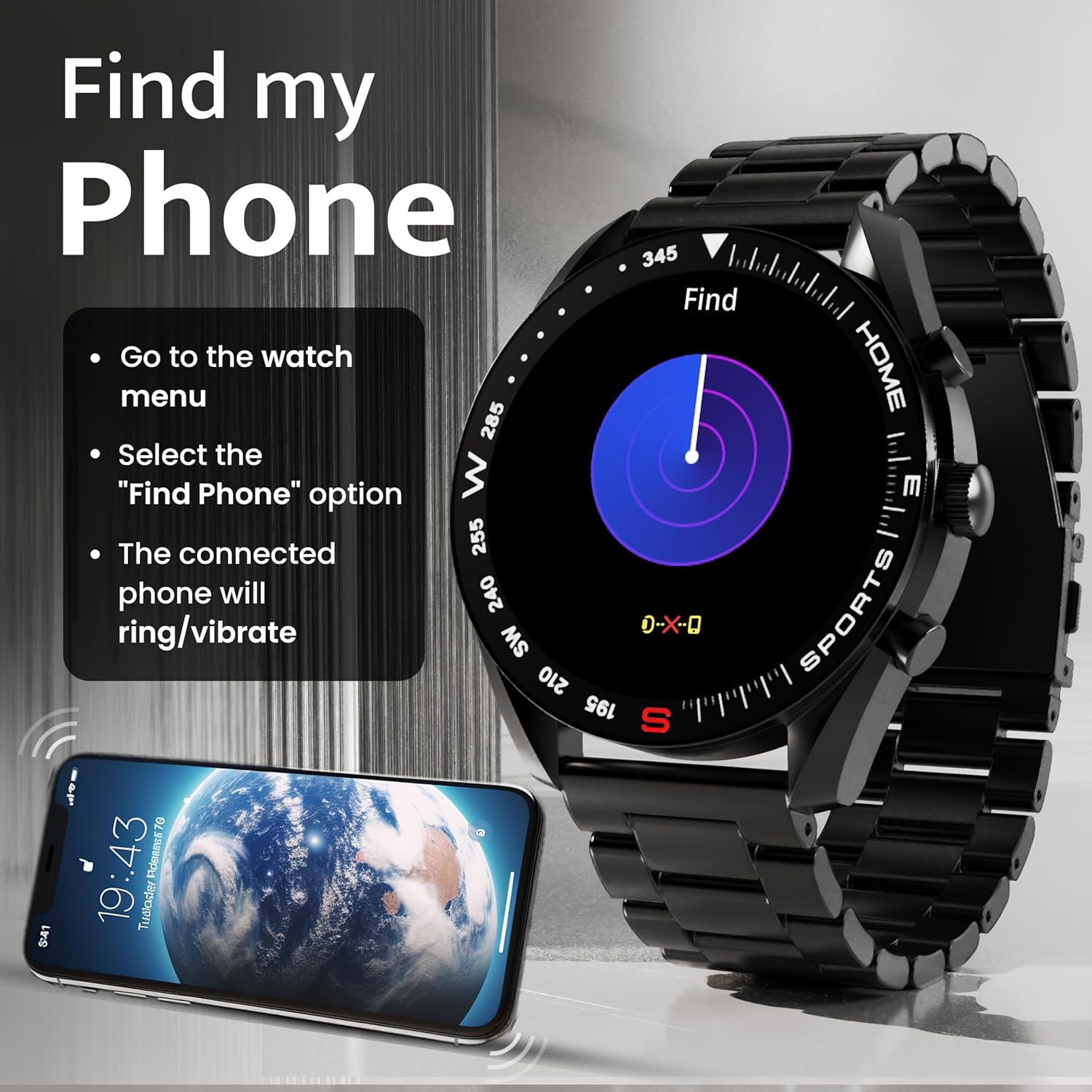
Image: How to use the 'Find My Phone' feature on the smartwatch.
Minixogos:
The watch includes several mini-games for entertainment, such as 2048, Battleship, Hamster, and Young Bird.

Imaxe: Examples of mini-games available on the smartwatch.
Mantemento
Cleaning Your Smart Watch:
- Limpa a pantalla e a carcasa do reloxo cun pano suave e sen fiapos.
- Para a sucidade persistente, d lixeiramenteampEnxágüe o pano con auga. Evite o uso de produtos químicos agresivos ou materiais abrasivos.
- Clean the charging pins regularly with a dry cloth or cotton swab to ensure proper charging.
Resistencia á auga (IP67):
The GOBOULT Mirage Smart Watch is IP67 water-resistant, meaning it is protected against dust ingress and can withstand immersion in water up to 1 meter for up to 30 minutes. However, it is not suitable for swimming, showering with hot water, or diving. Avoid exposure to high-pressure water or corrosive liquids.

Image: Information regarding the IP67 water and dust resistance of the smartwatch.
Axuste da correa:
The watch comes with a metallic strap adjustment tool. Refer to the included instructions or a professional for adjusting the strap length to ensure a comfortable and secure fit.

Image: The watch's zinc alloy frame and the metallic strap adjustment tool.
Resolución de problemas
- O reloxo non se acende: Asegúrate de que o reloxo estea completamente cargado. Conéctao ao cable de carga e déixao cargar durante polo menos 30 minutos antes de tentar acendelo de novo.
- Non se pode emparellar co teléfono:
- Asegúrate de que o Bluetooth estea activado no teléfono e no reloxo.
- Ensure the watch is within the Bluetooth range (up to 10 meters).
- Reinicia tanto o teléfono como o reloxo intelixente.
- Clear the Bluetooth cache on your phone or forget the device and try pairing again.
- Ensure the GOBOULT companion app is updated to the latest version.
- Datos sanitarios inexactos: Asegúrate de levar o reloxo ben axustado ao pulso, nin demasiado axustado nin demasiado solto. Limpa os sensores da parte traseira do reloxo. Evita o movemento excesivo durante as medicións.
- Non aparecen as notificacións:
- Check if notifications are enabled for the specific apps in the GOBOULT companion app.
- Ensure your phone's notification settings allow the GOBOULT app to display alerts.
- Verify that the watch is properly connected to your phone via Bluetooth.
- Autonomía curta da batería: Reduce screen brightness, disable unnecessary features like continuous heart rate monitoring if not needed, and limit the number of active notifications. Ensure the watch is fully charged.
- A pantalla táctil non responde: Reinicia o reloxo. Se o problema persiste, asegúrate de que a pantalla estea limpa e seca.
Especificacións
| Característica | Detalle |
|---|---|
| Nome do modelo | Miraxe |
| Tamaño de visualización | 1.39 polgadas HD |
| Resolución de visualización | 360 x 360 píxeles |
| Brillo | 500 Nits Peak Brightness |
| Conectividade | Bluetooth 5.3 |
| Resistencia á auga | IP67 |
| Material do marco | Aliaxe de zinc |
| Tipo de batería | Polímero de litio |
| Duración media da batería | Ata 7 días |
| Tempo de carga | Aproximadamente 120 minutos |
| Compatibilidade do sistema operativo | iOS, Android |
| Peso do elemento | 106 g |
| Compoñentes incluídos | Smart Watch, Charging Cable, User Manual, Warranty Card |
Garantía e Soporte
Información da garantía:
Your GOBOULT Mirage Smart Watch comes with a manufacturer's warranty. Please refer to the included Warranty Card for specific terms, conditions, and duration of the warranty. Keep your purchase receipt as proof of purchase.
Atención ao cliente:
If you encounter any issues or have questions not covered in this manual, please contact GOBOULT customer support. Contact details can typically be found on the Warranty Card or the official GOBOULT websitio.


