Introdución
Thank you for choosing the AWEI T28 Wireless Earbuds. This manual provides detailed instructions for setting up, operating, and maintaining your earbuds to ensure optimal performance and longevity. Please read this manual thoroughly before using the product.
Contido do paquete
Verifica que todos os elementos estean presentes no teu paquete:
- Wireless Bluetooth Headset (Left and Right Earbuds)
- Wireless Bluetooth Headset Charging Case
- Cable de carga USB-C
- Instrucións para o usuario (este manual)
Produto rematadoview
The AWEI T28 Wireless Earbuds are designed for a comfortable in-ear fit, offering high-fidelity audio and clear call performance. They feature Bluetooth 5.3 technology for stable connectivity and touch controls for easy operation.

Figura 1: AWEI T28 Wireless Earbuds and Charging Case. This image displays the white earbuds resting inside their open charging case, highlighting their compact and sleek design.

Figura 2: Earbuds and Charging Case. The image shows the earbuds removed from the charging case, which is open, illustrating the product's design and indicating its readiness for use or charging.
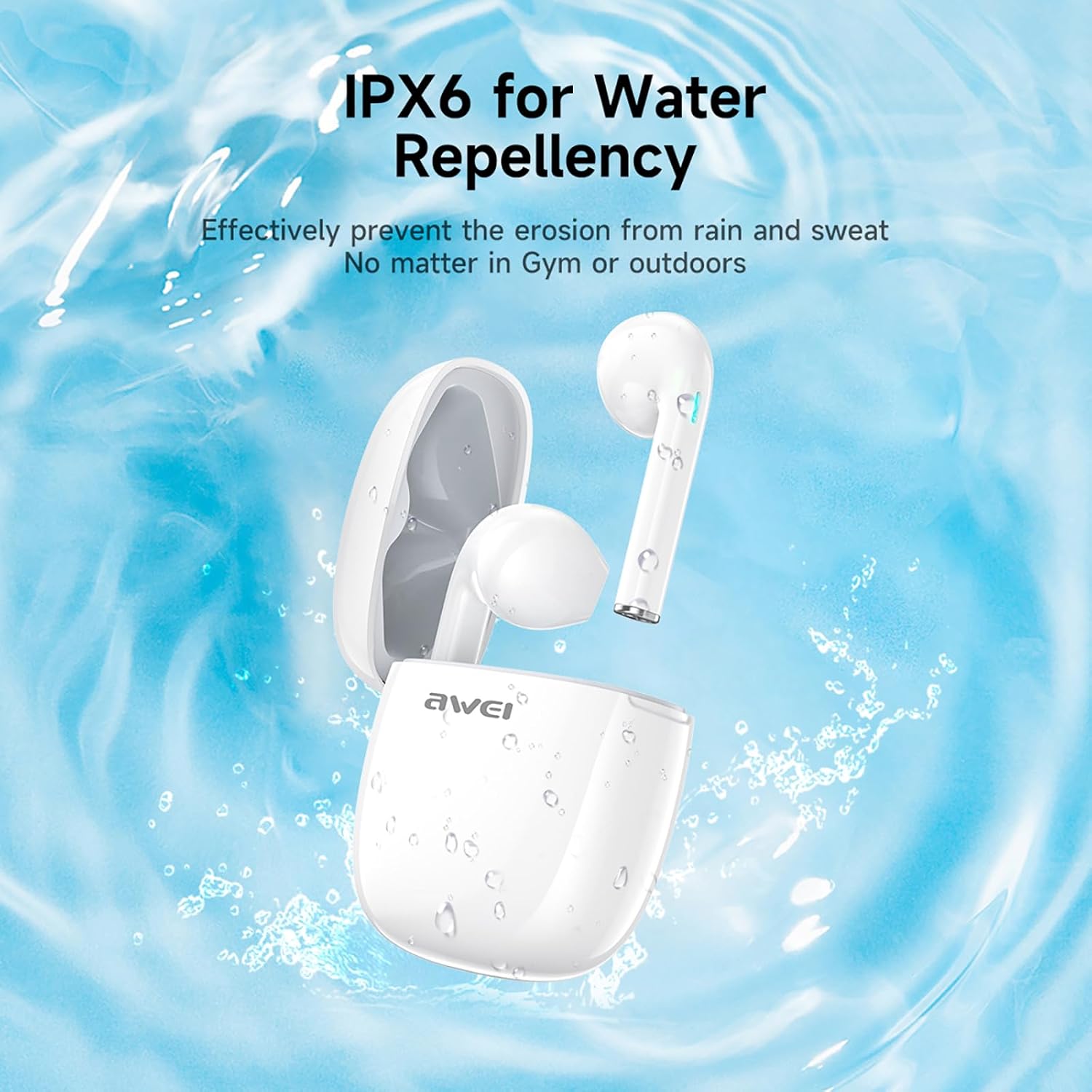
Figura 3: IPX6 Water Repellency. This image depicts the earbuds and charging case with water splashes, visually representing their IPX6 waterproof rating, suitable for use during exercise or in light rain.
Configuración
1. Carga dos auriculares e da funda
- Carga inicial: Antes do primeiro uso, carga completamente os auriculares e a caixa de carga.
- Carga do estuche: Connect the provided USB-C charging cable to the charging port on the case and to a USB power source. The charging time for the case is approximately 1.5 hours.
- Cargando os auriculares: Place the earbuds into the charging case. They will automatically begin charging. The earbuds provide approximately 7 hours of continuous use per charge. The charging case extends total playback time to 35 hours in dual-ear mode, or up to 70 hours in single-ear mode by alternating earbuds.
- Indicadores de batería: Refer to the LED indicators on the case and earbuds for charging status.
2. Emparejamento cun dispositivo
- Encendido: Abre a caixa de carga. Os auriculares acenderanse automaticamente e entrarán no modo de emparellamento.
- Activar Bluetooth: On your smartphone, tablet, or other Bluetooth-enabled device, go to the Bluetooth settings and turn on Bluetooth.
- Seleccione o dispositivo: Busca "AWEI T28" na lista de dispositivos dispoñibles e selecciónao para conectarte.
- Confirmación: Once connected, you will hear an audio prompt from the earbuds, and the device's Bluetooth settings will show "AWEI T28" as connected.
- Reconexión automática: Despois do emparellamento inicial, os auriculares conectaranse automaticamente co último dispositivo emparellado ao retiralos da caixa de carga, sempre que o Bluetooth estea activado no dispositivo.
Instrucións de funcionamento
Controis táctiles
The AWEI T28 earbuds feature smart touch controls on each earbud for convenient management of audio playback and calls.
- Reproducir/Pausa: Toca un só auricular en calquera dos auriculares.
- Próxima canción: Toca dúas veces o auricular dereito.
- Canción anterior: Toca dúas veces o auricular esquerdo.
- Subir volume: Toca tres veces o auricular dereito.
- Baixar volume: Toca tres veces o auricular esquerdo.
- Responder/Finalizar chamada: Un só toque en calquera dos auriculares durante unha chamada entrante.
- Rexeitar a chamada: Manteña premido calquera dos auriculares durante 2 segundos durante unha chamada entrante.
- Activar o asistente de voz: Press and hold either earbud for 3 seconds (functionality may vary by device).
Monaural and Binaural Mode
The earbuds support both monaural (single earbud) and binaural (both earbuds) modes. You can seamlessly switch between modes:
- Modo Binaural: Remove both earbuds from the charging case. They will automatically connect to each other and then to your device.
- Modo monoaural: Remove only one earbud from the charging case. It will connect to your device independently. You can place the other earbud back in the case or keep it off.
- Cambio: If using one earbud, simply remove the other from the case to automatically switch to binaural mode. If using both, place one back in the case to switch to monaural mode.
Mantemento
Proper maintenance ensures the longevity and performance of your AWEI T28 Wireless Earbuds.
- Limpeza: Limpa regularmente os auriculares e a caixa de carga cun pano suave, seco e sen pelusa. Non empregues produtos de limpeza abrasivos nin disolventes.
- Consellos para oídos: If applicable, gently remove ear tips and clean them with mild soap and water, then dry thoroughly before reattaching.
- Contactos de carga: Asegúrate de que os contactos de carga tanto dos auriculares como do interior da funda estean limpos e libres de residuos para manter unha carga axeitada.
- Resistencia á auga: The earbuds are IPX6 waterproof, meaning they are resistant to strong jets of water. However, they are not designed for swimming or submersion. Ensure they are dry before placing them back in the charging case.
- Almacenamento: Cando non os uses, garda os auriculares no seu estoxo de carga para protexelos do po e dos danos. Gardaos nun lugar fresco e seco, lonxe de temperaturas extremas.
Resolución de problemas
If you encounter issues with your AWEI T28 Wireless Earbuds, refer to the following common solutions:
- Auriculares sen emparellamento co dispositivo:
- Asegúrate de que os dous auriculares estean completamente cargados.
- Desactiva o Bluetooth no teu dispositivo e volve activalo.
- Forget "AWEI T28" from your device's Bluetooth list and attempt to pair again.
- Ensure the earbuds are in pairing mode (usually indicated by flashing LED lights).
- Tenta emparellalo cun dispositivo diferente para descartar problemas específicos do dispositivo.
- Só funciona un auricular:
- Place both earbuds back into the charging case, close the lid, wait a few seconds, then open the lid and remove both earbuds simultaneously.
- Asegúrate de que os dous auriculares estean cargados.
- Check if the earbuds are connected in monaural mode. If so, try re-pairing both earbuds.
- Auriculares sen cargar:
- Asegúrate de que a caixa de carga estea cargada.
- Check that the charging contacts on the earbuds and inside the case are clean and free of obstructions.
- Asegúrate de que os auriculares estean correctamente asentados na caixa de carga.
- Proba a usar un cable USB-C ou un adaptador de alimentación diferente.
- Volume baixo ou mala calidade de son:
- Axusta o volume tanto no dispositivo como nos auriculares.
- Ensure the earbuds are properly seated in your ears for a good seal.
- Limpa calquera cerumen ou residuos das boquillas dos auriculares.
- Try playing different audio sources to determine if the issue is with the earbuds or the audio file.
- A conexión córtase con frecuencia:
- Ensure there are no significant obstacles (walls, large electronic devices) between the earbuds and your connected device.
- Keep the earbuds within the 10-meter Bluetooth range of your device.
- Evita entornos con alta interferencia de Wi-Fi ou outras interferencias sen fíos.
Especificacións
| Modelo | T28 |
| Marca | Awei |
| Tecnoloxía de conectividade | Sen fíos (Bluetooth 5.3) |
| Colocación do oído | En Orella |
| Tipo de control | Control táctil |
| Nivel de resistencia á auga | Impermeable IPX6 |
| Duración media da batería (auriculares) | 7 horas |
| Tempo de reprodución total coa caixa de carga | Up to 35 Hours (Dual-ear), 70 Hours (Single-ear) |
| Tempo de carga (caso) | 1.5 horas |
| Material | Silicona |
| Peso do elemento | 150 g |
| Dispositivos compatibles | Smartphones, Computers, TVs |
Garantía e Soporte
For warranty information and customer support, please refer to the documentation provided with your purchase or contact the retailer where you purchased the AWEI T28 Wireless Earbuds. Keep your proof of purchase for any warranty claims.
For further assistance, you may also visit the official Awei websitio web ou póñase en contacto directamente co servizo de atención ao cliente.


