1. Introdución
This manual provides essential instructions for the safe and efficient operation of your pecron E1000LFP Solar Generator and accompanying 2x200W Solar Panels. Please read this manual thoroughly before using the product to ensure proper function and longevity.

Image 1.1: pecron E1000LFP Solar Generator with two 200W solar panels.
2. Información de seguridade
Observe as seguintes precaucións de seguridade para evitar lesións ou danos no produto:
- Non desmonte, repare nin modifique a unidade.
- Keep the unit away from fire and direct heat sources.
- Evite a exposición á auga ou a alta humidade.
- Do not use the unit if it is damaged or appears to be malfunctioning.
- Asegúrese de que haxa unha ventilación axeitada durante o uso e a carga.
- Manter fóra do alcance dos nenos e animais.
3. Contido do paquete
Verifica que todos os elementos estean presentes no teu paquete:
- pecron E1000 LFP Power Station (1 unit)
- 200W Solar Panel (2 units)
- AC Charging Cable (1 unit)
- Solar Charging Cable (1 unit)
- Cable de carga para coche (1 unidade)
- Accessory Bag (1 unit)
- Manual de usuario (1 unidade)
4. Configuración
4.1 Carga inicial
Before first use, fully charge the pecron E1000LFP power station. Connect the AC Charging Cable to the power station's AC input port and then to a standard wall outlet. The display will indicate charging status. A full charge typically takes 1.3 hours.

Image 4.1: The pecron E1000LFP power station connected to an AC wall outlet for fast charging.
4.2 Conexión de paneis solares
To charge using solar power, unfold the 200W solar panels and position them in direct sunlight. Connect the solar panels to the power station using the provided Solar Charging Cable. The power station's display will show solar input. Charging time varies based on sunlight intensity.

Image 4.2: Various charging methods for the pecron E1000LFP, including AC, solar, and car charging.
5. Instrucións de funcionamento
5.1 Acendido/Apagado
Press and hold the main power button to turn the unit on or off. The LCD display will illuminate upon activation, showing battery level, input/output wattage, and port status.
5.2 portos de saída
The E1000LFP features 12 output ports to power a variety of devices:
- 5x AC Outlets (1800W total output)
- 2x USB-C Ports
- 2x USB-A Ports
- 1 saída XT60
- 1x Porto para puros
- 1 saída CC 5525
Press the respective AC or DC button to activate the desired output group. Connect your devices to the appropriate ports.
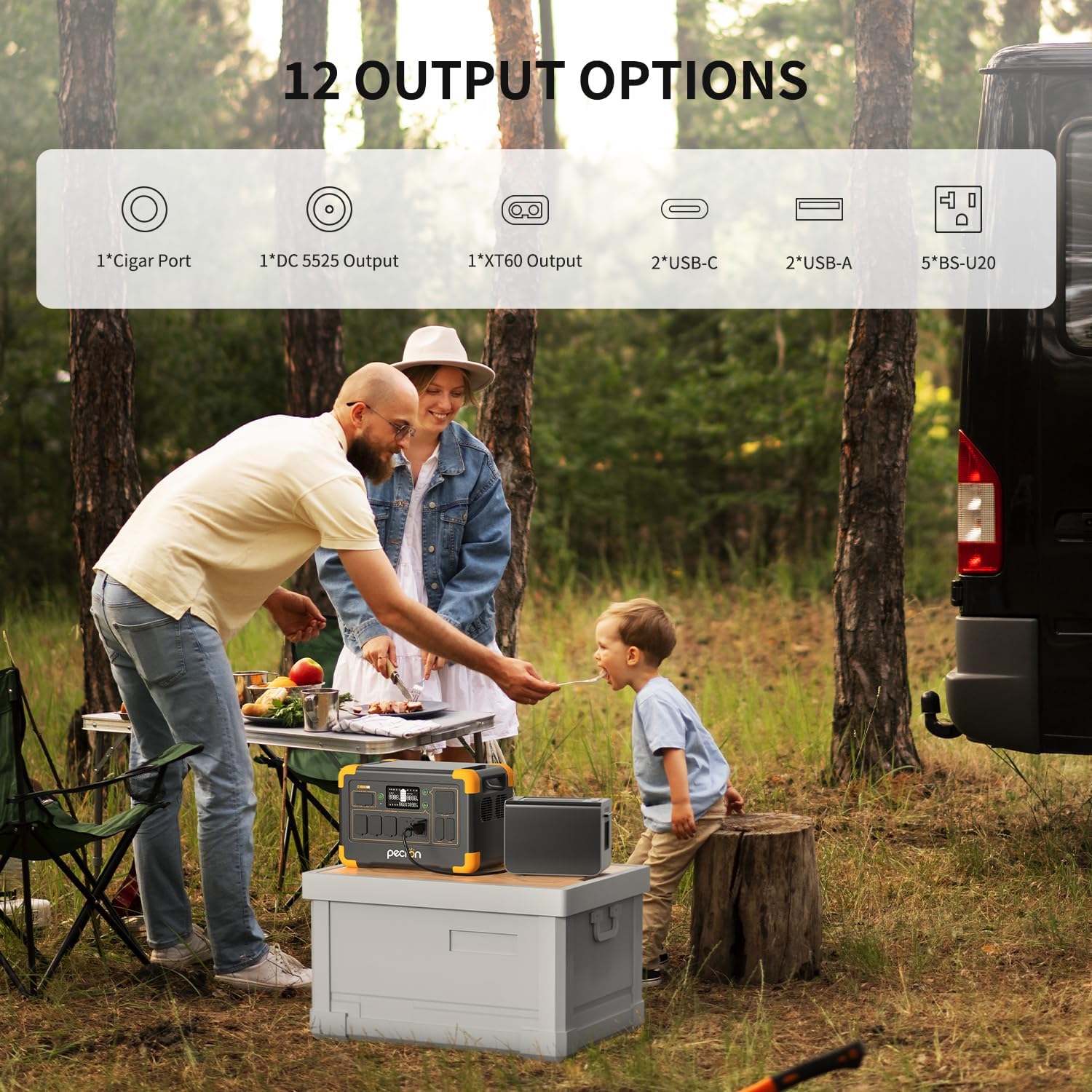
Imaxe 5.1: Acabadoview of the 12 output options available on the pecron E1000LFP.

Image 5.2: The pecron E1000LFP powering a laptop and other devices in an outdoor setting.
5.3 Capacidade ampliable
The E1000LFP's capacity can be expanded up to 4096Wh by connecting an external battery (sold separately). Refer to the external battery's manual for connection instructions.
5.4 Control intelixente de aplicacións
Download the pecron app to monitor and control your power station remotely. The app allows you to view potencia de entrada/saída, comprobar os niveis de potencia e cambiar remotamente as saídas de CC/CA.
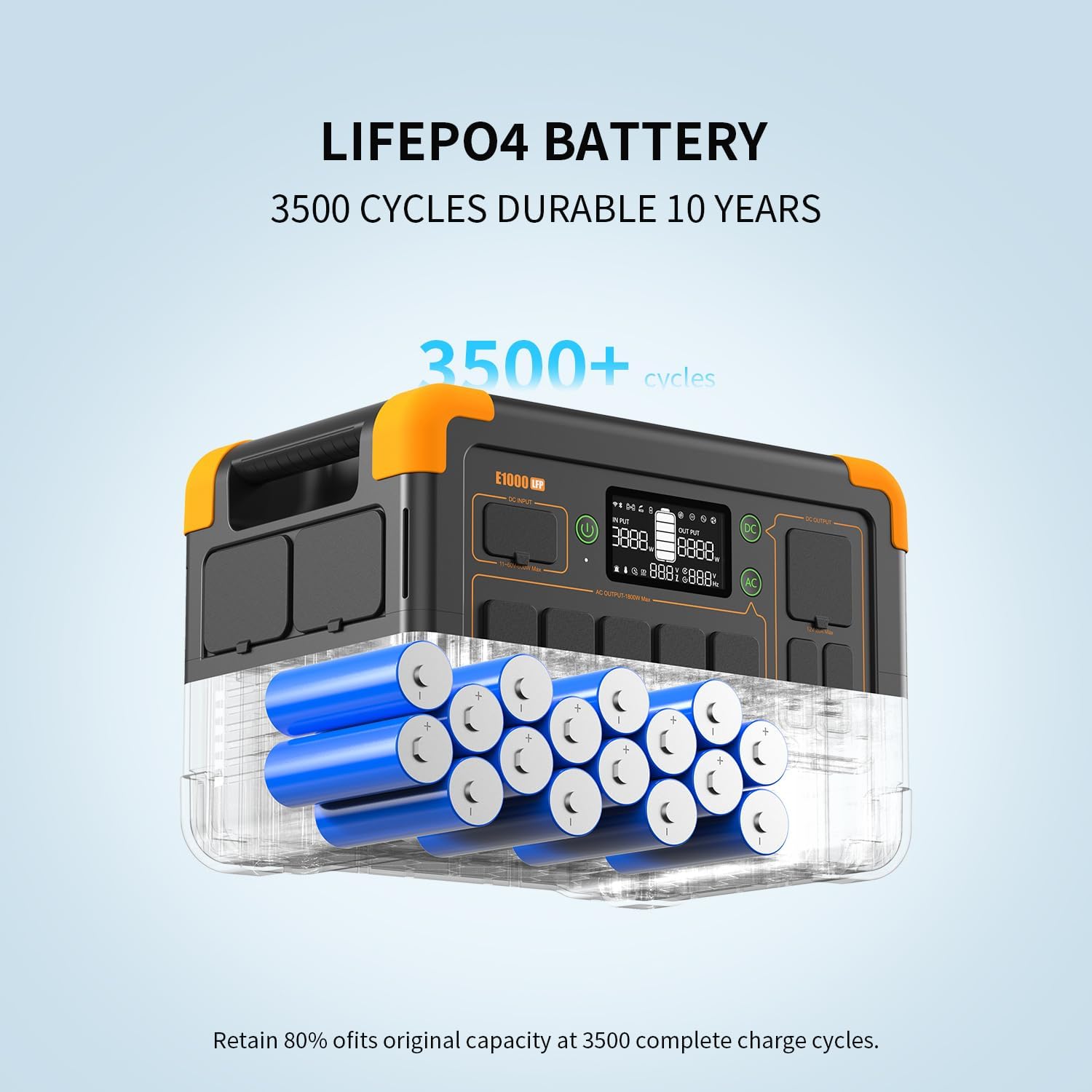
Image 5.3: The pecron mobile application providing smart control over the power station.
5.5 Función do SAI
The E1000LFP features an Uninterruptible Power Supply (UPS) function, providing a seamless power transition within 8-20ms in case of a power outage when connected to an AC source.
6. Mantemento
6.1 Coidado coa batería
The pecron E1000LFP utilizes a 1024Wh LiFePO4 battery, designed for durability with over 3500 charge cycles to retain 80% of its original capacity. For optimal battery life, avoid fully discharging the unit frequently and store it with a partial charge (50-80%).

Imaxe 6.1: Interna view of the durable LiFePO4 battery cells within the E1000LFP.
6.2 Quecemento da batería
The unit includes a battery heating module that activates when charging in temperatures between -20°C and 0°C, ensuring the battery heats up above 0°C for safe and efficient charging in cold environments.

Image 6.2: The pecron E1000LFP's battery heating function for reliable cold weather performance.
6.3 Almacenamento
When storing the power station for extended periods, ensure it is charged to approximately 50-80% and stored in a cool, dry place away from direct sunlight and extreme temperatures. Recharge every 3-6 months to prevent deep discharge.
7 Solución de problemas
If you encounter issues with your pecron E1000LFP, consider the following:
- A unidade non se acende: Asegúrate de que a batería estea cargada. Se non, conéctaa a unha toma de corrente alterna para cargala.
- Sen saída dos portos: Verify that the specific output group (AC/DC) is activated. Check if the device connected requires more power than the port can supply.
- Carga lenta: For solar charging, ensure panels are in direct sunlight and free from obstructions. For AC charging, confirm the cable is securely connected.
- Protección contra sobrecarga: Se a unidade se apaga, pode ser debido a unha sobrecarga. Desconecte algúns dispositivos e reinicie a unidade.
Para problemas persistentes, póñase en contacto co servizo de atención ao cliente.
8. Especificacións
| Característica | Especificación |
|---|---|
| Modelo | E1000LFP |
| Tipo de batería | LiFePO4 |
| Capacidade | 1024 Wh |
| Capacidade ampliable | Up to 4096Wh |
| Saída AC | 1800W (Rated), 120V |
| Portos de saída totais | 12 |
| AC Fast Charging Time | 1.3 horas |
| Solar Panel Included | 2 x 200 W |
| Peso do elemento | 29 libras |
| Dimensións do produto | 14.9 cm de longo x 10 cm de ancho x 9.4 cm de alto |
| Características especiais | Portable, Fast Charging, Large Capacity, Long Last, Safety, Smart Control, UPS, Battery Heating |
9. Garantía e soporte
Your pecron E1000LFP Solar Generator comes with a 2+1 year warranty, providing peace of mind for your investment. For any questions, technical assistance, or warranty claims, please contact pecron customer service. Our team is available 24 hours a day, 7 days a week to provide friendly support.
For further assistance, please visit the official pecron website or refer to the contact information provided in your warranty card.


