1. Produto rematadoview
The MOES Smart WiFi Electric Underfloor Heating Thermostat provides intelligent temperature control for your room, enhancing your smart home experience with comfort and energy efficiency. This programmable thermostat is compatible with popular smart home platforms like Alexa and Google Home, and can be managed via the Tuya/Smart Life app.
Características principais:
- Intelligent Heating System: Offers smart temperature control and provides weather data for a comfortable smart home experience.
- Control remoto por aplicación: Manage home temperature with the Tuya/Smart Life app (requires 2.4 GHz Wi-Fi). Adjust settings anytime, anywhere, create schedules, set smart scenarios, or share device control with family.
- Deseño fácil de usar: Connects with voice assistants like Alexa or Google Home for voice commands. Displays weather information (sun, rain). Blackout protection saves all settings. Screen lock prevents accidental changes.
- Energy Saving Thermostat: Supports automatic or manual temperature adjustment with flexible weekly programming (5+2, 6+1, or 7 days). Up to 6 daily heating periods for comfort and energy efficiency. Integrates with Wi-Fi door/window sensors to detect sudden temperature drops (e.g., open window) and automatically pauses heating to prevent waste.
Notas importantes:
- Requires 2.4 GHz Wi-Fi (5 GHz not supported).
- Requírese un cable neutro para a instalación.
- This is a wall-mounted thermostat for 16A electric underfloor heating systems.
2. Instalación
2.1. Compoñentes do produto
The thermostat package includes the main thermostat unit, a backplate for wall mounting, and an external floor sensor (if applicable to your model).
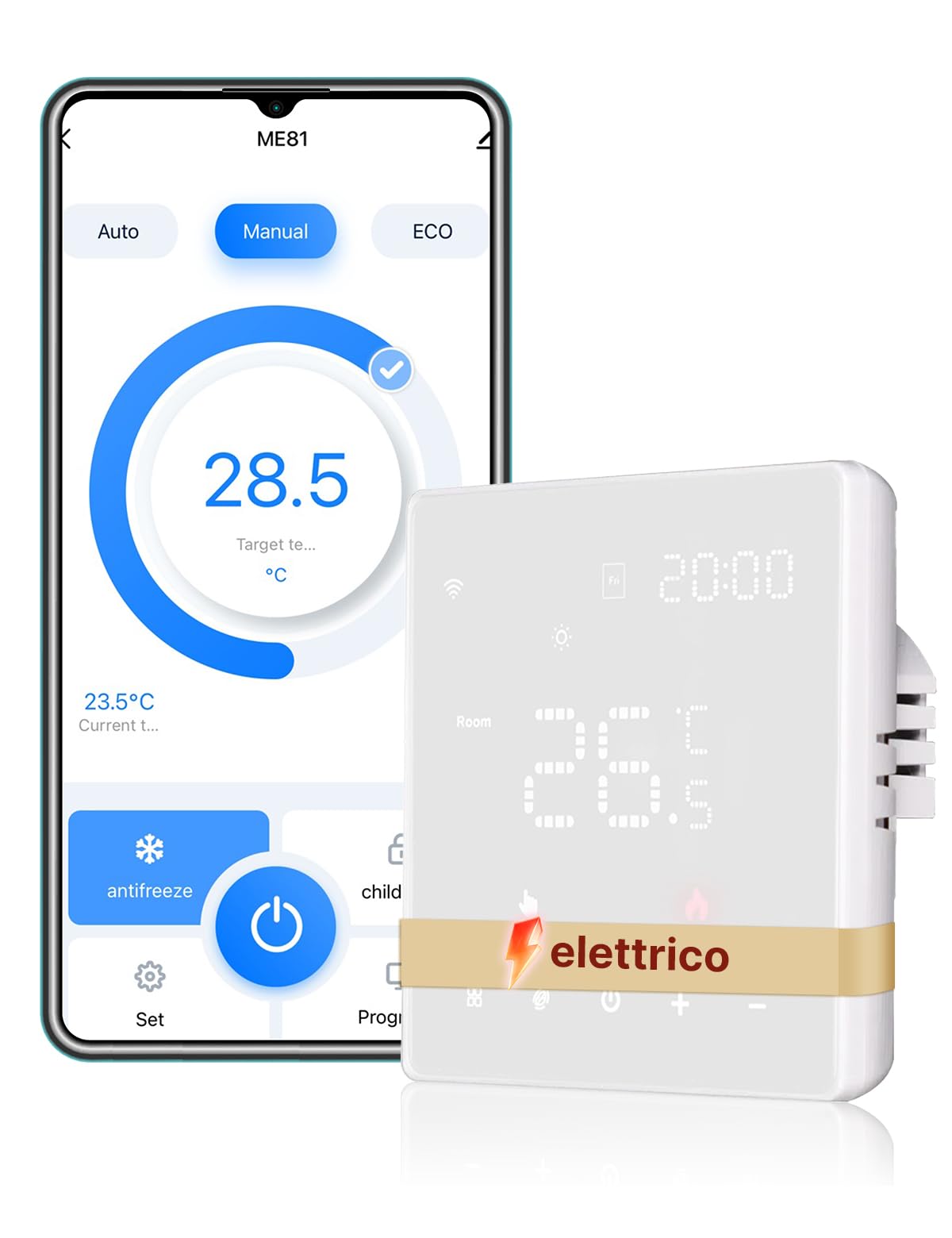
Figura 1: Fronte view of the MOES Smart WiFi Electric Underfloor Heating Thermostat.

Figure 2: Dimensions of the MOES Smart WiFi Electric Underfloor Heating Thermostat, showing 86mm width, 86mm height, and 13mm depth from the wall surface, with a 60mm x 38.5mm backplate.
2.2. Diagrama de cableado
Ensure power is off before wiring. Connect the thermostat according to the diagram below for electric underfloor heating systems. A neutral wire (N) and live wire (L) are required. The load (electric floor heating element) connects to L1 and L2. An external sensor (NTC) can be connected to terminals 5 and 6.

Figure 3: Wiring diagram for the electric underfloor heating thermostat. Connect Live (L) and Neutral (N) power supply, and the electric floor load (L1, L2). Optional NTC sensor connects to terminals 5 and 6.
Nota de compatibilidade: This thermostat is designed specifically for electric underfloor heating systems. It is not compatible with water-based underfloor heating or boiler systems.

Figure 4: Visual representation of thermostat compatibility, indicating it is suitable only for electric underfloor heating and not for water-based or boiler systems.
2.3. Montaxe do termostato
- Carefully separate the front panel from the backplate using a suitable tool to release the bottom clips.
- Secure the backplate to the wall or a standard 503 recessed box using two screws.
- Snap the top tabs of the front panel into the fixing clips and gently press to lock it into position.
3. Instrucións de funcionamento
3.1. Control manual
The thermostat can be operated directly using the touch buttons on the device. Use the up and down arrows to adjust the temperature. The 'M' button cycles through modes, and the power button turns the unit on/off.
3.2. App Control (Tuya/Smart Life)
Download the Tuya Smart or Smart Life app from your smartphone's app store. Follow the in-app instructions to pair your thermostat. Ensure your phone is connected to a 2.4 GHz Wi-Fi network during the pairing process.

Figure 5: Remote control of the thermostat using the Tuya/Smart Life app on a smartphone.
Once paired, you can adjust the temperature, set schedules, and manage other settings directly from the app.
3.3. Control por voz (Alexa/Google Home)
Integrate your MOES thermostat with Amazon Alexa or Google Home for convenient voice control. Link the Tuya/Smart Life skill/service in your Alexa or Google Home app. You can then use commands such as "Alexa, set the thermostat to 22 degrees" or "Hey Google, turn on the heating."
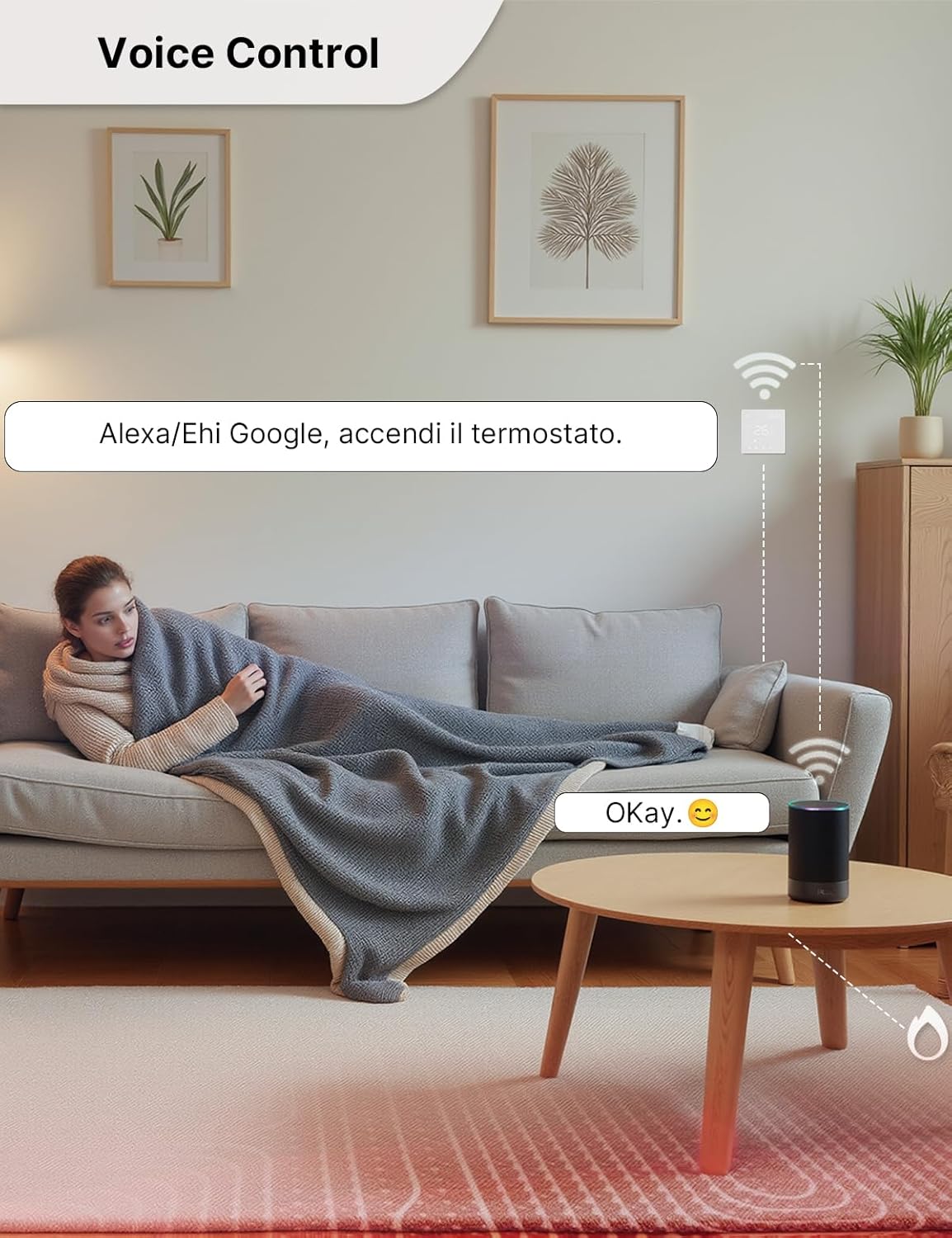
Figure 6: A user interacting with a voice assistant (Alexa or Google Home) to control the thermostat.
3.4. Programación semanal
The thermostat supports flexible weekly programming with options for 5+2, 6+1, or 7-day schedules. You can set up to 6 distinct heating periods per day to optimize comfort and energy usage. This feature can be configured via the app.

Figure 7: Display showing the weekly programmable function with multiple time periods and temperature settings.
3.5. Bloqueo infantil
Activate the child lock feature to prevent accidental changes to the thermostat settings. This function can be enabled or disabled through the app or directly on the device.

Figure 8: Illustration of the child lock feature, showing a child's hand near the thermostat with a lock icon, indicating prevention of accidental adjustments.
3.6. Función anticonxelante
The anti-freeze function helps protect your pipes from freezing by maintaining a minimum temperature. This feature can be configured in the thermostat settings via the app.
3.7. Modo ECO
Utilize the ECO mode to save energy and reduce electricity bills. This mode optimizes heating performance for efficiency.

Figure 9: Visual demonstrating the ECO mode, highlighting potential energy savings of up to 20% on electricity bills.
3.8. Calibración da temperatura
If you notice a discrepancy between the thermostat's temperature reading and another reliable thermometer, you can calibrate the temperature. The compensation range allows for adjustments to ensure accurate readings.

Figure 10: Image illustrating the temperature calibration feature, showing a range of compensation from -9°C to +9°C.
3.9. Detección de ventá aberta
When paired with compatible Wi-Fi door/window sensors, the thermostat can detect sudden drops in temperature caused by an open window. It will then automatically pause heating to prevent energy waste.
4. Especificacións
| Característica | Especificación |
|---|---|
| Marca | MOES |
| Cor | Branco |
| Dimensións | 10.3 x 9.6 x 6.6 cm |
| Peso | 270 gramos |
| Características especiais | APP remote control and smart home system compatibility |
| Tipo de controlador | Manual Control, Amazon Alexa, Google Assistant, Smart Life, Tuya |
| Tipo de control de temperatura | Programable |
| Conectividade | Wi-Fi 2.4 GHz (5 GHz not supported), MOES ZigBee Hub Required (for ZigBee variant, though this product is WiFi) |
Note: The product description mentions both Wi-Fi and ZigBee hub requirement. This manual focuses on the Wi-Fi functionality as indicated by the product title. Please refer to the specific product packaging for exact model and connectivity details.
5. Mantemento
To ensure optimal performance and longevity of your MOES Smart WiFi Electric Underfloor Heating Thermostat, follow these simple maintenance guidelines:
- Limpeza: Gently wipe the thermostat screen and casing with a soft, dry cloth. Avoid using abrasive cleaners, solvents, or chemical sprays, as these can damage the surface and internal components.
- Fonte de alimentación: Ensure a stable power supply. In case of a power outage, the thermostat's blackout protection feature will save your settings.
- Actualizacións de software: Regularly check the Tuya/Smart Life app for any available firmware updates for your thermostat. Keeping the software updated ensures you have the latest features and security enhancements.
- Condicións ambientais: Avoid exposing the thermostat to extreme temperatures, high humidity, or direct sunlight for prolonged periods.
6 Solución de problemas
If you encounter issues with your MOES Smart WiFi Electric Underfloor Heating Thermostat, please refer to the following common troubleshooting steps:
| Problema | Causa posible | Solución |
|---|---|---|
| O termostato non se acende | Sen subministración eléctrica; cableado incorrecto. | Check the main power switch. Verify wiring connections (Live, Neutral, Load) as per the installation diagram. Consult a qualified electrician if unsure. |
| Non se pode conectar á wifi/aplicación | Incorrect Wi-Fi password; 5 GHz Wi-Fi network; thermostat too far from router; pairing mode not activated. | Ensure you are using a 2.4 GHz Wi-Fi network. Double-check the Wi-Fi password. Move the thermostat closer to the router. Activate pairing mode on the thermostat as per app instructions. Restart your router and try again. |
| Lectura da temperatura imprecisa | Thermostat sensor calibration needed. | Access the temperature calibration settings in the app and adjust the compensation value as needed. |
| A calefacción non funciona | Thermostat in OFF mode; set temperature lower than current room temperature; programming schedule active; open window detected. | Ensure the thermostat is ON and in heating mode. Set the desired temperature higher than the current room temperature. Check your weekly programming schedule. Close any open windows or disable the open window detection feature temporarily. |
| O control por voz non responde | Incorrect voice command; Alexa/Google Home not linked to Tuya/Smart Life; internet connectivity issue. | Use precise voice commands. Ensure the Tuya/Smart Life skill/service is enabled and linked in your Alexa/Google Home app. Check your internet connection. |
If the problem persists after trying these steps, please contact MOES customer support for further assistance.
7. Garantía e soporte
MOES products are designed and manufactured to the highest quality standards. For information regarding warranty coverage, terms, and conditions, please refer to the warranty card included with your product or visit the official MOES websitio.
For technical support, troubleshooting assistance, or any product-related inquiries, please contact MOES customer service through the following channels:
- Soporte en liña: Visita o Tenda MOES en Amazon para preguntas frecuentes e opcións de contacto.
- Correo electrónico: Consulte a embalaxe do produto ou a ficha oficial websitio para o enderezo de correo electrónico de atención ao cliente.
- Soporte da aplicación: Many common issues can be resolved through the help sections within the Tuya Smart or Smart Life applications.
Please have your product model number (B0DNDZ2LHH) and purchase date ready when contacting support.


