1. Produto rematadoview
The INIU Car Phone Holder with Qi2 Certified Wireless Charger (Model V11) provides a secure mounting solution and efficient wireless charging for compatible smartphones in your vehicle. It features a robust design with multiple installation options and advanced charging capabilities to ensure your device remains powered and accessible during travel.
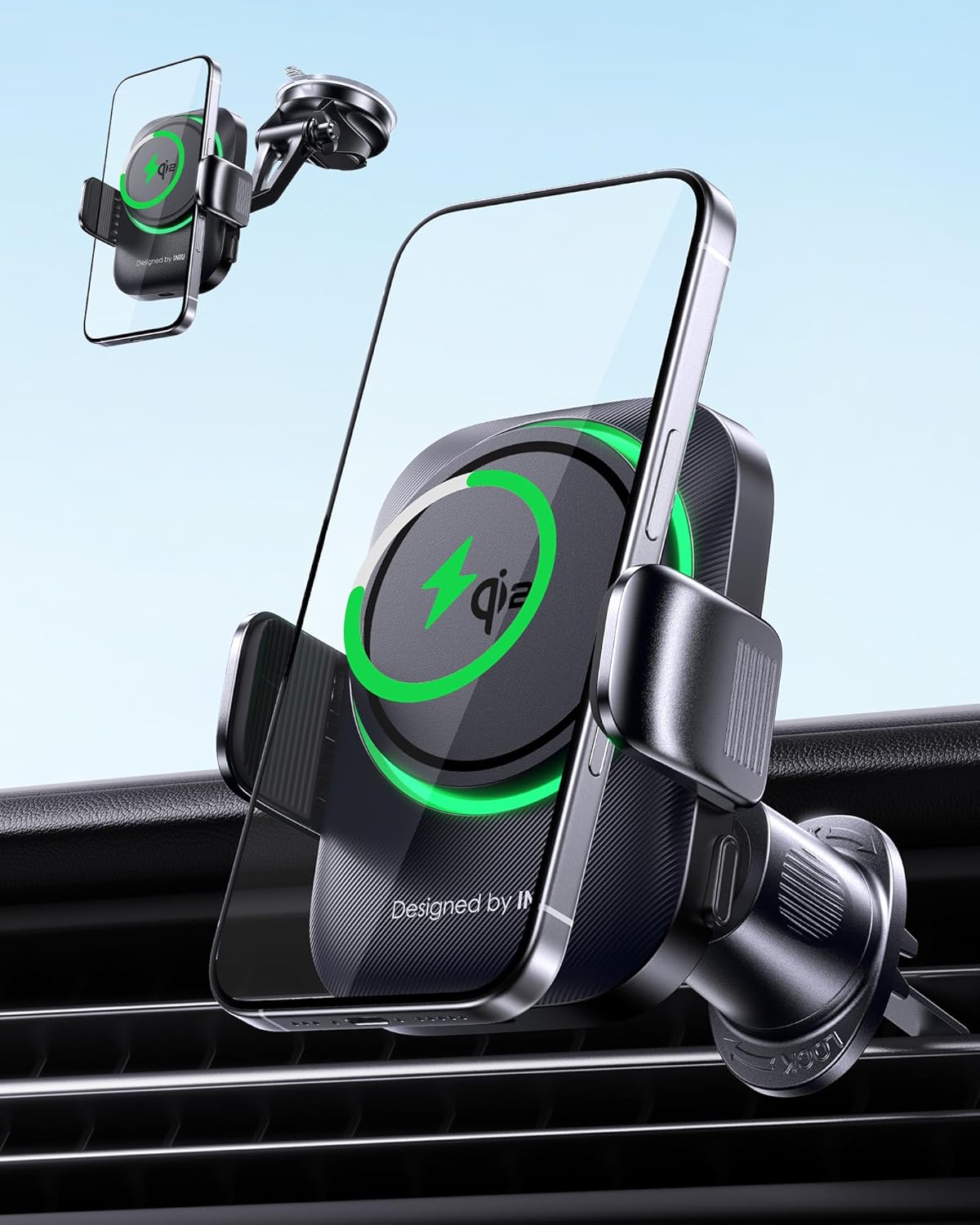
Image 1: INIU Car Phone Holder with Qi2 Wireless Charger mounted on a car dashboard.
2. Que hai na caixa
Verifica que todos os compoñentes estean presentes no paquete:
- INIU Qi2 Magnetic Car Mount Charger
- Montaxe para ventosa
- Clip de ventilación
- 4.9ft USB-C to C Cable
- Manual de usuario (este documento)
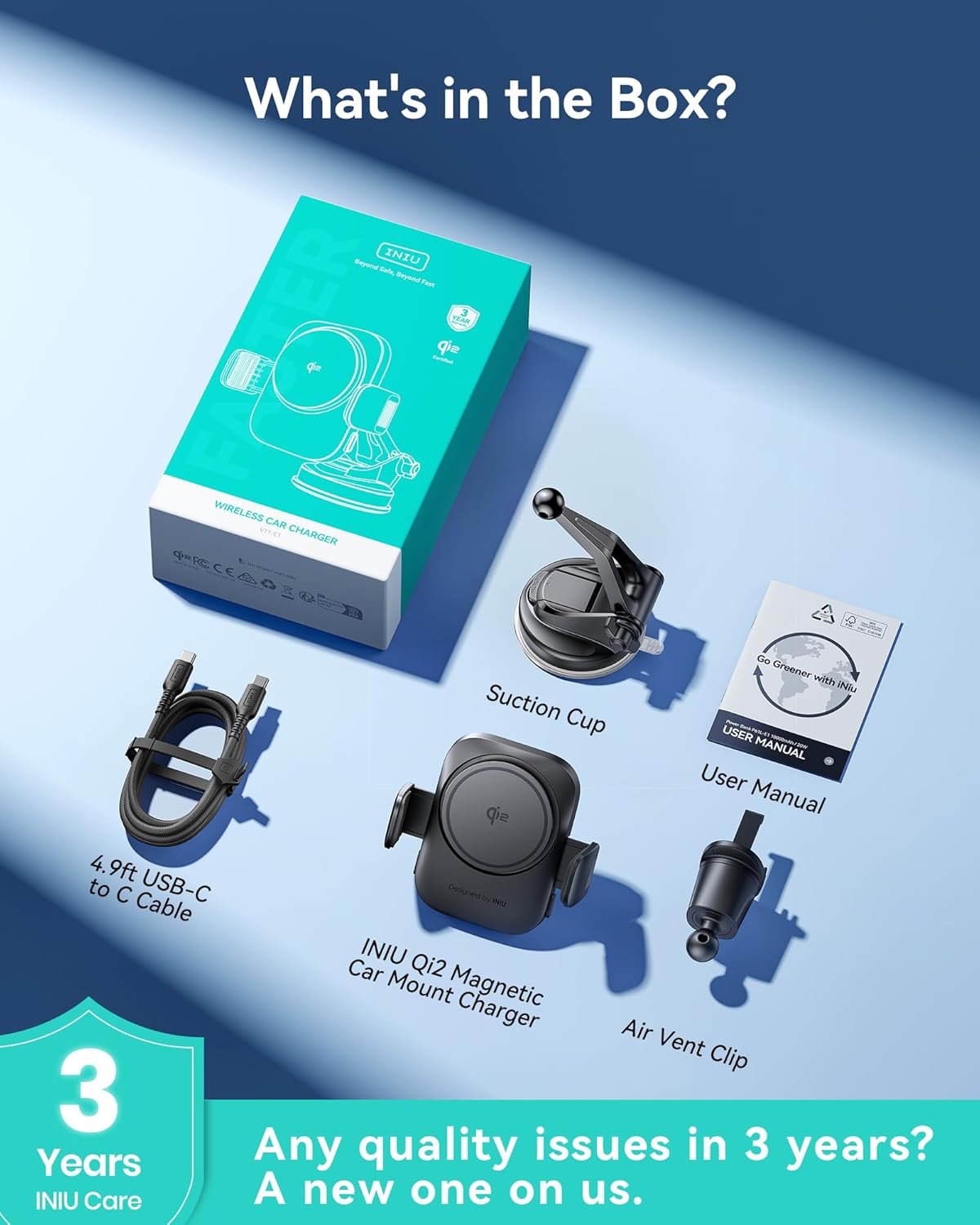
Image 2: All components included in the INIU Car Phone Holder package.
3. Configuración e instalación
The INIU Car Phone Holder offers versatile installation options. Choose the method best suited for your vehicle and preferences.
3.1. Air Vent Installation
- Loosen the knob on the air vent clip.
- Insert the ball head of the charger into the joint of the air vent clip and tighten the knob securely.
- Hook the air vent blade into the clip.
- Tighten the clip until you hear a clatter, ensuring a firm grip on the vent.

Image 3: Visual guide for air vent installation.
3.2. Dashboard or Windshield Installation
- Loosen the knob on the suction cup mount.
- Insert the ball head of the charger into the joint of the suction cup mount and tighten the knob securely.
- Attach the suction cup to a clean, smooth surface on your dashboard or windshield.
- Push down the lock lever on the suction cup to create a strong vacuum seal.

Image 4: Visual guide for dashboard or windshield installation.

Image 5: The car phone holder installed in different locations within a vehicle.
4. Instrucións de funcionamento
4.1. Conexión de alimentación
Connect the provided 4.9ft USB-C to C cable to the charging port on the bottom of the phone holder and plug the other end into a compatible car charger (cigarette lighter adapter recommended, not directly into car's USB port unless it provides sufficient power).
4.2. Attaching and Detaching Your Phone
- Anexo: Place your MagSafe-compatible phone (or phone with a MagSafe case) onto the magnetic charging pad. The strong magnetic grip will hold it in place. The auto-clamping arms will then automatically secure the phone.
- Desprendemento: Press the release buttons located on the sides of the holder to open the clamping arms. Gently remove your phone.
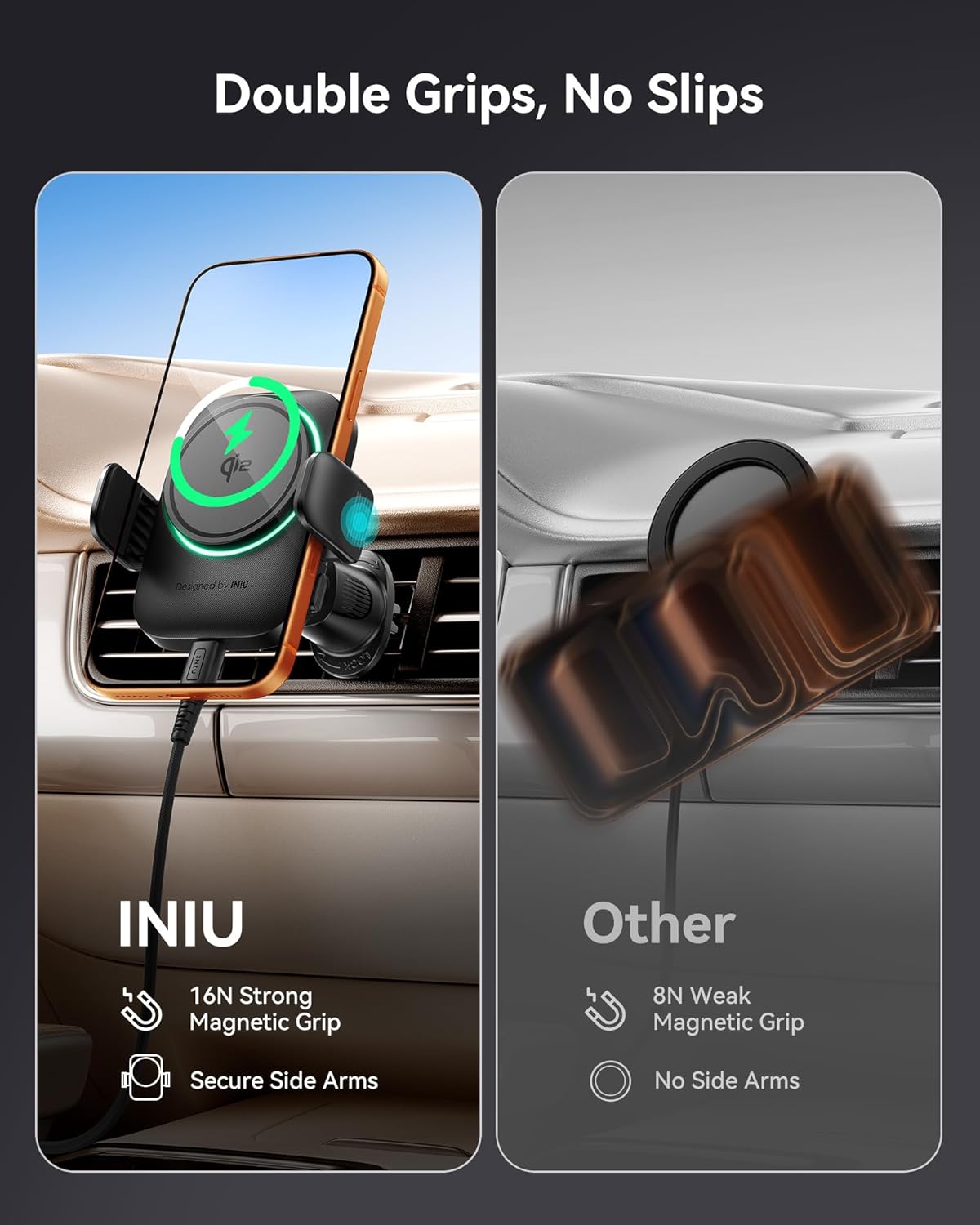
Image 6: The holder's double grip mechanism for secure phone attachment.

Image 7: The holder maintains phone security even on uneven roads.
4.3. Carga sen fíos
- The holder features Qi2 Certified 15W wireless charging, providing up to two times faster charging speeds compared to standard 15W chargers.
- A built-in 5-blade Turbo Cooling Fan prevents device overheating during charging, maintaining optimal battery health.
- Ensure your phone is centered on the magnetic charging pad for efficient charging.
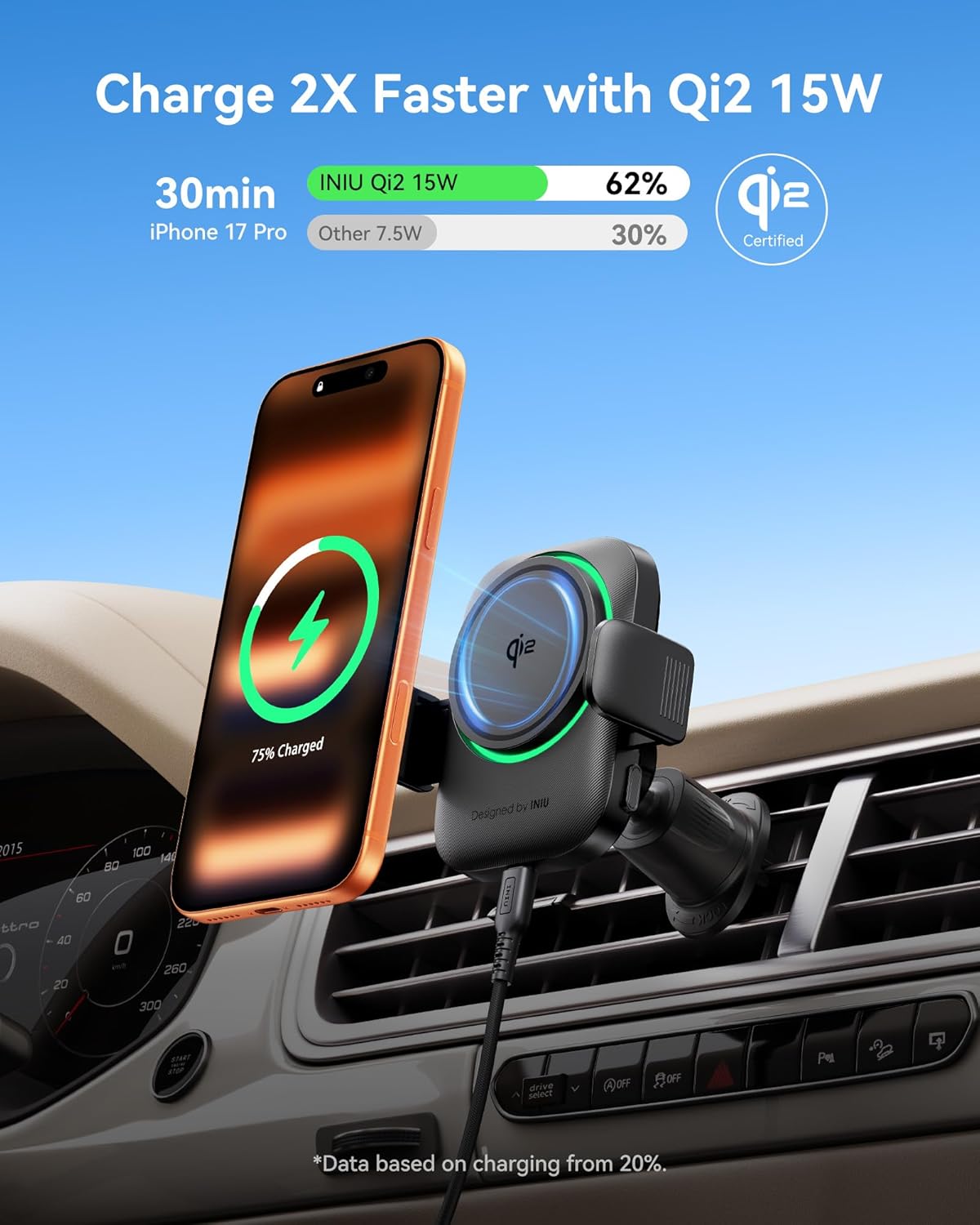
Image 8: Comparison of charging speed with Qi2 15W.
Image 9: The integrated cooling fan helps prevent phone overheating during charging.
4.4. Axustable Viewángulo ing
- The holder features a 360° rotatable ball joint and a 180° flexible arm.
- Adjust the phone's position to achieve optimal visibility for GPS navigation and hands-free calls without obstructing your view.
Image 10: The 360° ball joint allows for flexible viewángulos de inflexión.
4.5. Customizable RGB Backlight
- Select from seven dynamic backlight colors to match your car's interior or personal preference.
- The smart memory feature will recall your last chosen color setting.
Image 11: The holder features customizable RGB backlighting.
4.6. Compatibilidade de casos
The charger is compatible with phones between 5.8" and 7" and cases up to 4mm (0.16 inches) thick. For optimal magnetic attachment and charging efficiency, remove any metal or magnetic objects from your phone case before charging.

Image 12: Case compatibility guidelines for the car phone holder.
5. Mantemento
- Keep the charging pad and suction cup clean for optimal performance. Use a soft, dry cloth to wipe surfaces.
- Evite expoñer o dispositivo a temperaturas extremas ou á luz solar directa durante períodos prolongados.
- Ensure the USB-C cable is not bent or crimped to prevent damage.
6 Solución de problemas
- O teléfono non carga: Ensure the USB-C cable is securely connected to both the holder and a powered car charger. Verify that your car charger provides sufficient wattage (15W or higher recommended for fast wireless charging). Check if your phone is properly aligned on the magnetic charging pad. Remove any metal objects or overly thick cases.
- O teléfono non se suxeita con seguridade: Asegúrese de que o clamping arms are fully engaged. For suction cup mounts, re-attach to a clean, smooth surface and ensure the lock lever is fully pressed. For air vent clips, ensure it is tightened until it clatters.
- Sobrequecemento: The built-in cooling fan should prevent overheating. If your phone still feels excessively hot, ensure the fan is not obstructed and that the car's ventilation is adequate.
7. Especificacións
| Característica | Detalle |
|---|---|
| Marca | INIU |
| Número de modelo | V11 |
| Saída de carga sen fíos | 15 W (con certificación Qi2) |
| Vol. De entradatage | 5 voltios |
| Corrente de saída | 3 Amps |
| Tipo de conector | USB tipo C |
| Características especiais | Fast Charging, Magnetic, MagSafe Compatible, Wireless Charging, Cooling Fan, RGB Backlight, Auto Clamping, Adjustable Viewángulo ing |
| Modelos de teléfonos compatibles | iPhone 12-17 series, Samsung S23, and other compatible cellular phones |
| Peso do elemento | 1.01 libras |
| Dimensións do paquete | 9.02 x 5.35 x 2.87 polgadas |
8. Garantía e soporte
INIU provides an industry-leading 3-year INIU Care warranty for this product. For any quality issues within 3 years of purchase, a new replacement will be provided.
For further assistance or support, please visit the official INIU store or contact customer service through the provided channels.
Official INIU Store: INIU Store on Amazon


