1. Introdución
Thank you for choosing the GoveeLife Smart Wireless Meat Thermometer H5191. This device is designed to provide accurate and convenient temperature monitoring for various cooking applications, ensuring perfectly cooked meals every time. This manual will guide you through the setup, operation, and maintenance of your new thermometer.

Figura 1.1: GoveeLife Smart Wireless Meat Thermometer H5191 and H5192 bundle, showing two base units and their respective probes.
2. Produto rematadoview
2.1 Compoñentes
- Unidade base: The main device for displaying temperatures and connecting to the app.
- Meat Probes (2x): Food-grade waterproof probes for measuring internal and ambient temperatures.
- Cable de carga USB-C: For recharging the base unit and probes.
2.2. Características clave
- Monitorización sen fíos: Monitor cooking progress via the Govee Home App using Wi-Fi and Bluetooth connectivity.
- Rápido e preciso: Provides temperature readings with an accuracy of ±1.8°F, updating every 3 seconds.
- Sensores de temperatura duplos: Each probe measures both internal meat temperature (32°F to 212°F) and ambient temperature (32°F to 572°F).
- Multi-Function Base: Features a 10-function LCD display and a magnetic back for convenient placement.
- Batería de longa duración: Probes offer up to 48 hours of operation on a 25-minute charge.
- Smart Guided Cooking: The Govee Home App includes 28 USDA-recommended temperature presets for various meats.

Figura 2.1: Detallado view of the LCD display on the base unit, indicating Wi-Fi signal, alarm mute, Bluetooth, preset temperature, probe base battery, internal/ambient readings, probe number, probe battery, current temperature, and temperature unit.
3. Configuración
3.1. Cargando o dispositivo
Before first use, ensure both the base unit and the probes are fully charged. Place the probes into the base unit. Connect the provided USB-C cable to the base unit and a suitable power adapter (not included). A 25-minute charge provides up to 48 hours of probe operation.

Figura 3.1: Illustration of the USB-C charging port on the base unit and the magnetic attachment for probes, highlighting the 48-hour battery life after a 25-minute charge.
3.2. Instalación da aplicación
Descarga o Aplicación Govee Home from the App Store (for iOS devices) or Google Play Store (for Android devices). Busca "Govee Home" and install the application.
3.3. Emparejamento de dispositivos
- Asegúrate de que o Bluetooth estea activado no teu smartphone.
- Open the Govee Home App and create an account or log in.
- Toca a icona "+" na esquina superior dereita da aplicación para engadir un novo dispositivo.
- Select the GoveeLife Smart Wireless Meat Thermometer (H5191) from the list of available devices.
- Follow the on-screen instructions to complete the Bluetooth pairing process.
- For extended range, connect the device to your 2.4GHz Wi-Fi network through the app. This allows for remote monitoring beyond Bluetooth range.

Figura 3.2: Diagram illustrating Bluetooth connectivity (up to 328ft) and Wi-Fi connectivity (unlimited range) with the Govee Home App.
4. Instrucións de funcionamento
4.1. Inserting the Probes
Carefully insert the metal tip of the probe into the thickest part of the meat, avoiding bones. Ensure the probe is inserted deep enough to accurately measure the internal temperature. The probe's ambient sensor, located at the top, should remain outside the food to measure the surrounding cooking temperature.

Figura 4.1: Proper probe insertion into meat, showing the internal sensor measuring meat temperature (32°F to 212°F) and the ambient sensor measuring oven/grill temperature (32°F to 572°F).
4.2. Using the Govee Home App
The Govee Home App provides comprehensive control and monitoring features:
- Monitorización en tempo real: View current internal and ambient temperatures on your smartphone.
- Preconfiguracións de temperatura: Select from 28 USDA-recommended temperature presets for various types of meat (e.g., beef, lamb, chicken, pork, turkey) and desired doneness levels (e.g., rare, medium, well-done).
- Custom Alarms: Set custom target temperatures and receive alerts when the meat reaches the desired doneness.
- Cooking History: Rastrexar e volverview past cooking sessions.
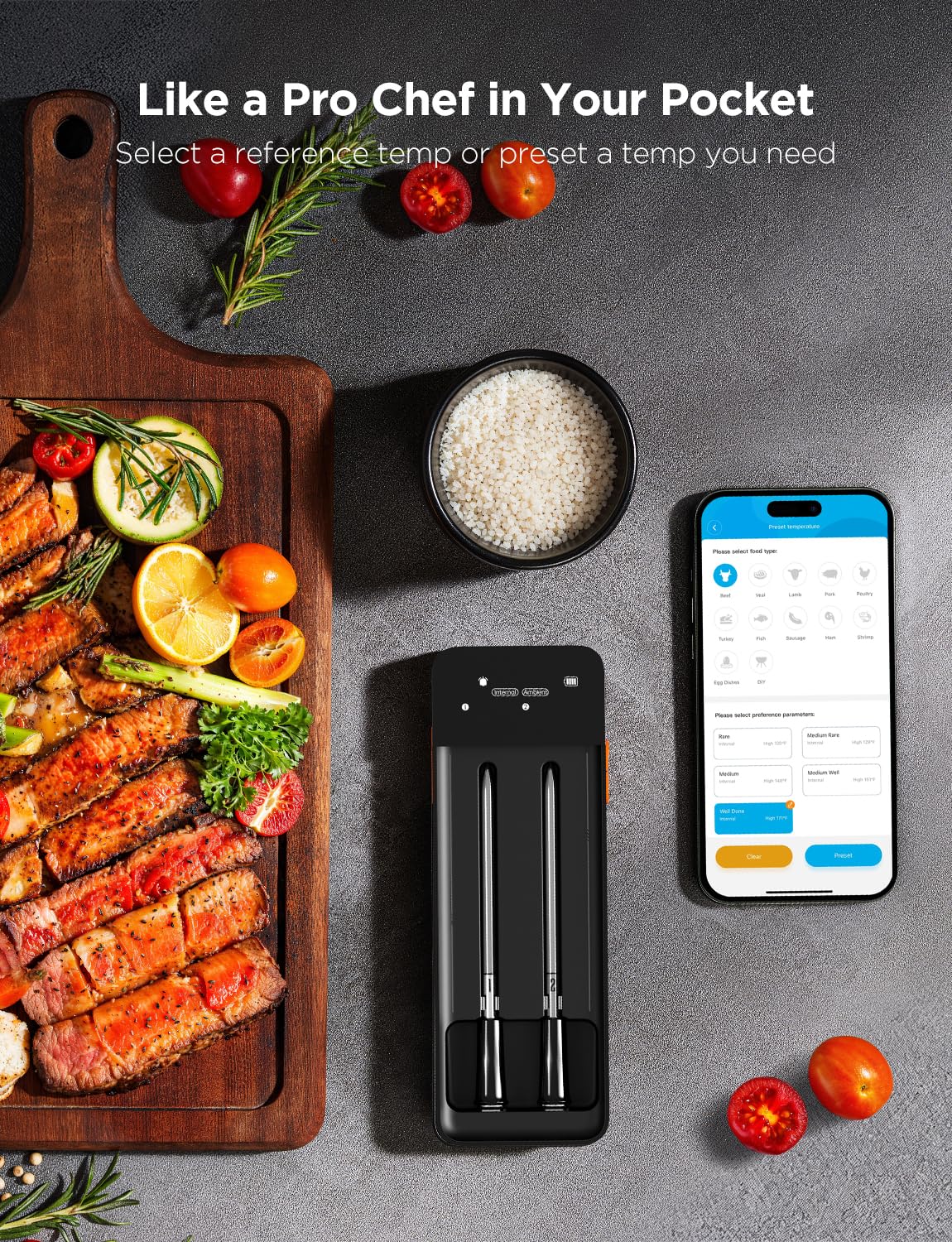
Figura 4.2: Screenshot of the Govee Home App showing options to select food type and preference parameters for guided cooking.
4.3. Entender a pantalla LCD
The base unit's LCD screen provides essential information at a glance:
- Sinal Wi-Fi: Indica o estado da conexión Wi-Fi.
- Silenciar alarma: Shows if alarms are muted.
- Bluetooth: Indica o estado da conexión Bluetooth.
- Temperatura preestablecida: Displays the target temperature set.
- Probe Base Battery: Battery level of the base unit.
- Internal/Ambient: Labels for the displayed temperatures.
- Probe Number: Identifies which probe's temperature is shown.
- Batería da sonda: Battery level of the individual probe.
- Temperatura actual: Real-time temperature readings.
- Unidade de temperatura: Indicates °F or °C.
4.4. Cooking Applications
The GoveeLife Smart Wireless Meat Thermometer is suitable for a variety of cooking methods:
- Fumador
- Forno
- Grella
- Fritido
- Cociña
- Freidora de aire

Figura 4.3: Visual representation of various culinary possibilities, including smoker, oven, grill, deep fry, stove, and air fryer, where the thermometer can be used.
5. Mantemento
5.1. Limpeza
- Sondas: The probes are food-grade waterproof. Clean them with warm soapy water after each use. Do not submerge the entire probe, especially the top ambient sensor, in water for extended periods. Wipe dry thoroughly.
- Unidade base: Limpe a unidade base cun suave, damp cloth. Do not submerge the base unit in water or use abrasive cleaners.
5.2. Almacenamento
Store the probes securely within the base unit when not in use. Keep the device in a cool, dry place, away from direct sunlight and extreme temperatures.
6 Solución de problemas
- Sen alimentación/pantalla: Ensure the base unit and probes are fully charged. Connect the USB-C cable to charge.
- Problemas de conectividade (Bluetooth/Wi-Fi):
- Ensure Bluetooth is enabled on your phone and the device is within range.
- For Wi-Fi, ensure your router is 2.4GHz and the device is within range.
- Restart the Govee Home App and/or your smartphone.
- Tenta volver emparellar o dispositivo a través da aplicación.
- Lecturas inexactas:
- Asegúrate de que a sonda estea inserida correctamente na parte máis grosa da carne, evitando os ósos.
- Verify the ambient sensor is not covered by food or directly touching hot surfaces.
- Check if the probe tip is clean and free from residue.
- A aplicación non responde: Close and reopen the Govee Home App. If the issue persists, reinstall the app.
7. Especificacións
| Marca | GoveeLife |
| Número de modelo | H5191 |
| Tecnoloxía de conectividade | Wi-Fi, Bluetooth |
| Tipo de visualización | Pantalla LCD |
| Internal Temperature Range | 32 °F a 212 °F (0 °C a 100 °C) |
| Rango de temperatura ambiente | 32 °F a 572 °F (0 °C a 300 °C) |
| Precisión | ±1.8 °F |
| Duración da batería da sonda | Up to 48 hours (25-minute charge) |
| Material exterior | Plástico |
| Compoñentes incluídos | 2 probes, base unit |
8. Garantía e soporte
GoveeLife products come with a standard warranty. For detailed warranty information, product support, or technical assistance, please visit the official GoveeLife website or contact their customer service directly. You can often find support contact information on the Govee Home App or on the GoveeLife brand store page.
GoveeLife Store: Visit GoveeLife Store on Amazon


