Introdución
Welcome to the BOYA BOYALINK 2 A2 wireless microphone system. This comprehensive user manual provides detailed instructions for the proper setup, operation, and maintenance of your device. Please read this manual thoroughly before using the product to ensure optimal performance and longevity.
Contido do paquete
Verifique que todos os elementos que se indican a continuación estean incluídos no seu paquete:
- 2 × BOYALINK 2 Transmitters (TX)
- 1 × BOYALINK 2 Receiver (RX)
- 1 × USB Type-C Adapter
- 1 × Lightning Adapter
- 1 adaptador TRS de 3.5 mm
- 1 × One-to-Three Charging Cable
- 2 × Fur Windshields
- 1 × bolsa de transporte

Produto rematadoview
The BOYALINK 2 A2 system is a versatile wireless microphone solution designed for various recording scenarios. It features two compact transmitters and a receiver with interchangeable adapters for broad compatibility.

Configuración
1. Carga dos dispositivos
Before initial use, ensure all transmitters and the receiver are fully charged. Place them in the charging case and connect the case to a power source using the provided charging cable. The charging time is approximately 1.5 hours for a full charge, providing up to 10 hours of operating time per transmitter.

2. Conectar o receptor ao dispositivo
The BOYALINK 2 A2 receiver offers universal compatibility through its interchangeable adapters:
- Identify Adapter: Choose the appropriate adapter for your recording device:
- Lightning Adapter for iPhone (14/13/12/XR/X/8/7/6 series)
- USB-C Adapter for Android smartphones, Mac, iPad, and iPhone (15/16 series)
- 3.5mm TRS Adapter for cameras and some action cameras
- Conectar o adaptador: Securely attach the selected adapter to the receiver unit.
- Conectar: Plug the receiver with the attached adapter into your recording device's corresponding port.

Nota: This system does not support Android phones with a 3.5mm round headphone jack.
3. Emparellamento automático
The BOYALINK 2 A2 system is designed for effortless pairing. The transmitters and receiver will automatically connect once powered on.
- Encendido: Press and hold the power button on each transmitter and the receiver until the indicator lights illuminate.
- Verificar a conexión: A solid blue indicator light on both the transmitters and receiver signifies a successful connection and readiness for use.
Instrucións de funcionamento
Encendido/apagado
To power on or off any unit (transmitter or receiver), press and hold its respective power button for a few seconds until the indicator lights respond.
Cancelación de ruído
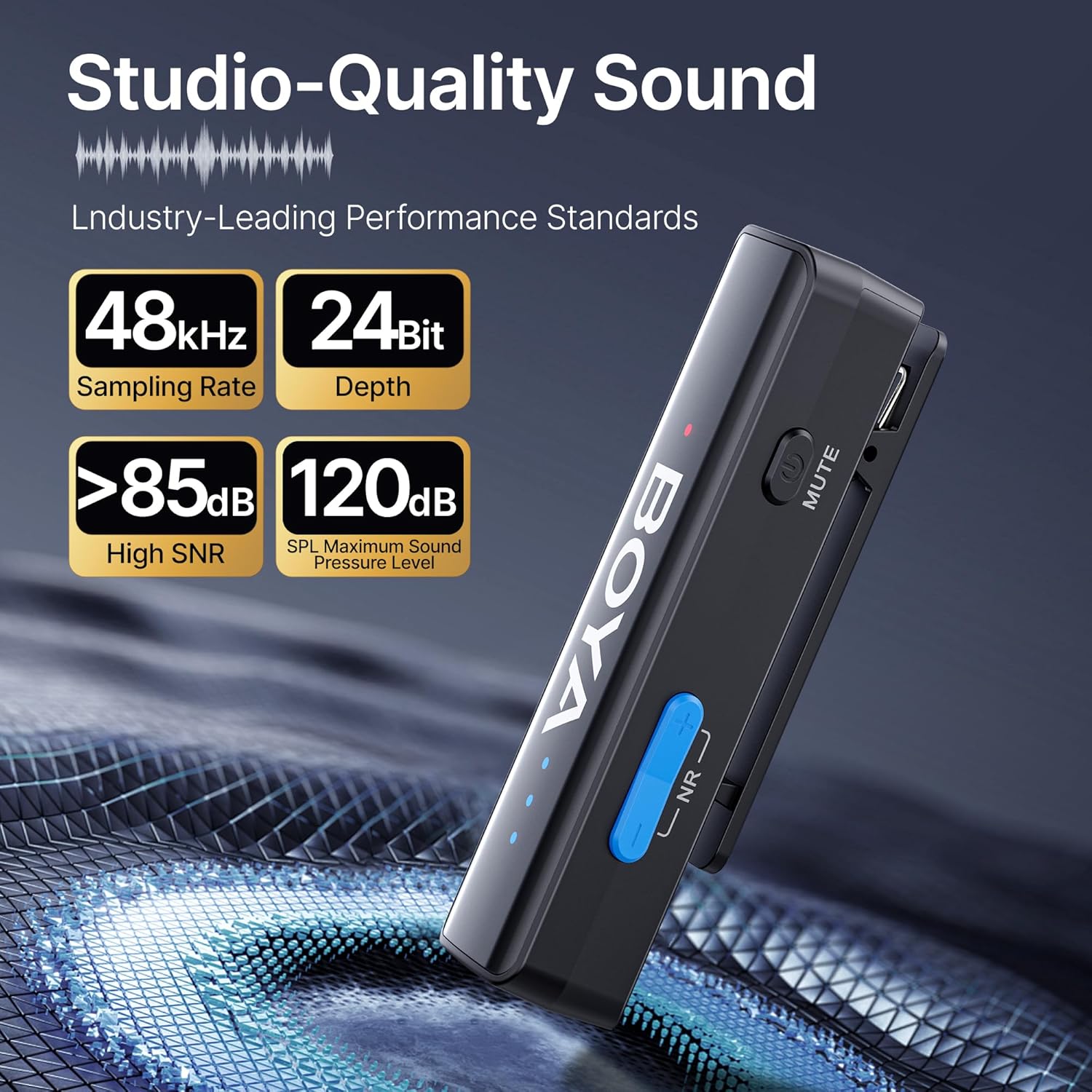
The BOYALINK 2 A2 features a 2-level smart noise cancellation function to reduce ambient noise. Press the "NR" button on the transmitter to toggle between strong noise reduction, weak noise reduction, and no noise reduction modes.

For outdoor use or in windy conditions, attach the provided fur windshields to the transmitters to further minimize wind noise.
Gaña Control
Adjust the audio input level (gain) to suit your recording environment. The system offers 6 volume control levels, each providing a 6dB boost, for a total range of 0-36dB. Use the volume control buttons on the transmitter to increase or decrease the gain. LED indicators will display the current volume level.

Función de silencio
To temporarily mute a transmitter, press the mute button located on the side of the transmitter. Press it again to unmute.
App Control (BOYA Central)
Enhance your control over the BOYALINK 2 A2 system by downloading the BOYA Central app. The app provides access to advanced functions including external playback, noise reduction settings, mute control, gain adjustments, and power management. It also allows for firmware updates.

Modo mono/estéreo
The system supports both mono and stereo recording modes. In mono mode, both transmitters' audio is combined into a single channel. In stereo mode, each transmitter's audio is recorded on a separate channel, offering greater flexibility in post-production. Nota: When using the BOYALINK 2 A2 with a smartphone, only mono mode is available.

Cargando durante a gravación
The receiver unit allows for pass-through charging of your connected device (e.g., smartphone) while the microphone system is in use. This feature ensures that your recording sessions are not interrupted by low device battery.

Playback Without Unplugging
Podes volverview your recorded audio or video directly from your device without needing to disconnect the BOYALINK 2 A2 receiver. This prevents wear and tear on your device's port and offers convenience.

Mantemento
- Limpeza: Usa un pano suave e seco para limpar os dispositivos. Evita o uso de produtos químicos agresivos ou materiais abrasivos.
- Almacenamento: When not in use, store the BOYALINK 2 A2 system in its provided carrying bag to protect it from dust, moisture, and physical damage.
- Condicións ambientais: Evite expoñer os dispositivos a temperaturas extremas, luz solar directa ou alta humidade.
- Coidado da batería: For optimal battery life, avoid fully discharging the batteries frequently. Charge them regularly, even if the device is not in active use for extended periods.
Resolución de problemas
Sen son ou baixa saída de son
- Ensure the receiver is securely connected to your recording device and the correct adapter is used.
- Verify that both transmitters and the receiver are powered on and successfully paired (solid blue indicator lights).
- Check the gain control levels on the transmitters and adjust them as necessary.
- Confirm your recording device's audio input settings are correctly configured to use the external microphone.
- Ensure the transmitters are not muted.
Interferencias ou mala calidade de audio
- Ensure transmitters and receiver are within the optimal operating range (up to 1000ft / 300m line-of-sight).
- Activate the appropriate noise cancellation mode (strong or weak) via the "NR" button on the transmitter.
- Use the provided fur windshields when recording in windy or outdoor environments.
- Avoid placing the system near strong electromagnetic interference sources (e.g., Wi-Fi routers, other wireless devices).
O dispositivo non se está cargando
- Check that the charging cable is securely connected to both the charging case and a working power source.
- Asegúrate de que os transmisores e o receptor estean correctamente asentados na caixa de carga.
- Proba cun cable de carga ou adaptador de corrente diferente.
Especificacións técnicas
| Característica | Detalle |
|---|---|
| Nome do modelo | BOYALINK 2 A2 (2TX+ 3-in-1 RX) |
| Factor de forma do micrófono | Lavalier |
| Patrón polar | Omnidireccional |
| Tecnoloxía de conectividade | 2.4 GHz sen fíos |
| Tipo de conector | 3.5 mm Jack, Lightning, Type-C |
| Dispositivos compatibles | Camera, Smartphone, Tablet (iPhone, Android, Mac, iPad) |
| Resposta en frecuencia | 20Hz - 20KHz |
| Relación sinal-ruído | > 85 dB |
| SPL máximo | 120 dB |
| Formato de audio | 48 kHz/24 bits |
| Alcance de transmisión | Up to 1000ft (300m) Line-of-Sight |
| Latencia | 25 ms |
| Duración da batería (transmisor) | Ata 10 horas |
| Tempo de carga | Aprox. 1.5 horas |
| Peso do elemento | 1.45 Ounces (per unit, approximate) |
| Dimensións (L x W x H) | 4.41 x 2.87 x 1.3 inches (overall package/case) |
| Características especiais | 2-Level Noise Reduction, 6-Level Volume Control, 6mm Tiny Mic, 3-in-1 RX, APP Control & Firmware Updates, Metal Clip, Mute Function, Charging While In Use, Playback Without Unplugging |
Garantía e Soporte
BOYA products are covered by a limited warranty. For detailed warranty terms, conditions, and registration, please visit the official BOYA website or contact your authorized BOYA dealer. Please retain your proof of purchase for any warranty claims or technical support inquiries.
For technical assistance, troubleshooting, or further information, please visit the BOYA support page or contact customer service through the official websitio.


