Introdución
This manual provides detailed instructions for the proper use, setup, and maintenance of your King Lucky i39 Open Ear Headphones. Please read this manual thoroughly before using the product to ensure optimal performance and longevity.
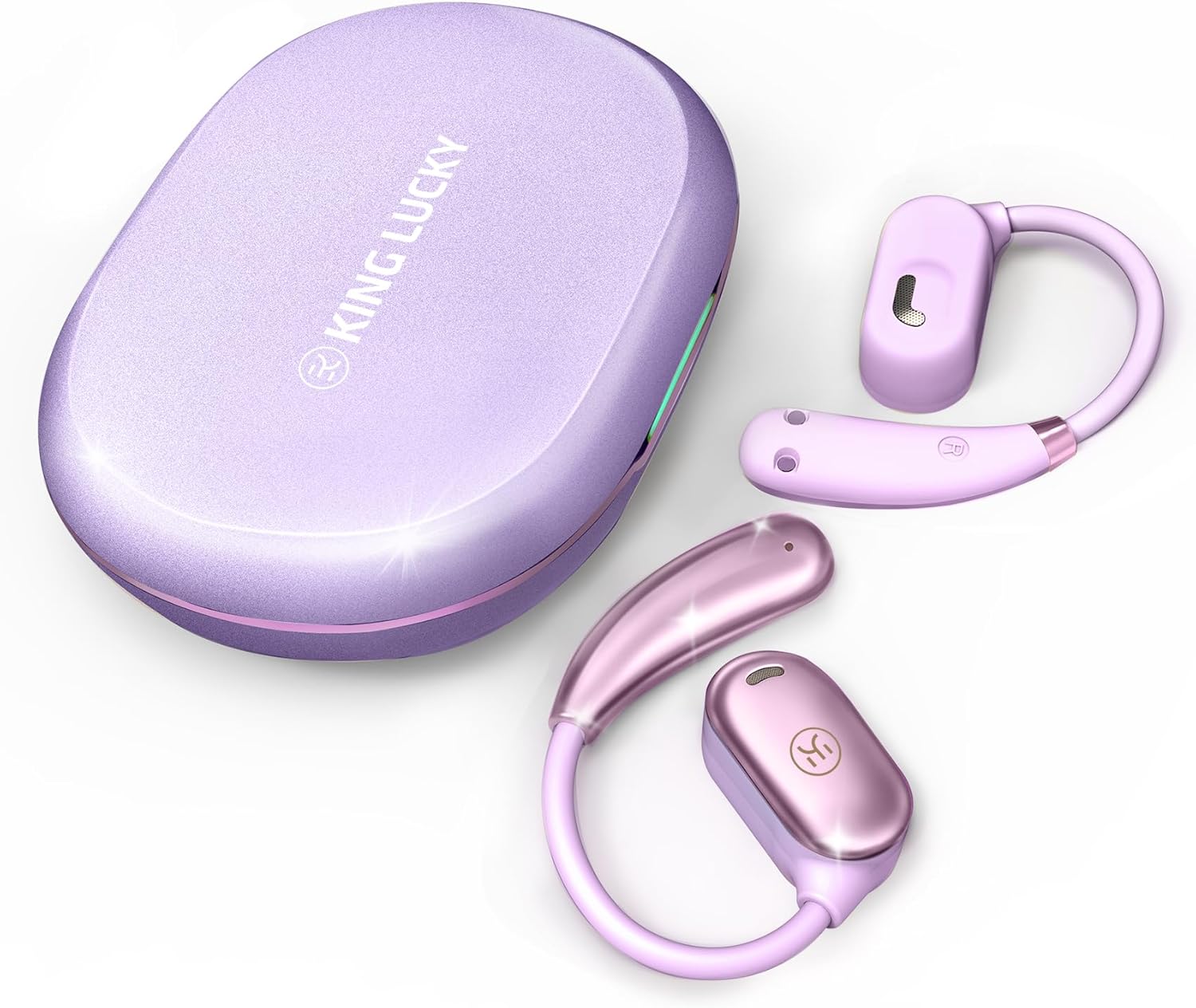
Image: King Lucky i39 Open Ear Headphones and their charging case, both in a purple finish, displayed on a white background.
Contido do paquete
Verifique que todos os elementos que se indican a continuación estean presentes no seu paquete:
- King Lucky i39 Open Ear Earbuds (x2)
- Estuche de carga (x1)
- Manual de usuario (x1)
- Cable de carga tipo C (x1)

Image: An illustration showing the King Lucky i39 earbuds, their charging case, a USB-C charging cable, and a user manual, indicating the package contents.
Produto rematadoview
Familiarize yourself with the components of your King Lucky i39 Open Ear Headphones.
- Auriculares: Left and Right open-ear design earbuds.
- Estuche de carga: Almacena e carga os auriculares.
- Porto de carga: USB Type-C port on the charging case.
- Indicadores LED: On earbuds and charging case to show battery status and pairing.
- Área de control táctil: Located on the side of each earbud for various functions.
- Micrófonos: Micrófonos duplos para chamadas nítidas.
Configuración
1. Carga inicial
Antes do primeiro uso, carga completamente os auriculares e a caixa de carga.
- Coloque os dous auriculares no estoxo de carga.
- Conecta o cable de carga tipo C ao porto de carga da carcasa e a unha fonte de alimentación USB.
- The LED indicators on the case and earbuds will show charging status. A full charge typically takes approximately 2 hours.

Image: The King Lucky i39 charging case open, with both earbuds inside. Digital displays indicate battery levels for the case and individual earbuds, highlighting the charging process.
2. Emparellamento Bluetooth
Sigue estes pasos para emparellar os teus auriculares cun dispositivo con Bluetooth:
- Asegúrate de que os auriculares estean cargados e colocados na caixa de carga.
- Abre a caixa de carga. Os auriculares entrarán automaticamente no modo de emparellamento e os seus indicadores LED parpadearán.
- No teu dispositivo (teléfono intelixente, tableta, ordenador), activa o Bluetooth.
- Busca "King Lucky i39" in the list of available Bluetooth devices.
- Select "King Lucky i39" to connect. Once connected, the LED indicators on the earbuds will stop flashing, and your device will confirm the connection.
- If pairing fails, place the earbuds back in the case, close the lid, wait a few seconds, then reopen and try again.

Image: King Lucky i39 earbuds and their charging case are shown alongside a smartphone, laptop, and smartwatch, illustrating compatibility with various Bluetooth 5.3 devices.
Instrucións de uso
For optimal comfort and sound quality, follow these steps to properly wear your open-ear headphones:
- Posición: Hold the earbud with the speaker part facing your ear canal.
- Hook Over Ear: Coloca con coidado o gancho para a orella sobre a parte superior da orella.
- Axustar: Rotate the earbud backward along the auricle until it sits comfortably and securely in position, with the speaker resting just outside your ear canal.
- Comprobar axuste: Ensure the earbud is stable and does not feel loose. The soft silicone and memory metal design should conform to your ear shape.

Image: A three-step diagram illustrating how to wear the King Lucky i39 open ear headphones: placing the earbud above the ear, rotating it backward along the auricle, and completing the insertion for a secure fit.

Image: A close-up of a woman wearing a King Lucky i39 open ear headphone, highlighting its ergonomic design and how it sits comfortably on the ear without entering the ear canal.
Instrucións de funcionamento
The King Lucky i39 headphones feature touch controls on the side of each earbud. A feedback sound confirms each touch input.
Music Playback & Volume Control
- Reproducir/Pausa: Double-tap (x2) on either the Left (L) or Right (R) earbud.
- Baixar volume: Single-tap (x1) on the Left (L) earbud.
- Subir volume: Single-tap (x1) on the Right (R) earbud.
- Canción anterior: Triple-tap (x3) on the Left (L) earbud.
- Próxima canción: Triple-tap (x3) on the Right (R) earbud.
Xestión de chamadas
- Responder/colgar chamada: Double-tap (x2) on either the Left (L) or Right (R) earbud.
- Rexeitar a chamada: Tap and hold for 2 seconds on either the Left (L) or Right (R) earbud.
Outras Funcións
- Activar o asistente de voz: Tap and hold for 2 seconds on the Left (L) earbud.
- Modo de xogo: Tap and hold for 2 seconds on the Right (R) earbud.

Image: A visual guide detailing the touch control functions for the King Lucky i39 earbuds, including single, double, triple taps, and tap-and-hold actions for volume, track control, calls, voice assistant, and game mode.
Mantemento
Limpeza
- Limpa regularmente os auriculares e a funda de carga cun pano suave, seco e sen fiapos.
- Non empregue produtos de limpeza abrasivos, alcol nin disolventes químicos.
- Asegúrate de que os contactos de carga dos auriculares e da funda estean libres de po e residuos.
Almacenamento
- Cando non estean en uso, garde os auriculares no seu estoxo de carga para protexelos e mantelos cargados.
- Gardar nun lugar fresco e seco, lonxe de temperaturas extremas e da luz solar directa.
Resistencia á auga
The King Lucky i39 headphones are rated IPX5 water resistant, meaning they can withstand splashes and sweat. They are not designed for submersion in water. Avoid exposing them to strong jets of water or swimming.

Image: Two King Lucky i39 open ear headphones are shown with water droplets on their surface, emphasizing their IPX5 waterproof grade and nano-hydrophobic coating designed to prevent sweat penetration.
Resolución de problemas
Problemas comúns e solucións
| Problema | Solución |
|---|---|
| Os auriculares non se emparellan/conectan. |
|
| Un auricular non funciona. |
|
| Mala calidade de son. |
|
| Os auriculares non cargan, por se acaso. |
|
Especificacións
| Característica | Detalle |
|---|---|
| Nome do modelo | i39 |
| Versión Bluetooth | 5.3 |
| Colocación do oído | Orella aberta |
| Tipo de controlador de audio | Controlador dinámico (18.7 mm) |
| Duración da batería (auricular único) | Ata 8 horas |
| Tempo de reprodución total (co estoxo de carga) | Ata 60 horas |
| Tempo de carga | Aproximadamente 2 Horas |
| Clasificación de resistencia á auga | IPX5 |
| Método de control | Control táctil |
| Peso do artigo (por auricular) | 7.3 g (0.25 onzas) |
| Rango de frecuencias | 20 Hz - 20,000 Hz |
| Impedancia | 16 ohmios |
| Control de ruído | Cancelación pasiva de ruído (ENC para chamadas) |

Imaxe: Unha explosión view diagram highlighting the 18.7mm customized dynamic driver of the King Lucky i39 headphones, contrasting its size with a smaller 10mm driver from other models.
Garantía e Soporte
King Lucky products are designed and manufactured to the highest quality standards. For warranty information, technical support, or customer service inquiries, please refer to the contact information provided on the product packaging or visit the official King Lucky websitio.
Conserve o comprobante de compra para reclamacións de garantía.


