1. Introdución
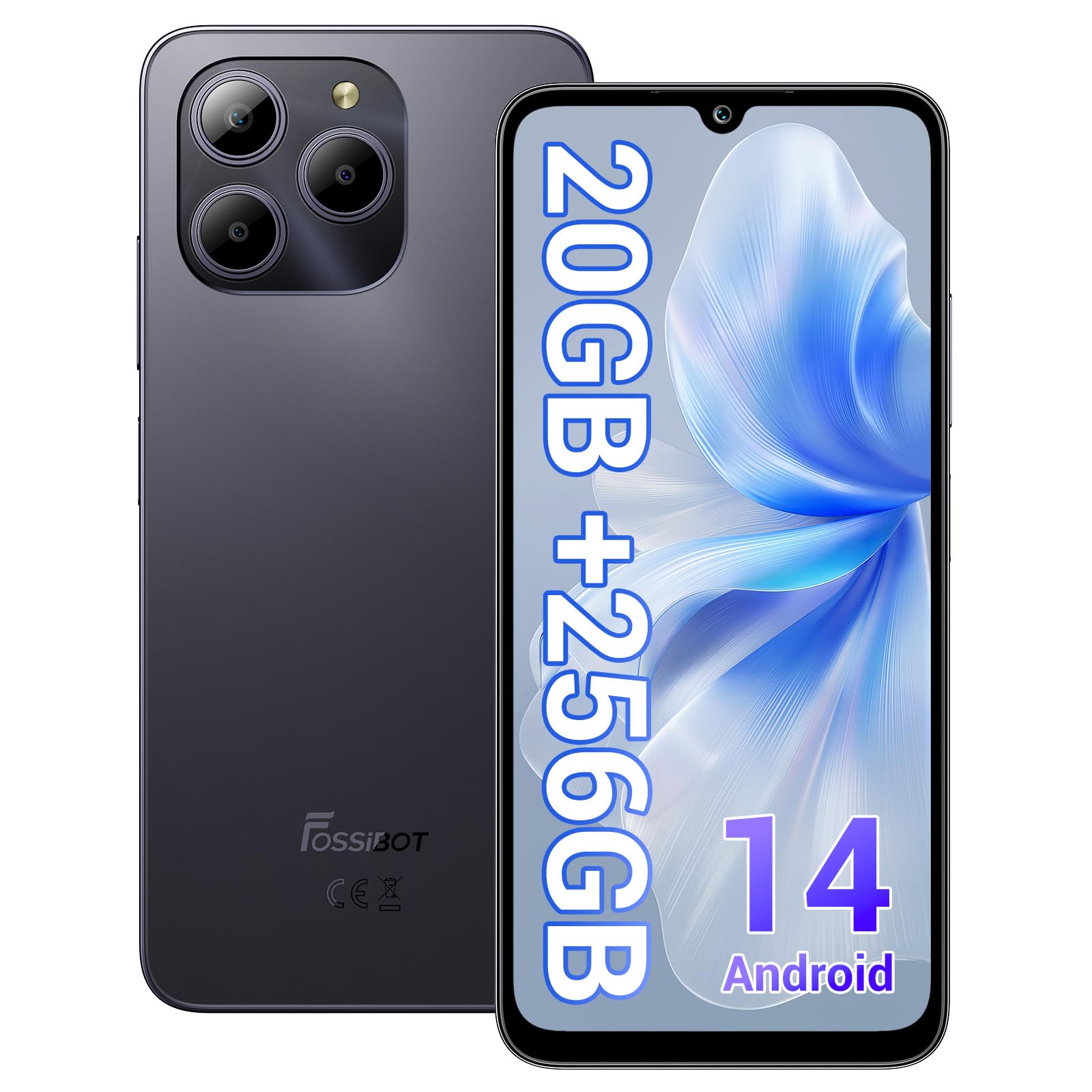
Welcome to the FOSSIBOT S2 Smartphone user manual. This guide provides essential information for setting up, operating, maintaining, and troubleshooting your new device. The FOSSIBOT S2 is an unlocked smartphone featuring Android 14, a 6.72-inch FHD+ display, a 50MP main camera, a 5000mAh battery, and advanced security features like Face ID and a fingerprint sensor.
2. Información de seguridade
- Seguridade da batería: Do not attempt to replace the battery yourself. Use only FOSSIBOT-approved chargers and cables. Avoid exposing the device to extreme temperatures or direct sunlight.
- Resistencia á auga: This device is not waterproof. Avoid exposure to liquids.
- Protección auditiva: Evite escoitar durante moito tempo a niveis de volume altos para evitar danos auditivos.
- Seguridade na condución: Non uses o teléfono mentres conduces. Prioriza sempre a seguridade viaria.
- Eliminación: Desfágase do dispositivo e dos seus accesorios de forma responsable segundo a normativa local. Non o tire co lixo doméstico.
3. Contido do paquete
Verifica que todos os elementos estean presentes no paquete do teu produto:
- FOSSIBOT S2 Smartphone
- Pin da tarxeta SIM
- Cable USB tipo C
- Cargador 18W
- Manual de usuario/tarxeta de garantía
- Funda de TPU

4. Dispositivo rematadoview
Familiarize yourself with the physical components of your FOSSIBOT S2 smartphone.

- Fronte: Pantalla FHD+ de 6.72 polgadas, cámara frontal de 16 MP, auriculares.
- Traseira: 50MP main camera, LED flash, fingerprint sensor (side-mounted).
- Laterais: Power button, volume buttons, SIM/SD card tray, USB Type-C port, 3.5mm audio jack.
5. Configuración
5.1 Inserción de tarxetas SIM e SD
- Localiza a bandexa da tarxeta SIM no lateral do teu dispositivo.
- Insira a ferramenta de expulsión da tarxeta SIM fornecida no pequeno orificio que hai xunto á bandexa e prema suavemente ata que esta saia.
- Place your Nano-SIM cards (up to two) and/or a microSD card (for storage expansion up to 1TB) into the designated slots on the tray. Ensure the gold contacts face downwards.
- Volva inserir a bandexa con coidado no teléfono ata que encaixe no seu lugar.

5.2 Acendido e configuración inicial
- Manteña premido o botón de acendido/apagado ata que apareza o logotipo de FOSSIBOT.
- Segue as instrucións na pantalla para seleccionar o idioma, conectarte a unha rede wifi e configurar a túa conta de Google.
- You will be guided through setting up security features such as a PIN, pattern, fingerprint, and Face ID.
6. Funcionamento do teu dispositivo
6.1 Visualización
The FOSSIBOT S2 features a 6.72-inch FHD+ In-cell display with a resolution of 1080 x 2400 pixels, providing clear and vibrant visuals.

6.2 Rendemento
Powered by the MediaTek G85 Octa-Core processor and 20GB RAM (8GB physical + 12GB virtual), the FOSSIBOT S2 delivers smooth performance for multitasking, gaming, and streaming. It includes 256GB of internal storage, expandable up to 1TB with a TF card.

6.3 Cámara
Capture high-quality photos and videos with the 50MP AI main camera and take clear selfies with the 16MP front camera. The camera system supports various modes for different shooting scenarios.

6.4 Batería e carga
The FOSSIBOT S2 is equipped with a 5000mAh battery, providing extended usage time. It supports 18W fast charging via the Type-C port.
6.5 Características de seguridade
Unlock your device securely using the side-mounted fingerprint sensor or Face ID recognition.

6.6 Conectividade
The FOSSIBOT S2 supports dual 4G SIM cards for reliable network coverage. It also includes NFC for contactless payments and GPS/GLONASS/Galileo/Beidou for accurate navigation.

6.7 Sistema operativo Android 14
Experience the latest features and security enhancements with Android 14, offering improved privacy controls, smarter battery management, and a customizable user interface.

7. Mantemento
- Actualizacións de software: Comprobe e instale regularmente actualizacións do sistema para garantir un rendemento e unha seguridade óptimos.
- Limpeza: Use a soft, lint-free cloth to clean the screen and body of the phone. Avoid harsh chemicals.
- Coidado da batería: To prolong battery life, avoid fully discharging the battery frequently. Charge the device before it drops below 20%.
- Xestión de almacenamento: Limpar periodicamente o innecesario fileaplicacións para manter a velocidade do dispositivo e liberar almacenamento.
8 Solución de problemas
Se tes problemas co teu FOSSIBOT S2, consulta as seguintes solucións habituais:
- O dispositivo non se acende: Ensure the battery is charged. Connect the phone to the charger for at least 15 minutes, then try powering on again.
- Aplicacións que se bloquean/conxelan: Close background apps. Clear the cache of the problematic app or reinstall it. If the issue persists, perform a factory reset (back up data first).
- Sinal de rede deficiente: Check if your SIM card is properly inserted. Ensure you are within network coverage. Restart the device.
- Esgotando a batería rapidamente: Reduce screen brightness, disable unused features like Wi-Fi, Bluetooth, and GPS when not needed. Check battery usage in settings to identify power-hungry apps.
- Fingerprint/Face ID Not Working: Ensure your fingers are clean and dry for fingerprint recognition. For Face ID, ensure your face is well-lit and unobstructed. Re-register your fingerprint or face if necessary.
For more complex issues, please contact FOSSIBOT customer support.
9. Especificacións
| Característica | Especificación |
|---|---|
| Nome do modelo | S2 |
| Sistema Operativo | Android 14 |
| Procesador | MediaTek Helio G85 Octa-Core (2 GHz) |
| RAM | 20 GB (8 GB físico + 12 GB virtual) |
| Almacenamento interno | 256 GB |
| Almacenamento ampliable | Ata 1 TB mediante tarxeta TF |
| Tamaño de visualización | Pantalla integrada FHD+ de 6.72 polgadas |
| Resolución de visualización | 1080 x 2400 píxeles |
| Cámara traseira | 50 MP |
| Cámara frontal | 16 MP |
| Capacidade da batería | 5000 mAh |
| Cargando | Carga rápida de 18 W (tipo C) |
| Conectividade | Dobre tarxeta SIM 4G, Wi-Fi, Bluetooth, NFC |
| Navegación | GPS, GLONASS, Galileo, Beidou |
| Seguridade | Fingerprint Sensor, Face ID |
| Jack de audio | 3.5 mm |
| Dimensións | 6.57 x 3.03 x 0.34 polgadas |
| Peso | 1.04 libras |
10. Garantía e soporte
Your FOSSIBOT S2 smartphone comes with a standard manufacturer's warranty. Please refer to the included Warranty Card in your package for specific terms and conditions, including warranty duration and coverage details.
For technical support, service inquiries, or to access additional resources, please visit the official FOSSIBOT website or contact their customer service department. Contact information can typically be found on the Warranty Card or the FOSSIBOT brand store page.
Soporte en liña: Visit the FOSSIBOT Store on Amazon


