1. Introdución
The Xigmatek Aqua V AIR is a high-performance mid-tower PC case designed for gaming enthusiasts. It features a spacious interior, optimized airflow, and tempered glass panels on the front and side to showcase your components. Equipped with seven 120mm ARGB fans, it supports graphics cards up to 410mm in length and is compatible with motherboards featuring hidden connectors for a clean build.
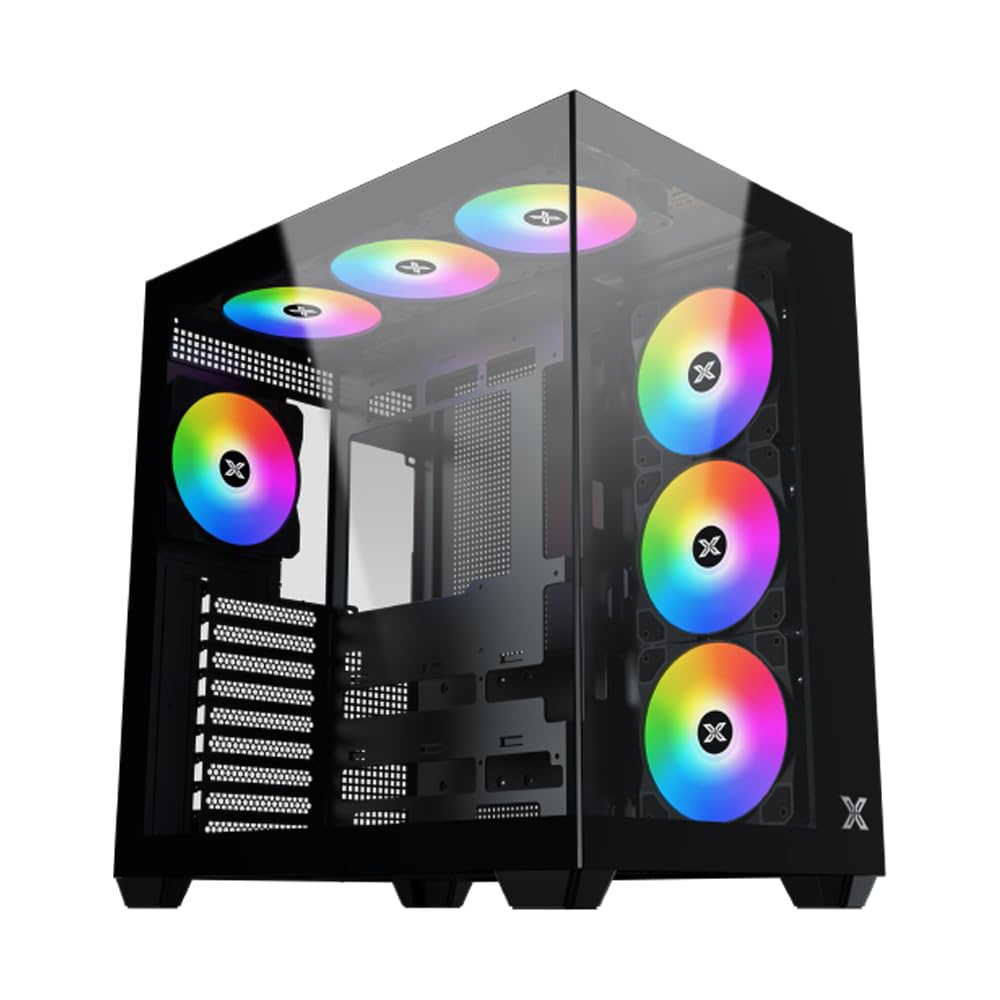
Figura 1: global view of the Xigmatek Aqua V AIR PC Case.
2. Características clave
- Material: Constructed from high-quality steel for durability and reliability.
- Dimensións: 427 x 285 x 455 mm (L x W x H), offering a spacious interior.
- Sistema de refrixeración: Supports up to three 120mm or two 140mm fans for optimal cooling performance.
- Soporte de radiador: Compatible with 240/280/360mm radiators on the top, bottom, and rear for versatile cooling options.
- Panel de E/S: Features 2x USB 3.0 ports, 1x USB-C port, and HD audio for convenient connectivity.
- Compatibilidade da placa base: Supports ATX, Micro ATX, and Mini ITX motherboards, including those with hidden connectors.
- Lonxitude da GPU: Accommodates graphics cards up to 410mm in length.
- Soporte de almacenamento: Proporciona ample space for multiple storage drives.
3. Especificacións
| Característica | Detalle |
|---|---|
| Marca | Xigmatek |
| Número de modelo | EN 45820 |
| Serie | Aqua V AIR BLACK |
| Cor | Negro |
| Dimensións (L x W x H) | 42.7 x 28.5 x 45.5 cm |
| Peso do produto | 8.8 quilogramos |
| Material | Aceiro de aliaxe, vidro temperado |
| Compatibilidade da placa base | ATX, Micro ATX, Mini ITX |
| Tipo de caso | Media Torre |
| Usos recomendados | Gaming, High-Performance Computing |
| Portos USB 3.0 | 2 |
| Portos USB-C | 1 |
| Método de arrefriamento | Water (Liquid Cooling Support) |
| Tamaño do ventilador | 120 Millimeters (Pre-installed ARGB fans) |
| Tipo de montaxe da fonte de alimentación | Montaxe inferior |
4. Configuración e instalación
This section provides general guidance for installing components into your Xigmatek Aqua V AIR PC case. Always refer to the specific manuals for your motherboard, power supply, and other components for detailed instructions.
4.1 Preparación do caso
- Unpack the PC case and remove all packaging materials.
- Carefully remove the tempered glass side panel(s) and front panel (if applicable) to access the interior. Store them safely to prevent damage.
- Identify the accessory box, which typically contains screws, cable ties, and other small parts.
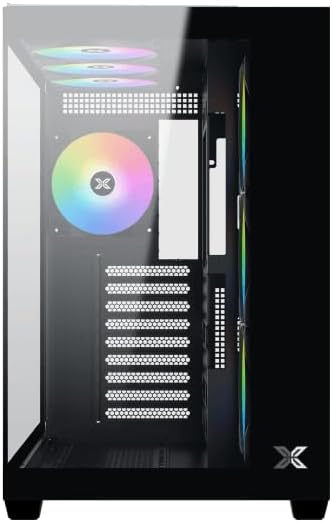
Figura 2: Interior view co panel lateral retirado.
4.2 Instalación da placa base
- Instala a protección de E/S (se non está preinstalada na placa base) na abertura traseira da caixa.
- Align your ATX, Micro ATX, or Mini ITX motherboard with the standoffs inside the case. Ensure all standoffs match the screw holes on your motherboard.
- Secure the motherboard with the appropriate screws provided in the accessory kit.

Figure 3: Motherboard tray and cable management area.
4.3 Instalación da Unidade de Alimentación (PSU).
- Localiza a área de montaxe da fonte de alimentación na parte inferior traseira da caixa.
- Slide your PSU into position, ensuring the fan faces downwards (if the case has a bottom vent) or upwards.
- Fixe a fonte de alimentación con parafusos na parte traseira da caixa.
4.4 Instalación da unidade de almacenamento
The case supports various storage configurations. Refer to the case diagram for specific drive bay locations.
- Install 2.5" SSDs or 3.5" HDDs into the designated drive bays or mounting brackets.
- Fixe as unidades con parafusos.
4.5 Instalación da tarxeta gráfica (GPU)
- Retire as tapas das ranuras PCIe necesarias da parte traseira da caixa.
- Insira a tarxeta gráfica na ranura PCIe correspondente da placa base.
- Fixa a tarxeta gráfica con parafusos.
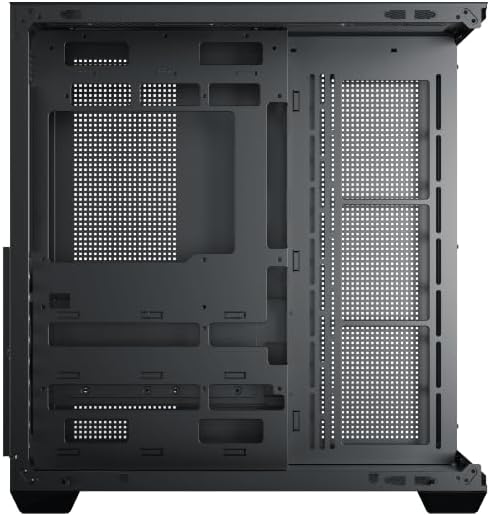
Figure 4: Components installed inside the case.
4.6 Xestión de cables
Utilize the cable routing cutouts and tie-down points behind the motherboard tray to manage cables for improved airflow and aesthetics.
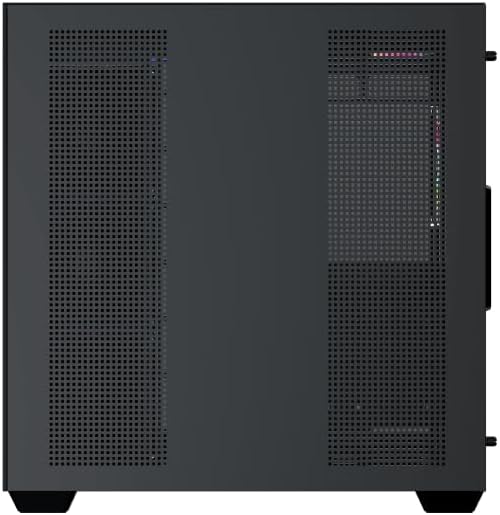
Figure 5: Top panel and I/O ports.
5. Instrucións de funcionamento
5.1 Acendido
Once all components are securely installed and connected, close the side panels. Connect your power cable to the PSU and press the power button on the case's front I/O panel.
5.2 Control do ventilador ARGB
The Xigmatek Aqua V AIR comes with pre-installed ARGB fans. These fans can typically be controlled via:
- Software da placa base: If your motherboard supports ARGB synchronization, connect the fan's ARGB cables to the motherboard's 3-pin 5V ARGB header and use the motherboard's software (e.g., ASUS Aura Sync, MSI Mystic Light, Gigabyte RGB Fusion) to customize lighting effects.
- Integrated Controller: If your case includes a built-in ARGB controller, use the dedicated button on the I/O panel to cycle through various lighting modes and colors.
6. Mantemento
Un mantemento regular axuda a garantir un rendemento óptimo e unha maior duración dos compoñentes do teu PC.
6.1 Limpeza do filtro de po
The Xigmatek Aqua V AIR case is equipped with dust filters to prevent dust buildup. Locate and gently remove the dust filters (typically on the top, front, and bottom). Clean them with compressed air or by rinsing with water. Ensure they are completely dry before reattaching.
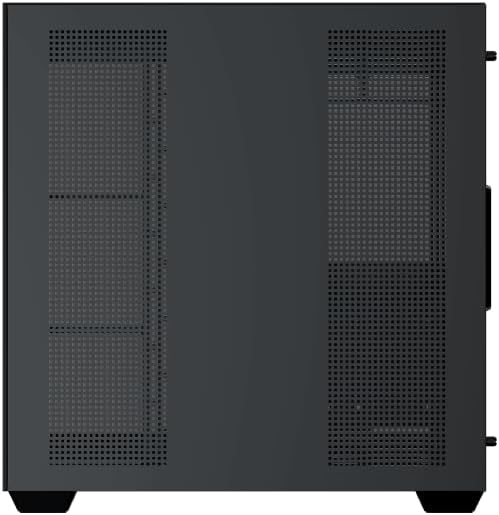
Figure 6: Bottom dust filter.
6.2 Limpeza xeral
Use a soft, dry cloth to wipe down the exterior of the case. For tempered glass panels, use a glass cleaner and a microfiber cloth to avoid streaks. Avoid using abrasive cleaners or solvents.
7 Solución de problemas
Se tes problemas, ten en conta os seguintes pasos habituais para a súa resolución:
- Sen enerxía:
- Ensure the PSU is switched on and properly connected to the wall outlet and motherboard.
- Check all power connections to components (motherboard, CPU, GPU, drives).
- Verifique que o cable do interruptor de alimentación do panel frontal estea conectado correctamente á placa base.
- Os ventiladores non xiran / Os RGB non funcionan:
- Comprobe se os cables de alimentación do ventilador están conectados correctamente á placa base ou ao controlador do ventilador.
- Ensure ARGB cables are connected to the correct 3-pin 5V ARGB header (not 4-pin 12V RGB).
- If using a controller, ensure it has power and is functioning correctly.
- Sobrequecemento:
- Ensure all fans are spinning and oriented correctly for optimal airflow (intake/exhaust).
- Limpar os filtros de po e os compoñentes internos.
- Comprobe que o refrigerador da CPU e o refrigerador da GPU estean correctamente instalados e funcionen.
8. Garantía e soporte
The Xigmatek Aqua V AIR PC Case comes with a 2 anos de garantía do fabricante. For technical support, warranty claims, or further assistance, please contact Xigmatek customer service or visit their official websitio.
Conserve o comprobante de compra para efectos da garantía.


