1. Introdución
This manual provides essential instructions for the safe and efficient use of your Blackview BV6200 Plus rugged smartphone. Please read this guide thoroughly before operating your device to ensure optimal performance and longevity. The Blackview BV6200 Plus is designed for durability, featuring a robust construction, a large capacity battery, and advanced communication capabilities.
2. Produto rematadoview
O Negroview BV6200 Plus is a rugged smartphone built to withstand challenging environments. It features a durable exterior, a powerful 11000mAh battery, a 3W ultra-loud speaker, and a high-resolution camera system. The device operates on Android 14 and supports dual SIM functionality.
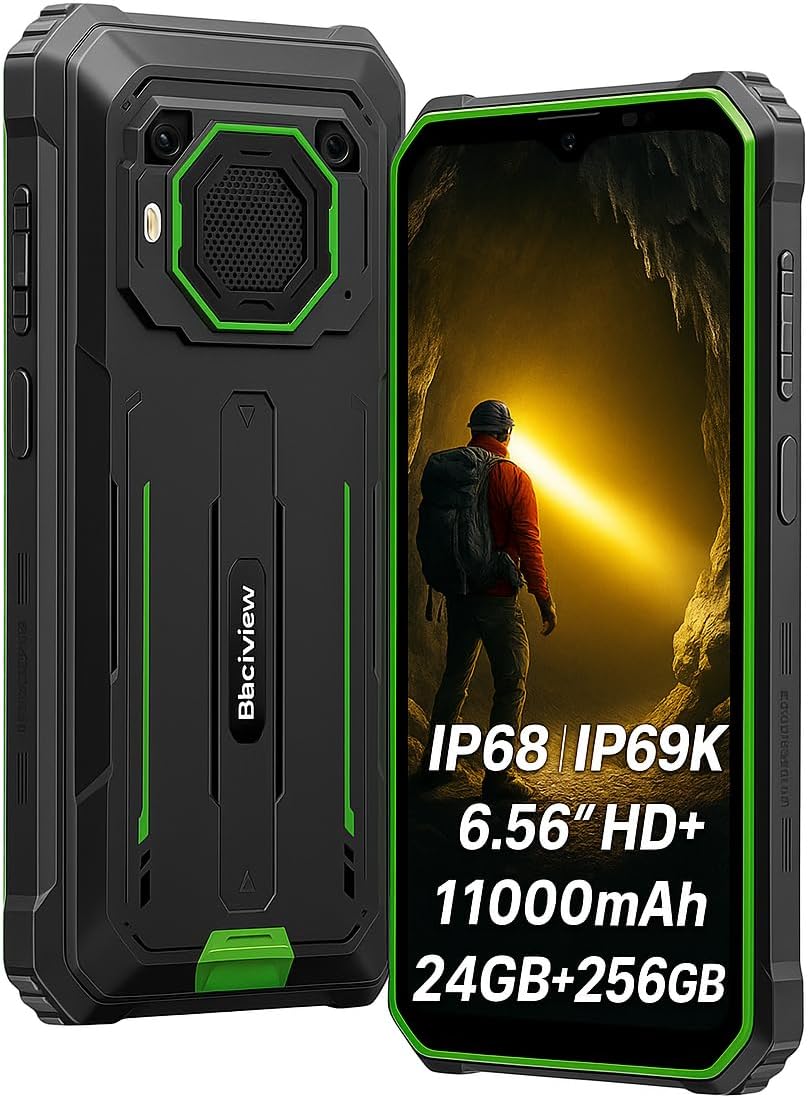
Figura 2.1: Parte dianteira e traseira view do Negroview BV6200 Plus smartphone.
2.1 Contido do paquete
Upon unboxing, please verify that the following items are included:
- Negroview BV6200 Plus Smartphone
- Cable USB Tipo-C
- Adaptador de alimentación
- Ferramenta de expulsión de SIM
- Manual de usuario (este documento)
3. Configuración
3.1 Instalación da tarxeta SIM e da tarxeta SD
- Localiza a bandexa da tarxeta SIM no lateral do dispositivo.
- Insira a ferramenta de expulsión da tarxeta SIM no pequeno orificio que hai xunto á bandexa e prema suavemente ata que esta saia.
- Place your Nano-SIM card(s) and/or microSD card (up to 1TB) into the designated slots on the tray. Ensure the gold contacts face downwards.
- Volva inserir a bandexa con coidado no teléfono ata que encaixe no seu lugar.
3.2 Encendido inicial
Press and hold the Power button (located on the right side of the device) for a few seconds until the Blackview aparece o logotipo. Siga as instrucións en pantalla para completar a configuración inicial, incluíndo a selección do idioma, a conexión Wi-Fi e a configuración da conta de Google.
3.3 Carga do dispositivo
Before first use, it is recommended to fully charge the device. Connect the USB Type-C cable to the phone's charging port and the other end to the power adapter. Plug the adapter into a wall outlet. The device supports 18W fast charging, allowing a full charge in approximately 3 hours.

Figura 3.1: O negroview BV6200 Plus supports 18W fast charging.
4. Instrucións de funcionamento
4.1 Funcións básicas
- Facer chamadas: Abre a aplicación Teléfono, introduce o número e toca a icona de chamada.
- Envío de mensaxes: Abre a aplicación Mensaxes, toca en "Iniciar chat", introduce o destinatario e a mensaxe e, a seguir, envía.
- Conectividade a Internet: Conéctate á wifi a través de Axustes > Rede e internet > Wi-Fi ou activa os datos móbiles a través de Axustes > Rede e internet > Rede móbil.
4.2 Funcionamento da cámara
O Negroview BV6200 Plus features a 16MP AI rear camera and a 13MP AI front camera. Open the Camera app to capture photos and videos. Various modes, including an underwater camera mode, are available.

Figure 4.1: The 16MP AI rear camera system.
4.3 Ultra-Loud Speaker
The device is equipped with a 3W ultra-loud stereo speaker, capable of producing sound up to 98dB. This feature is ideal for outdoor use or situations where high volume is required.

Figure 4.2: Detail of the 3W ultra-loud stereo speaker.
4.4 Características de visualización
The 6.56-inch HD+ display offers clear visuals. It features an intelligent 90Hz dynamic refresh rate for smooth scrolling and responsive touch interactions.
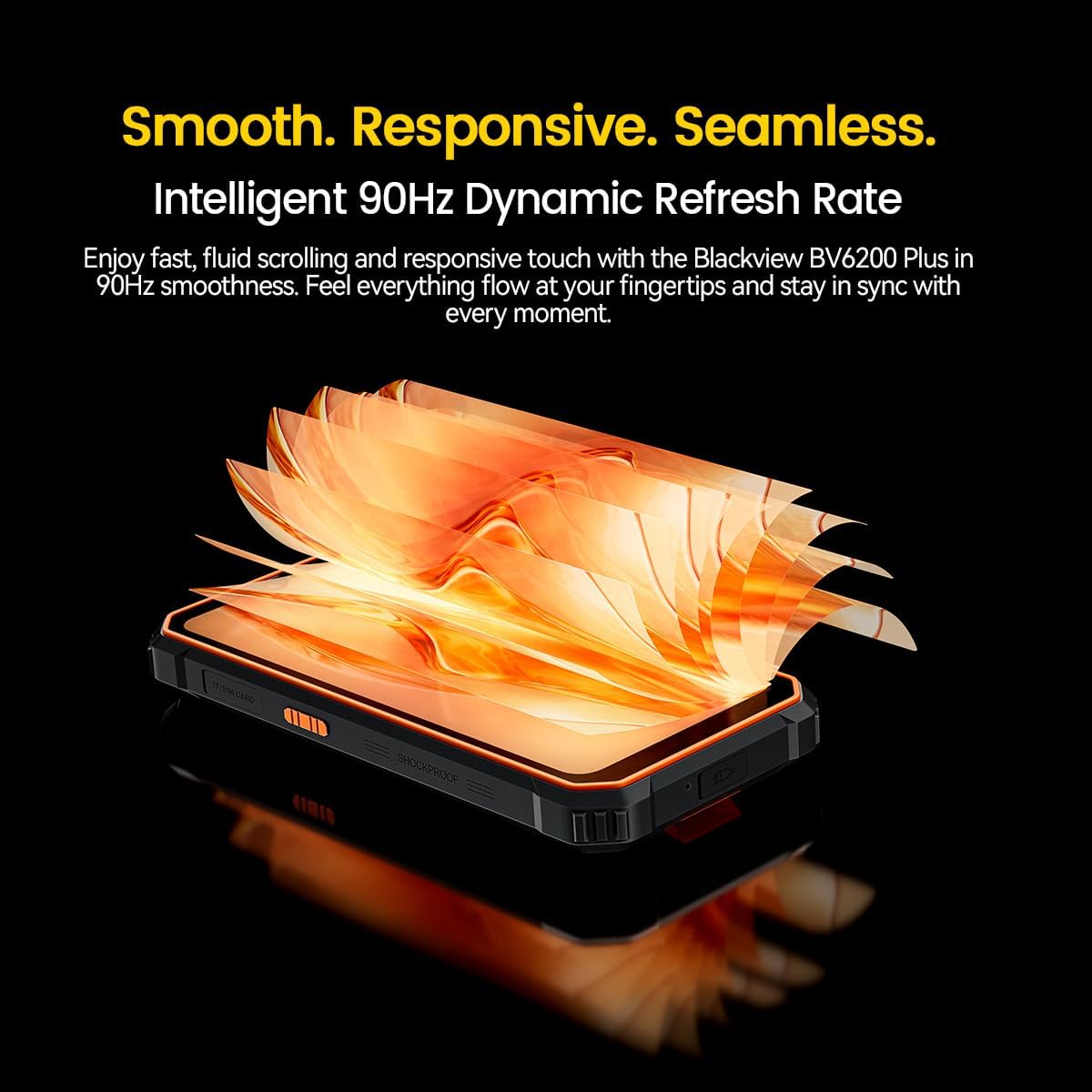
Figure 4.3: The 90Hz dynamic refresh rate display.
4.5 Modo luva
O Negroview BV6200 Plus includes a Glove Mode, allowing you to operate the touchscreen effectively even while wearing gloves. This is particularly useful in cold weather or industrial environments. To activate/deactivate Glove Mode, navigate to Settings > Smart Assistant > Glove Mode.
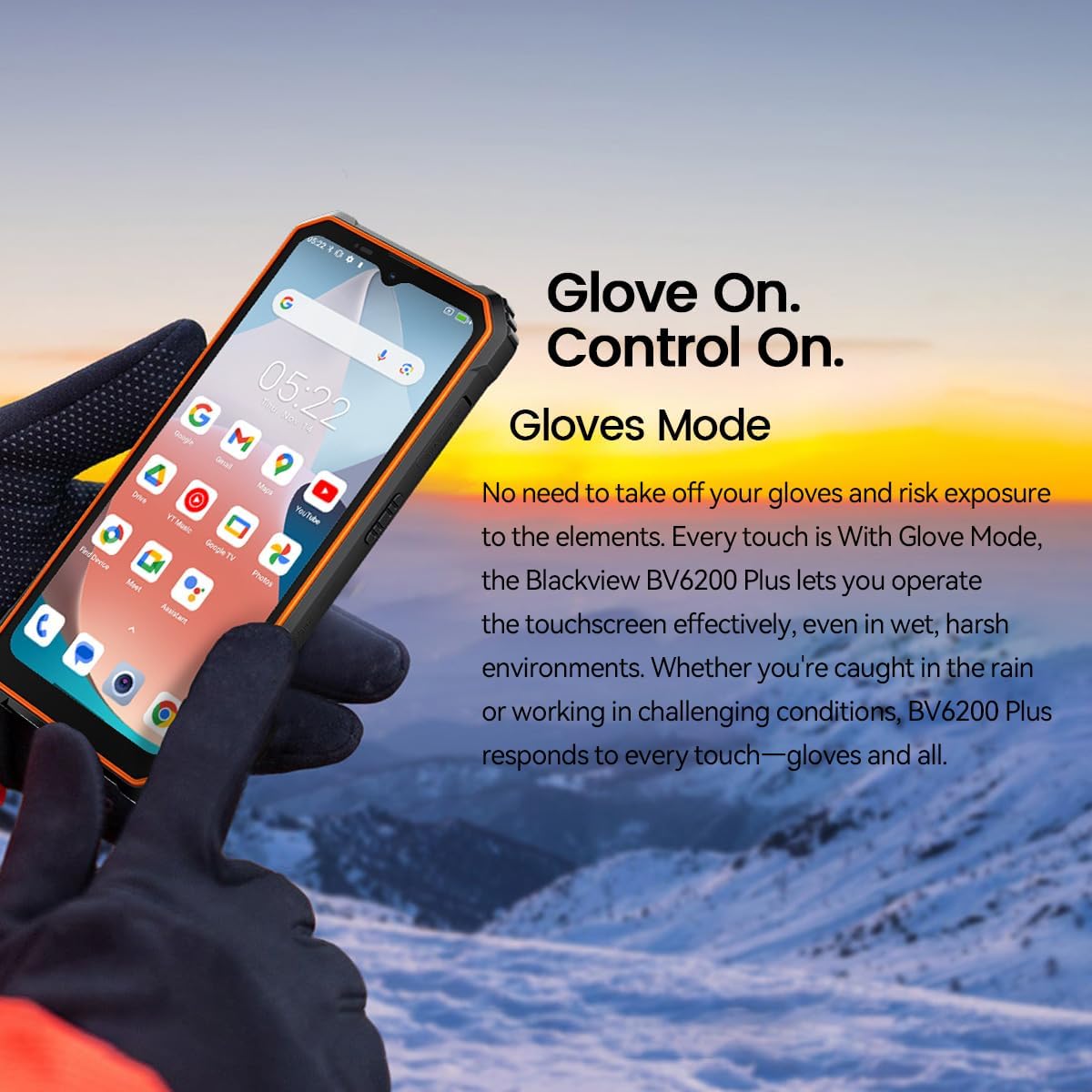
Figure 4.4: Operating the device with gloves using Glove Mode.
4.6 Funcionalidade NFC
The device supports Near Field Communication (NFC) for contactless payments, quick pairing with compatible devices, and data exchange. Ensure NFC is enabled in Settings > Connected devices > Connection preferences > NFC.
5. Mantemento
5.1 Water and Dust Resistance (IP68 & IP69K)
O Negroview BV6200 Plus is certified with IP68 and IP69K ratings, indicating resistance to dust ingress and water immersion. It can withstand submersion in water up to 1.5 meters for 30 minutes. While designed to be robust, avoid intentional prolonged submersion or exposure to high-pressure water jets beyond specified limits. Ensure all ports are securely closed before exposing the device to water or dust.
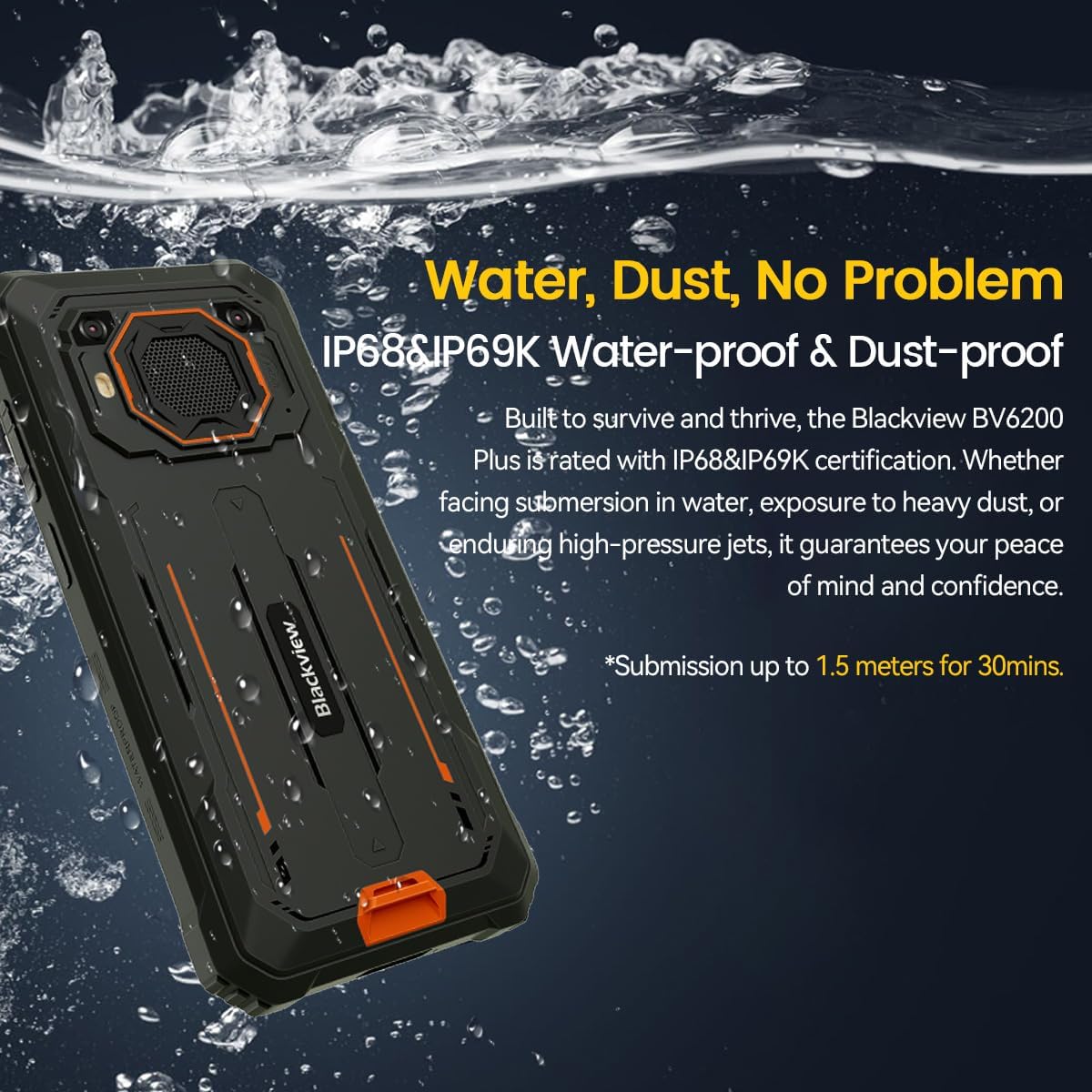
Figure 5.1: The device's water and dust resistance.
5.2 Drop Protection
The device features a reinforced, shock-absorbing frame and is MIL-STD 810H certified, providing 360° drop protection. It is designed to withstand drops from up to 1.2 meters. Despite its ruggedness, extreme impacts should still be avoided to prevent potential damage.

Figure 5.2: The device's robust drop protection design.
5.3 Coidado coa batería
Para maximizar a duración e o rendemento da batería:
- Evite expoñer o dispositivo a temperaturas extremas.
- Use só o cargador e o cable orixinais fornecidos.
- Non permitas que a batería se descargue completamente con frecuencia.
- Se non se vai usar o dispositivo durante un período prolongado, cárgueo ao 50 % aproximadamente antes de gardalo.
6 Solución de problemas
Se tes problemas co teu Blackview BV6200 Plus, refer to the following common solutions:
- O dispositivo non se acende: Asegúrate de que a batería estea cargada. Conéctaa ao cargador durante polo menos 15 minutos antes de tentar acender de novo.
- Problemas de carga: Comproba se o cable de carga e o adaptador están conectados correctamente. Proba cunha toma de corrente ou un accesorio de carga diferente.
- Problemas de conectividade de rede: Verify that your SIM card is correctly inserted and activated. Check network settings and ensure mobile data or Wi-Fi is enabled. Restart the device.
- As aplicacións fallan ou conxélanse: Close and reopen the app. Clear the app's cache and data in Settings > Apps. If the issue persists, uninstall and reinstall the app.
- A pantalla táctil non responde: Restart the device. If the issue continues, perform a factory reset (backup data first).
For more complex issues, please contact Blackview atención ao cliente.
7. Especificacións
| Característica | Especificación |
|---|---|
| Marca | Negroview |
| Número de modelo | BV6200 PLUS |
| Sistema Operativo | Android 14 |
| Tamaño de visualización | 6.56 polgadas |
| Resolución de visualización | 720 x 1280 |
| RAM | Ata 24 GB (8 GB + 16 GB ampliable) |
| Almacenamento interno | 256 GB |
| Almacenamento ampliable | SD card slot up to 1TB |
| Capacidade da batería | Polímero de litio de 11000 mAh |
| Cargando | Carga rápida de 18 W, carga inversa de 5 W |
| Cámara traseira | 16 Megapixels AI |
| Cámara frontal | 13 Megapixels AI |
| Orador | 3W Ultra-loud Stereo Speaker (98dB) |
| Conectividade | TYPE-C, GSM, 3G, 4G, Bluetooth, GPS, WIFI, NFC |
| Durabilidade | IP68 & IP69K Water/Dust Resistant, MIL-STD 810H Drop Protection |
| Velocidade da CPU | 1.6 GHz |
8. Garantía e soporte
O teu negroview BV6200 Plus smartphone comes with a 2 anos de garantía do fabricante. This warranty covers manufacturing defects under normal use. Please retain your proof of purchase for warranty claims.
For technical support, warranty service, or further inquiries, please visit the official Blackview website or contact their customer service department. Contact information can typically be found on the Blackview oficial webno sitio web ou nos materiais de embalaxe.


