1. Introdución
This manual provides essential instructions for the setup, operation, and maintenance of your TMY Projector. Please read this manual thoroughly before using the product to ensure proper functionality and to maximize your viewexperiencia ing. Conserve este manual para futuras consultas.
2. Produto rematadoview
2.1 Contido do paquete
Verifica que todos os elementos estean presentes no paquete:
- TMY Projector Unit
- Control remoto
- Cable HDMI
- Cable de alimentación
- Tarxeta de garantía
2.2 Características principais
- Netflix Officially Licensed: Access streaming services directly without external devices.
- Resolución de 1080P: Ofrece imaxes nítidas e detalladas.
- Electric Focus & Auto Keystone: Automatic image adjustment for optimal clarity and shape.
- Soporte xiratorio de 270°: Flexible projection angles, including ceiling projection.
- Upgraded WiFi 6 Connectivity: Ensures stable and fast wireless streaming.
- Dual-Mode Bluetooth 5.2: Connects to external speakers or functions as a standalone Bluetooth speaker.
- Múltiples opcións de conectividade: HDMI, USB, Phone/PC mirroring.
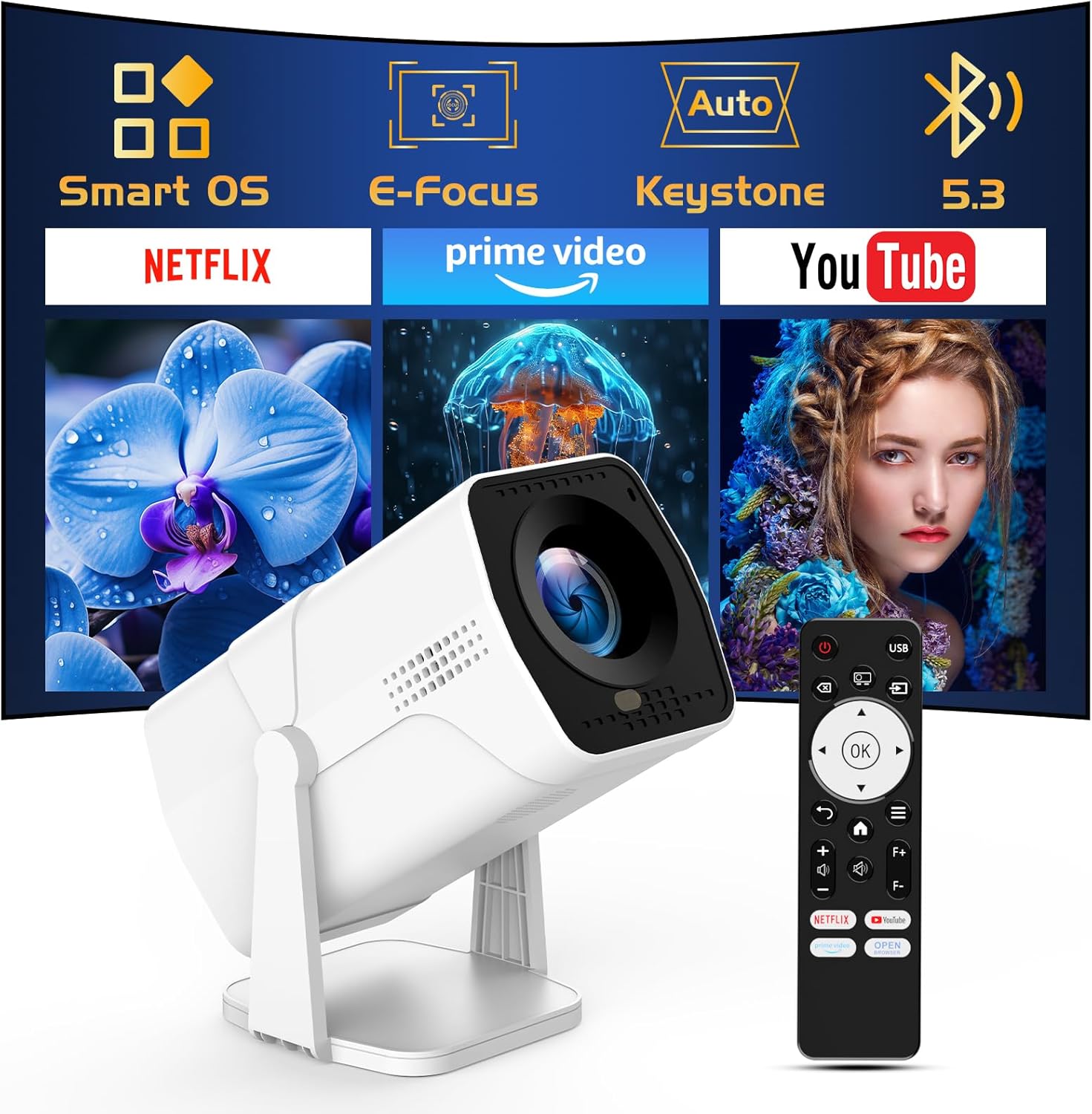
Image: The TMY Projector unit, its remote control, and a projected screen displaying logos for Smart OS, E-Focus, Auto Keystone, Bluetooth 5.3, Netflix, Prime Video, and YouTube.
3. Configuración
3.1 Colocación
Position the projector on a stable, flat surface. The 270° rotatable stand allows for versatile placement, including projecting onto walls or ceilings. Ensure adequate ventilation around the projector.

Image: A TMY Projector positioned on a bedside table, projecting an image onto the ceiling, demonstrating its 270° rotatable stand for multi-angle viewing.
3.2 Conexión de alimentación
- Conecte o cable de alimentación ao porto de entrada de alimentación do proxector.
- Conecte o outro extremo do cable de alimentación a unha toma de corrente estándar.
3.3 Acendido inicial e axuste do enfoque
- Preme o botón de acendido do proxector ou do control remoto para acender o dispositivo.
- Características do proxector Foco eléctrico e Auto Keystone correction. The image will automatically adjust for clarity and a rectangular shape within approximately 2 seconds.
- If further adjustment is needed, use the remote control to fine-tune the focus.

Image: A TMY Projector projecting a vibrant image onto a screen, with an overlay illustrating the 'FOCUS' function and icons for Auto Keystone and 50%-100% Zoom.
3.4 Conexión de rede (WiFi)
The projector supports WiFi 6 for a fast and stable internet connection.
- Navigate to the 'Settings' menu using the remote control.
- Select 'Network' or 'WiFi Settings'.
- Choose your desired WiFi network from the list and enter the password.
- Confirme a conexión.

Image: A TMY Projector wirelessly connected to a tablet, smartphone, and laptop, illustrating its WiFi 6 connectivity for faster streaming with no lagging.
3.5 Conexión Bluetooth
The projector features Dual-Mode Bluetooth 5.2 for audio connectivity.
- Projector Mode (Output): To connect to external Bluetooth speakers or soundbars: Navigate to 'Bluetooth Settings', enable Bluetooth, and pair with your audio device.
- Speaker Mode (Input): To use the projector's built-in speakers as a standalone Bluetooth speaker: Select 'Speaker Mode' in the Bluetooth settings. Your phone or other device can then connect to the projector to play audio.

Image: A TMY Projector illustrating its two-way Bluetooth 5.2 functionality, showing connections to a soundbar (Projector Mode) and a smartphone (Speaker Mode).
4. Funcionamento
4.1 Navegando polo sistema operativo intelixente
The projector runs on a smart TV operating system. Use the provided remote control to navigate menus, select applications, and control playback.

Image: The TMY Projector unit with a projected screen showing a grid of built-in smart OS applications, including Netflix, YouTube, Prime Video, TikTok, and others.
4.2 Acceder ás aplicacións integradas
The projector comes with pre-installed and officially licensed applications such as Netflix, Prime Video, and YouTube. Access these directly from the home screen or through the 'App Store' for additional content.

Image: A TMY Projector projecting a screen filled with content from officially licensed apps like Netflix, Prime Video, and YouTube, with the remote control in the foreground.
4.3 Conexión de dispositivos externos
The projector offers multiple ports for connecting external devices:
- HDMI: Connect TV sticks, TV boxes, PCs/Laptops, or gaming consoles (e.g., PS).
- USB: Reproducir medios files directly from USB drives or connect other USB accessories.
- Phone/PC Mirroring: Wirelessly mirror content from your smartphone or PC (refer to the on-screen instructions for specific mirroring protocols).
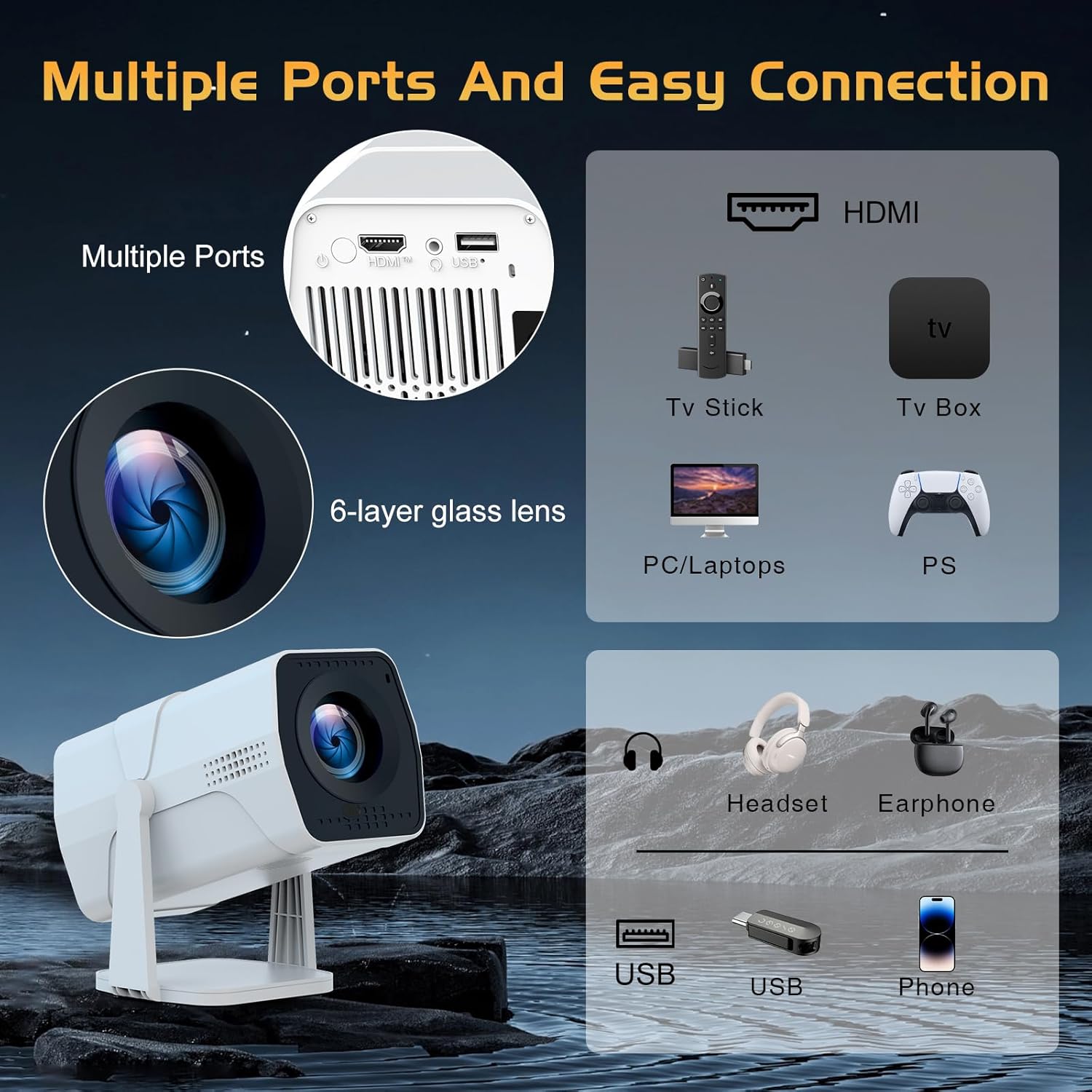
Image: A detailed diagram showing the multiple ports on the TMY Projector (HDMI, USB) and various connection possibilities, including TV sticks, PCs, gaming consoles, headsets, and phones.
4.4 Screen Zoom Function
The projector includes a 50%-100% zoom function, allowing you to adjust the screen size without moving the projector. This feature can be accessed via the remote control or settings menu.
5. Mantemento
To ensure the longevity and optimal performance of your TMY Projector, follow these maintenance guidelines:
- Limpeza da lente: Usa un pano suave e sen fiapos deseñado especificamente para lentes ópticas. Evita materiais abrasivos ou produtos químicos agresivos.
- Limpeza do exterior: Limpe o exterior do proxector cun pano suave e seco. Non empregue produtos de limpeza líquidos directamente sobre o dispositivo.
- Ventilación: Asegúrese de que as aberturas de ventilación non estean bloqueadas para evitar o sobrequecemento.
- Almacenamento: When not in use for extended periods, store the projector in a cool, dry place, away from direct sunlight and dust.
6 Solución de problemas
If you encounter issues with your TMY Projector, refer to the following common problems and solutions:
- Sen enerxía:
- Ensure the power cord is securely connected to both the projector and a working electrical outlet.
- Comproba se a toma de corrente funciona.
- No Image / Blurry Image:
- Verify the projector is powered on and the lens cap is removed.
- Allow the automatic focus and keystone correction to complete. If still blurry, manually adjust focus using the remote.
- Ensure the projection surface is suitable and the projector is within the recommended distance.
- If using an external source (HDMI), ensure the correct input source is selected.
- Sen son:
- Check the volume level on the projector and any connected external audio devices.
- If using Bluetooth speakers, ensure they are properly paired and connected.
- If using internal speakers, ensure external Bluetooth output is not selected.
- O control remoto non responde:
- Asegúrate de que as pilas estean inseridas correctamente e que non estean esgotadas.
- Apunte o mando a distancia directamente ao receptor de infravermellos do proxector.
- Problemas de conexión WiFi:
- Ensure your WiFi network is active and within range.
- Comproba dúas veces o contrasinal do wifi.
- Restart the projector and your WiFi router.
- If the connection times out, try moving the projector closer to the router or reducing interference.
7. Especificacións
| Característica | Especificación |
|---|---|
| Marca | TMY |
| Modelo | B0DRFF5KMF |
| Peso do elemento | 2.79 libras |
| Dimensións do produto | 5.35 x 4.84 x 7.09 polgadas |
| Cor | Branco |
| Características especiais | Speakers, Electric Focus, Auto Keystone, 270° Rotatable Stand |
| Tecnoloxía de conectividade | HDMI, USB, WiFi 6, Bluetooth 5.2 |
| Resolución de visualización | 1920 x 1080 (1080p Full HD) |
| Usos recomendados | Interior |

Image: A visual comparison showing the TMY Projector's 1080P Full HD image quality, emphasizing that it is recommended for use in dark environments for optimal viewing, contrasted with daytime or light-on conditions.
8. Garantía e soporte
TMY is committed to providing excellent customer service and product support.
- Garantía: Este produto vén cunha garantía de 3 anos.
- Política de devolución: Enjoy a 30-day return period.
- Soporte técnico: Lifetime after-sale service and technical support are available.
- Tempo de resposta: Expect a quick reply within 24 hours for support inquiries.
Para obter máis axuda, visite o sitio web oficial TMY Store on Amazon or contact customer support through the provided channels in your warranty card.


