Introdución
Thank you for choosing the NKPU 52-inch Ceiling Fan. This manual provides essential information for the safe installation, operation, and maintenance of your new ceiling fan. Please read all instructions carefully before beginning installation and retain this manual for future reference.
Información importante de seguridade
- Desconecte sempre a alimentación no disyuntor principal antes da instalación ou do mantemento.
- Asegúrate de que todas as conexións eléctricas cumpran cos códigos e as ordenanzas locais. Se non estás familiarizado coa instalación eléctrica, consulta cun electricista cualificado.
- O soporte de montaxe debe estar fixado firmemente a unha estrutura do edificio capaz de soportar o peso do ventilador.
- Non dobre os porta-láminas durante a instalación ou a limpeza.
- Ensure the fan blades are at least 7 feet (2.1 meters) from the floor.
- Non poñas en funcionamento o ventilador se algunha peza está danada.
O que hai na caixa
Comprobe que todos os compoñentes estean presentes antes de comezar a instalación:
- 1 x Ceiling Fan with Lights Kits
- 1 x Manual de usuario
- 1 x mando a distancia
- 2 x Downrods (5.31" and 7.81")

Image: All components of the NKPU 52-inch ceiling fan laid out, including the motor, five double-sided blades, two downrods, remote control, and light kit.
Configuración e instalación
Before starting, ensure the power is turned off at the circuit breaker. Refer to the detailed installation video provided by the manufacturer for visual guidance.
1. Montaxe da lámina
Attach the five double-sided blades to the blade holders using the provided screws. You can choose between the simple black side or the exquisite deep wood grain side to match your decor.
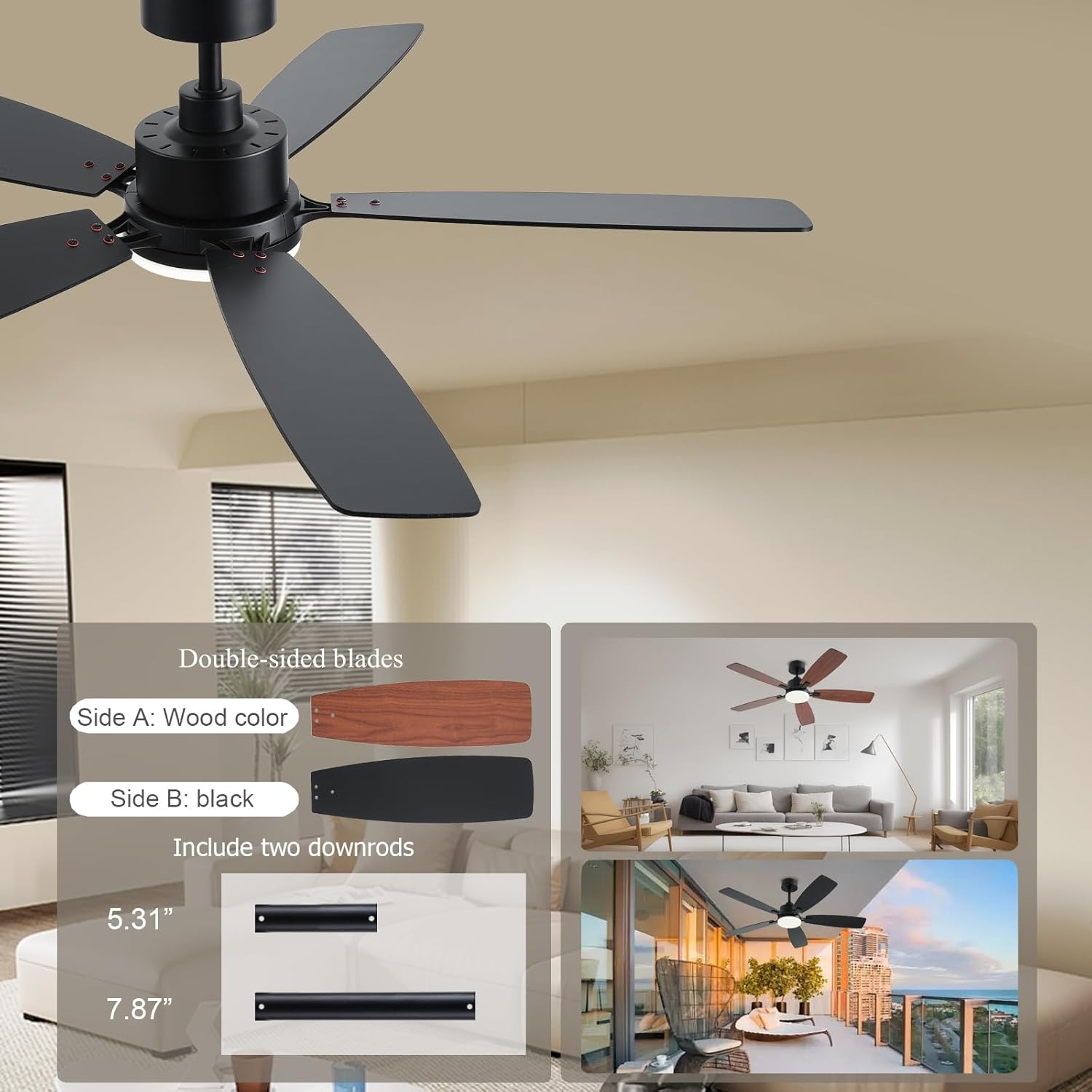
Image: Demonstrates the two sides of the fan blades (black and wood grain) and the two included downrod lengths (5.31" and 7.87").
2. Downrod Installation
Select the appropriate downrod (5.31" or 7.81") based on your ceiling height. Insert the downrod through the canopy and motor housing, securing it with the provided pin and screws.
3. Mounting Bracket and Wiring
Secure the mounting bracket to your ceiling junction box. Connect the fan's electrical wires to your household wiring according to the color-coded instructions (typically black to live, white to neutral, green to ground). Ensure all connections are tight and secure.
Video: Installation guide for the SY54 52-inch ceiling fan, demonstrating the steps for mounting and wiring the fan to the ceiling.
4. Canopy and Light Kit Installation
Once wiring is complete, slide the canopy up to cover the mounting bracket and secure it. Attach the LED light plate to the fan motor housing and then secure the light cover.
Instrucións de funcionamento
Your NKPU ceiling fan can be controlled via the included remote control or the "Fan Lamp Pro" mobile application.
1. Funcións de control remoto
The remote control allows for easy adjustment of fan speed, light settings, and timer functions. Ensure AAA batteries are installed correctly.

Image: The remote control for the ceiling fan, showing buttons for fan on/off, fan speed (1-6), light on/off, light dimming, color temperature adjustment, timer (1H/2H/4H), and forward/reverse rotation.
2. Mobile App Control (Fan Lamp Pro)
Download the "Fan Lamp Pro" app from your smartphone's app store. Ensure your phone's Bluetooth is turned on. Within 5 seconds of powering on the fan, tap the pairing button in the app. The light will flash twice to confirm successful pairing. The app provides comprehensive control over all fan and light features.
Descarga a aplicación aquí: https://www.jasonghost.com/fanlamppro/
3. Fan Speed and Reversible Motor
The fan features 6 adjustable speeds. The DC reversible motor allows for year-round use:
- Summer Mode (Forward Rotation): Blades rotate counter-clockwise, pushing air down to create a cooling effect.
- Winter Mode (Reverse Rotation): As aspas xiran no sentido das agullas do reloxo, tirando do aire cara arriba para facer circular o aire quente atrapado preto do teito.

Image: Illustrates six wind speed levels, suggesting levels 1-2 for comfortable wind (sleeping/reading), levels 3-4 for medium wind (entertainment/party), and levels 5-6 for cooling wind (sports/fitness).
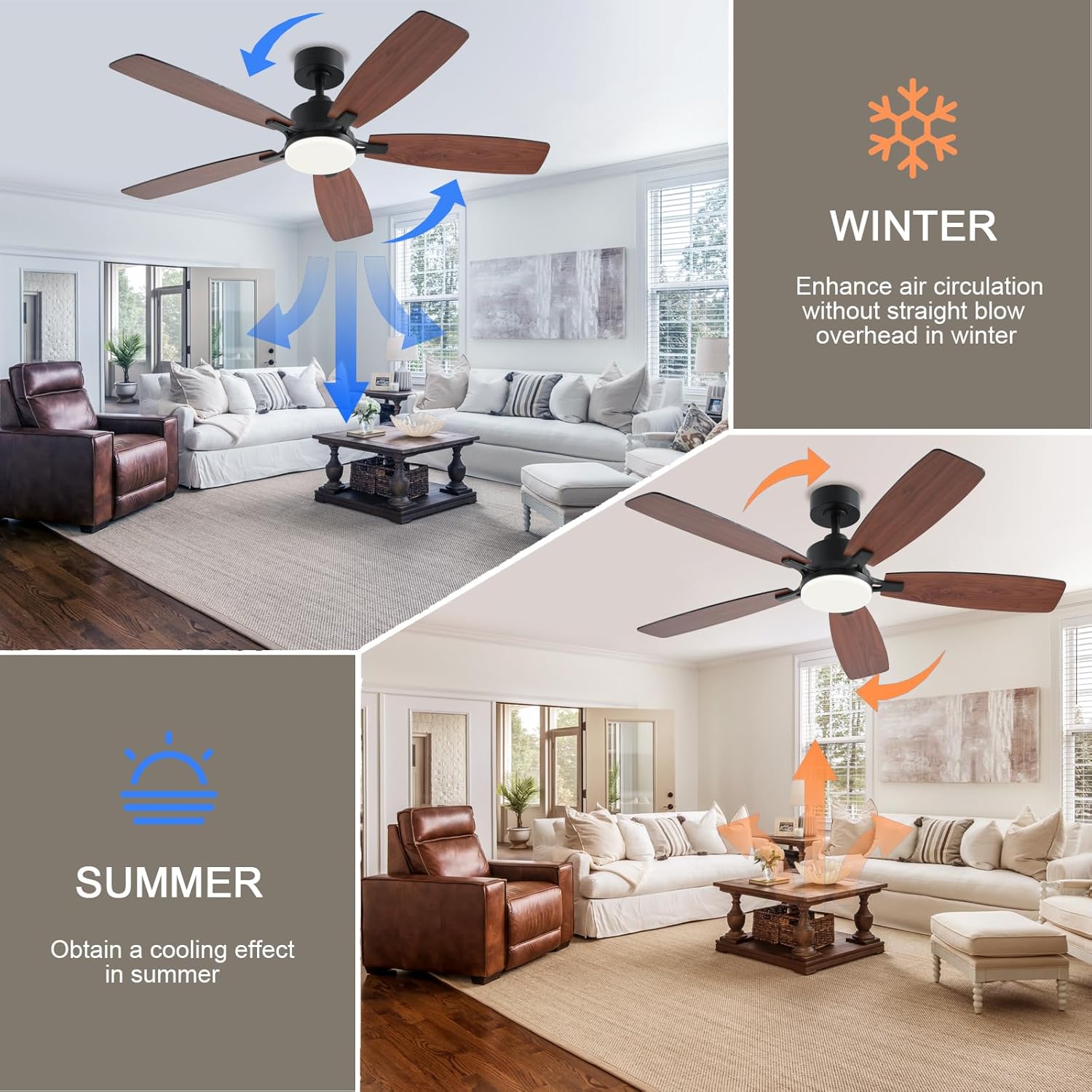
Image: Explains the reversible function of the fan, with blue arrows indicating downward airflow for summer cooling and orange arrows indicating upward airflow for winter air circulation.
4. Luz LED regulable
The integrated LED light offers 3 color temperatures (3000K Warm Light, 4000K Natural Light, 6500K Cool Light) and is dimmable from 5% to 100% brightness (180LM to 1800LM). Adjust the light to suit your preference and activity.
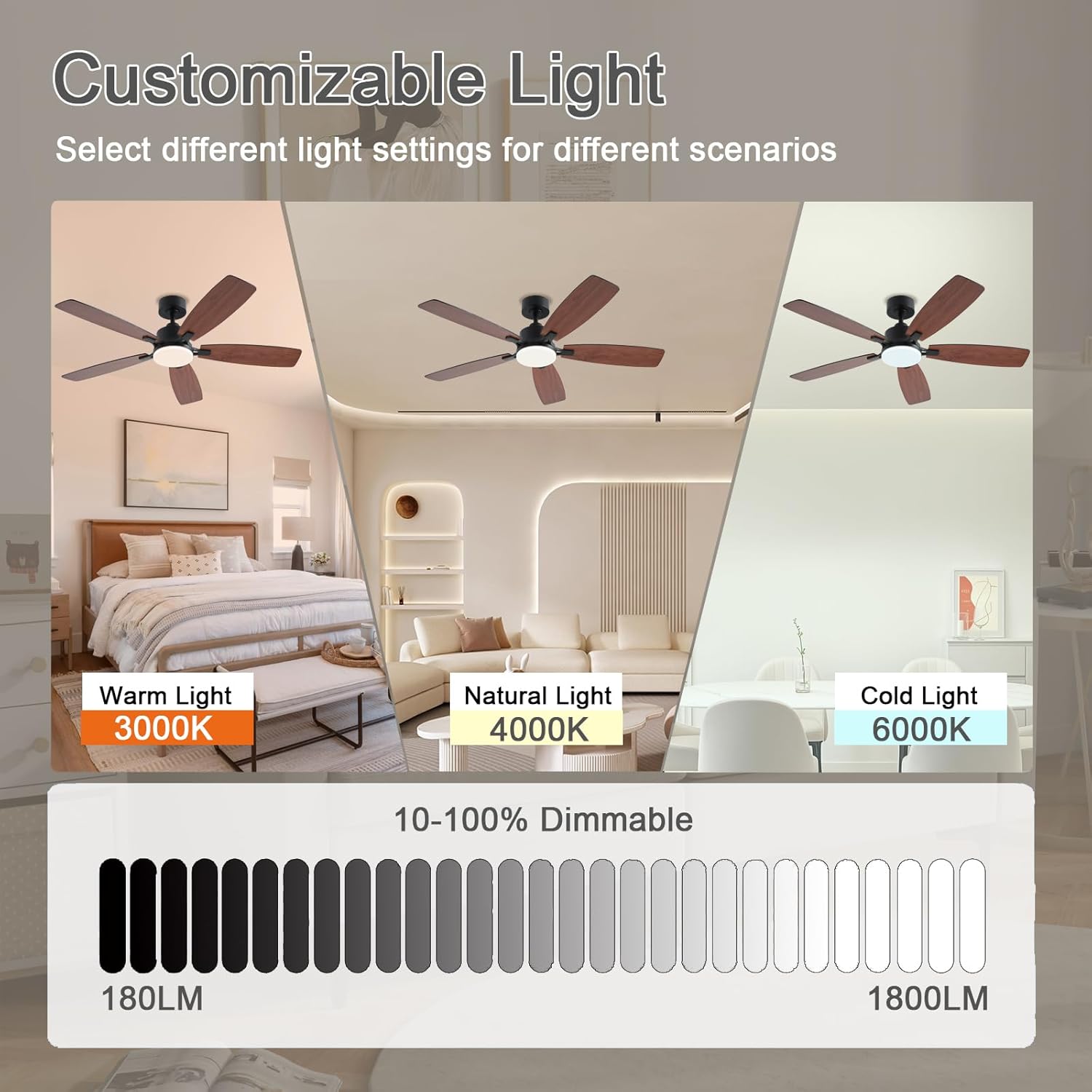
Image: Displays the customizable light feature, showing the fan light in Warm Light (3000K), Natural Light (4000K), and Cold Light (6000K), along with a 10-100% dimmable scale from 180LM to 1800LM.
5. Función de temporizador
Set the fan to automatically turn off after 1, 2, or 4 hours using the remote or app.
Mantemento
- Limpeza: Para limpar o ventilador, limpe cun pano suave eamp pano. Non use produtos de limpeza abrasivos nin produtos químicos agresivos.
- Coidados da folla: Periodically check that all blade screws are tight. Over time, blades may loosen, causing wobbling.
- Cuberta lixeira: The light cover can be removed by twisting gently for cleaning or replacement of the LED module if necessary.
Resolución de problemas
| Problema | Causa posible | Solución |
|---|---|---|
| O ventilador non comeza | No power to the fan; Loose wire connections; Remote control not paired or batteries dead. | Check circuit breaker; Verify all wiring connections; Replace remote batteries or re-pair remote/app. |
| O ventilador tambalea | Loose blade screws; Improperly installed downrod; Unbalanced blades. | Tighten all blade screws; Recheck downrod installation; Use balancing kit (if included) to balance blades. |
| A luz non funciona | Loose wire connection to light kit; Faulty LED module. | Comprobe o cableado do kit de luces; póñase en contacto co servizo de atención ao cliente para substituír o módulo LED. |
| Remote/App not responding | Batteries dead; Not paired correctly; Interference. | Replace batteries; Re-pair remote/app (see Operating Instructions); Ensure no strong interference sources nearby. |
Especificacións
| Característica | Detalle |
|---|---|
| Marca | NKPU |
| Nome do modelo | SY54 |
| Tamaño | 52 polgadas |
| Fonte de enerxía | DC |
| Voltage | 110 voltios |
| Wattage | 60 vatios |
| Método de control | Aplicación, mando a distancia |
| Número de niveis de potencia | 6 |
| Características especiais | Adjustable Height, Adjustable Tilt, LED Light, Remote Controlled, Reversible Motor |
| Tipo de luz | LED (3CCT Dimmable: 3000K/4000K/6500K, 5%-100% Brightness) |
| Tipo de habitación | Bedroom, Kids Room, Kitchen, Living Room, Study Room |
| Tipo de instalación | Montaxe semi empotrado |
| Peso do elemento | 11.68 libras |
| Dimensións do produto | 52 x 52 x 16.54 polgadas |
Garantía
This NKPU ceiling fan comes with a 1-year warranty from the date of purchase. Please retain your proof of purchase for warranty claims. The warranty covers manufacturing defects under normal use.
Atención ao cliente
For any questions regarding installation, operation, or troubleshooting, please contact our customer support team. We offer 24-hour customer support to assist you.
Contact information can typically be found on the product packaging or the manufacturer's official websitio.