Introdución
The Holmes DuoBreeze Dual Purple Blade 13-inch Desk Fan is designed to provide efficient cooling for small spaces. This manual provides essential information for the safe and effective operation, maintenance, and troubleshooting of your fan. Please read these instructions thoroughly before use and retain them for future reference.
Características do produto
- Dual Blade Design: Features an innovative dual blade system for enhanced air circulation and powerful, consistent cooling.
- Clean Breeze Technology: Equipped with a removable front grill for easy cleaning of the grill, blades, and interior, promoting improved air quality.
- Cabeza inclinable axustable: Customize airflow direction with a 45-degree adjustable tilt head.
- Oscilación de gran angular: Provides a broader distribution of air with 60-degree automatic oscillation.
- Tres axustes de velocidade: Select from low, medium, or high fan speeds using intuitive control buttons.
- Temporizador de 8 horas: Set the fan to automatically turn off after 2, 4, or 8 hours for convenience and energy savings.
- Deseño de aforro de espazo: Compact size ideal for desks, tabletops, and areas with limited space.
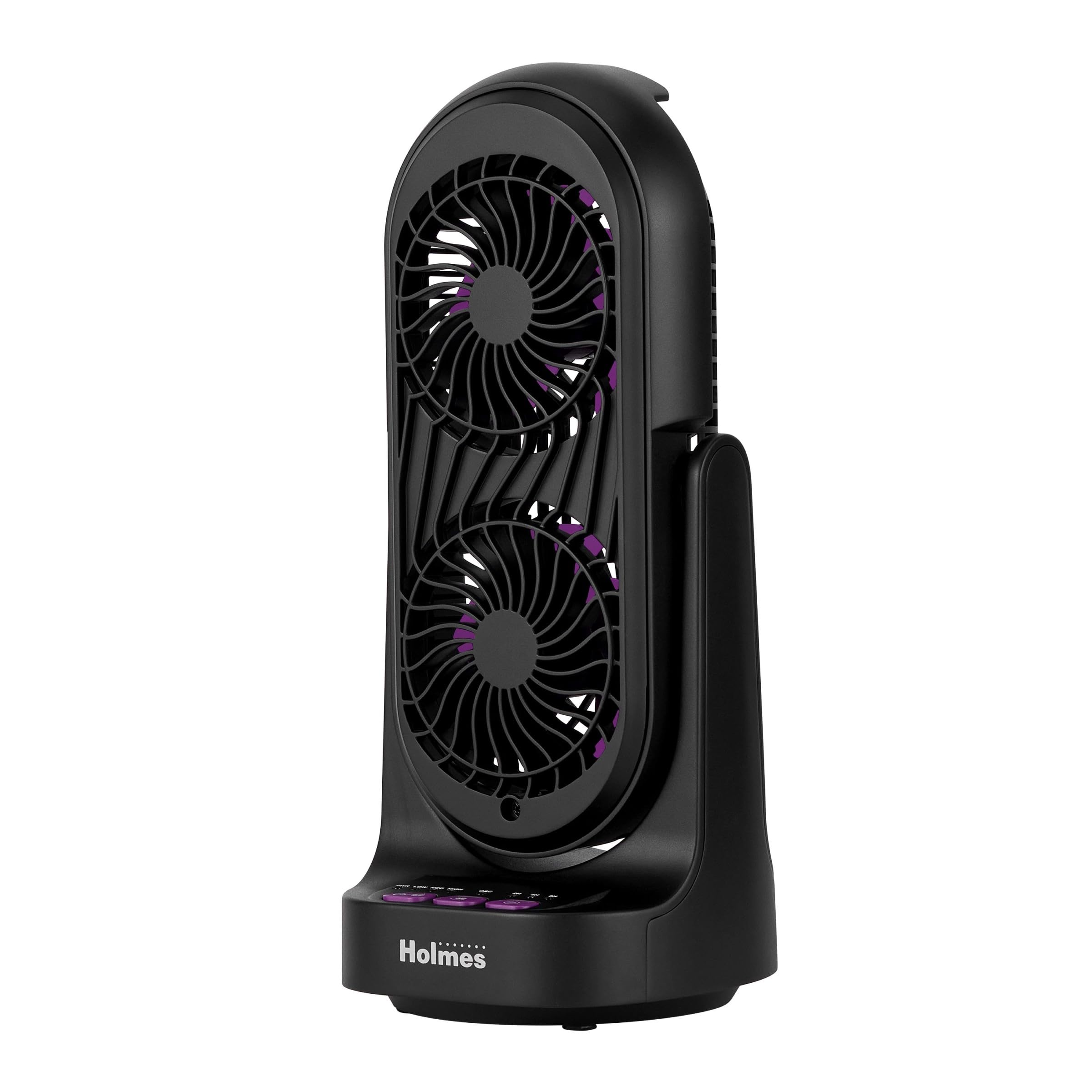
Figura 1: Fronte e lateral view of the Holmes DuoBreeze Desk Fan, highlighting its compact dimensions of 13.4 inches in height and 5.9 inches in width/depth.
Vídeo 1: Produto oficial rematadoview demonstrating the Holmes DuoBreeze Dual Purple Blade 13-inch Desk Fan's features, including dual blade design for maximum airflow, 45-degree adjustable head tilt, 60-degree automatic oscillation, 3 speed settings, 2/4/8 hour timer, and removable grill for easy cleaning.
Información de seguridade
Cando se utilicen aparellos eléctricos, débense seguir sempre as precaucións básicas de seguridade para reducir o risco de incendios, descargas eléctricas e lesións ás persoas, incluíndo as seguintes:
- Lea todas as instrucións antes de usar este ventilador.
- Empregue este ventilador só como se describe neste manual. Outros usos non recomendados poden provocar incendios, descargas eléctricas ou lesións persoais.
- Para protexerse contra descargas eléctricas, non coloque o ventilador na xanela, non mergulle a unidade, o enchufe ou o cable en auga nin o pulverice con líquidos.
- É necesaria unha estreita supervisión cando calquera aparello é usado por nenos ou preto de eles.
- Desenchufe da toma cando non estea en uso, ao mover o ventilador dun lugar a outro e antes de limpar.
- Non faga funcionar ningún aparello cun cable ou enchufe danados, ou despois de que o aparello funcione mal ou se caia ou estea danado de calquera xeito.
- Non deixes que o cable colgue do bordo da mesa ou do mostrador nin toque superficies quentes.
- Non opere en presenza de fumes explosivos e/ou inflamables.
- Non coloque o ventilador nin ningunha peza preto dunha chama aberta, cociña ou outro aparello de calefacción.
- Do not operate fan with a damaged guard or any rotating part.
- Evite o contacto coas pezas móbiles.
- Para desconectar, agarre o enchufe e tire da toma da parede. Nunca tires do cordón.
- Use sempre sobre unha superficie seca e nivelada.
Contido do paquete
- Holmes DuoBreeze Dual Purple Blade 13-inch Desk Fan (Model: 32510555)
- Manual de usuario
- Cable de alimentación (adxunto)
Configuración
The Holmes DuoBreeze Desk Fan requires minimal assembly. Follow these steps to prepare your fan for use:
- Retire con coidado o ventilador da súa embalaxe.
- Coloque o ventilador nunha superficie estable e nivelada.
- Ensure the power cord is easily accessible to a standard electrical outlet.
- Before plugging in, ensure the fan is in the desired position and the tilt head is adjusted as needed.
Instrucións de funcionamento
Familiarize yourself with the control panel located on the base of the fan:
- Botón de encendido (PWR): Prema para acender ou apagar o ventilador.
- Botóns de velocidade (BAIXO, MEDIO, ALTO): Press to cycle through the three fan speed settings: Low, Medium, and High.
- Botón de oscilación (OSC): Press to activate or deactivate the 60-degree automatic oscillation feature.
- Botóns do temporizador (2H, 4H, 8H): Press to set the fan to automatically turn off after 2, 4, or 8 hours. Multiple presses will cycle through the available timer options.
Axuste da inclinación: The fan head can be manually tilted up to 45 degrees to direct airflow precisely where needed. Gently push or pull the fan head to adjust its angle.
Mantemento
Regular cleaning helps maintain the fan's performance and air quality.
- Antes da limpeza: Always unplug the fan from the electrical outlet.
- Limpeza do exterior: Use un suave, damp pano para limpar as superficies exteriores do ventilador. Non empregue produtos de limpeza abrasivos nin disolventes.
- Cleaning the Blades and Interior (Clean Breeze Technology):
- The front grill is removable for easy access to the blades and interior. Refer to the product diagram for grill removal instructions (typically involves unscrewing or unlatching clips).
- Carefully wipe the fan blades and interior surfaces with a soft, dry cloth or a slightly damp pano.
- Ensure all parts are completely dry before reattaching the front grill and plugging the fan back in.
- Almacenamento: When not in use, store the fan in a cool, dry place, preferably in its original packaging to protect it from dust.
Resolución de problemas
If your fan is not operating correctly, consult the following troubleshooting guide:
| Problema | Causa posible | Solución |
|---|---|---|
| O ventilador non se acende. | Sen fonte de alimentación. | Asegúrate de que o ventilador estea conectado correctamente a unha toma de corrente que funcione. Comproba o disyuntor. |
| Fluxo de aire débil ou nulo. | As aspas do ventilador están sucias ou obstruídas. | Unplug the fan and clean the blades and grill as described in the Maintenance section. Ensure no objects are blocking the air intake or output. |
| O ventilador fai un ruído inusual. | Loose parts or debris inside. | Unplug the fan and inspect for any loose components or foreign objects. Clean thoroughly. If noise persists, contact customer support. |
| A oscilación non funciona. | Oscillation feature is not activated. | Press the OSC button to activate oscillation. Ensure the fan is on a flat surface. |
Especificacións
| Especificación | Detalle |
|---|---|
| Marca | HOLMES |
| Nome do modelo | Holmes 13" DuoBreeze CleanBreeze Desk Fan with Purple Blades |
| Número de modelo do artigo | 32510555 |
| Cor | Negro/Morado |
| Dimensións do produto | 5.9" D x 5.9" W x 13.42" H |
| Peso do elemento | 2.2 libras |
| Fonte de enerxía | Eléctrico con cable |
| Voltage | 120.0 V |
| Número de niveis de potencia | 3 |
| Características especiais | Adjustable Tilt, Oscillating |
| Nivel de ruído | 50 decibeis |
| Capacidade de caudal de aire | 900 pés cúbicos por minuto |
| Método de control | Pulsador |
| Uso interior/exterior | Interior |
| Requírese montaxe | Si |
| Especificación Met | ETL |
Garantía e Soporte
This Holmes DuoBreeze Dual Purple Blade 13-inch Desk Fan is backed by a 1 ano de garantía limitadaEsta garantía cobre defectos de material ou de fabricación en condicións normais de uso.
For warranty claims, technical support, or general inquiries, please contact Holmes customer service. Keep your purchase receipt as proof of purchase for warranty validation.
Contacto de Atención ao Cliente: Consulta a información de contacto que aparece na embalaxe do produto ou na páxina oficial de Holmes. websitio para obter os detalles de soporte máis actualizados.


