Introdución
This manual provides essential information for the safe and efficient use of your Qubo X-10BL mobile phone. Designed with ease of use in mind, this phone is particularly suitable for elderly users, featuring a clear 2.4-inch screen, a robust design, and essential communication functions. Please read this manual thoroughly before operating your device.
Características principais:
- Modelo: X-10BL
- Pantalla: 2.4-inch display (6.1 cm diagonal)
- RAM: 32 MB
- Batería: Capacidade 900 mAh
- Conectividade: Bluetooth
- Portos: 3.5mm Jack, Micro USB
- Deseño: Includes a protective cover
- Cor: Azul
Produto rematadoview
The Qubo X-10BL is a compact and user-friendly mobile phone. Below is an image illustrating the device's general appearance.
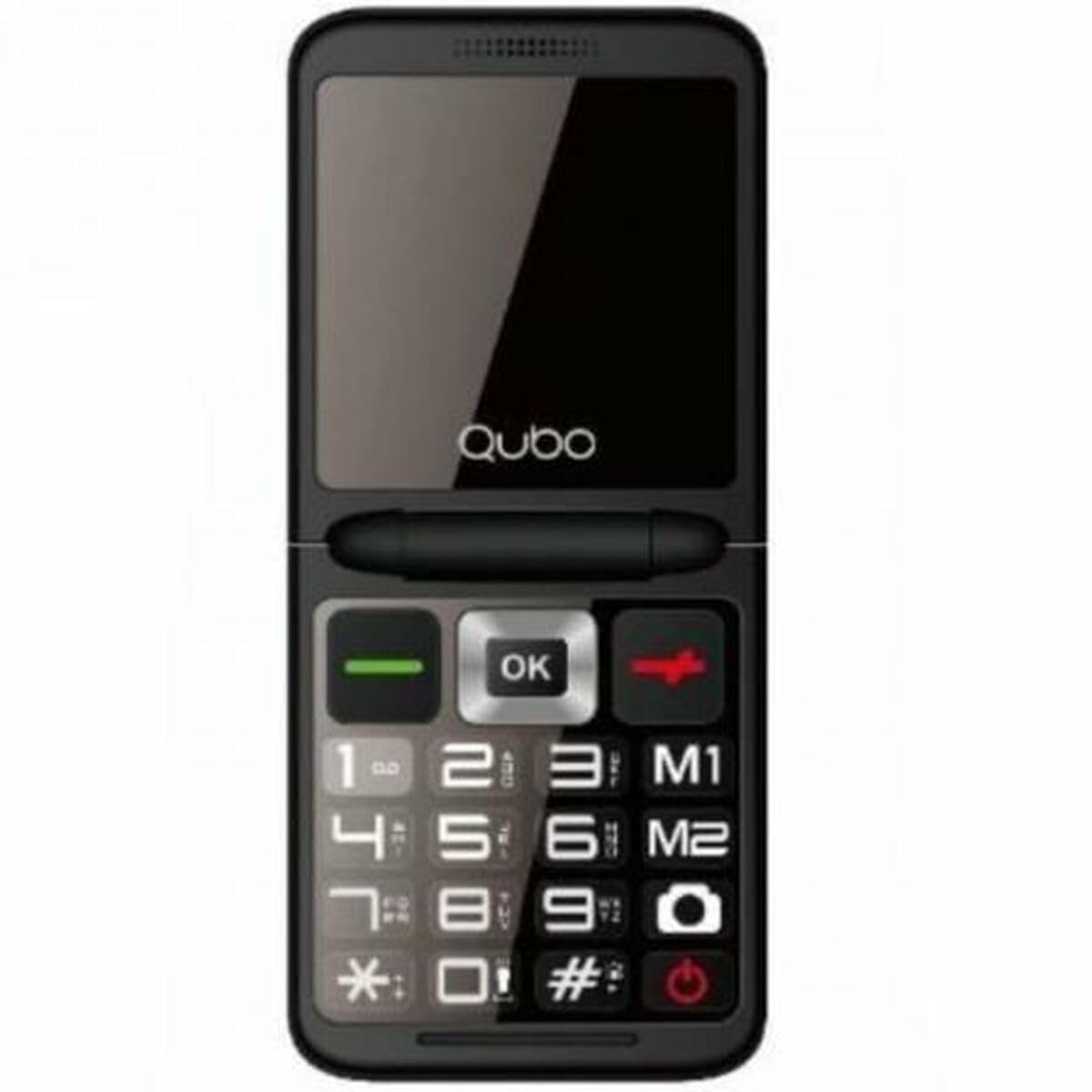
Figura 1: Fronte view of the Qubo X-10BL mobile phone. The image displays the phone in blue, featuring a clear screen, a numerical keypad, and navigation buttons. The phone is designed for straightforward operation.
Familiarize yourself with the phone's buttons and ports before proceeding with setup. Typically, these include a power button, call/end call buttons, navigation keys, a numerical keypad, and charging/headphone ports.
Configuración
1. Install SIM Card and Battery
- Retire con coidado a tapa traseira do teléfono.
- Insira a tarxeta SIM na ranura designada. Asegúrese de que estea orientada correctamente como indica o diagrama que aparece xunto á ranura.
- Coloque a batería no seu compartimento, aliñando os contactos.
- Volva colocar a tapa traseira ata que encaixe firmemente no seu lugar.
2. Cargar o dispositivo
- Connect the Micro USB cable to the charging port on your phone.
- Plug the other end of the cable into the provided European plug adapter, then into a wall outlet.
- Allow the phone to charge fully before first use. The charging indicator on the screen will show the battery status.
3. Acendido/apagado
- Para acender: Manteña premido o botón de acendido/finalizar chamada ata que a pantalla se ilumine.
- Para apagar: Press and hold the Power/End Call button until the power-off options appear, then select 'Power Off' or continue holding until the device shuts down.
Instrucións de funcionamento
Realización e recepción de chamadas
- Para facer unha chamada: Enter the phone number using the keypad and press the Call button (usually a green phone icon).
- Para responder unha chamada: When the phone rings, press the Call button.
- Para finalizar unha chamada: Press the End Call button (usually a red phone icon).
Envío e recepción de mensaxes SMS
- Navega ata o menú "Mensaxes".
- Select 'New Message' or 'Write Message'.
- Introduza o número do destinatario ou seleccione un dos contactos.
- Escriba a súa mensaxe usando o teclado.
- Prema "Enviar".
Conectividade Bluetooth
The Qubo X-10BL supports Bluetooth for connecting to compatible devices such as headsets or other phones.
- Vaia a "Configuración" e despois a "Bluetooth".
- Activa o Bluetooth.
- Seleccionar 'Busca dispositivos' ou 'Emparellar novo dispositivo'.
- Escolla o dispositivo desexado da lista e siga as instrucións na pantalla para emparellalo.
Using the Phone Cover
The phone comes with a protective cover. Ensure the phone is securely placed within the cover to protect it from minor impacts and scratches. The cover may also feature cutouts for easy access to buttons and ports.
Mantemento
Limpeza
- Usa un pano suave e seco para limpar a pantalla e a carcasa do teléfono.
- Avoid using liquid cleaners, aerosols, or harsh chemicals, as these can damage the device.
Coidado da batería
- Para prolongar a duración da batería, evite expoñer o teléfono a temperaturas extremas.
- Non deixes o teléfono cargando durante períodos excesivamente longos despois de que estea completamente cargado.
- Se non vai usar o teléfono durante un período prolongado, cárgueo ao 50 % aproximadamente antes de gardalo.
Almacenamento
Garda o teléfono nun lugar fresco e seco, lonxe da luz solar directa e da humidade cando non o uses.
Resolución de problemas
If you encounter issues with your Qubo X-10BL, refer to the table below for common problems and solutions.
| Problema | Causa posible | Solución |
|---|---|---|
| O teléfono non se acende | Batería baixa; batería non instalada correctamente | Cargar a batería; Volver a instalar a batería |
| Sen sinal de rede | SIM card issue; Out of network coverage | Check SIM card installation; Move to an area with better coverage |
| Non se poden facer/recibir chamadas | No network; Incorrect number dialed; Call barring activated | Check network signal; Verify number; Check call settings |
| A batería non se está cargando | Charger faulty; Charging port damaged | Try a different charger; Contact support if port is damaged |
Especificacións
Detailed technical specifications for the Qubo X-10BL mobile phone.
| Característica | Detalle |
|---|---|
| Marca | Qubo |
| Nome do modelo | X-10BL |
| Número de modelo do artigo | S9914467 |
| Tipo de produto | Teléfono de bar |
| Factor de forma | Bar |
| Tamaño da pantalla | 6.1 centímetros (2.4 polgadas) |
| Tamaño da RAM instalada | 32 MB |
| Tecnoloxía de redes sen fíos | Bluetooth |
| Fabricante | Qubo |
| País de Orixe | España |
| Data de primeira dispoñibilidade en Amazon.com.be | 11 de xaneiro de 2025 |
| Dispoñibilidade de Recambios | Información non dispoñible |
| Actualizacións de software garantidas ata | Información non dispoñible |
Garantía e Soporte
For warranty information and customer support, please refer to the documentation provided with your purchase or contact the retailer. Keep your proof of purchase for any warranty claims.


