Introdución
This manual provides instructions for the setup, operation, and maintenance of your Paladone PlayStation DualSense Controller Digital Alarm Clock. This device combines a digital alarm clock with a night light function, designed for ease of use and to complement gaming-themed environments.
O que hai na caixa
- Paladone PlayStation DualSense Controller Digital Alarm Clock
- Manual de instrucións (este documento)
Note: 3x AA batteries are required and not included.
Configuración
1. Instalación da batería
- Localiza o compartimento das pilas na parte inferior do reloxo despertador.
- Abra a tapa do compartimento da batería.
- Insira 3 pilas AA, asegurándose de manter a polaridade correcta (+/-).
- Pecha a tapa do compartimento da batería de forma segura.
2. Axuste da hora inicial
Upon battery installation, the display will illuminate. Follow the operating instructions to set the current time.

Image: The PlayStation DualSense Controller Digital Alarm Clock displaying the time.
Instrucións de funcionamento
Axuste da hora
- Manteña premido o HORARIO button (usually marked with a clock icon) until the hour digits begin to flash.
- Usa o + e - buttons to adjust the hour. Pay attention to AM/PM indicators if present.
- Preme o HORARIO de novo para pasar aos díxitos dos minutos.
- Usa o + e - botóns para axustar os minutos.
- Preme o HORARIO botón unha última vez para confirmar e saír do modo de axuste da hora.
Configuración da alarma
- Manteña premido o CONXUNTO DE ALARMA button (usually marked with an alarm icon) until the alarm hour digits begin to flash.
- Usa o + e - botóns para axustar a hora da alarma.
- Preme o CONXUNTO DE ALARMA button again to move to the alarm minute digits.
- Usa o + e - botóns para axustar os minutos da alarma.
- Preme o CONXUNTO DE ALARMA button one last time to confirm and exit alarm setting mode.
- Para activar ou desactivar a alarma, prema o botón ALARMA ON / OFF button (may be the same as ALARM SET or a separate button). An alarm icon will appear on the display when active.
Using the Night Light Function
The PlayStation DualSense controller replica on top of the clock functions as a night light.
- To activate the night light, gently tap the controller.
- To deactivate the night light, tap the controller again.
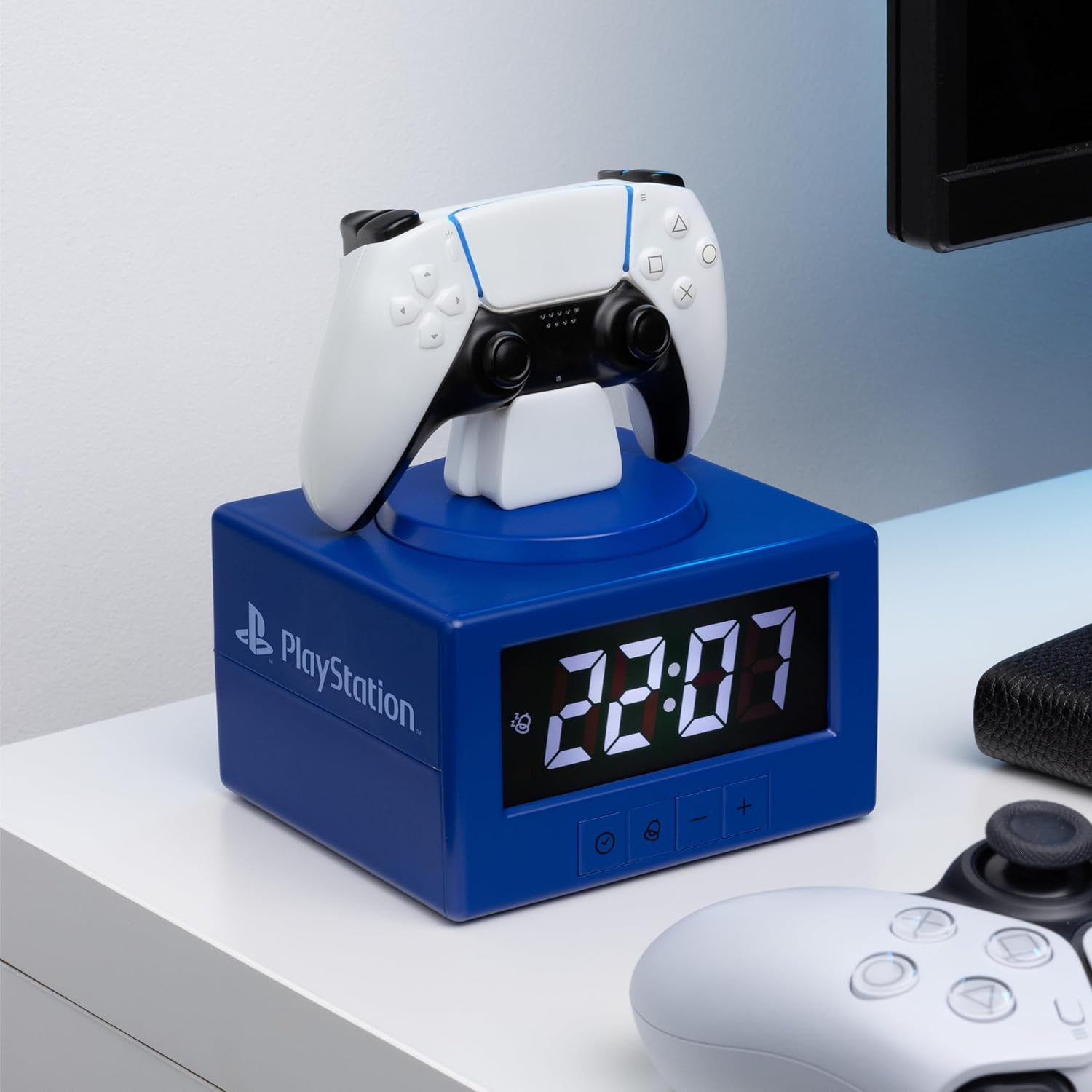
Image: The alarm clock with the DualSense controller glowing as a night light.
Mantemento
- Limpeza: Limpa o reloxo cun pano suave e seco. Non empregues produtos de limpeza abrasivos nin disolventes.
- Substitución da batería: Replace batteries when the display dims or functions become unreliable. Always replace all three AA batteries at the same time.
- Almacenamento: Se o gardas durante un período prolongado, retira as baterías para evitar fugas.
Resolución de problemas
| Problema | Solución |
|---|---|
| Clock display is dim or blank. | Replace the 3x AA batteries. Ensure batteries are inserted with correct polarity. |
| Non soa a alarma. | Ensure the alarm is activated (alarm icon visible on display). Verify the alarm time is set correctly. |
| A luz nocturna non se acende. | Ensure batteries are fresh. Gently tap the controller to activate. |
| Time or alarm settings reset unexpectedly. | Isto pode indicar que a batería está baixa. Substitúa as baterías. |
Especificacións
- Marca: Paladone
- Número de modelo: PP13475PS
- Tipo de visualización: Dixital
- Características especiais: Alarm, Night Mode
- Dimensións do produto: 4.92" de ancho x 7.09" de alto
- Fonte de enerxía: Funciona con pilas (3 pilas AA, non incluídas)
- Material: Plástico
- Peso do artigo: 8.8 onzas (0.25 quilogramos)
- Uso interior/exterior: Interior
Garantía e Soporte
For warranty information and customer support, please refer to the official Paladone websitio web ou póñase en contacto co seu vendedor. Garde o comprobante de compra para calquera reclamación de garantía.
Para obter axuda adicional, visite o Paladone Store on Amazon.


