1. Introdución
Thank you for choosing the DOOGEE Tab A9 PRO Tablet. This manual provides essential information for setting up, operating, and maintaining your device. Please read it carefully before using the tablet to ensure proper functionality and longevity.
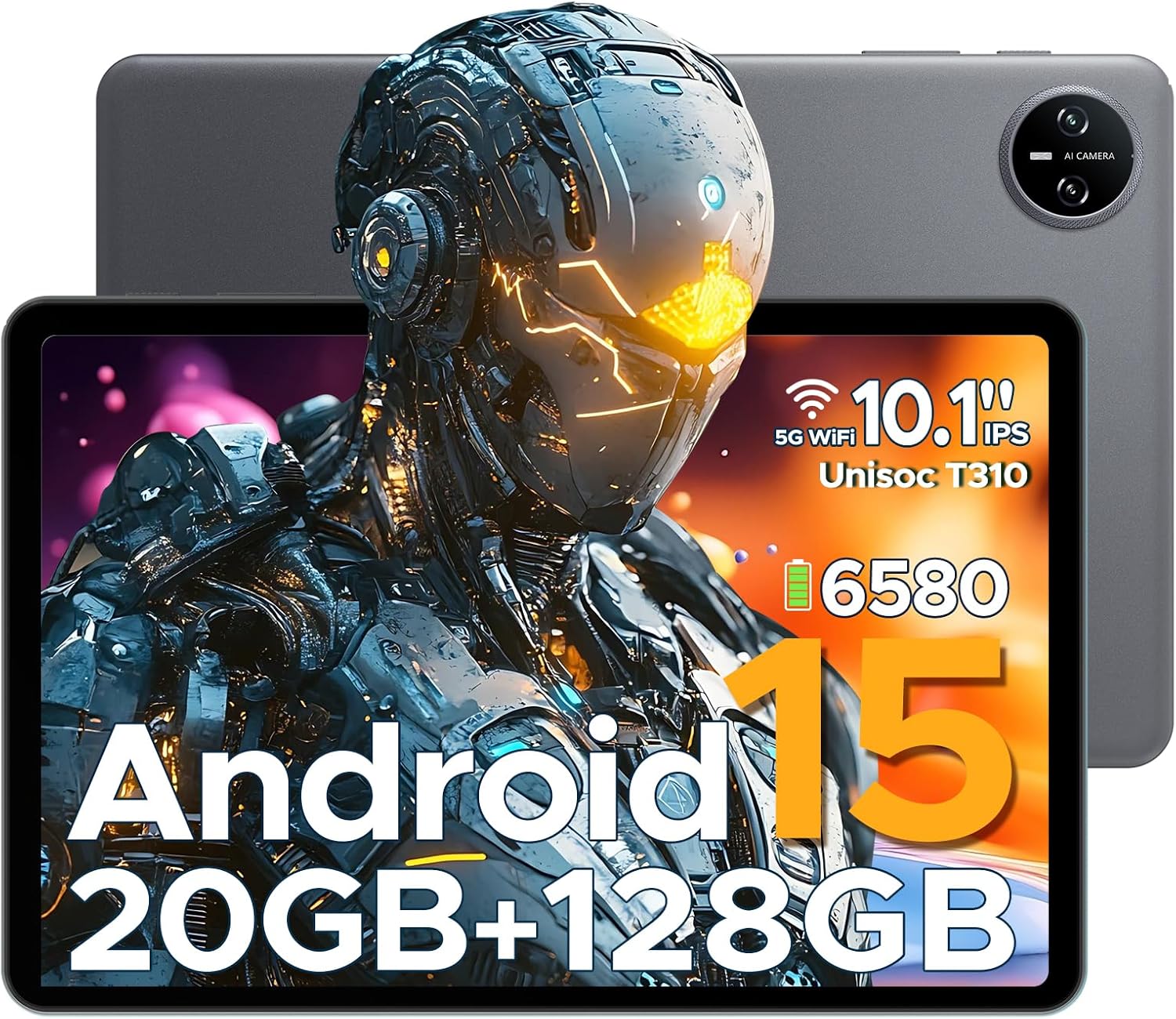
Figure 1.1: DOOGEE Tab A9 PRO Tablet. This image displays the tablet from both the front, highlighting its display, and the back, showing the camera module and overall grey finish.
2. Que hai na caixa
Verifica que todos os elementos estean presentes no paquete:
- DOOGEE Tab A9 PRO Tablet
- Cargador
- Cable USB tipo C
- Tool for taking card (SIM/SD card tray ejector)
3. Configuración
3.1 Carga inicial
Before first use, fully charge the tablet using the provided charger and Type-C USB cable. Connect the Type-C cable to the tablet's charging port and the charger to a power outlet.
3.2 Acendido/Apagado
- To power on: Press and hold the power button until the DOOGEE logo appears.
- To power off: Press and hold the power button, then select "Power off" from the options.
3.3 Asistente de configuración inicial
Upon first power-on, the tablet will guide you through an initial setup process. This includes selecting your language, connecting to Wi-Fi, setting up your Google account, and configuring security options like face recognition.

Figure 3.1: Android 15 System Interface. This image illustrates the clean and intuitive interface of the Android 15 operating system, showing various application icons and system settings.
3.4 Inserción dunha tarxeta MicroSD (opcional)
The tablet supports expandable memory up to 2TB via a MicroSD card (purchased separately). Use the provided tool to open the card tray and insert the MicroSD card as indicated.

Figure 3.2: Storage Capabilities. This image highlights the tablet's 20GB Max RAM (composed of 4GB Basic and 16GB Virtual RAM) and 128GB internal storage, with the option to expand up to 2TB using a TF card.
4. Funcionamento da tableta
4.1 Pantalla e navegación
The DOOGEE Tab A9 PRO features a 10.1-inch IPS HD+ display with a resolution of 1280x800 pixels, offering clear visuals and a wide field of view.

Figure 4.1: Display Specifications. This image details the 10.1-inch IPS HD display, including its 1280x800 resolution, 80.2% screen-to-body ratio, and 16.7 million colors.
4.2 Funcións da cámara
The tablet is equipped with an 8MP main camera and a 5MP front camera, suitable for capturing photos, videos, and video calls.

Figure 4.2: Camera Features. This image highlights the tablet's 8MP main camera and 5MP front camera, demonstrating their use for capturing moments and video calls.
Audio 4.3
The tablet features 1217 BOX Dual Speakers for enhanced audio experience. It also includes a 3.5mm headphone jack for private listening.

Figure 4.3: Dual Speaker System. This image illustrates the tablet's 1217 BOX Dual Speakers, designed to provide clear and immersive audio.
4.4 Conectividade
- Wi-Fi: Conéctate ás redes Wi-Fi dispoñibles a través de Axustes > Rede e internet > Wi-Fi.
- Bluetooth 5.0: Emparéllase con dispositivos Bluetooth (auriculares, altofalantes, etc.) a través de Axustes > Dispositivos conectados > Bluetooth.
- OTG (para levar): Supports connecting USB peripherals like flash drives or keyboards via a compatible OTG adapter (not included).
- Wireless Screencasting: Easily connect to a large TV or display for screen mirroring.
5. Mantemento
5.1 Limpeza
Usa un pano suave e sen pelusa para limpar a pantalla e o corpo da tableta. Evita o uso de produtos químicos agresivos ou materiais abrasivos.
5.2 Coidado coa batería
The tablet is equipped with a 6580mAh Lithium Polymer battery. To prolong battery life:
- Evita temperaturas extremas.
- Non deixes que a batería se descargue completamente con frecuencia.
- Use o cargador fornecido.
- Enable power saving mode when needed.
5.3 Actualizacións de software
Regularly check for and install system updates to ensure optimal performance, security, and access to new features. Go to Settings > System > System update.
6 Solución de problemas
6.1 Problemas comúns e solucións
| Problema | Solución |
|---|---|
| A tableta non se acende | Asegúrate de que a batería estea cargada. Mantén premido o botón de acendido durante 10-15 segundos para forzar o reinicio. |
| Rendemento lento | Close unused applications. Clear cache. Restart the tablet. Check for system updates. |
| Problemas de conexión wifi | Restart the tablet and your Wi-Fi router. Forget and reconnect to the network. |
| As aplicacións fallan | Borra a caché e os datos da aplicación (Configuración > Aplicacións > [Nome da aplicación] > Almacenamento). Reinstala a aplicación. |
7. Especificacións
| Característica | Detalle |
|---|---|
| Modelo | DOOGEE Tab A9 PRO |
| Sistema Operativo | Android 15 |
| Procesador | Quad-Core (Unisoc T310) |
| RAM | 12 GB |
| Almacenamento interno | ROM de 128 GB |
| Almacenamento ampliable | Up to 2TB (MicroSD, sold separately) |
| Mostrar | 10.1-inch IPS HD+ (1280x800) |
| Cámara principal | 8 MP |
| Cámara frontal | 5 MP |
| Batería | Polímero de litio de 6580 mAh |
| Conectividade | Wi-Fi, Bluetooth 5.0, OTG, Type-C USB |
| Audio | 1217 BOX Dual Speakers, 3.5mm headphone jack |
| Dimensións | 25.7 x 16.88 x 0.79 cm |
| Peso | 400 g |

Figure 7.1: Unisoc T310 Processor. This image details the specifications of the Unisoc T310 processor, highlighting its powerful quad-core architecture, 2.0GHz ultimate frequency, and 12nm advanced process technology.
8. Garantía e soporte
Para obter información sobre a garantía e asistencia técnica, consulte a páxina oficial de DOOGEE websitio web ou póñase en contacto co servizo de atención ao cliente. Garde o recibo de compra para reclamacións de garantía.
DOOGEE Oficial Websitio: www.doogee.cc


