1. Introdución
Welcome to the COCOCAM 2K Indoor Pan/Tilt WiFi Camera user manual. This guide provides detailed instructions on how to set up, operate, and maintain your new security camera. Please read this manual thoroughly before using the product to ensure proper functionality and safety.

Figure 1.1: COCOCAM 2K Indoor Pan/Tilt WiFi Camera
The COCOCAM 2K Indoor Pan/Tilt WiFi Camera is designed to provide comprehensive surveillance for your home, baby, or pets. With its advanced features like 2K resolution, two-way audio, AI human detection, and long-lasting battery, you can monitor your indoor spaces with ease and peace of mind.
2. Produto rematadoview
2.1 Contido do paquete
Asegúrate de que todos os elementos estean presentes no teu paquete:
- 1x COCOCAM 2K Indoor Pan/Tilt WiFi Camera
- 1x cable de carga USB
- 1 x Manual de usuario
2.2 Características principais
- Batería de longa duración: Equipped with a 5200mAh rechargeable battery for extended operation. Once fully charged, it can detect motion up to 5,000 times, ensuring continuous monitoring.
- Funcionalidade de panorámica e inclinación: Offers a 355° horizontal rotation and 90° vertical tilt range for comprehensive room coverage.
- 2K Crystal Clear Resolution: Captures every detail with 3MP (2304*1296) resolution, ensuring high-quality video footage.
- Audio bidireccional: Built-in microphone and speaker allow for seamless communication with family members or visitors from anywhere.
- AI Intelligent Recognition & PIR Human Detection: Advanced AI analysis and PIR human detection minimize false alerts and focus on specific areas of interest. Optional paid features include detection of vehicles, animals, and packages.
- Visión nocturna mellorada: Infrared night vision range of 20 meters ensures clear surveillance even in low-light conditions.
- Opcións de almacenamento flexibles: Supports up to 128GB TF card (not included) and offers cloud storage (6-second recording and 7-day loop coverage).
- Mobile Compatibility & Voice Control: Connect effortlessly using your Android or iOS smartphone/tablet. Compatible with Amazon Alexa and Google Assistant for convenient hands-free control.

Figure 2.1: Built-in 5200mAh Rechargeable Battery

Figure 2.2: 355° Pan & 90° Tilt Coverage

Figure 2.3: See Clearly in 2K Resolution

Figura 2.4: Comunicación de audio bidireccional

Figure 2.5: AI Intelligent Recognition & PIR Human Detection

Figure 2.6: Clear Night Vision in the Dark
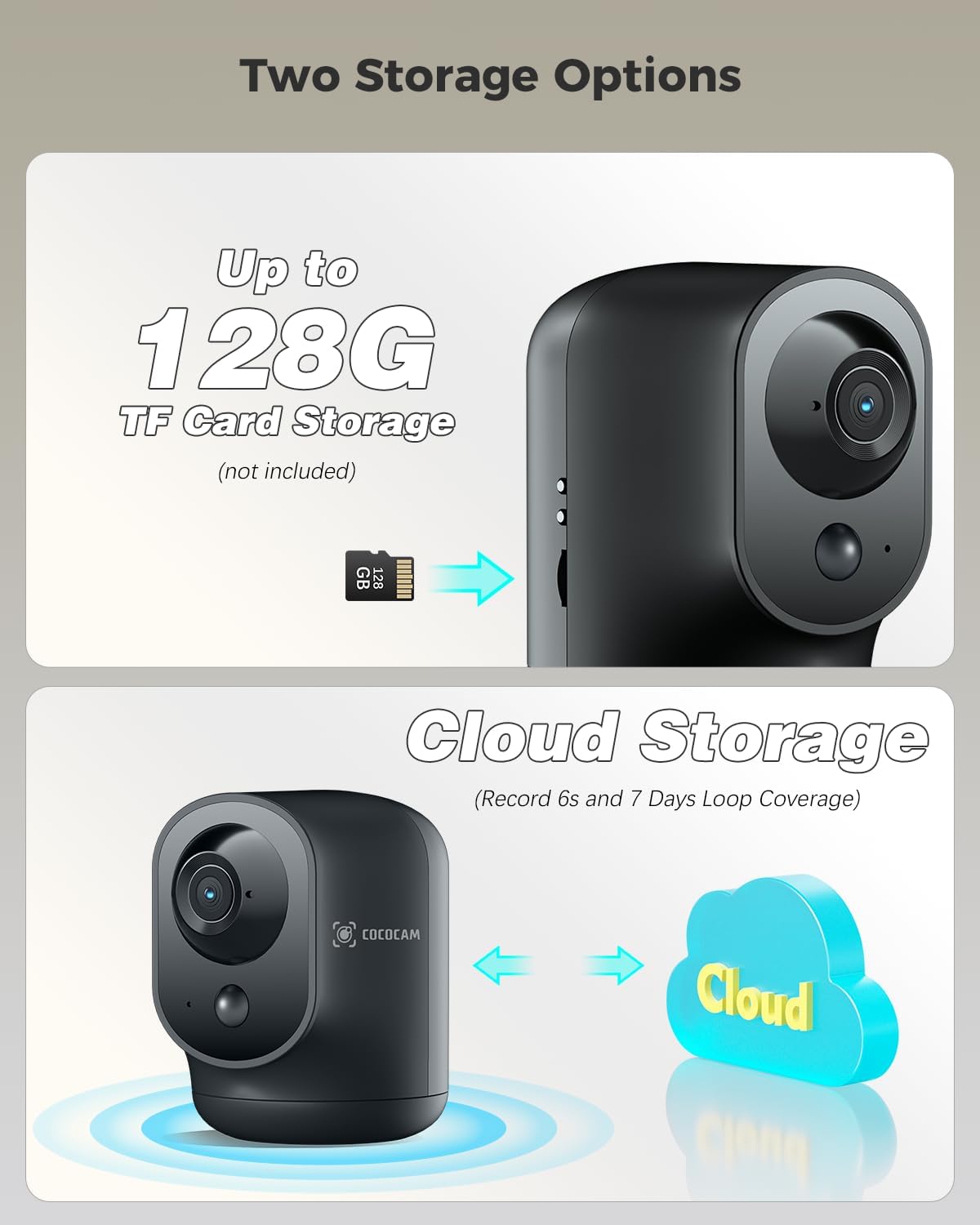
Figure 2.7: Two Storage Options
3. Guía de configuración
3.1 Carga inicial
Before first use, fully charge the camera using the provided USB charging cable. The charging indicator light will change once charging is complete.
3.2 Descarga e instalación da aplicación
Download the "CloudEdge" app from your smartphone's app store (Google Play Store for Android or Apple App Store for iOS). Follow the on-screen instructions to install the app.
3.3 Emparejamento de dispositivos
- Open the CloudEdge app and create an account or log in.
- Toca a icona "+" para engadir un novo dispositivo.
- Selecciona o modelo da túa cámara da lista.
- Follow the in-app instructions to connect the camera to your Wi-Fi network. This typically involves scanning a QR code displayed on your phone with the camera lens.
- Unha vez conectada, podes poñerlle un nome á túa cámara e comezar a ver as cousas en directo viewing.
3.4 Colocación da cámara
The camera is designed for indoor use and can be placed on any flat surface, such as a table or shelf. Ensure it is within range of your Wi-Fi network for optimal performance.
4. Instrucións de funcionamento
4.1 En directo View
Open the CloudEdge app and select your camera from the device list to access the live video feed. You can view foo en tempo realtage desde calquera lugar con conexión a Internet.
4.2 Control de panorámica e inclinación
Mentres está en directo view, use the directional controls within the app to remotely pan (rotate horizontally) and tilt (rotate vertically) the camera lens to adjust its viewángulo de ing.
4.3 Audio bidireccional
Toca a icona do micrófono na transmisión en directo view interface to speak through the camera's speaker. Tap the speaker icon to listen to audio from the camera's surroundings.
4.4 Detección de movemento e alertas
The camera features PIR human detection. You can customize alarm settings and define specific alarm zones within the app to focus on critical areas. When motion is detected, you will receive instant notifications on your smartphone.
4.5 Gravación e reprodución
Recordings are triggered by motion detection. You can store footage on a local TF card (up to 128GB, not included) or subscribe to the cloud storage service for 6-second event recordings and 7-day loop coverage. Access recorded videos through the playback feature in the app.
4.6 Visión nocturna
The camera automatically switches to infrared night vision mode in low-light conditions, providing clear black and white footage ata 20 metros.
5. Mantemento
- Limpeza: Usa un pano suave e seco para limpar a lente e o corpo da cámara. Evita o uso de produtos químicos agresivos ou materiais abrasivos.
- Coidado da batería: To prolong battery life, avoid exposing the camera to extreme temperatures. Recharge the battery when the app indicates a low battery level.
- Actualizacións de firmware: Regularly check the CloudEdge app for available firmware updates. Keeping your camera's firmware updated ensures optimal performance and security.
6 Solución de problemas
| Problema | Posible causa/solución |
|---|---|
| A cámara non se conecta á wifi | Ensure your Wi-Fi network is 2.4GHz (5GHz is not supported). Check Wi-Fi password. Move camera closer to router. Reset camera and try pairing again. |
| Non hai alertas de detección de movemento | Check motion detection settings in the app. Ensure PIR detection is enabled and sensitivity is adjusted correctly. Verify alarm zones are set up. |
| Poca calidade de vídeo | Check your internet connection speed. Ensure the camera lens is clean. Adjust camera placement for better lighting. |
| O audio bidireccional non funciona | Ensure microphone and speaker permissions are granted to the app on your phone. Check volume settings on both the app and your phone. |
| A batería esgotarase rapidamente | Frecuente en directo viewing, excessive motion events, or weak Wi-Fi signal can increase battery consumption. Reduce sensitivity or live view time if possible. |
For more detailed troubleshooting or persistent issues, please refer to the help section within the CloudEdge app or contact COCOCAM customer support.
7. Especificacións
| Característica | Detalle |
|---|---|
| Número de modelo | CC-C7 |
| Resolución de vídeo | 2K (3MP, 2304x1296p) |
| Rango de panorámica/inclinación | 355° horizontal, 90° vertical |
| Capacidade da batería | 5200mAh (Lithium-ion) |
| Range de visión nocturna | 20 metros |
| Conectividade | Wi-Fi (2.4 GHz) |
| Opcións de almacenamento | TF Card (up to 128GB, not included), Cloud Storage |
| Características especiais | Two-way audio, HD Resolution, PTZ Technology, Night Vision, PIR Human Detection, AI Recognition |
| Dimensións (L x W x H) | 7 x 8.5 x 10 cm |
| Peso | 420 gramos |
| Material | Acrilonitrilo Butadieno Estireno (ABS) |
| Dispositivos compatibles | Teléfono intelixente (Android, iOS) |
| Tipo de controlador | Amazon Alexa, Android, Google Assistant, CloudEdge |
8. Garantía e soporte
COCOCAM products come with a standard warranty. Please refer to the product packaging or the official COCOCAM websitio web para coñecer os termos e condicións específicos da garantía.
For technical support, troubleshooting assistance, or any inquiries regarding your COCOCAM 2K Indoor Pan/Tilt WiFi Camera, please contact COCOCAM customer support. Their responsive team is available to assist you with setup and any operational questions.
You can often find contact information or support resources via the CloudEdge app or by visiting the COCOCAM brand store on Amazon or their official websitio.


