1. Introdución
The Oclean X Elite 10 electric toothbrush is designed to provide a personalized and effective oral hygiene experience. Featuring a responsive touchscreen, 12-zone tracking, and multiple brushing modes, this device helps you achieve a thorough clean. This manual will guide you through the setup, operation, maintenance, and specifications of your new Oclean X Elite 10 electric toothbrush.
2. Información de seguridade
- Risco de asfixia: Keep the toothbrush and its small parts away from young children to prevent choking.
- Substitución da cabeza do cepillo: For optimal hygiene and performance, replace the toothbrush head every 3 months.
- Seguridade eléctrica: Do not immerse the charging base in water. Ensure the charging port is dry before charging.
- Condicións médicas: Consult your dentist before using this product if you have severe periodontal disease or have undergone oral surgery.
3. Contido do paquete
Comprobe se o paquete contén os seguintes elementos:
- Oclean X Elite 10 Electric Toothbrush Handle
- Oclean Brush Head(s)
- Base de carga magnética
- Cable de carga USB
- Manual de usuario
4. Configuración
4.1 Carga inicial
Before first use, fully charge your Oclean X Elite 10 toothbrush. A full charge takes approximately 3 hours and provides up to 40 days of battery life.
- Connect the USB charging cable to the magnetic charging base.
- Plug the USB cable into a compatible power adapter (not included).
- Place the toothbrush handle onto the magnetic charging base. The screen will indicate charging status.
4.2 Colocación da cabeza do cepillo
Align the brush head with the metal shaft on the toothbrush handle and push it down until it clicks into place. Ensure it is securely fastened.
4.3 Conexión á aplicación (opcional)
For personalized settings and detailed brushing reports, download the Oclean app from your device's app store. The app can establish a seamless connection between brushing data and Apple Health, automatically synchronizing brushing records, creating a digital oral hygiene file, and helping users monitor long-term dental health trends.
5. Instrucións de funcionamento
5.1 Encendido/apagado
Press the power button on the handle to turn the toothbrush on or off.
5.2 Selecting Brushing Modes
The Oclean X Elite 10 offers 4 brushing modes, which can be selected and switched via the touchscreen:
- Limpeza rápida: For a standard, efficient clean.
- Sensíbel: Limpeza suave para dentes e enxivas sensibles.
- Masaxes: Gently massages gums for improved circulation.
- Branqueamento: Designed to help remove surface stains.
5.3 Interface de pantalla táctil
The intuitive touchscreen allows you to navigate settings, select modes, and view brushing feedback. You can also customize wallpapers through the Oclean app.
5.4 Personalized Brushing Plan
Through the Oclean app, you can define your brushing habits and create a personalized brushing plan for day and night, optimizing your oral care routine.
5.5 Real-time Feedback and Reporting
The Oclean X Elite 10 provides real-time feedback on cleaning and evaluation for 12 dental surfaces. Utilizing WiFi direct connection technology, it offers ultra-fast response and generates a three-dimensional evaluation report after each brushing. This report includes information on coverage, cleanliness, and duration, enabling more efficient and faster analysis of oral data.
Temporizador integrado 5.6
The toothbrush features an integrated timer to ensure you brush for the dentist-recommended duration, typically 2 minutes, with quadrant reminders.
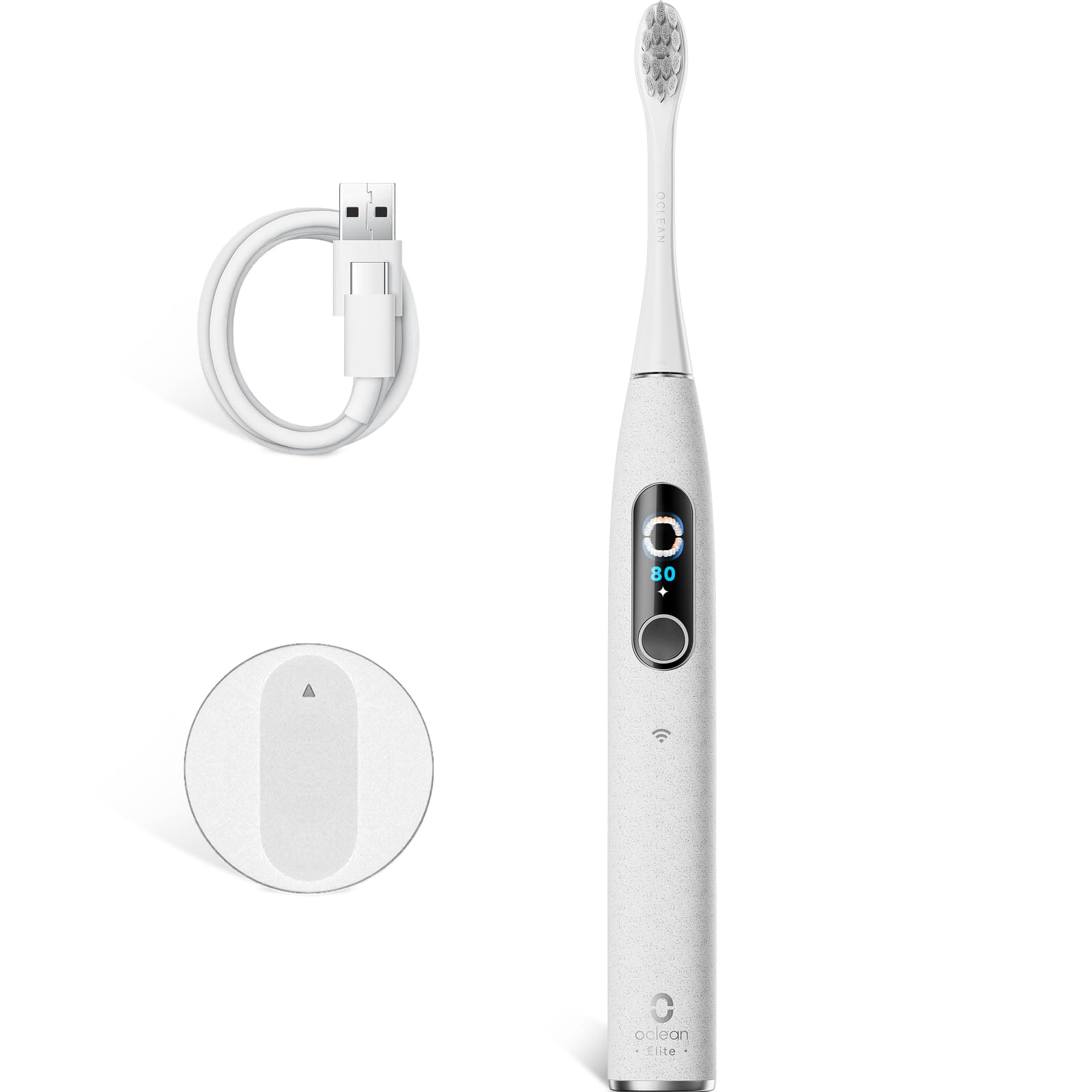
Image 1: The Oclean X Elite 10 Electric Toothbrush handle with a brush head attached, showcasing o seu elegante deseño.
6. Mantemento
6.1 Cleaning the Brush Handle
After each use, wipe the toothbrush handle with a damp cloth to remove any toothpaste residue. Do not immerse the handle in water.
6.2 Limpeza da cabeza do cepillo
Rinse the brush head thoroughly under running water after every brushing session. Periodically remove the brush head and rinse the connection area.
6.3 Substitución da cabeza do cepillo
Replace your brush head every 3 months, or sooner if the bristles become frayed or worn, to maintain effective cleaning performance and hygiene.
6.4 Carga
Recharge the toothbrush when the battery indicator shows low power. Ensure the charging contacts on both the handle and the base are clean and dry before placing the handle on the charger.
7 Solución de problemas
- O cepillo de dentes non se acende: Ensure the toothbrush is fully charged. If it still doesn't turn on, contact customer support.
- Toothbrush does not connect to the app: Ensure Bluetooth/WiFi is enabled on your smartphone and the toothbrush is charged and within range. Restart both devices and try again.
- Reduced brushing power: The battery might be low. Charge the toothbrush. If the issue persists, consider replacing the brush head.
- Problemas de carga: Ensure the charging base and toothbrush contacts are clean and dry. Try a different USB power adapter.
8. Especificacións
| Marca | Oclean |
| Nome do modelo | X Elite 10 |
| Número de modelo | Elite10Grey |
| Dimensións (L x W x H) | 2 x 3 x 25 cm |
| Peso | 260 gramos |
| Batería | 1 x 12 V (incluído) |
| Fonte de enerxía | Alimentado por batería |
| Característica especial | Temporizador de cepillado |
| Tipo de cabezal de cepillo | en forma de U |
| Nivel de ruído | 45 dB |
| Brushing Power | 84,000 movements/minute |
| Cepillado Amplititude | 40° |
| Duración da batería | Up to 40 days (on 3-hour charge) |
| País de Orixe | China |
9. Garantía e soporte
For warranty information, product support, or to purchase replacement parts and brush heads, please visit the official Oclean website or contact Oclean customer service directly. Keep your purchase receipt as proof of purchase.


