1. Introdución
The MYLOC8 GPS Tracker is a real-time location device designed for vehicles, machinery, and personal assets. It offers advanced tracking capabilities, including live location updates, geo-fencing, and comprehensive history reports. Its compact, waterproof design and strong magnetic attachment ensure discreet and secure placement.

Image 1: MYLOC8 GPS Tracker device and mobile application interface showing real-time tracking and vehicle history.
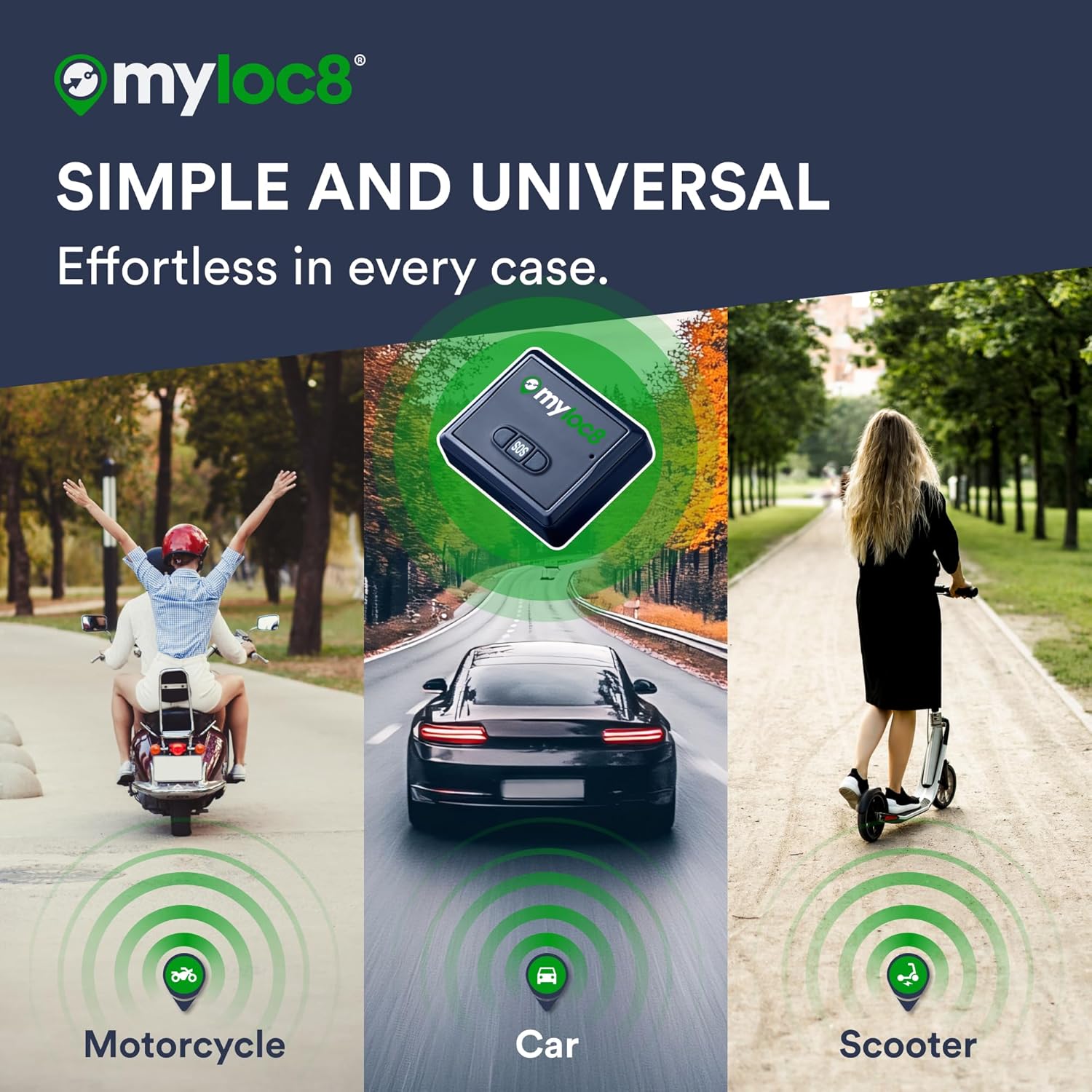
Image 2: The MYLOC8 GPS Tracker shown in various applications, including motorcycles, cars, and scooters, highlighting its versatility.
2. Que hai na caixa
Your MYLOC8 GPS Tracker package includes the following items:
- Myloc8 GPS Tracker
- Cable USB
- Funda magnética
- Clip, Adhesive Hook and Loop
- Silicone Case, Lanyard with Clip
Video 1: Unboxing the MYLOC8 GPS Tracker, showcasing todos os compoñentes e accesorios incluídos.

Image 3: A visual representation of all items included in the MYLOC8 GPS Tracker package, such as the tracker, cables, and various attachment options.
3. Configuración
3.1. Carga inicial
Before first use, fully charge the MYLOC8 GPS Tracker for 5-6 hours using the provided USB cable. The power LED will flash red while charging and turn solid red when fully charged.
3.2. App Download & Account Creation
Download the free MYLOC8 app from the App Store (iOS) or Google Play (Android). Create an account following the in-app instructions.
3.3. Activación do dispositivo
- Tap the '+' icon in the top left corner of the app to add a new device.
- Press and hold the button on the back of the tracker for 5 seconds to power it on.
- Activate your subscription plan within the app. Your device is now ready to locate.
3.4. Instalación
The MYLOC8 GPS Tracker offers versatile installation options:
- Accesorio magnético: Utilize the strong built-in magnets to affix the device to any metal surface on your vehicle or asset. No tools or wiring are required for this method.
- Deseño de clips: Use the provided clip for secure attachment to belts, pockets, or bags.
- Corda: For personal use, especially for the elderly or children, attach the device using the included lanyard.

Image 4: The MYLOC8 GPS Tracker being magnetically attached to a motorcycle and discreetly placed under a car, demonstrating its easy, tool-free installation.
4. Funcionamento do dispositivo
4.1. Seguimento en tempo real
Access precise live locations of your device anytime through the free iOS & Android app or web platform. The built-in SIM offers reliable 4G LTE tracking with worldwide coverage.
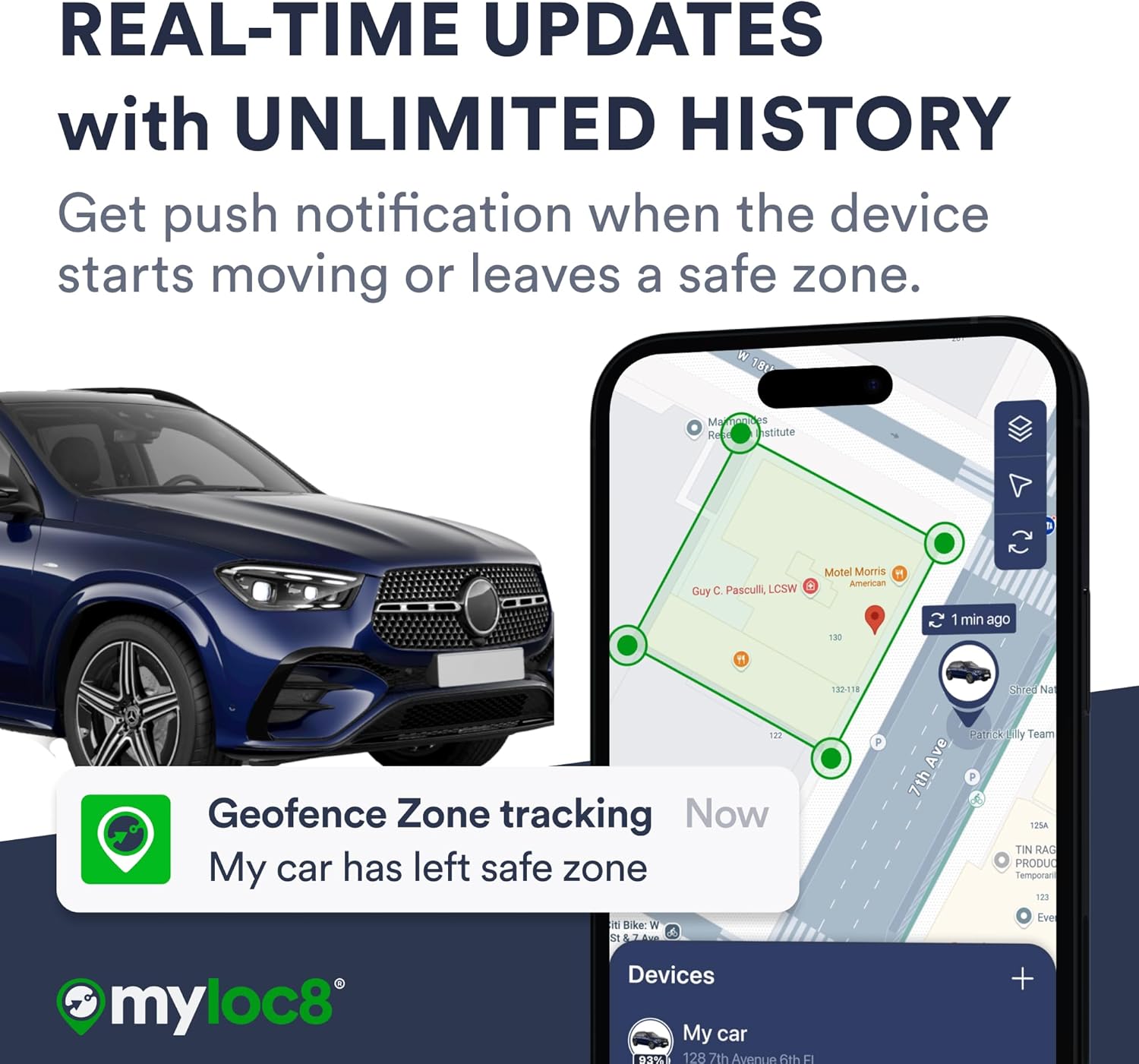
Image 5: The MYLOC8 mobile app displaying real-time location updates and push notifications for geofence breaches.
4.2. Xeovallado
Set personalized geographic boundaries (geo-fences) within the app. Receive instant alerts on your phone when the device enters or exits these predefined safe zones.
4.3. Location History
Review detailed historical location data and routes directly from the app. This feature allows you to monitor past movements and ensure peace of mind.
4.4. Notificacións de alerta
Customize various alerts to stay informed about your device's activity. Available alerts include:
- Movement alerts (when the device starts moving)
- Geo-Fence entry/exit alerts
- Speed alerts (if a predefined speed limit is exceeded)
- Alertas de batería baixa
5. Duración e carga da batería
The MYLOC8 GPS Tracker is equipped with a long-life battery, offering up to 14 days of continuous tracking on a single charge. Battery life may vary depending on usage frequency, tracking mode, and cellular network conditions.
To charge the device, connect the provided USB cable to the charging port on the tracker and a suitable USB power source. The power LED will indicate charging status.
6. Especificacións
| Dimensións do paquete | 4.25 x 3.78 x 2.52 polgadas |
| Peso do elemento | 7.8 onzas |
| Baterías | Requírese 1 batería de iones de litio (incluída) |
| Tecnoloxías de Conectividade | 4G, Bluetooth, Wi-Fi |
| Características especiais | Alert Notification, Geo-Fence, Location History, Real Time Tracking, Weather Resistant |
| Clasificación impermeable | IP65 |
| Fabricante | MYLOC8 |
7 Solución de problemas
7.1. Device Not Tracking
- Ensure the device is fully charged and powered on.
- Verify that your subscription plan is active.
- Check for adequate 4G LTE signal strength in the device's location. Poor signal can affect tracking accuracy and updates.
7.2. Inaccurate Location Data
- GPS accuracy can be affected by environmental factors (e.g., dense urban areas, heavy tree cover, indoors). Move the device to an open area for better signal.
- Ensure the device is securely attached and not obstructed by metal objects.
7.3. A batería esgótase rapidamente
- Frequent real-time updates (e.g., every minute) consume more battery. Adjust the tracking frequency in the app settings to extend battery life.
- Ensure the device is not exposed to extreme temperatures, which can impact battery performance.
7.4. Resetting the Tracker
If you experience persistent issues, try resetting the tracker. Charge the device with a USB cable and hold the power button for 10 seconds until the tracker resets.
8. Garantía e soporte
For warranty information or technical support, please refer to the documentation included in your product package or visit the official MYLOC8 website. Customer service is available to assist with any issues or questions regarding your device.


