Introdución
Welcome to the ULTRICS Digital Multimeter D2 user manual. This device is designed for precise and reliable electrical measurements, suitable for professionals and DIY enthusiasts. It accurately measures AC/DC voltage, DC current, resistance, continuity, and diodes. This manual provides essential information for safe and effective operation, helping you to maximize the utility of your new multimeter.
Información de seguridade
AVISO: Always exercise extreme caution when working with electrical circuits. Improper use of this multimeter can result in electric shock, personal injury, or damage to the device.
- Non excedas os valores de entrada máximos para ningún rango.
- Do not use the multimeter if it or the test leads appear damaged. Inspect them before each use.
- Ensure the function switch is in the correct position before making measurements. Changing ranges while connected to a live circuit can cause damage.
- Disconnect power to the circuit before measuring resistance, continuity, or diodes.
- Teña coidado ao traballar con voltagpor riba de 30 V CA RMS, 42 V pico ou 60 V CC. Estes voltages pose a significant shock hazard.
- Always connect the common (COM) test lead first, then the live lead. Disconnect the live lead first, then the common lead.
- Replace the battery when the low battery indicator appears to ensure accurate readings and proper device function.
This multimeter is rated CAT II 600V, indicating its suitability for measurements on circuits directly connected to the low-voltage instalación.
Contido do paquete
Verifica que todos os elementos estean presentes no paquete:
- 1 x ULTRICS Digital Multimeter D2
- 2 cables de proba (vermello e negro)
- 1 x batería de 9V
- 1 x Manual de usuario (este documento)
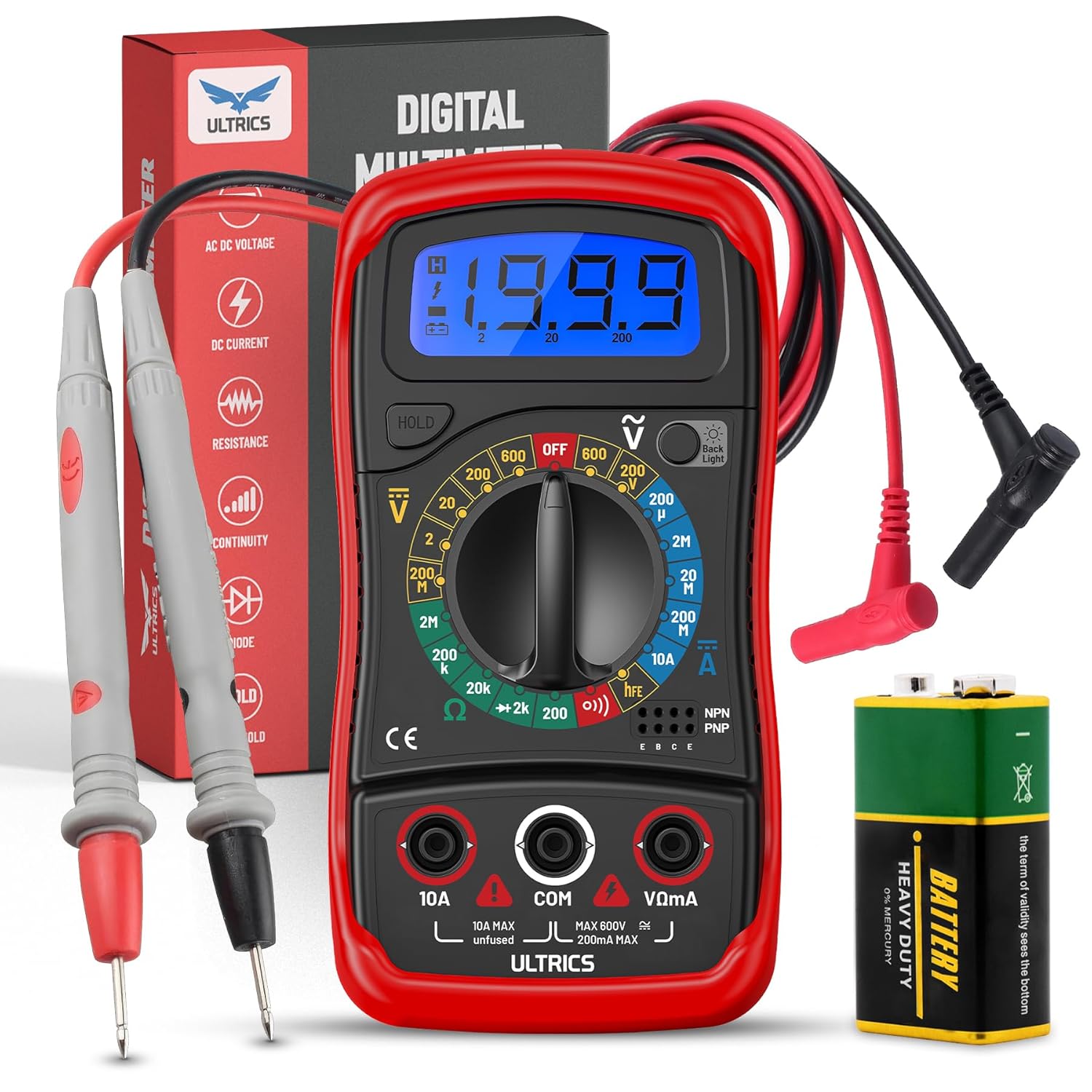
Image: Contents of the ULTRICS Digital Multimeter D2 package, including the multimeter, red and black test leads, and a 9V battery.
Produto rematadoview
Familiarize yourself with the components of your ULTRICS Digital Multimeter D2.

Image: Detailed diagram of the ULTRICS Digital Multimeter D2, highlighting its key components such as the LCD display, data hold button, backlight button, function switch, test lead jacks, and protective rubber shell.
- Pantalla LCD: Shows measurement readings, units, and polarity. Features a bright backlight for low-light conditions.
- Botón de retención de datos: Freezes the current reading on the display for easier recording.
- Botón de retroiluminación: Activa ou desactiva a retroiluminación da pantalla.
- Function Switch (Rotary Dial): Selecciona a función e o rango de medición desexados.
- Conector de entrada de 10 A: Used for measuring DC current up to 10 Amperes.
- COM (Common) Input Jack: The negative (-) input for all measurements. Always connect the black test lead here.
- VΩmA Input Jack: The positive (+) input for voltage, resistencia e miliampere current measurements. Connect the red test lead here.
- Transistor Test Jacks (hFE): Used for testing NPN and PNP transistors.
- Protective Rubber Shell: Provides durability and protection against minor impacts and splashes.
- Soporte plegable: Allows for hands-free operation and easy viewángulo de ing.
Configuración
Instalación da batería
The ULTRICS Digital Multimeter D2 requires one 9V battery (included).
- Localice o compartimento da batería na parte traseira do multímetro.
- Usa un destornillador para retirar o parafuso que asegura a tapa da batería.
- Retire suavemente a tapa da batería.
- Connect the 9V battery to the battery clips, ensuring correct polarity (+ to + and - to -).
- Place the battery inside the compartment.
- Coloque a tapa da batería e fíxaa co parafuso.
Conexión de puntas de proba
Always ensure test leads are securely connected before taking measurements.
- Insert the black test lead's banana plug into the COM Toma de entrada (común).
- Para a maioría das medicións (voltage, resistance, continuity, diode, small current), insert the red test lead's banana plug into the VΩmA toma de entrada.
- For high current measurements (up to 10A DC), insert the red test lead's banana plug into the 10A toma de entrada.
Instrucións de funcionamento
This section details how to perform various measurements using your multimeter.
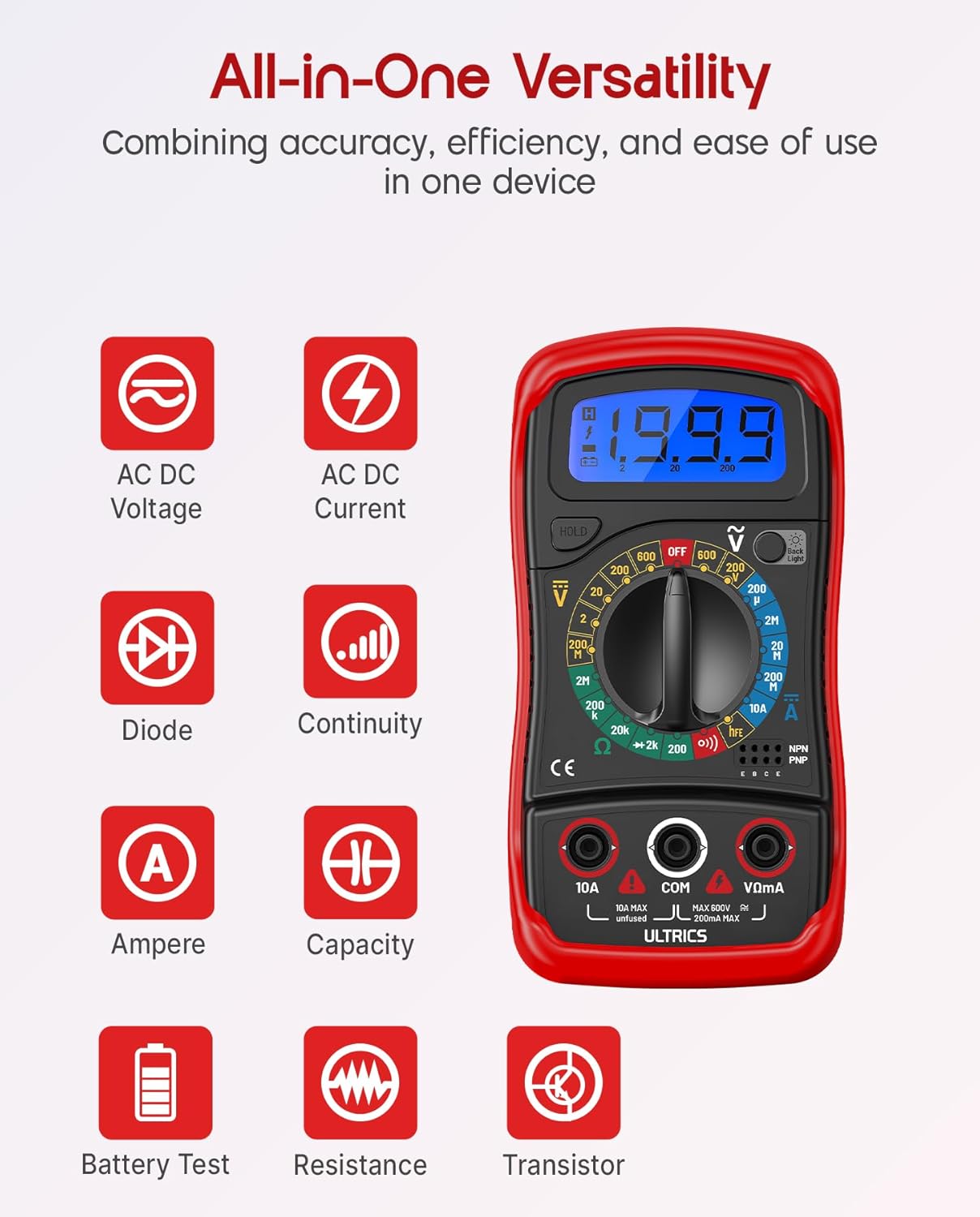
Image: Visual representation of the multimeter's versatile functions, including AC/DC Voltage, AC/DC Current, Diode, Continuity, Ampere, Capacity, Battery Test, Resistance, and Transistor measurements.
Medición DC Voltage (VDC)
- Conecte o cable de proba negro ao COM conector e o cable de proba vermello para o VΩmA jack.
- Turn the function switch to the desired VDC range (e.g., 200mV, 2V, 20V, 200V, 600V). If unsure, start with the highest range and decrease as needed.
- Conecte os cables de proba en paralelo a través do compoñente ou circuíto que se vai medir.
- Le o voltago valor da pantalla LCD.
Medición AC Voltage (VAC)
- Conecte o cable de proba negro ao COM conector e o cable de proba vermello para o VΩmA jack.
- Turn the function switch to the desired VAC range (e.g., 200V, 600V).
- Conecte os cables de proba en paralelo a través do voltaxe de CAtage fonte.
- Le o voltago valor da pantalla LCD.
Measuring DC Current (ADC)
PRECAUCIÓN: Never connect the multimeter in parallel when measuring current. Always connect it in series with the circuit. Improper connection can damage the multimeter or the circuit.
- Apague o circuíto.
- For currents up to 200mA, connect the black test lead to the COM conector e o cable de proba vermello para o VΩmA jack.
- For currents up to 10A, connect the black test lead to the COM conector e o cable de proba vermello para o 10A jack.
- Turn the function switch to the desired ADC range (e.g., 200µA, 2mA, 20mA, 200mA, 10A).
- Corta o circuíto e conecta o multímetro en serie co circuíto.
- Turn on power to the circuit.
- Le o valor actual na pantalla LCD.
- Turn off power to the circuit before disconnecting the multimeter.
Measuring Resistance (Ω)
PRECAUCIÓN: Ensure the circuit is completely de-energized before measuring resistance. Measuring resistance on a live circuit can damage the multimeter.
- Conecte o cable de proba negro ao COM conector e o cable de proba vermello para o VΩmA jack.
- Turn the function switch to the desired Ω range (e.g., 200Ω, 2kΩ, 20kΩ, 200kΩ, 2MΩ, 20MΩ).
- Conecta os cables de proba ao compoñente cuxa resistencia queres medir.
- Lea o valor da resistencia na pantalla LCD.
Proba de continuidade
The continuity test checks for a complete circuit path. An audible buzzer will sound if continuity is detected.
- Conecte o cable de proba negro ao COM conector e o cable de proba vermello para o VΩmA jack.
- Xire o interruptor de función á posición Continuidade (buzzer) position.
- Conecte os cables de proba a través do circuíto ou compoñente.
- Se a resistencia é inferior a aproximadamente 50 Ω, soará o zumbador, indicando continuidade.
Proba de diodo
A proba de diodos mide o volume directotagcaída e dun díodo.
- Conecte o cable de proba negro ao COM conector e o cable de proba vermello para o VΩmA jack.
- Xire o interruptor de función á posición Diodo posición.
- Connect the red test lead to the anode (+) and the black test lead to the cathode (-) of the diode.
- Ler o voltage drop on the LCD display. Reverse the leads; the display should show "OL" (Overload) for a good diode.
Proba de transistores hFE
This function tests the DC current gain (hFE) of NPN and PNP transistors.
- Xire o interruptor de función á posición hFE posición.
- Identify the Emitter (E), Base (B), and Collector (C) leads of the transistor.
- Insert the transistor leads into the corresponding holes in the hFE socket on the multimeter, ensuring correct NPN or PNP type.
- Read the hFE value on the LCD display.
Función de retención de datos
Preme o ATENCIÓN botón para conxelar a lectura actual na pantalla. Prémao de novo para soltar a retención e retomar as lecturas en directo.
Función de contraluz
Preme o Retroiluminación button to turn the LCD backlight on or off, improving visibility in dim environments.

Imaxe: Primeiro plano view of the multimeter's LCD display, demonstrating its bright backlight feature for enhanced readability in various lighting conditions.
Mantemento
Limpeza
Para limpar o multímetro, limpe a carcasa con sprayamp cloth and a mild detergent. Do not use abrasives or solvents, as these may damage the casing ou pantalla.
Substitución da batería
When the low battery indicator appears on the display, replace the 9V battery as described in the "Installing the Battery" section to ensure continued accurate readings.
Substitución de fusibles
If the current measurement function stops working, the fuse may need replacement. This multimeter is equipped with internal fuses for protection.
- Asegúrese de que o multímetro estea APAGADO e de que todos os cables de proba estean desconectados.
- Retire a tapa da batería e a batería.
- Carefully open the main casing (this may require removing additional screws, typically located under the rubber shell).
- Locate the fuse(s) on the circuit board. This model typically uses a 200mA/250V fuse for the mA range and a 10A/250V fuse for the 10A range.
- Replace the blown fuse with a fuse of the same type and rating. Never use a fuse with a different rating.
- Reassemble the multimeter, ensuring all screws are tightened and the casing is properly sealed.
Almacenamento
If the multimeter is not used for a long period, remove the battery to prevent leakage and store the device in a cool, dry place, away from direct sunlight and extreme temperatures.
Resolución de problemas
| Problema | Causa posible | Solución |
|---|---|---|
| Sen pantalla ou pantalla escura | Batería esgotada ou baixa | Substitúe a batería de 9V. |
| "OL" (Sobrecarga) móstrase | O valor de entrada supera o rango seleccionado; circuíto aberto (para resistencia/continuidade) | Select a higher range; check for breaks in the circuit or component. |
| Lecturas incorrectas | Incorrect function/range selected; poor test lead connection; low battery | Verify function switch position and range; ensure leads are firmly connected; replace battery. |
| A medición de corrente non funciona | Fusible fundido | Substitúa o fusible axeitado (consulte a sección de Mantemento). |
| Sen zumbador de continuidade | Open circuit; resistance too high | Ensure circuit is closed; check resistance value (buzzer typically activates below 50Ω). |
Especificacións
| Característica | Detalle |
|---|---|
| Modelo | Digital Multimeter D2 |
| Mostrar | 3 ½ digit LCD, 1999 counts, with backlight |
| DC Voltage | 200 mV / 2 V / 20 V / 200 V / 600 V |
| Vol. ACtage | 200 V/600 V |
| Corrente DC | 200µA/2mA/20mA/200mA/10A |
| Resistencia | 200Ω/2kΩ/20kΩ/200kΩ/2MΩ/20MΩ |
| Proba de diodo | Si |
| Buzz de continuidade | Si |
| Proba de transistores hFE | Si |
| Retención de datos | Si |
| Fonte de enerxía | Batería de 9 V |
| Valoración de seguridade | IEC CAT II 600V, CE, RoHS compliant |
| Dimensións (L x W x H) | 14.6 x 10 x 5 cm (5.75 x 3.94 x 1.97 polgadas) |
| Peso | 240 gramos (0.53 libras) |
Garantía e Soporte
ULTRICS provides a 12-month warranty for this product, covering manufacturing defects from the date of purchase. Please retain your proof of purchase for warranty claims.
For technical support, warranty claims, or any questions regarding your ULTRICS Digital Multimeter D2, please contact ULTRICS customer service through the retailer's platform or the official ULTRICS websitio. Teña á man os detalles da súa compra e o número de modelo cando contacte co servizo de asistencia.
Fabricante: ULTRICOS
Número de modelo: Digital Multimeter D2
ASIN: B0DYP62MW7


