1. Introdución
This manual provides essential information for the setup, operation, and maintenance of your MINIX Z150-0dB Fanless Mini PC. Designed for quiet and efficient performance, this mini PC is suitable for a variety of applications including home office, industrial, and commercial environments. Please read this manual thoroughly before using your device.
2. Produto rematadoview
The MINIX Z150-0dB is a high-performance, fanless mini PC featuring an Intel N150 processor. Its design prioritizes silent operation, reliability, and energy efficiency. Key features include:
- Procesador Intel N150: An efficient entry-level CPU (up to 3.6GHz, upgraded from N100) with Intel UHD Graphics, suitable for basic tasks, web browsing, and office applications.
- Fanless Passive Cooling: Ensures silent operation, reduced maintenance, dust-free performance, and no vibration, making it ideal for noise-sensitive environments.
- Efficient RAM Cooling: An exclusive feature that enhances thermal dissipation for memory, preserving performance and reliability.
- No Throttling: The system maintains full CPU power without underclocking to mitigate heat, ensuring sustained performance and optimal power usage.
- Anti-Static Design: Robust hardware protection minimizes the risk of damage from electrostatic discharge, enhancing component longevity and stability.

Image 2.1: The MINIX Z150-0dB Fanless Mini PC, showcasinpolo seu deseño compacto e as súas antenas externas.

Imaxe 2.2: Unha sobreview of the MINIX Z150-0dB's key specifications, including Intel N150 processor, 4 cores, 4 threads, Intel UHD Graphics, 2.5Gbps LAN, WiFi 6, DDR4 3200MHz, PCIe x4 512GB SSD, and Quiet-0dB design.
3. Que hai na caixa
Upon unpacking your MINIX Z150-0dB, please ensure all the following items are present:
- 1 x MINIX NEO Z150 Mini PC
- 2 antenas de dobre banda
- 1 x cable HDMI
- 1 soporte VESA con parafusos
- 1 adaptador de corrente con enchufes EUA/UE/Reino Unido
- 1 x Manual de usuario (este documento)
4. Guía de configuración
Follow these steps to set up your MINIX Z150-0dB Mini PC:
- Colocación de antenas: Screw the two dual-band antennas onto the designated connectors at the rear of the mini PC. Ensure they are securely fastened.
- Conectar a pantalla: Connect your monitor or TV to one of the HDMI 2.0 ports on the mini PC using the provided HDMI cable. The device supports dual 4K@60Hz displays.
- Conectar periféricos: Plug in your USB keyboard and mouse into the available USB 3.2 Gen 2 or USB 2.0 ports.
- Conexión de rede: For a wired connection, connect an Ethernet cable to the 2.5G Ethernet port. For Wi-Fi, ensure antennas are attached; the device supports Wi-Fi 6.
- Conexión de alimentación: Connect the power adapter to the DC 12V-19V power jack on the mini PC, then plug the adapter into a power outlet.
- Encendido: Press the power button located on the front of the mini PC. The system will boot up, typically running Windows 11 Pro.

Image 4.1: Detailed diagram showing the port layout and dimensions of the MINIX Z150-0dB Mini PC, including TF Card Slot, USB-C (Data Only), USB 3.2 Gen 2, 3.5 mm Audio Jack, Power Button, Reset Button, DC 12V-19V Power Jack, USB 2.0, 2.5G Ethernet, HDMI 2.0, and Antenna Screw Mounts.
5. Instrucións de funcionamento
Your MINIX Z150-0dB Mini PC comes pre-installed with Windows 11 Pro, offering a familiar user experience.
- Encendido/apagado: Press the power button once to turn on the device. To shut down, use the standard Windows shutdown procedure. A quick press of the power button can also initiate sleep mode.
- Dual Display Setup: Connect two monitors to the HDMI 2.0 ports for an extended desktop experience. The system supports 4K resolution at 60Hz on both displays simultaneously.
- Conectividade de rede: Utilize the 2.5G Ethernet port for high-speed wired internet or connect to a wireless network via the integrated Wi-Fi 6 (AX201) and Bluetooth 5.2.
- Porto USB-C: The USB-C port is for data transfer only and does not support video output or power delivery.

Image 5.1: The MINIX Z150-0dB Mini PC connected to two external monitors, demonstrating its dual HDMI 4K display capability for enhanced productivity.
6. Mantemento
The fanless design of the MINIX Z150-0dB significantly reduces maintenance requirements compared to traditional PCs. However, proper care ensures optimal performance and longevity.
- Funcionamento sen po: The fanless design prevents dust accumulation inside the unit, reducing the need for internal cleaning.
- Disipación de calor: The mini PC utilizes a special metal shell for passive cooling. The surface, especially the top aluminum heat dissipation shell, may become warm or hot during intensive tasks. This is normal for fanless mini PCs.
- Asegurar o fluxo de aire: Always ensure adequate airflow around the mini PC to improve its cooling performance. Do not obstruct the ventilation fins.
- Manexo: Avoid touching the metal heat conduction shell with bare hands during operation, especially when the device is under heavy load, as it may be hot.

Image 6.1: Illustration highlighting the anti-static hardware protection of the MINIX Z150-0dB, contributing to component longevity and stability.

Imaxe 6.2: Unha explosión view illustrating the internal cooling layers and heat dissipation mechanism of the MINIX Z150-0dB, showing how heat is conducted away from components.
7 Solución de problemas
If you encounter issues with your MINIX Z150-0dB, refer to the following common troubleshooting steps:
- Sen visualización:
- Ensure the power adapter is securely connected and the power button is pressed.
- Verify that the HDMI cable is firmly connected to both the mini PC and the monitor.
- Test with a different HDMI cable or monitor if possible.
- Sen enerxía:
- Check the power adapter and cable for any damage.
- Asegúrese de que a toma de corrente funcione.
- Problemas de conectividade de rede:
- Para conexións con cable, comprobe o estado do cable Ethernet e do enrutador.
- For Wi-Fi, ensure the antennas are properly attached and the device is within range of your wireless network. Check Wi-Fi settings in Windows.
- System Slowdown/Performance Issues:
- While the Z150-0dB is designed for no throttling, ensure adequate ventilation around the device.
- Close unnecessary applications to free up RAM and CPU resources.
- Asegúrate de que Windows estea actualizado.

Image 7.1: Diagram illustrating the 'No Throttling' feature of the MINIX Z150-0dB, showing how it maintains full CPU power without underclocking, unlike other systems.
8. Especificacións
| Característica | Detalle |
|---|---|
| Procesador | Intel N150 (up to 3.6 GHz Celeron, 4 Cores, 4 Threads) |
| Gráficos | Intel UHD Graphics (24 EUs, 750MHz Max Dynamic Frequency) |
| RAM | 16GB DDR4 3200MHz SO-DIMM (Single-channel support up to 32GB Max) |
| Almacenamento | 512GB PCIe Gen3 x 4 NVMe SSD (Read >2000 MB/s, Write >1500 MB/s) |
| Sistema Operativo | Windows 11 Pro |
| Mostrar saída | 2 x HDMI 2.0 (Supports Dual 4K@60Hz Display) |
| LAN | 2.5G Ethernet (RTL8125BG-CG) |
| Conectividade sen fíos | Wi-Fi 6 (AX201), Bluetooth 5.2 (5 GHz Radio Frequency) |
| Portos USB | 2 x USB 3.2 Gen 2, 2 x USB 2.0, 1 x USB-C (Data Only) |
| Audio | 1 x 3.5 mm Audio Jack |
| Lector de tarxetas | Ranura para tarxetas TF |
| Dimensións (LxWxH) | 4.84 x 4.72 x 1.81 polgadas (123 x 120 x 46 mm) |
| Peso | 1.96 libras |
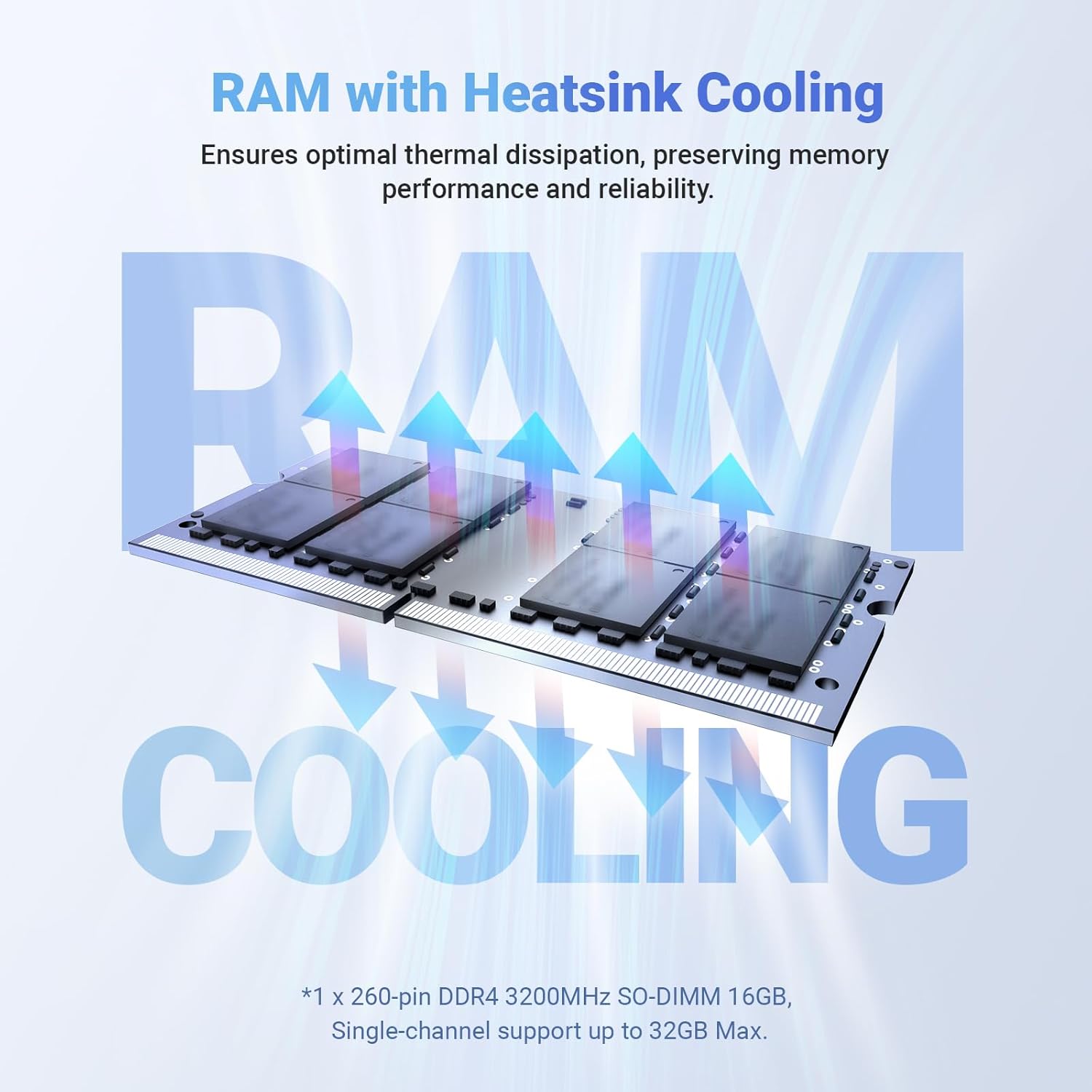
Image 8.1: Illustration of the RAM with heatsink cooling, demonstrating how thermal dissipation is optimized to preserve memory performance and reliability.

Image 8.2: Visual representation of the PCIe 3.0 x 4 SSD, highlighting its read and write speeds (Read >2000 MB/s, Write >1500 MB/s) and comparing it to SATA SSD performance.
9. Garantía e soporte
For warranty information, please refer to the official MINIX website or the documentation included with your purchase. MINIX products are designed for reliability and durability.
Atención ao cliente:
If you require assistance or have questions regarding your MINIX Z150-0dB, you can reach customer support through the following methods:
- Soporte de Amazon: Log in to your Amazon account, navigate to "Your Account" > "Your orders," and select "Ask Product Question" for your MINIX Z150-0dB purchase.
- Oficial Websitio: Visita o sitio web oficial de MINIX website for additional support resources, FAQs, and contact information for offline maintenance services.


