1. Introdución
This manual provides instructions for the installation, operation, and maintenance of your CAMECHO Android 15 car stereo head unit. Please read this manual thoroughly before installation and use to ensure proper function and safety.
2. Modelos de coche aplicables
This head unit is designed for specific vehicle models. Ensure your vehicle matches the compatibility list below:
- Dodge Journey: 2012-2020 models
- Fiat Freemont: 2011-2019 models
Note: After installation, the original CD player (if any) will no longer function.

Figure 2.1: Compatible vehicle dashboards and installation comparison. The image illustrates the head unit's fitment in a Dodge Journey, showing the original dashboard, the new head unit installed, and indicating that the original CD player is not supported while an original roof monitor is.
3. Configuración e instalación
3.1. What's in the Box (Packing List)
Comprobe que todos os compoñentes estean presentes antes de comezar a instalación:
- 1 x Android Head Unit
- 1 x AHD Backup Camera
- 1 x micrófono externo
- 1 x Canbus Decoder
- 1 x Antena GPS
- 1 x Radio Antenna
- 1 x cable de alimentación
- 1 x cable RCA
- 1 cable de entrada para a cámara traseira
- 2 x cable USB
- 1 x Original USB Cable
- 1 x Rear Camera Adapter Cable
- 1 x Ferramenta de instalación
- 1 x manual de instrucións

Figure 3.1: Contents of the package and unit dimensions. This image details the physical size of the head unit and lists all included accessories with their corresponding labels.
3.2. Cableado e conexións
Follow these steps for proper wiring and connection of the head unit:
- Cable de alimentación: Connect the main power harness to the vehicle's wiring.
- Cable RCA: Connect for audio/video output to external amplifiers or monitors.
- Cables USB: Connect the provided USB cables for data transfer and charging.
- Entrada da cámara: Connect the rear camera input cable.
- Antena de radio: Conecte a antena de radio do vehículo.
- Antena GPS: Conecte a antena GPS e móntea nun lugar con visión clara view do ceo.
3.3. CANBUS Connection
The CANBUS decoder is essential for retaining steering wheel controls and other vehicle-specific functions.
- Ensure the CANBUS box is correctly connected to the wiring harness.
- Plug the 8-pin cable into the connector on the head unit. Failure to do so will result in non-functional steering wheel controls.

Figure 3.2: CANBUS wiring diagram. This image provides visual guidance for connecting the CANBUS decoder and the 8-pin cable, along with instructions for configuring steering wheel controls in the settings menu.
Configuración do control do volante:
After connecting the CANBUS, you must set the protocol correctly for steering wheel controls to work. Navigate to: Settings > Factory Mode > Password: 8888 > 1 Vehicle > Automotive type. Escolle Raise - Dodge - 2014 Journey (High-End) para o teu coche.
3.4. Reversing Camera Installation
The reversing input must be plugged in even if a reversing camera is not used.
- Connect the positive pole of the camera's power supply to the car's reversing light positive.
- Connect the negative pole of the camera's power supply to the car's reversing light negative.
- The reversing trigger is controlled by the stereo; no separate connection is required for the trigger wire.

Figure 3.3: Reversing camera wiring. This diagram provides a visual guide for connecting the AHD backup camera, including power connections and the input to the head unit. It also highlights the importance of connecting the white plug for wireless signals.
Troubleshooting Camera Display:
If the camera still does not work, adjust the backup camera resolution through: Settings > Factory Mode > Password: 8888 > 3 Camera.
3.5. Original Backup Camera Connection (If Applicable)
If your vehicle has an original backup camera, connect the yellow AV connector ("CAM Video In") of the power cable to the Reversing Input cable.

Figure 3.4: Original backup camera connection. This diagram shows the specific wiring for integrating an existing vehicle backup camera with the new head unit, emphasizing the yellow AV connector and the white plug.
4. Instrucións de funcionamento
4.1. Funcionamento básico
- Encendido/apagado: Manteña premido o botón de acendido da unidade ou use o contacto do vehículo.
- Pantalla táctil: Navigate the interface by tapping, swiping, and pinching on the 9-inch touch screen.
- Control de volume: Adjust audio volume using the physical buttons or on-screen controls.
4.2. Wireless Apple CarPlay & Android Auto
Connect your smartphone wirelessly for seamless integration of navigation, music, calls, and messages.
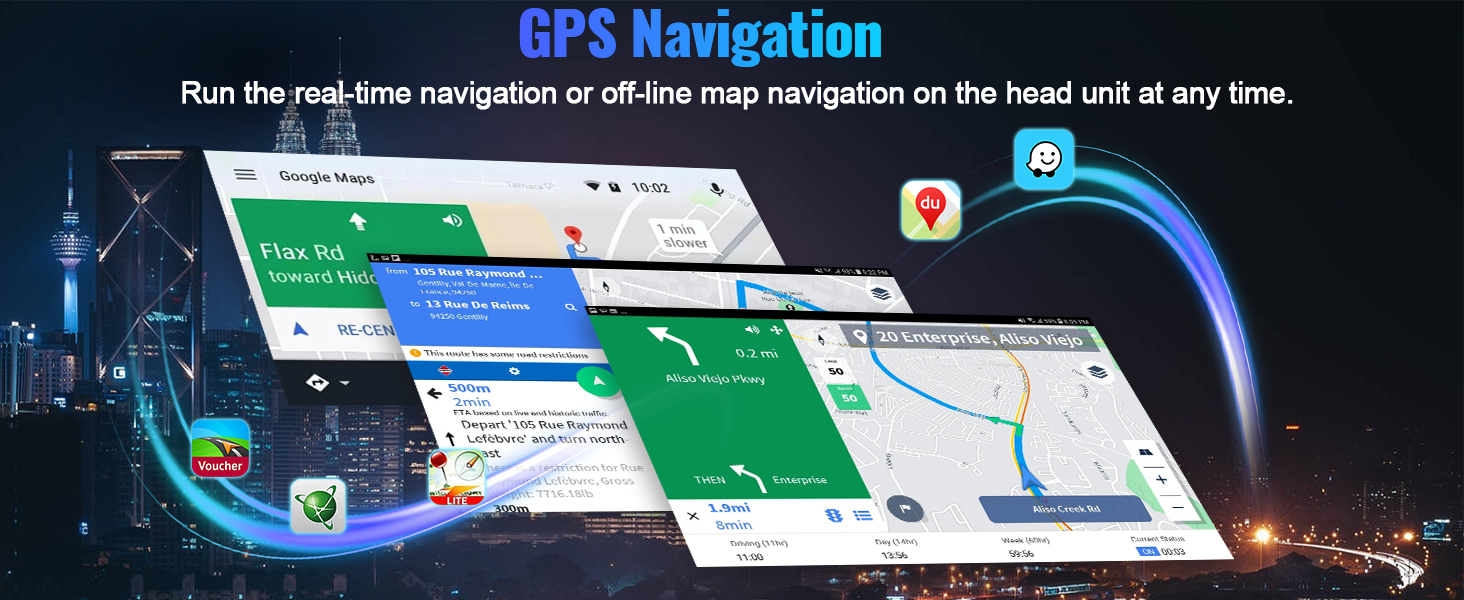
Figure 4.1: Wireless Apple CarPlay and Android Auto interface. This image displays the user interface for both CarPlay and Android Auto, highlighting their core functionalities like phone calls, music playback, and navigation.
Pasos de conexión:
Apple CarPlay sen fíos
- Click the "ApplePlay" app on the head unit.
- Turn on Bluetooth on your iPhone and select the car radio's Bluetooth name.
- Allow access to Contacts and Favorite Sync.
- Wait briefly for CarPlay mode to activate.
Android Auto sen fíos
- Click the "Android Auto" app on the head unit.
- Activa o Bluetooth no teu teléfono Android.
- Select the car radio's Bluetooth name and pair.
- Wait briefly for Android Auto mode to activate.

Figure 4.2: Wireless CarPlay and Android Auto connection guide. This image provides a visual summary of the steps required to connect both Apple CarPlay and Android Auto wirelessly to the head unit.
4.3. GPS Navigation & WiFi Connection
The unit includes a built-in GPS module for navigation and supports WiFi for online services.
- Navegación GPS: Utilize pre-installed or downloaded navigation apps for online and offline routing.
- Conexión WiFi: Connect to a mobile hotspot or available WiFi networks to access online content, download apps, and stream media.

Figure 4.3: GPS Navigation and WiFi functionality. This image illustrates the navigation interface and the availability of WiFi connectivity for various online services.
4.4. Bluetooth 5.0 & FM RDS Radio
Enjoy hands-free communication and a wide range of radio stations.
- Bluetooth 5.0: Pair your phone for hands-free calls and wireless audio streaming from apps like Spotify or Pandora.
- FM RDS Radio: Tune into FM/RDS radio with 18-station presets for live broadcasting and station information.

Figure 4.4: Bluetooth and FM RDS Radio interfaces. This image shows the on-screen controls for Bluetooth calls and the FM radio tuner with RDS information.
4.5. AHD Backup Camera
Enhance parking safety with the included AHD rear view cámara.
- The camera provides a clear image on the touchscreen, even in low-light conditions, thanks to its stronger night vision effect.
- A clasificación de impermeabilidade IP67 garante a durabilidade en varias condicións climáticas.

Figure 4.5: Backup camera display and steering wheel controls. This image illustrates the clear view provided by the AHD camera and the integration of steering wheel controls for safe driving.
4.6. Control do volante
Retain your vehicle's factory steering wheel control functionality for convenience and safety.
- Control volume, track skipping, and answer/end calls directly from your steering wheel.
- Ensure CANBUS is correctly configured as described in Section 3.3.
4.7. 16-Band Equalizer (EQ)
Customize your audio experience with the built-in 16-band equalizer.
- Adjust sound frequencies to achieve desired bass, midrange, and treble levels.
- Multiple preset EQ modes are available for various music genres.

Figure 4.6: 16-Band Equalizer interface. This image displays the detailed audio customization options available through the equalizer, including frequency adjustments and sound field controls.
4.8. Home Page App Customization
Personalize your head unit's home screen by arranging and selecting your preferred applications.
- Drag and drop app icons to rearrange them.
- Choose which apps are displayed on the home page for quick access.

Figure 4.7: Home page app customization. This image demonstrates how users can personalize their home screen by selecting and rearranging application icons.
4.9. Funcionalidade de pantalla dividida
Executa dúas aplicacións simultaneamente na pantalla para mellorar a multitarefa.
- Por example, use navigation on one side while controlling music on the other.

Figure 4.8: Split screen in action. This image illustrates the ability to display two applications concurrently, such as navigation and a music player.
4.10. Ligazón de espello
Cast your smartphone's screen to the car stereo touchscreen.
- This function is supported wirelessly only.

Figure 4.9: Mirror Link functionality. This image demonstrates the wireless mirroring of a smartphone screen onto the car stereo display.
5. Mantemento
To ensure the longevity and optimal performance of your CAMECHO car stereo, follow these maintenance guidelines:
- Limpeza: Usa un pano suave e seco para limpar a pantalla e o exterior. Evita produtos de limpeza abrasivos ou solventes.
- Actualizacións de software: Periodically check for and install software updates to improve performance and add new features. These are typically available via WiFi connection.
- Temperatura: Evite expoñer a unidade a temperaturas extremas, tanto frías como quentes, durante períodos prolongados.
- Conexións: Ensure all cables and connections remain secure. Loose connections can lead to intermittent issues.
6 Solución de problemas
Se tes problemas co equipo de son do teu coche, consulta os seguintes problemas e solucións comúns:
| Problema | Causa posible | Solución |
|---|---|---|
| A unidade non se acende | Loose power connection, blown fuse, vehicle ignition issue. | Check power cable connections. Inspect vehicle fuses. Ensure vehicle ignition is on. |
| Sen son | Volume demasiado baixo, fonte de son incorrecta, problema co cableado do altofalante. | Aumenta o volume. Selecciona a fonte de son correcta. Comproba as conexións dos altofalantes. |
| Os controis do volante non funcionan | CANBUS not connected or incorrectly configured. | Verify CANBUS connection (Section 3.3). Configure CANBUS protocol in Factory Settings. |
| Backup camera not displaying | Camera wiring issue, incorrect camera resolution setting. | Check camera power and video input connections (Section 3.4). Adjust camera resolution in Factory Settings (Section 3.4). |
| Sinal GPS débil ou perdido | Antena GPS obstruída ou colocada incorrectamente. | Asegúrate de que a antena GPS teña unha visión clara view do ceo. Comprobe a conexión da antena. |
| Wireless CarPlay/Android Auto not connecting | Bluetooth not enabled, incorrect pairing, phone compatibility. | Ensure phone Bluetooth is on and paired. Follow connection steps (Section 4.2). Restart phone and head unit. |
Se o problema persiste despois de intentar estas solucións, póñase en contacto co servizo de atención ao cliente.
7. Especificacións
| Característica | Detalle |
|---|---|
| Sistema Operativo | Android 15 |
| RAM/ROM | 4 GB de RAM / 64 GB de ROM |
| Tamaño da pantalla | 9 polgadas |
| Resolución de visualización | 1280*720 |
| Conectividade | Wireless Apple CarPlay, Wireless Android Auto, Bluetooth 5.0, WiFi, GPS |
| Sintonizador de radio | FM RDS with 18 presets |
| Ecualizador | EQ de 16 bandas |
| Cámara de respaldo | AHD with IP67 waterproof, enhanced night vision |
| Reproducción de vídeos | Supports 1080P video |
| Portos USB | Portos USB duales |
| Potencia de saída | 180 vatios |
| Dimensións do produto | 10.4 x 10.4 x 17.3 polgadas |
| Peso do elemento | 3.53 libras |
8. Garantía e soporte
8.1. Información da garantía
Este produto inclúe unha garantía estándar do fabricante. Consulta a tarxeta de garantía incluída no paquete para coñecer os termos e condicións específicos. Conserva o comprobante de compra para reclamacións de garantía.
8.2. Atención ao cliente
For technical assistance, troubleshooting, or any questions regarding your CAMECHO car stereo, please contact our customer support team.
Correo electrónico: CAMECHOVIP@126.com

Figure 8.1: Customer Support Contact. This image provides the email address for customer assistance.


