Introdución
This manual provides essential information for the safe and efficient operation of your BE COOL BCPSN2L01 Pedestal Fan. Please read these instructions carefully before use and retain them for future reference. The BCPSN2L01 combines powerful airflow with an integrated mist function and ambient lighting to enhance your indoor environment.
Instrucións de seguridade importantes
Siga sempre as precaucións de seguridade básicas ao usar electrodomésticos para reducir o risco de incendio, descarga eléctrica e lesións.
- Asegúrese de que a fonte de alimentación voltage coincide coa etiqueta de clasificación do electrodoméstico.
- Non mergulle o ventilador, o cable de alimentación nin o enchufe en auga ou outros líquidos.
- Desconecte o ventilador da toma de corrente cando non o estea a usar, antes de limpalo ou antes de movelo.
- Manteña o ventilador fóra do alcance dos nenos e das mascotas.
- Non faga funcionar o ventilador cun cable ou enchufe danados.
- Avoid placing the fan near curtains or other objects that could be drawn into the fan blades.
- Non introduza os dedos nin outros obxectos a través da grella cando o ventilador estea en funcionamento.
- Use the fan only on a stable, level surface.
- Non bloquee as aberturas de aire.
- Only use clean, distilled water in the water tank for the mist function.
Produto rematadoview
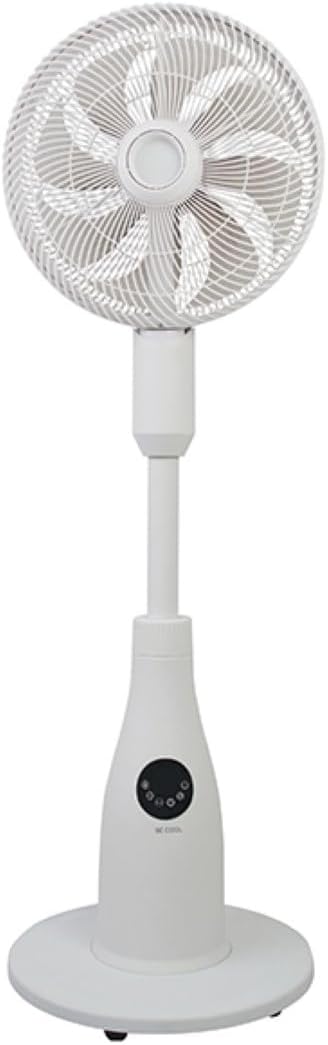
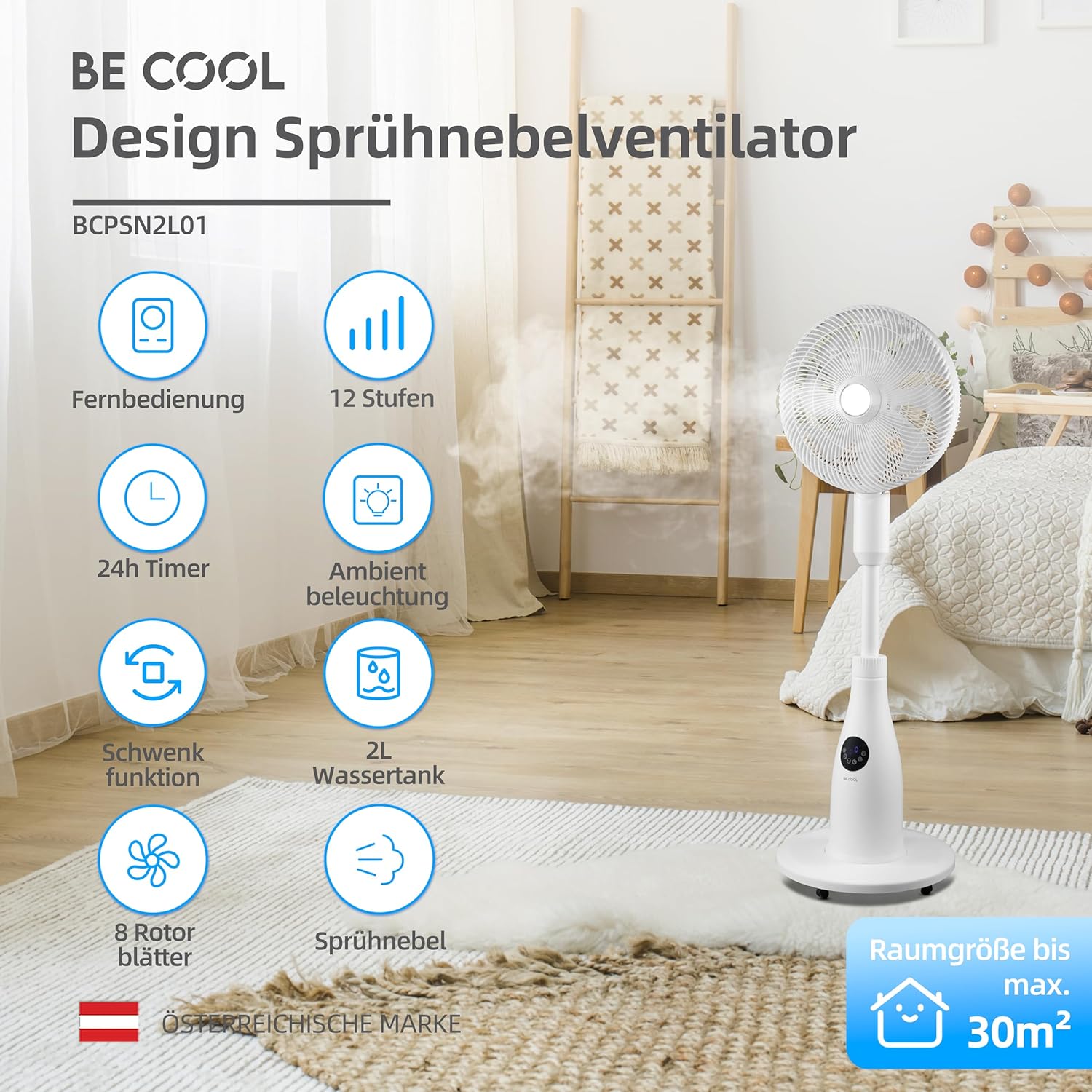
The BE COOL BCPSN2L01 is a versatile pedestal fan designed to provide efficient cooling and air circulation with an integrated mist function and ambient lighting.
Compoñentes
- Cabeza de ventilador con grella e aspas
- Soporte Axustable
- Base
- Water Tank (2 Liters capacity)
- Control Panel (Touch-sensitive)
- Control remoto
- Cable de alimentación
Panel de control e mando a distancia
The fan can be operated using the touch-sensitive control panel on the unit or the included remote control.
Funcións do panel de control:
- Botón de encendido: Acende ou apaga o ventilador.
- Botón de velocidade: Adjusts fan speed (12 levels).
- Botón de modo: Cycles through Normal, Nature, and Sleep modes.
- Botón de néboa: Activates or deactivates the mist function.
- Botón de oscilación: Toggles the oscillation feature.
- Botón do temporizador: Axusta o temporizador de apagado automático (ata 24 horas).
- Botón de luz: Controls the ambient lighting.


Instrucións de configuración
Asemblea
- Desembalar coidadosamente todos os compoñentes da embalaxe.
- Assemble the fan head, stand, and base according to the diagrams in the quick start guide (if provided separately). Ensure all connections are secure.
- Coloque o ventilador sobre unha superficie firme e nivelada.
Enchendo o depósito de auga
- Locate the water tank at the rear of the fan's base.
- Tire con coidado do depósito de auga cara a fóra.
- Fill the tank with clean, distilled water. Do not exceed the maximum fill line.
- Carefully reinsert the water tank into its position until it clicks securely.
- Ensure the water tank is properly seated before operating the mist function.

Instrucións de funcionamento
Enchufe o cable de alimentación nunha toma eléctrica adecuada.
Encendido/apagado
Preme o Botón de encendido on the control panel or remote control to turn the fan on or off.
Axuste da velocidade do ventilador
Preme o Botón de velocidade repeatedly to cycle through the 12 available fan speed levels.
Selección do modo de funcionamento
Preme o Botón de modo para cambiar entre os seguintes modos:
- Modo normal: Proporciona un fluxo de aire constante á velocidade seleccionada.
- Modo natureza: Simulates natural breezes by varying fan speed intermittently.
- Modo de suspensión: Operates at a lower, quieter speed with reduced display brightness for undisturbed rest.

Activating Mist Function
Asegúrate de que o depósito de auga estea cheo. Preme o botón Botón de néboa to activate or deactivate the refreshing mist function.
Using Oscillation
Preme o Botón de oscilación to start or stop the fan's oscillation, which distributes air across a wider area.

Configuración do temporizador
Preme o Botón do temporizador repeatedly to set the desired auto-off time, from 1 to 24 hours. The fan will automatically turn off after the set duration.
Iluminación Ambiental
Preme o Botón de luz to turn the ambient lighting on or off. This feature provides a soft glow, particularly useful in Sleep Mode.
Mantemento e Limpeza
Regular cleaning helps maintain the fan's performance and extends its lifespan. Always unplug the fan before cleaning.
Limpeza do Exterior
Limpe as superficies exteriores do ventilador cun pano suave eamp pano. Non use produtos de limpeza ou disolventes abrasivos.
Limpeza do depósito de auga
- Retire o depósito de auga da unidade.
- Baleirar a auga restante.
- Rinse the tank thoroughly with clean water. For deeper cleaning, use a mild detergent and a soft brush, then rinse completely.
- Allow the tank to air dry before refilling and reinserting.
Cleaning Fan Blades and Grille
Periodically, dust may accumulate on the fan blades and inside the grille. Refer to the product's specific instructions for safely removing the front grille to clean the blades. Use a soft cloth or vacuum cleaner with a brush attachment to remove dust.
Resolución de problemas
Se tes problemas co teu ventilador, consulta os seguintes problemas e solucións comúns:
- O ventilador non se acende:
- Asegúrate de que o cable de alimentación estea conectado correctamente a unha toma de corrente que funcione.
- Check if the power button has been pressed.
- Verificar que non haxa correntetage na súa zona.
- A función de néboa non funciona:
- Comprobe se o depósito de auga está cheo de auga.
- Asegúrese de que o depósito de auga estea correctamente asentado na unidade.
- Clean the mist nozzle if it appears blocked.
- O ventilador é ruidoso:
- Asegúrate de colocar o ventilador sobre unha superficie estable e nivelada.
- Check for any obstructions around the fan blades or grille.
- Dust accumulation on blades can cause imbalance; clean the blades if necessary.
- O control remoto non responde:
- Check and replace the battery (1 CR2 battery included).
- Asegúrate de que non haxa obstrucións entre o mando a distancia e o receptor do ventilador.
Especificacións
| Característica | Especificación |
|---|---|
| Marca | Sexa cool |
| Número de modelo | BCPSN2L01 |
| Poder | 80 vatios |
| Voltage | 230 voltios (CA) |
| Capacidade de fluxo de aire | 1500 m³/h |
| Capacidade do depósito de auga | 2 litros |
| Taxa de evaporación | 0.25 L/h (approx.) |
| Número de velocidades | 12 |
| Oscilación | Si |
| Temporizador | Ata 24 horas |
| Control remoto | Si (1 batería CR2 incluída) |
| Dimensións do produto (P x A x A) | 42.9 x 42.9 x 114.5 cm |
| Peso do elemento | 6.9 quilogramos |
| Tamaño da habitación recomendado | Ata 30 m² |

Garantía e Soporte
For warranty information, please refer to the documentation provided at the time of purchase or contact your retailer. For technical support or service inquiries, please contact the manufacturer's customer service department.
Fabricante: SER COOL


