Introdución
Thank you for choosing the HOUSBAY Sunrise Alarm Clock. This device is designed to enhance your morning routine with a natural wake-up experience, combining light and sound. It also features an FM radio, Bluetooth speaker, and a dimmable night light. Please read this manual thoroughly to understand all functions and ensure proper use.
Características clave
- Simulación do amanecer: Gradually brightens to simulate a natural sunrise, easing you awake.
- Natural Sound Alarms: Wake up to gentle sounds instead of jarring alarms.
- Radio FM: Sintoniza as túas emisoras de radio favoritas.
- Altofalante Bluetooth: Connect your device wirelessly to play audio.
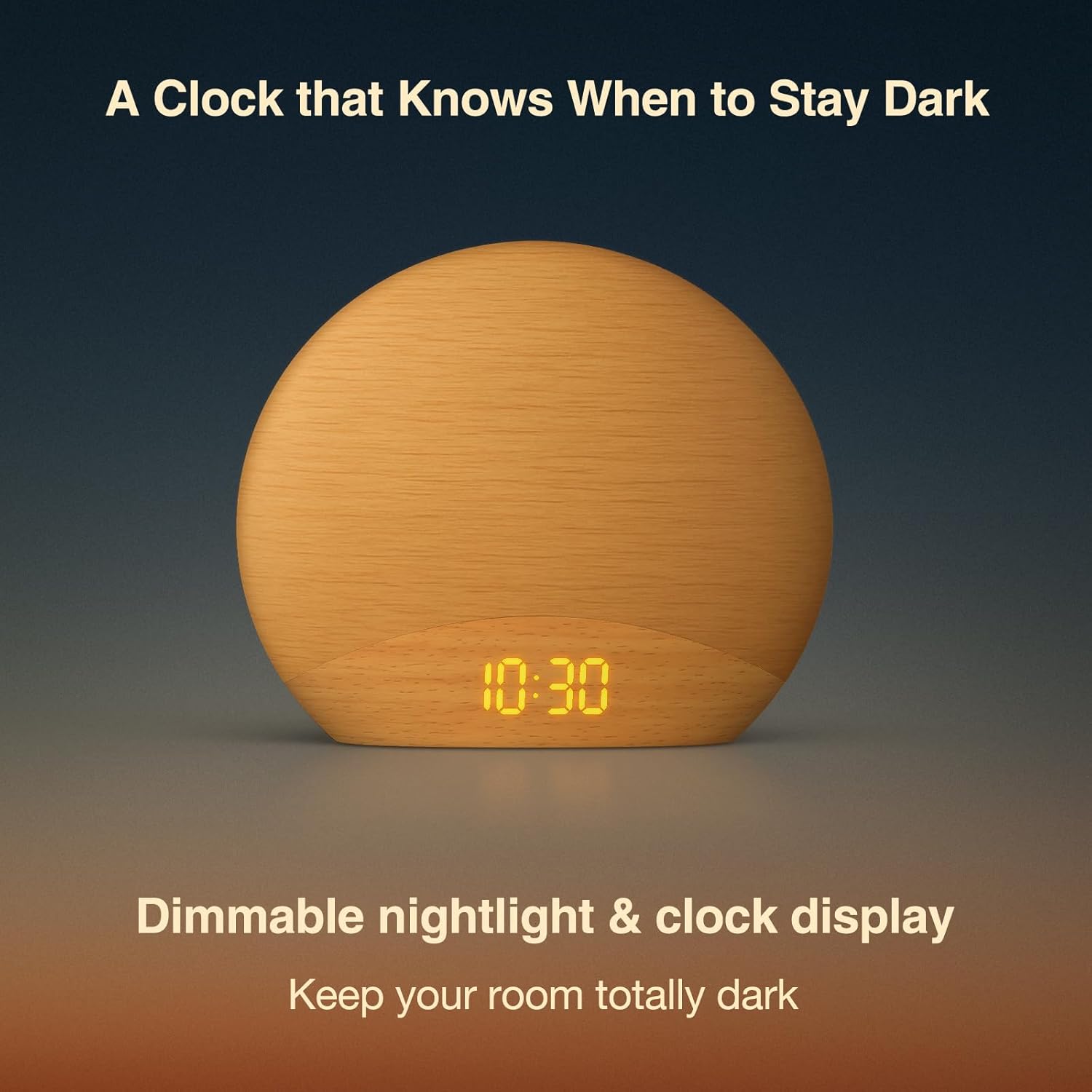
- Luz nocturna regulable: Adjustable light intensity for reading or ambient lighting.
- Wood-Inspired Design: Esteticamente agradableasing design that complements bedroom decor.
Contido do paquete
- HOUSBAY Sunrise Alarm Clock (Model RS7B2)
- Adaptador de alimentación
- Manual de usuario
Guía de configuración
- Conexión de alimentación: Connect the provided power adapter to the DC port on the back of the alarm clock and plug it into a wall outlet. The display will light up.
- Configuración da hora inicial: Upon first power-up, the clock display will show a default time. Refer to the "Setting Time" section under Operating Instructions to set the correct time.
- Colocación: Place the alarm clock on a stable surface, such as a bedside table, ensuring it is within reach and the light can illuminate your sleeping area effectively.
Instrucións de funcionamento
1. Tempo de configuración
Para configurar a hora actual:
- Manteña premido o Tempo establecido button (usually indicated by a clock icon) for 3 seconds. The hour display will start flashing.
- Usa o +/- botóns para axustar a hora. Prema o botón Tempo establecido button again to confirm and move to minutes.
- Usa o +/- botóns para axustar os minutos. Prema o botón Tempo establecido unha vez máis para confirmar e saír do modo de axuste da hora.
- You can switch between 12-hour and 24-hour format by pressing the Tempo establecido button briefly during the hour setting.
2. Axustar a alarma
The alarm clock supports multiple alarms. To set an alarm:
- Preme o Alarma fixada button (usually indicated by an alarm clock icon). The alarm time will flash.
- Usa o +/- botóns para axustar a hora da alarma. Prema Alarma fixada para confirmar e pasar aos minutos.
- Usa o +/- buttons to adjust the alarm minutes. Press Alarma fixada para confirmar.
- Next, select the alarm sound (e.g., birdsong, FM radio, or a melody) using the +/- botóns. Preme Alarma fixada para confirmar.
- Axuste o volume da alarma usando o botón +/- botóns. Preme Alarma fixada para confirmar.
- Finally, set the sunrise simulation duration (e.g., 10-60 minutes) using the +/- botóns. Preme Alarma fixada para gardar e activar a alarma.
To turn off a sounding alarm, press any button except the snooze button. To disable an alarm completely, press the Alarma fixada botón repetidamente ata que a icona da alarma desapareza da pantalla.
3. Simulación do amencer
The sunrise simulation feature gradually increases light intensity before your set alarm time. This helps to gently prepare your body for waking. The duration of this simulation can be customized during alarm setup.

4. Radio FM
Para usar a función de radio FM:
- Preme o Radio FM button (often indicated by a radio icon) to turn on the radio.
- Manteña premido o Radio FM button again to automatically scan and save available stations.
- Usa o +/- botóns para cambiar entre as emisoras gardadas.
- To adjust volume, use the dedicated volume buttons or the +/- buttons when not in station selection mode.

5. Altofalante Bluetooth
Para conectar o dispositivo mediante Bluetooth:
- Preme o Bluetooth button (indicated by a Bluetooth icon). The display will show "BT" and start flashing, indicating pairing mode.
- On your smartphone or other Bluetooth-enabled device, search for "HOUSBAY RS7B2" (or similar name) in the Bluetooth settings and select it to pair.
- Once paired, the "BT" icon will stop flashing, and you can play audio through the alarm clock's speaker.
- Adjust volume from your connected device or using the alarm clock's volume controls.
6. Night Light & Dimmable Display
The alarm clock features a dimmable night light and display:
- Luz nocturna: Tap the top surface of the clock to cycle through different light colors and brightness levels. Hold to turn off the light.
- Brillo da pantalla: Use the dedicated "Display Dimmer" dial or buttons (located on the back or side) to adjust the brightness of the time display.
- Regulador de luz: Use the "Light Dimmer" dial or buttons to adjust the brightness of the main light.
Mantemento
- Limpeza: Usa un pano suave e seco para limpar a superficie do reloxo despertador. Non empregues produtos de limpeza líquidos nin materiais abrasivos.
- Almacenamento: Se garda o dispositivo durante un período prolongado, desconécteo da corrente e gárdeo nun lugar fresco e seco.
- Evitar auga: Manteña o dispositivo lonxe da auga e da humidade elevada para evitar danos.
Resolución de problemas
| Problema | Posible Solución |
|---|---|
| Clock display is off/blank. | Ensure the power adapter is securely connected to both the clock and a working power outlet. Check if the display brightness is set to the lowest level. |
| Non soa a alarma. | Verify that the alarm is activated (alarm icon visible on display) and the alarm volume is not set to zero. Check if the alarm time is correctly set. |
| Radio FM estática ou mala recepción. | Extend the FM antenna fully. Try repositioning the clock to improve signal reception. Perform an auto-scan for stations again. |
| Non se pode conectar por Bluetooth. | Ensure the alarm clock is in Bluetooth pairing mode (flashing "BT"). Make sure your device's Bluetooth is on and it's within range. Disconnect from other Bluetooth devices if necessary. |
| Light not working or dim. | Check the light dimmer setting. Ensure the clock is receiving adequate power. |
Especificacións
| Característica | Detalle |
|---|---|
| Marca | CASA |
| Número de modelo | RS7B2 |
| Cor | De madeira |
| Tipo de visualización | Dixital |
| Dimensións do produto | 6.7" de ancho x 5.9" de alto |
| Fonte de enerxía | Eléctrico con cable |
| Material | Madeira |
| Peso do elemento | 0.56 quilogramos (1.23 libras) |
| Modo de operación | Manual |
Garantía e Soporte
HOUSBAY products are designed for reliability and performance. For warranty information, technical support, or customer service inquiries, please refer to the contact information provided on the product packaging or visit the official HOUSBAY websitio.
Conserve o comprobante de compra para reclamacións de garantía.
Vídeos de produtos
HOUSBAY Sunrise Alarm Clock with FM Radio Overview
Este vídeo ofrece un sobreview of the HOUSBAY Sunrise Alarm Clock, demonstrating its key features including the sunrise simulation, FM radio, and overall design. It highlights how the clock functions as a natural awakening assistant.


