Introdución
Thank you for choosing the GOBOULT Flex On-Ear Bluetooth Headphones. This manual provides essential information for setting up, operating, and maintaining your headphones to ensure optimal performance and longevity. Please read this manual thoroughly before using the product.
O que hai na caixa
- GOBOULT Flex On-Ear Bluetooth Headphones
- Cable de carga rápida tipo C
- Manual de usuario
- Tarxeta de garantía
Produto rematadoview
The GOBOULT Flex headphones are designed for comfort and high-quality audio. They feature 40mm bass-boosted drivers, Bluetooth 5.4 connectivity, and an adjustable, foldable design.

Imaxe: Máis deview of GOBOULT Flex features including 40mm drivers, Bluetooth 5.4, 4 EQ modes, 60ms low latency, 80-hour battery, and ENC calling.
Compoñentes clave:
- Arcadas: Soft, cushioned earcups for comfort.
- Diadema axustable: Allows for a customized fit.
- Botóns de control: Located on the earcups for power, volume, playback, and call management.
- Porto de carga tipo C: Para cargar os auriculares.
- Entrada AUX: Para conexión de audio con cable.
- Micrófono: Integrated Zen™ ENC mic for clear calls.

Image: The adjustable headband and earcups of the GOBOULT Flex headphones, designed for a comfortable fit.
Configuración
1. Carga dos auriculares
Before first use, fully charge your GOBOULT Flex headphones. Use the provided Type-C charging cable.
- Connect the Type-C cable to the charging port on the headphones.
- Conecta o outro extremo do cable a unha fonte de alimentación USB (por exemplo, un adaptador de parede, un porto USB do ordenador).
- The LED indicator will show charging status (refer to product for specific light patterns).
- A full charge takes approximately 60 minutes and provides up to 80 hours of playtime.
- Fast charging provides 5 hours of playtime with just 10 minutes of charging.
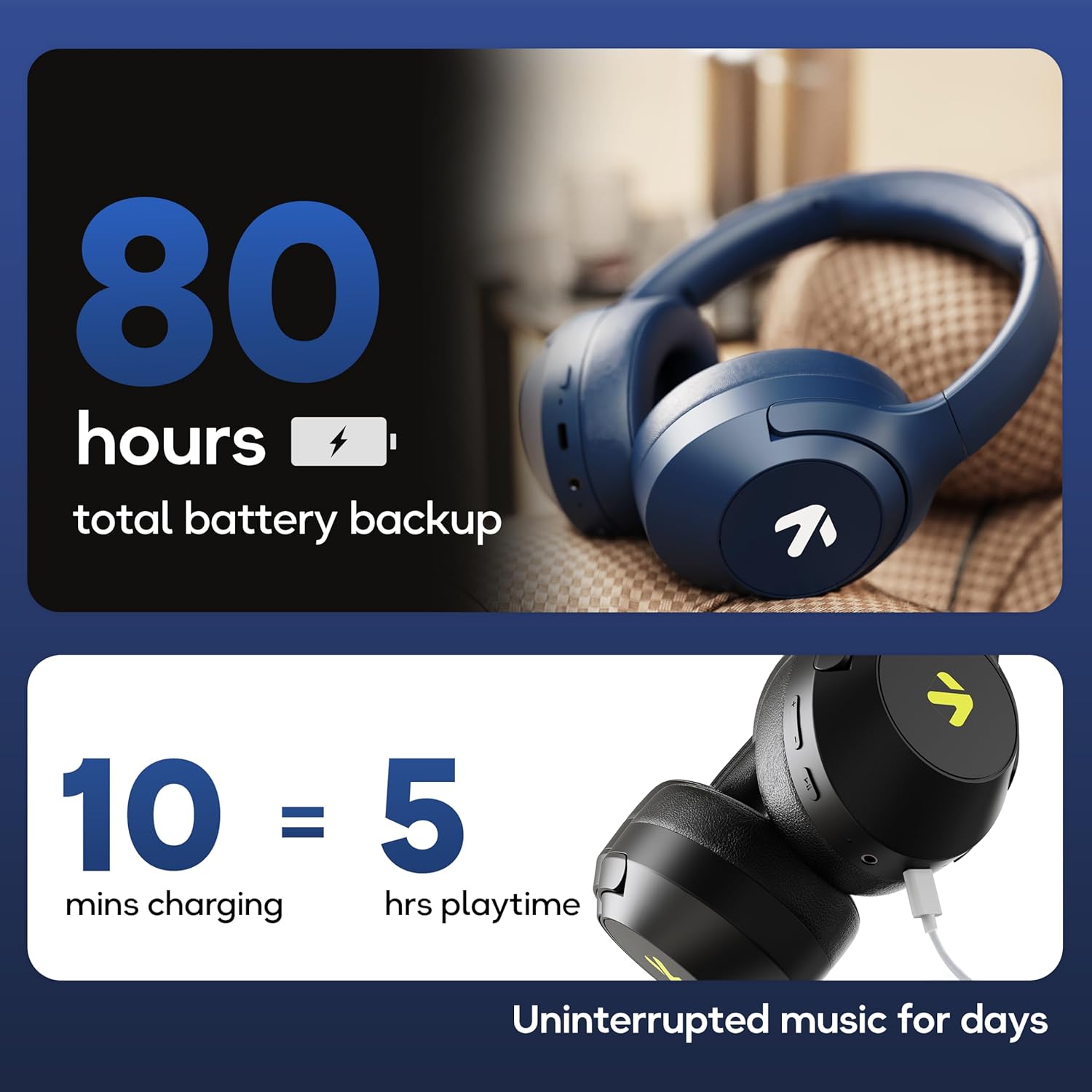
Image: Visual representation of the 80-hour battery life and fast charging capability (10 minutes charge for 5 hours playback).
2. Emparellamento Bluetooth
Emparella os teus auriculares co teu dispositivo para obter audio sen fíos.
- Asegúrate de que os auriculares estean cargados e apagados.
- Press and hold the Power button until the LED indicator flashes (usually blue and red alternately), indicating pairing mode.
- No teu dispositivo (teléfono intelixente, tableta, portátil), activa o Bluetooth e busca os dispositivos dispoñibles.
- Select "GOBOULT Flex" from the list of devices.
- Unha vez conectado, o indicador LED normalmente amosará unha luz azul fixa ou parpadeará lentamente.
- The headphones feature Bluetooth 5.4 and Blink & Pair™ technology for fast and stable connections.

Image: The headphones connected via Bluetooth 5.4, highlighting the Blink & Pair feature for quick device connection.
Instrucións de funcionamento
Encendido/apagado
- Encendido: Manteña premido o botón de acendido/apagado durante aproximadamente 3 segundos.
- Apagado: Manteña premido o botón de acendido/apagado durante aproximadamente 5 segundos.
Control de música
- Reproducir/Pausa: Prema o botón multifunción unha vez.
- Próxima pista: Manteña premido o botón Subir volume.
- Pista anterior: Manteña premido o botón para baixar o volume.
- Subir volume: Prema brevemente o botón Subir volume.
- Baixar volume: Prema brevemente o botón para baixar o volume.
Control de chamadas
The Zen™ ENC mic ensures clear communication by reducing environmental noise.

Imaxe: Detallada view of the Zen™ ENC microphone technology for effective environmental noise cancellation during calls.
- Responder/Finalizar chamada: Prema o botón multifunción unha vez.
- Rexeitar a chamada: Manteña premido o botón multifunción durante 2 segundos.
- Volver a marcar o último número: Prema dúas veces o botón multifunción.
Asistente de voz
Activate your device's voice assistant (e.g., Google Assistant) directly from the headphones.
- Activar o asistente de voz: Prema tres veces o botón multifunción.

Image: The headphones featuring voice assistant compatibility and IPX5 water resistance for protection against sweat and splashes.
Gaming Mode (60ms Low Latency)
Engage Combat™ Gaming Mode for ultra-low latency audio, ideal for gaming.
- Activar o modo de xogo: Refer to the specific button combination in your quick start guide (often a dedicated button or a long press of a volume button).
- This mode reduces audio latency to 60ms for a synchronized gaming experience.
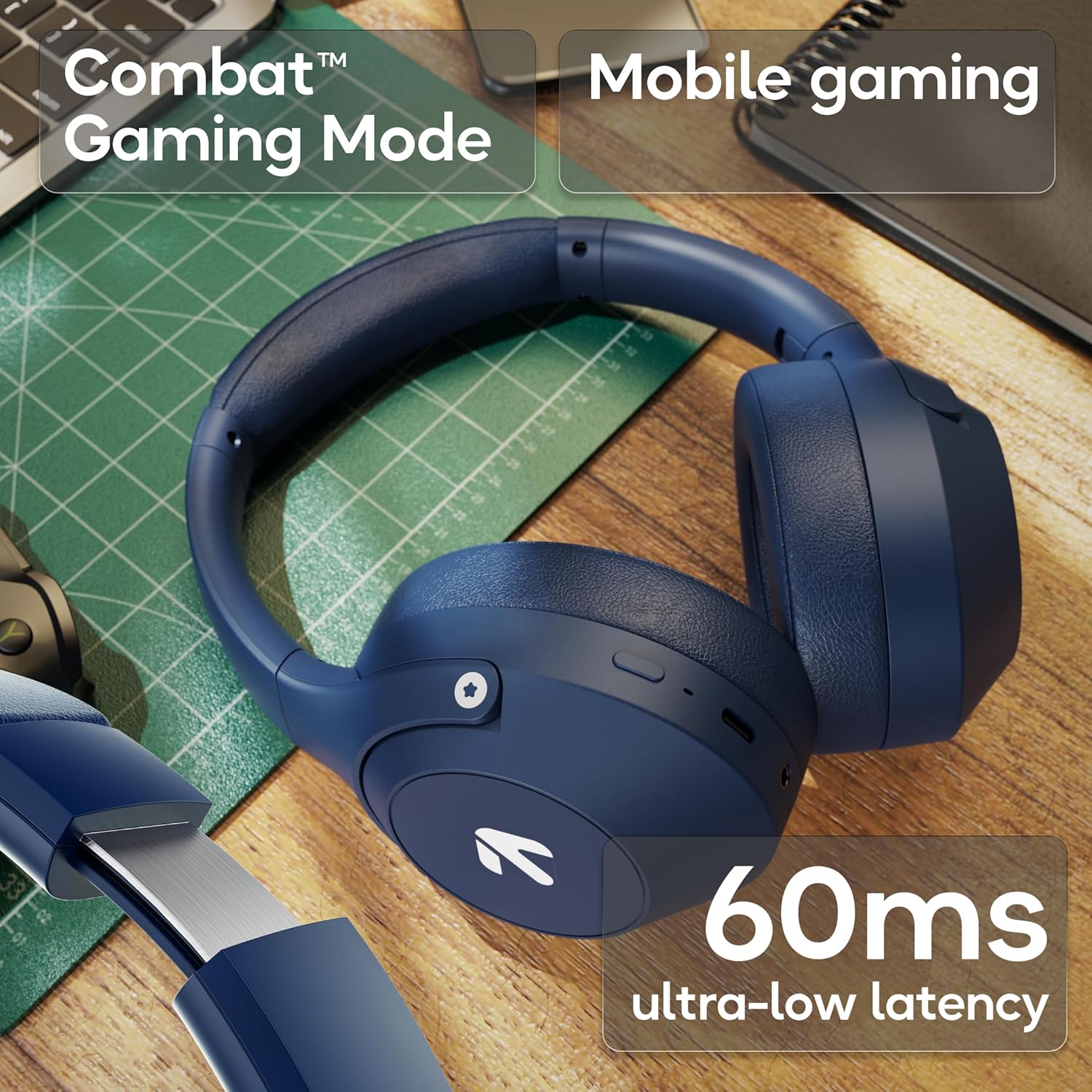
Image: The headphones highlighting the Combat™ Gaming Mode with 60ms ultra-low latency for an enhanced gaming experience.
Modo cableado
Use the included AUX cable for a wired connection when wireless is not preferred or the battery is low. Note that the microphone is typically off in wired mode.
- Connect one end of the 3.5mm AUX cable to the headphone's AUX port.
- Connect the other end to your audio source's 3.5mm jack.
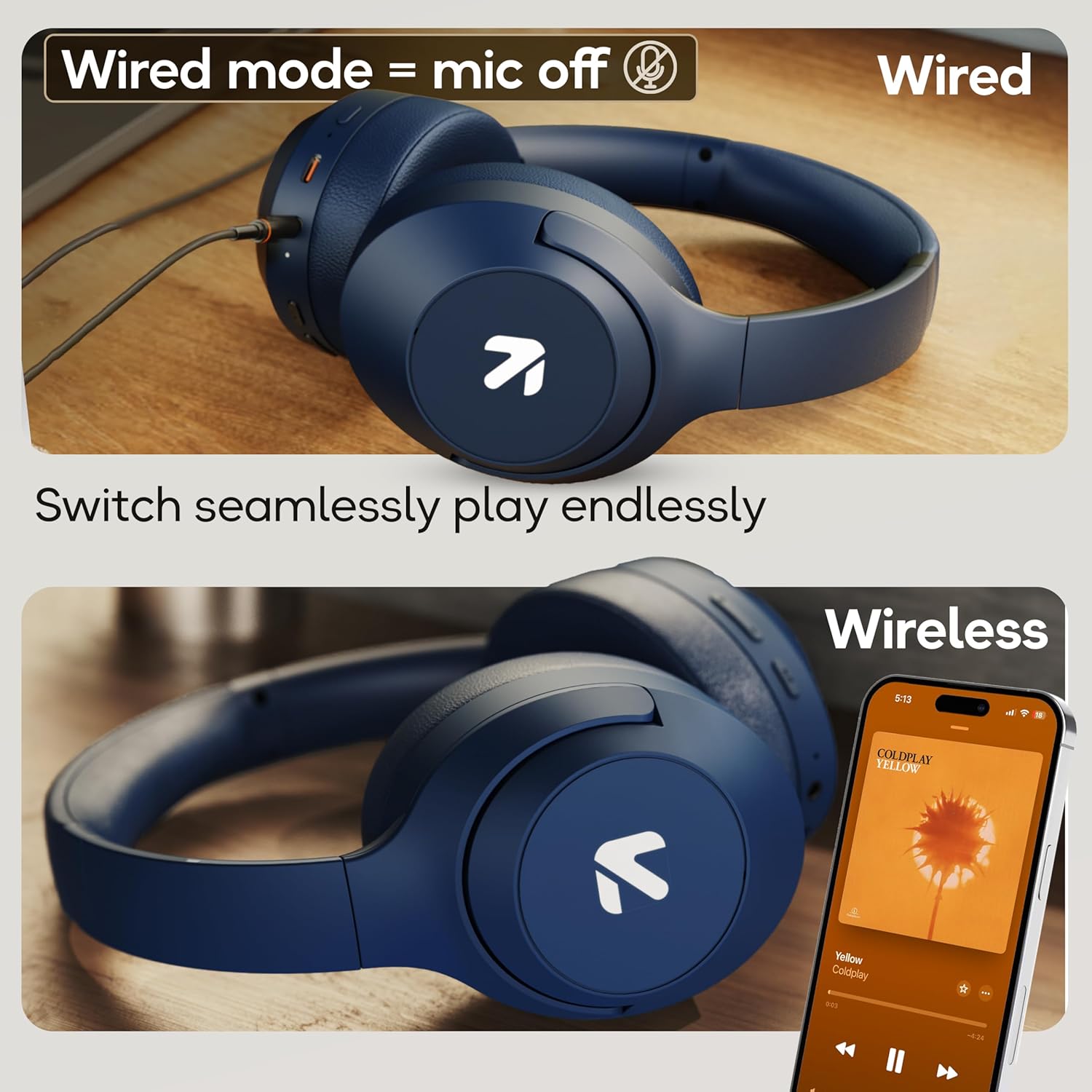
Image: Comparison of wired mode (with mic off) and wireless mode, demonstrating the flexibility of connection options.
Modos de ecualización
The headphones offer 4 Equalizer (EQ) modes to customize your audio experience.
- Modos dispoñibles: Bass, Rock, Pop, Vocal.
- Modos de cambio: Refer to the specific button combination in your quick start guide (often a dedicated EQ button or a combination press).

Image: The headphones emphasizing powerful bass delivered by 40mm boosted drivers with Boomx™ technology, and support for AAC/SBC codecs.

Imaxe: Interna view of the headphones showing the DSP processor, indicating features like seamless VoIP calls, adaptive audio equalization, and 16-bit dual-audio processing.
Mantemento
Proper maintenance ensures the longevity of your headphones.
- Limpeza: Limpe os auriculares cun pano suave e seco. Non empregue produtos químicos agresivos nin materiais abrasivos.
- Almacenamento: Garda os auriculares nun lugar fresco e seco, lonxe da luz solar directa e de temperaturas extremas. O deseño pregable permite un almacenamento compacto.
- Resistencia á auga: The headphones are IPX5 rated, meaning they are resistant to sweat and light splashes. Do not submerge them in water or expose them to heavy rain.
Resolución de problemas
Sen Poder
- Asegúrate de que os auriculares estean completamente cargados.
- Comproba o cable de carga e a fonte de alimentación.
Non se pode emparellar por Bluetooth
- Asegúrate de que os auriculares estean no modo de emparellamento (o LED parpadea en azul/vermello).
- Asegúrate de que o Bluetooth estea activado no teu dispositivo e que estea a menos de 10 metros dos auriculares.
- Forget "GOBOULT Flex" from your device's Bluetooth list and try pairing again.
- Reinicia tanto os auriculares como o dispositivo.
Sen son
- Comprobe os niveis de volume tanto nos auriculares como no dispositivo conectado.
- Asegúrate de que os auriculares estean correctamente emparellados e conectados.
- Se usa o modo con cable, asegúrese de que o cable AUX estea completamente inserido tanto nos auriculares como na fonte de son.
Baixa calidade das chamadas
- Asegúrate de que o micrófono non estea obstruído.
- Move to a quieter environment to allow the ENC mic to function optimally.
- Comproba a configuración de chamadas do teu dispositivo.
Especificacións
| Característica | Especificación |
|---|---|
| Nome do modelo | Flex |
| Marca | GOBOULT |
| Tecnoloxía de conectividade | Bluetooth, Sen fíos |
| Versión Bluetooth | 5.4 (Product Title says 5.4, Specs say 5.3, using 5.4 as per title) |
| Alcance Bluetooth | 10 metros |
| Tamaño do controlador de audio | 40 milímetros |
| Tipo de controlador de audio | Driver dinámico |
| Duración da batería | 80 horas (tempo de reprodución) |
| Tempo de carga | 60 minutos |
| Carga rápida | 10 minutos durante 5 horas de xogo |
| Jack para auriculares | Type-C Fast Charging Jack, 3.5mm AUX |
| Micrófono | Zen™ ENC Mic |
| Modo de baixa latencia | 60 ms (modo de xogos Combat™) |
| Nivel de resistencia á auga | IPX5 (Sweatproof, Water-resistant, Splashproof) |
| Control de ruído | Cancelación de ruído pasiva |
| Peso do elemento | 214 gramos |
| Dimensións do produto | 5 x 19 x 20 cm |
| Compoñentes incluídos | Cable, Headphone, Type-C Fast Charging Cable, User Manual, Warranty Card |
Garantía e Soporte
The GOBOULT Flex On-Ear Bluetooth Headphones come with a 1 ano de garantía.
For warranty registration, technical support, or customer service inquiries, please visit the official GOBOULT website or contact their customer support team using the information provided on the warranty card.


