1. Produto rematadoview
The Ulecoce Keyless Entry Door Lock offers advanced security and convenience for your home. This smart lock integrates multiple unlocking methods and smart features for seamless access control.
- Métodos de desbloqueo 4 en 1: Built-in Wi-Fi control, fingerprint recognition, keypad passcode, and traditional mechanical key.
- Conectividade Wi-Fi integrada: Manage your door lock remotely via a dedicated app, including locking/unlocking, creating temporary codes, and viewing access records.
- Recoñecemento rápido de pegadas dixitais: Ultra-fast 0.3-second fingerprint recognition with a 99.99% accuracy rate, supporting up to 50 unique fingerprints.
- Funcións de seguridade melloradas: Includes auto-lock (adjustable from 10-30 seconds), one-touch locking, low battery alerts, and an advanced anti-tampo sistema.
- Fácil instalación: Designed for simple installation with just a screwdriver, compatible with both left and right-hand doors.

Image: The Ulecoce smart door lock shown installed on a door, with a smartphone screen demonstrating the mobile app control for unlocking.
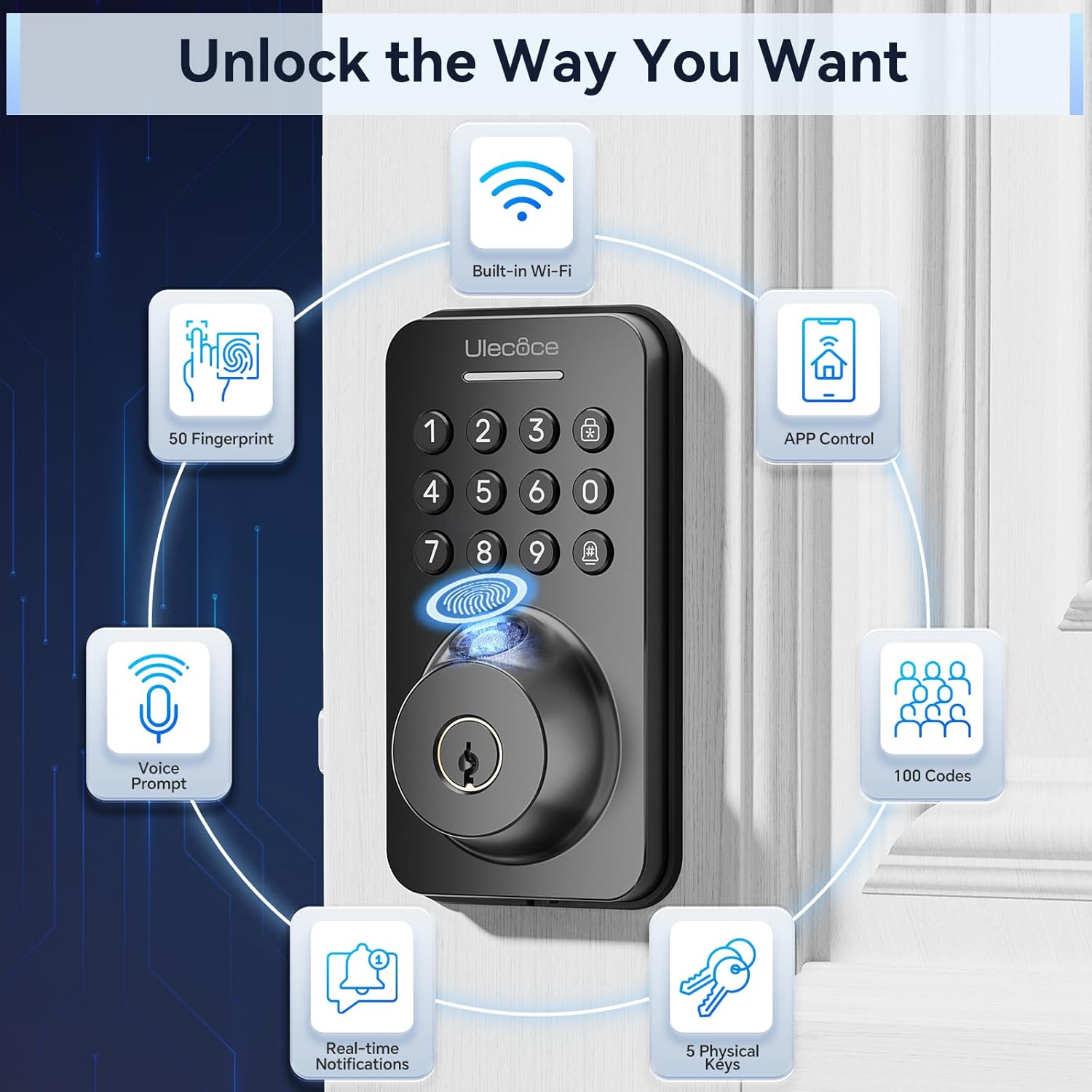
Image: A visual representation of the various ways to unlock the Ulecoce smart door lock, including fingerprint, app control, passcodes, and physical keys.
2. Configuración e instalación
The Ulecoce smart door lock is designed for straightforward installation, requiring minimal tools. Please ensure your door's dimensions are compatible before beginning the installation process.
2.1. Comprobación de compatibilidade
Before installation, verify that your door's dimensions and existing hardware are compatible with the Ulecoce lock. Refer to the diagram below for specific measurements.

Image: Detailed measurements and compatibility checks for door thickness, backset, and bore hole size to ensure proper fit of the smart lock.

Image: Visual guide demonstrating the wide compatibility of the Ulecoce smart lock with different existing door hardware configurations.
2.2. Pasos da instalación
Installation can be completed in minutes with just a screwdriver. Follow the step-by-step instructions provided in the included manual for a smooth setup. No extra drilling is typically required.

Image: The smart lock components laid out with a screwdriver, highlighting the ease of installation without the need for additional drilling.

Image: A complete set of components included with the Ulecoce smart lock, ready for installation.
3. Instrucións de funcionamento
The Ulecoce smart lock provides multiple convenient ways to secure and access your property.
3.1. Métodos de desbloqueo
- Desbloqueo de impresión dixital: Place your registered finger on the sensor for instant access. The lock features 0.3s biometric identification with a 99.9% accuracy rate.
- Desbloqueo por contrasinal: Enter your programmed passcode on the keypad. The anti-peeping password feature allows you to enter random digits before or after your actual code to protect it from onlookers.
- Control da aplicación: Use the dedicated mobile application to remotely lock or unlock your door.
- Chave mecánica: For traditional access or in case of emergencies, use the provided mechanical keys.

Image: The fingerprint sensor in action, highlighting its quick and accurate biometric identification.

Imaxe: Unha explosión view of the fingerprint recognition technology, emphasizing its speed and accuracy.

Image: Demonstrating the use of the keypad for passcode entry.

Image: Illustrating the use of the backup mechanical key for access.
3.2. Control intelixente de aplicacións
The Ulecoce smart lock can be securely managed from anywhere using its dedicated mobile application. The Wi-Fi function activates when the doorbell button is pressed, ensuring efficient battery usage.
- Control remoto: Lock/unlock your door from anywhere.
- Xestión de acceso: Create temporary, recurring, or one-time access codes for guests or service providers.
- Rexistro de actividades: View all access records directly in the app for enhanced security monitoring.
- Emparejamento de rede: Follow the in-app guide for easy Wi-Fi pairing.
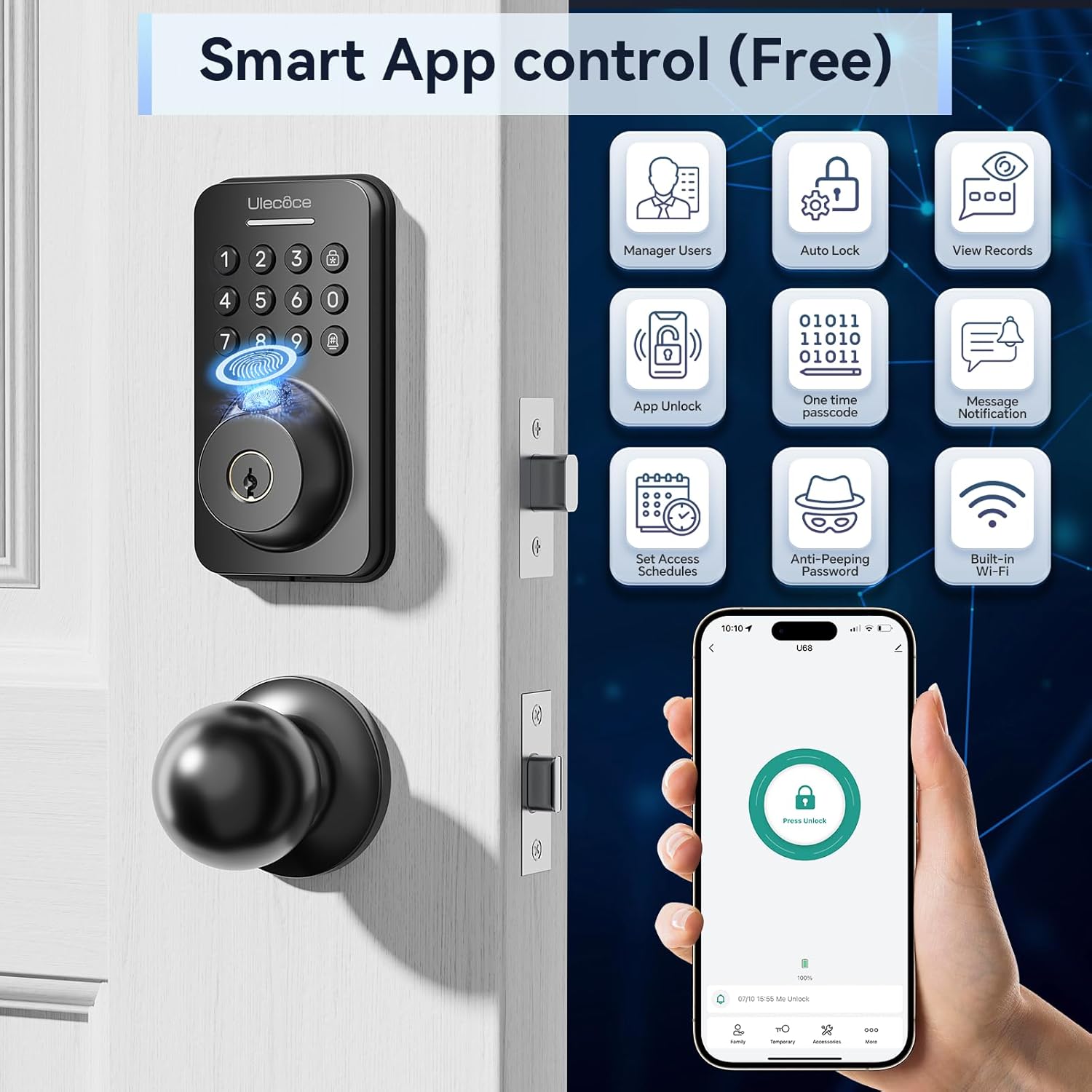
Imaxe: Máis deview of the smart app control features, including user management and access logs.

Image: Visual representation of the smart lock's app control functionality via Wi-Fi.

Image: Screenshots guiding users through the network pairing process within the app.

Image: The timed passcode feature, allowing generation and sharing of temporary access codes.

Image: The app's entry records feature, displaying a detailed history of lock activity.

Image: Different options for passcode settings, catering to various user needs and access types.
3.3. Auto-Lock and One-Touch Locking
The lock features an automatic locking function, adjustable from 10 to 30 seconds, ensuring your door is always secured after closing. For immediate locking, use the one-touch lock function on the rear lock body.

Image: The auto-lock feature in action, providing peace of mind for busy individuals.

Image: Demonstrating the auto-lock setting and one-touch locking for quick security.
3.4. Modo silencioso
The keypad beep sounds can be muted to provide a noise-free environment, ideal for quiet homes or late-night entries.

Image: The silent mode feature, allowing for quiet operation of the keypad.
4. Mantemento
4.1. Substitución da batería
The Ulecoce smart lock operates on 4 AA batteries (not included). It is designed for long-lasting battery life, approximately 180 days based on 20 unlocks per day. The lock will provide a low battery alert when replacement is needed.

Image: Illustration of the smart lock's battery compartment and its extended battery life.

Image: The low battery alert system, prompting users to replace batteries, and indicating a Type-C charging option for temporary power.
Note: Battery consumption may increase in colder temperatures.
5 Solución de problemas
This section provides solutions to common issues you might encounter with your Ulecoce smart lock.
5.1. Lock Not Responding
- Comprobe as baterías: Asegúrate de que as baterías estean instaladas correctamente e teñan a carga suficiente. Substitúeas se é necesario.
- Ciclo de enerxía: Remove and reinsert the batteries to reset the lock.
- Chave mecánica: Use the mechanical key to confirm if the issue is electronic or mechanical.
5.2. Pegada dixital non recoñecida
- Sensor limpo: Ensure the fingerprint sensor is clean and free of dirt or moisture.
- Colocación adecuada: Asegúrate de que o teu dedo cobre toda a superficie do sensor.
- Volver rexistrar a pegada dixital: Se os problemas persisten, elimina e volve rexistrar a túa pegada dixital na aplicación.
5.3. Passcode Issues
- Correct Code: Double-check that the correct passcode is being entered.
- Anti-espionaxe: Remember to include random digits if using the anti-peeping feature.
- Restablecer código: If forgotten or not working, reset the passcode via the app or mechanical key.
- Automatic Locking System: After five consecutive failed attempts, the lock will activate an automatic locking system for 1 minute to prevent unauthorized access.
5.4. App Connectivity Problems
- Sinal Wi-Fi: Ensure your lock is within range of a strong Wi-Fi signal.
- Actualización da aplicación: Make sure your mobile app is updated to the latest version.
- Reemparellamento do dispositivo: Try re-pairing the lock with the app if connectivity is lost.
6. Especificacións
| Característica | Detalle |
|---|---|
| Marca | Ulecoce |
| Nome do modelo | WZ-U68-WIFI-TP-0327 |
| Tipo de bloqueo | Cerrojo, teclado |
| Características especiais | Anti-Peeping Password, Auto-Lock, Fingerprint, One-Touch Lock, Passcode Unlock |
| Dimensións do artigo (L x W x H) | 2.7 x 1.32 x 5 polgadas |
| Material | Zinc |
| Peso do elemento | 3.5 libras |
| Cor | Negro |
| Fonte de enerxía | 4 pilas AA (non incluídas) |
| Método de control | Toca |
| UPC | 768383681345 |
7. Garantía e soporte
For warranty information and customer support, please refer to the documentation included with your product packaging or visit the official Ulecoce website. Contact details for technical assistance are typically found in the quick start guide or on the manufacturer's support page.


