1. Produto rematadoview
The Mesqool Emergency Weather Radio & Lantern (Model B0F2SRBKHJ) is a versatile device designed for emergency preparedness and outdoor activities. It combines multiple essential functions into a single, portable unit, ensuring access to vital information and illumination when traditional power sources are unavailable. This device features a multi-band radio, a powerful LED flashlight, a reading lamp, and an SOS alarm. It offers multiple charging options including a built-in rechargeable battery, solar panel, and hand crank, along with the capability to charge external devices via USB.
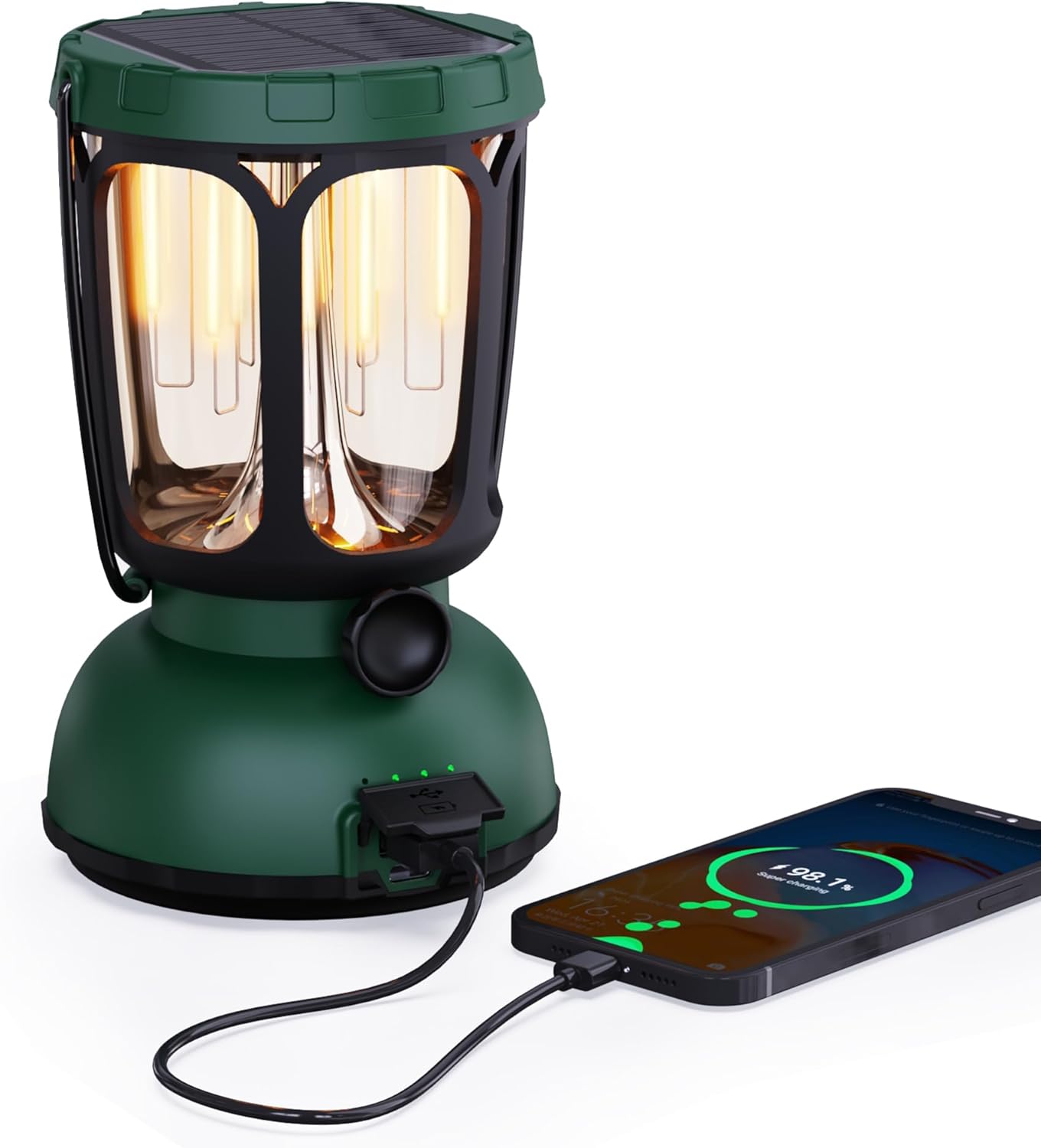
Figura 1: Fronte view of the Mesqool Emergency Weather Radio and Lantern, showcasinpolo seu deseño compacto e a súa asa integrada.
2. Que hai na caixa
Upon unboxing your Mesqool Emergency Weather Radio & Lantern, please ensure all the following items are present:
- Mesqool Emergency Weather Radio & Lantern Unit
- Cable de alimentación
- Adaptador de alimentación
- Manual de usuario (este documento)
3. Características clave
- Radio multibanda: Access to AM, FM, Shortwave (SW), and 7 pre-configured NOAA Weather Alert Stations for comprehensive coverage.
- Múltiples fontes de enerxía:
- Built-in 12000mAh Replaceable/Rechargeable Li-ion Battery.
- Integrated Solar Panel for charging via sunlight.
- Hand Crank for manual power generation.
- Type-C USB input for charging via adapter.
- AAA Battery compartment (3x AAA, not included) for additional backup power.
- Iluminación:
- Handy Bright Camping Flashlight.
- Lectura LED Lamp with dimmable warm white (50-350LM, 2700K) and bright white (350-650LM, 10000-15000K) modes.
- Funcións de emerxencia:
- Loud SOS Alarm.
- Emergency Cell Phone Charger via USB output.
- Durabilidade: Waterproof and 4-foot drop-proof design.
- Portabilidade: Rugged handle and compact design for easy transport.
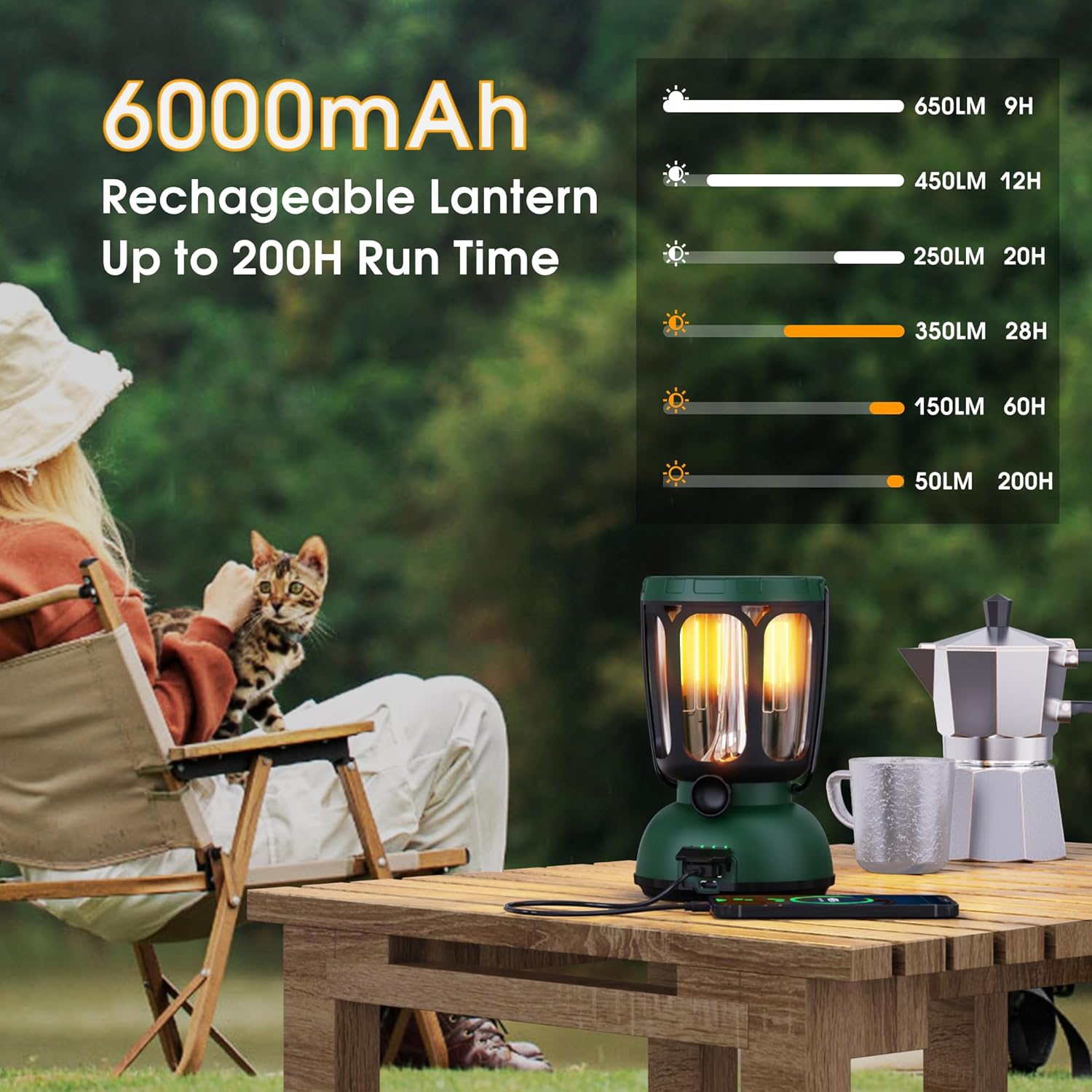
Figure 2: The lantern's 6000mAh rechargeable battery provides up to 200 hours of run time on low settings.

Figure 3: Two distinct light modes, warm and bright white, with a dimmable feature for adjustable illumination.
4. Configuración inicial
- Desembalaxe: Carefully remove all items from the packaging. Inspect the unit for any damage.
- Carga inicial: For optimal performance, fully charge the built-in Li-ion battery before first use. Connect the provided Type-C USB cable to the device and the power adapter to a wall outlet. The charging indicator will illuminate.
- AAA Battery Installation (Optional Backup): If desired, open the battery compartment and insert 3 AAA batteries (not included) for an additional power backup. Ensure correct polarity.
- Antena: Extend the telescopic antenna for improved radio reception.
5. Instrucións de funcionamento
5.1. Acendido/apagado
- Preme o POTENCIA botón para acender ou apagar a unidade.
- The display will show the time and battery level.
5.2. Radio Operation (AM/FM/SW/NOAA)
- Seleccionar banda: Preme o BANDA button repeatedly to cycle through AM, FM, SW, and NOAA weather bands.
- Emisoras de sintonización: Usa o TUNE + e SINTONIZAR - buttons to manually adjust the frequency. For automatic scanning, press and hold the TUNE + or SINTONIZAR - botón.
- Control de volume: Axuste o volume empregando o VOL+ e VOL - botóns.
- Alerta meteorolóxica da NOAA: Preme o ALERTA WX button to activate or deactivate the weather alert function. When active, the radio will automatically switch to the NOAA weather band and sound an alarm if a weather alert is issued.
5.3. Flashlight & Reading Lamp
- Lanterna: Press the dedicated flashlight button (usually on the side) to turn the flashlight on/off. Some models may have multiple brightness settings.
- Lectura Lamp: Lift the solar panel to reveal the LED reading lampPrema o botón de lectura lamp button (often located near the lamp) to turn it on/off and cycle through dimmable warm white and bright white modes.

Figure 4: The warm light mode of the lantern is ideal for creating a cozy ambiance or for low-light tasks.
5.4. Alarma SOS
- Preme o SOS button to activate a loud emergency alarm and flashing beacon light.
- Preme o SOS button again to deactivate the alarm.
5.5. Cargando a unidade
- Carga USB: Connect the provided Type-C USB cable to the unit's input port and the power adapter to a standard wall outlet.
- Carga solar: Place the unit with the solar panel facing direct sunlight. The solar charging indicator will light up. This method is best for maintaining charge or slow charging.
- Carga da manivela: Extend the hand crank and rotate it clockwise or counter-clockwise for manual power generation. A few minutes of cranking can provide power for basic functions.

Figure 5: The versatile charging options ensure the device remains powered in various situations.
5.6. Carga de dispositivos externos
- Connect your external device (e.g., smartphone) to the unit's USB output port using your device's charging cable.
- The unit's internal battery will transfer power to your external device. This feature is intended for emergency use to provide a minimal charge.
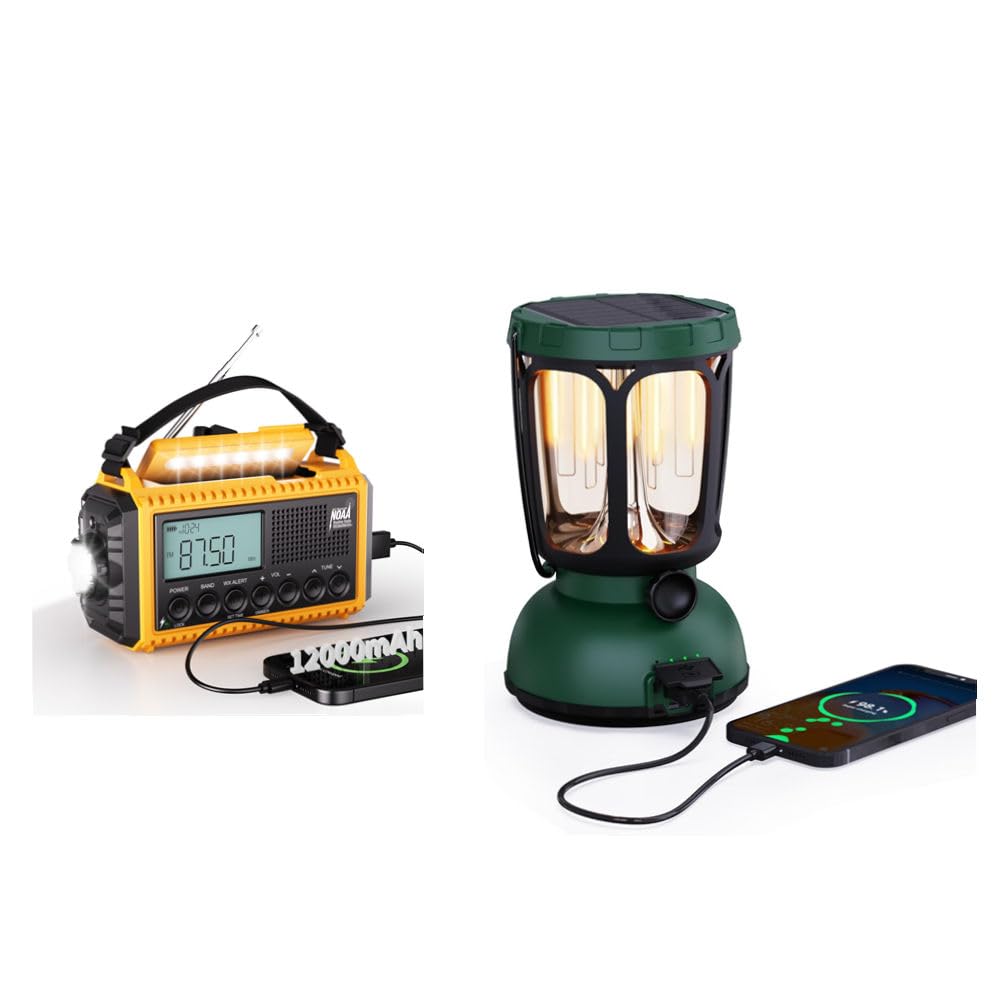
Figure 6: The lantern can serve as an emergency power bank for small electronic devices.
6. Mantemento
- Limpeza: Limpe a unidade cun d, suaveamp pano. Non use produtos químicos agresivos ou produtos de limpeza abrasivos.
- Almacenamento: Garde a unidade nun lugar fresco e seco, lonxe da luz solar directa e de temperaturas extremas.
- Coidado da batería: To prolong battery life, fully charge the internal Li-ion battery every 3-6 months, even if not in use. Remove AAA batteries if storing for extended periods.
- Resistencia á auga: Ensure all port covers are securely closed to maintain water resistance.
7 Solución de problemas
| Problema | Causa posible | Solución |
|---|---|---|
| A unidade non se acende. | Batería baixa ou esgotada. | Charge the unit via USB, solar, or hand crank. Check AAA batteries if installed. |
| Mala recepción de radio. | Antena non estendida ou sinal débil. | Estenda completamente a antena telescópica. Tente recolocar a unidade. |
| Flashlight/Lamp non funciona. | Batería baixa ou LED defectuoso. | Charge the unit. If problem persists, contact support. |
| O dispositivo externo non está a cargar. | Unit's battery too low or incorrect cable. | Ensure the unit is sufficiently charged. Use the correct USB cable for your device. |
8. Especificacións
- Marca: Mesqool
- Modelo: B0F2SRBKHJ
- Bandas de radio: AM/FM/SW/NOAA Weather Band
- Batería: Batería recargable de ión de 12000 mAh
- Métodos de carga: USB (Type-C input), Solar Panel, Hand Crank, 3x AAA Batteries (not included)
- Lantern Light Modes: Warm White (50-350LM, 2700K), Bright White (350-650LM, 10000-15000K)
- Lantern Run Time: Up to 200 hours (on warm white, low setting)
- Características de emerxencia: SOS Alarm, Emergency Phone Charger
- Durabilidade: Waterproof, 4-foot Drop-Proof
- Compoñentes incluídos: Adaptador de alimentación, cable de alimentación
9. Garantía e soporte
Mesqool products are designed for reliability and performance. For warranty information, technical support, or any inquiries regarding your Emergency Weather Radio & Lantern, please refer to the contact details provided in the product packaging or visit the official Mesqool websitio. Garde o comprobante de compra para reclamacións de garantía.
10. Vídeos de produtos
Emergency Weather Radio - AM/FM/NOAA Hand Crank Radio
Este vídeo ofrece unha información detallada sobreview of the Mesqool Emergency Weather Radio, demonstrating its AM/FM/NOAA functionalities and the hand crank charging mechanism. It highlights the radio's ease of use and essential features for emergency situations.


