1. Configuración
This section provides instructions for the initial setup of your OMTech 100W CO2 Laser Engraver. Ensure all components are present and properly connected before operation.
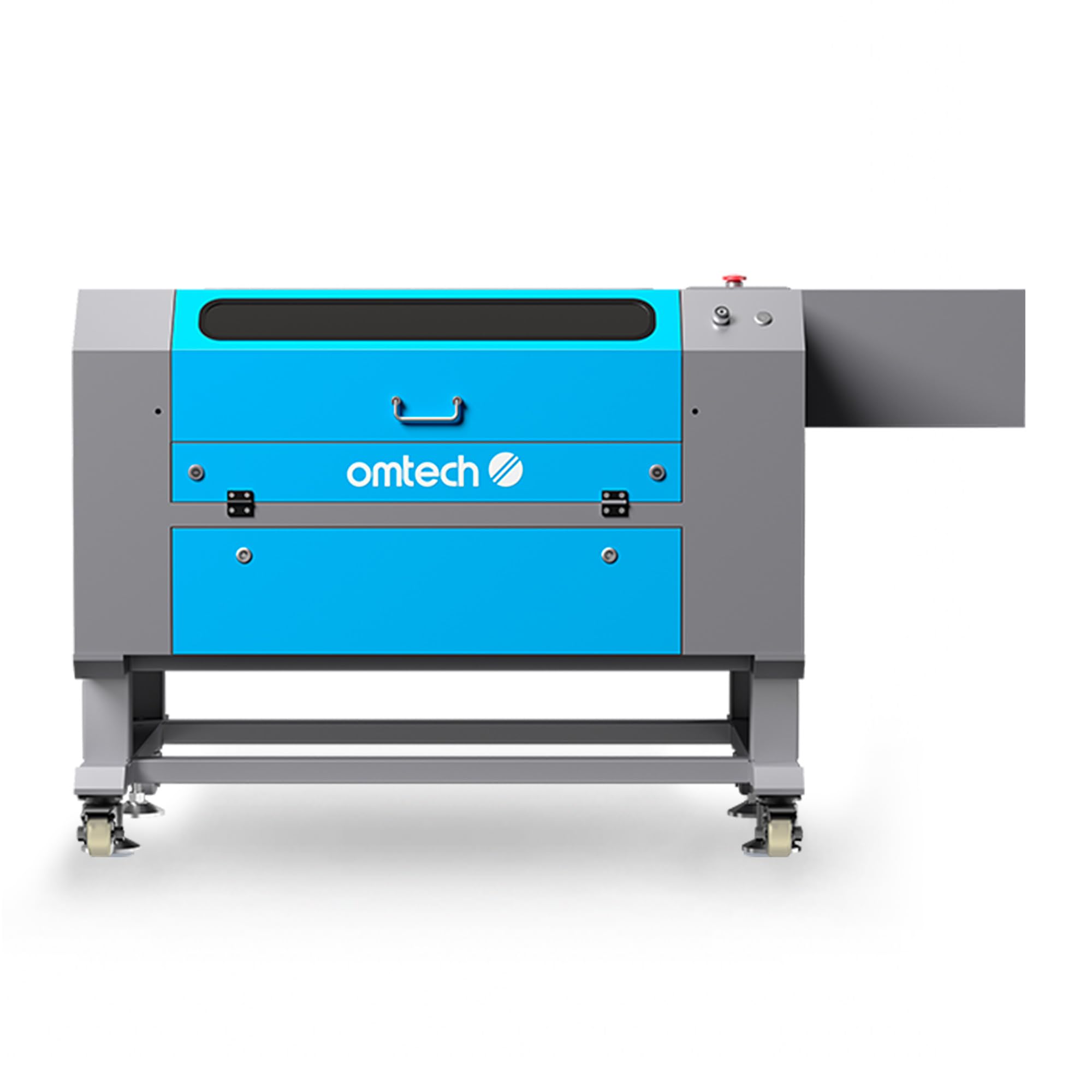
Image: The OMTech 100W CO2 Laser Engraver, featuring its robust design, caster wheels for mobility, and a 4-way pass-through system for handling larger materials.
The unit is equipped with caster wheels for easy positioning. The 4-way pass-through system allows for materials larger than the workbed to be processed by feeding them through the machine.
2. Instrucións de funcionamento
Familiarize yourself with the operational capabilities and safety features of your laser engraver.
2.1. Laser Engraving and Cutting Capabilities

Image: Key features of the OMTech 100W laser engraver, highlighting its 100W laser power, 28"x20" working area, 600 mm/s maximum engraving speed, built-in air assist, and 4-way pass-through capability.
The 100W CO2 laser tube allows for cutting materials up to 0.6 inches deep in wood and engraving on various surfaces at speeds up to 600 mm/s.
2.2. Built-in Air Assist
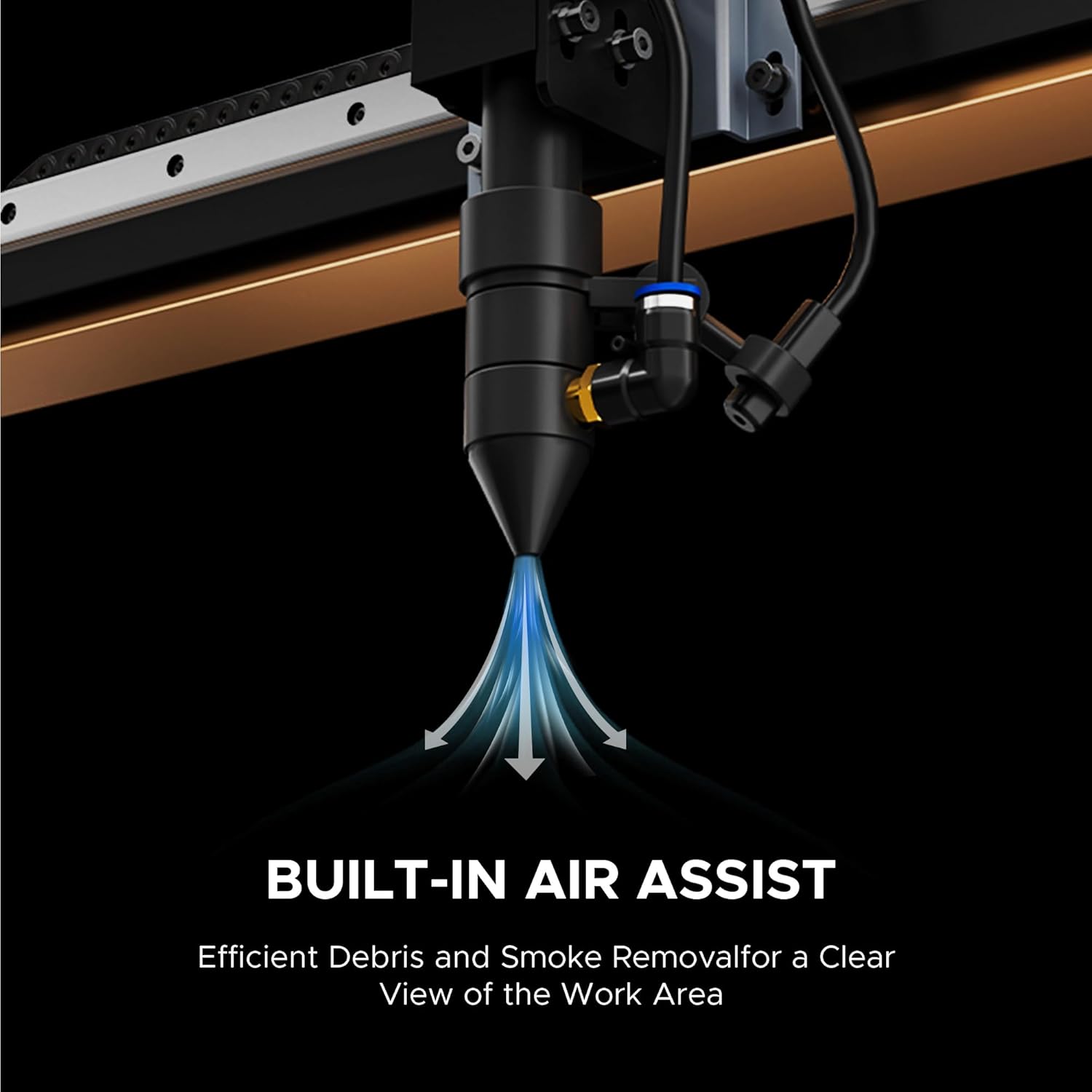
Imaxe: Unha detallada view of the laser head, showing the built-in air assist system. This feature directs air to the focal point, helping to clear debris and smoke for cleaner cuts and engravings.
The integrated air assist system helps maintain a clear work area by removing smoke and debris, contributing to cleaner cuts and engravings.
2.3. Función de enfoque automático
The autofocus feature simplifies setup by automatically adjusting the laser head to the optimal focal distance with a single button press, ensuring precise results.
2.4. Compatibilidade do software

Image: The digital control panel of the laser engraver, illustrating its compatibility with popular design software such as RDWorks, LightBurn, CorelDRAW, and AutoCAD.
The machine is compatible with various design software, including RDWorks, LightBurn, CorelDRAW, and AutoCAD, for flexible project creation and control.
2.5. Work Area and Material Handling

Image: The OMTech laser engraver with its 4-way pass-through doors open, demonstrating how larger material pieces can be fed through the machine for processing.
The 28"x20" work area, combined with the 4-way pass-through doors, accommodates a wide range of material sizes for diverse projects.
2.6. Material Application Guide

Image: A comprehensive table detailing the engraving and cutting compatibility of the laser engraver with various materials such as wood, acrylic, leather, plastic, cardboard, glass, and different types of metal.
| Material | Gravado | Corte | Material | Gravado | Corte |
|---|---|---|---|---|---|
| Madeira | ✓ | ✓ | Mylar | ✓ | ✓ |
| Acrílico | ✓ | ✓ | Corcho | ✓ | ✓ |
| Coiro | ✓ | ✓ | Vidro | ✓ | ✗ |
| Plástico | ✓ | ✓ | Fibra de vidro | ✓ | ✗ |
| Cartón | ✓ | ✓ | Cerámica | ✓ | ✗ |
| Taboleiro de prensa | ✓ | ✓ | Ladrillo | ✓ | ✗ |
| Tecido | ✓ | ✓ | Pedra | ✓ | ✗ |
| MDF | ✓ | ✓ | Xade | ✓ | ✗ |
| Goma | ✓ | ✓ | Mármore | ✓ | ✗ |
| PVC | ✓ | ✓ | Xisto | ✓ | ✗ |
| Bambú | ✓ | ✓ | Cemento | ✓ | ✗ |
| Papel Kraft | ✓ | ✓ | Corian | ✓ | ✗ |
| Papel ondulado | ✓ | ✓ | Metal revestido | ✓ | ✗ |
| Feltro | ✓ | ✓ | Metal galvanizado | ✓ | ✗ |
| Delrin | ✓ | ✓ | Metal pintado | ✓ | ✗ |
| Melamina | ✓ | ✓ | Metal anodizado | ✓ | ✗ |
2.7. Operational Video
Video: This video demonstrates the OMTech laser engraver in operation, showcasing its capabilities for engraving and cutting various materials. It provides a visual guide to the machine's functionality.
3. Mantemento
Regular maintenance ensures optimal performance and extends the lifespan of your laser engraver.
- Laser Tube Longevity: The 100W DC laser tube has an estimated lifespan of up to 8,000 hours. Operating at lower power settings can further extend its life.
- Características de seguridade: The flame-retardant window allows for safe observation of the engraving process. An automatic cover interlock system immediately shuts off the laser if the lid is opened, preventing accidental exposure.
- Limpeza: Regularly clean the work area and optical components to prevent debris buildup, which can affect laser performance and output quality. Refer to the detailed cleaning schedule in the full manual.
- Sistema de asistencia aérea: Ensure the built-in air assist system is free from obstructions to effectively remove smoke and dust during operation.
4 Solución de problemas
This section provides general guidance for common operational issues. For detailed troubleshooting steps, consult the comprehensive product manual or contact customer support.
- Mala calidade de gravado/corte: Check laser focus, material settings (power/speed), and ensure optical components are clean.
- A máquina non responde: Verify power connections, emergency stop button status, and software communication.
- Ruídos pouco comúns: Inspect moving parts for obstructions or loose components.
5. Especificacións do produto

Image: A summary of the OMTech 100W laser engraver's specifications, including rated power, maximum engraving speed, machine weight, pass-through dimensions, and overall machine dimensions.
| Especificación | Valor |
|---|---|
| Número de modelo | SH-G570 |
| Potencia nominal | 100 W |
| Máx. Velocidade de gravado | 600 mm/s |
| Dimensións do produto | 64.96 x 34.25 x 36.61 polgadas |
| Peso do elemento | 251 libras |
| Área de Traballo | 28" x 20" |
| Clase láser | Class 2, 0.874 mW output power |
6. Garantía e soporte
OMTech comprométese a proporcionar un excelente servizo ao cliente e soporte para o seu gravador láser.
- Garantía: The product includes 2 years of comprehensive service.
- Atención ao cliente: Access to 24/7 global support, including technical guidance. Local demonstrations may be available by appointment.
6.1. Support Video
Video: This video features a user discussing their experience with OMTech lasers, highlighting the quality, pricing, and the company's support, which has been instrumental in their business growth.


