1. Introdución
Thank you for choosing the ACwO Dwots 333 True Wireless Earbuds. This manual provides essential information for setting up, operating, and maintaining your earbuds to ensure optimal performance and longevity. The Dwots 333 earbuds are designed for an immersive audio experience, featuring Hybrid Active Noise Cancellation (ANC), Hexa Microphones with AI-Enhanced Noise Cancellation (AI-ENC), and seamless Dual Device Connectivity.
2. Contido do paquete
Verifique que todos os elementos estean presentes no seu paquete:
- ACwO Dwots 333 True Wireless Earbuds (Left and Right)
- Estuche de carga
- Cable de carga USB
- Varios tamaños de almofadas para os oídos
- Manual de usuario (este documento)
- Tarxeta de garantía
3. Produto rematadoview
The ACwO Dwots 333 earbuds consist of two individual earbuds and a portable charging case. Familiarize yourself with the components for proper use.

Imaxe 3.1: ACwO Dwots 333 Earbuds and Charging Case. This image displays the two earbuds resting in their open charging case, highlighting their design and the compact nature of the product.
Imaxe 3.2: Fronte view of ACwO Dwots 333 Earbuds. This image shows the front perspective of the earbuds, emphasizing their ergonomic shape and the ACwO branding.
4. Configuración
4.1 Carga dos auriculares e da funda
Before first use, fully charge the earbuds and charging case. The case provides extended battery life for your earbuds.
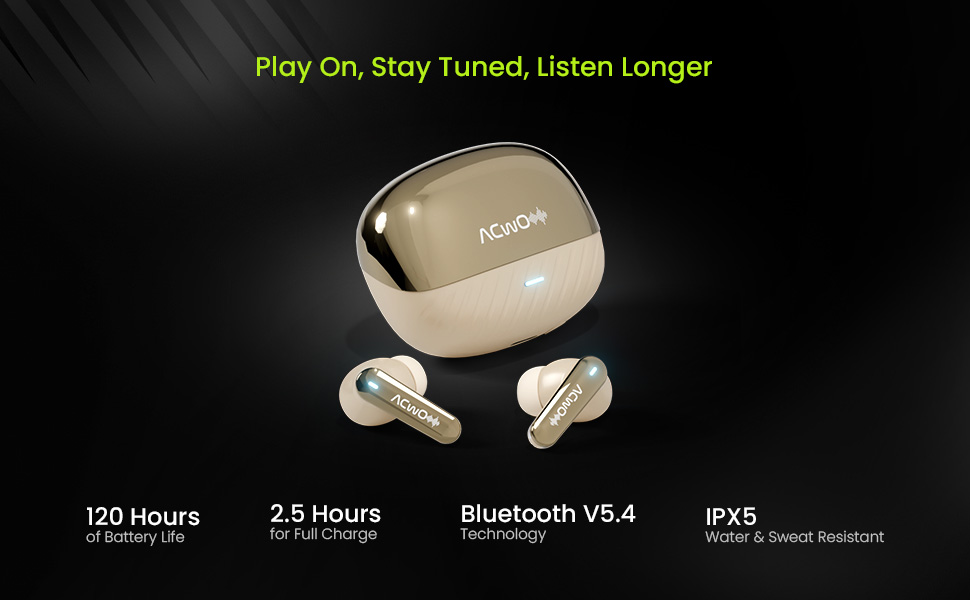
- Carga do estuche: Connect the provided USB charging cable to the charging port on the case and a power source. The LED indicator on the case will show charging status. A full charge takes approximately 2.5 hours.
- Cargando os auriculares: Place the earbuds into the charging case. Ensure they are correctly seated. The earbuds will automatically begin charging. The case can provide multiple charges, extending total playtime up to 120 hours.
Imaxe 4.1: ACwO Dwots 333 Battery Life and Features. This image highlights the 120-hour battery life, Bluetooth V5.4 technology, 2.5-hour full charge time, and IPX5 water and sweat resistance, illustrating key aspects of the earbuds' performance and durability.
4.2 Emparellamento inicial
Follow these steps to pair your earbuds with a new device:
- Abre a caixa de carga. Os auriculares entrarán automaticamente no modo de emparellamento, o que se indicará cun LED intermitente nos auriculares.
- No teu dispositivo (teléfono intelixente, tableta, portátil), activa o Bluetooth.
- Busca available Bluetooth devices and select "ACwO Dwots 333" from the list.
- Unha vez conectados, o indicador LED dos auriculares deixará de parpadear.
4.3 Conectividade de dous dispositivos
The Dwots 333 supports connecting to two devices simultaneously, allowing for seamless switching between them.
- Pair the earbuds with your first device (e.g., smartphone) as described in Section 4.2.
- Desconecta os auriculares da configuración de Bluetooth do primeiro dispositivo. Os auriculares volverán entrar no modo de emparellamento.
- Pair the earbuds with your second device (e.g., laptop).
- Volve conectar os auriculares ao primeiro dispositivo desde a configuración de Bluetooth. Agora os auriculares deberían estar conectados a ambos os dispositivos.
- To switch between devices, simply pause audio on one device and play audio on the other. The earbuds will automatically switch the connection.
5. Instrucións de funcionamento
5.1 Uso dos auriculares
For optimal sound quality and comfort, choose the correct eartip size and wear the earbuds properly.
- Select eartips that provide a snug fit in your ear canal.
- Gently insert each earbud into your ear, twisting slightly until it feels secure and comfortable.
- Ensure the microphone stems are pointing towards your mouth for clear call quality.
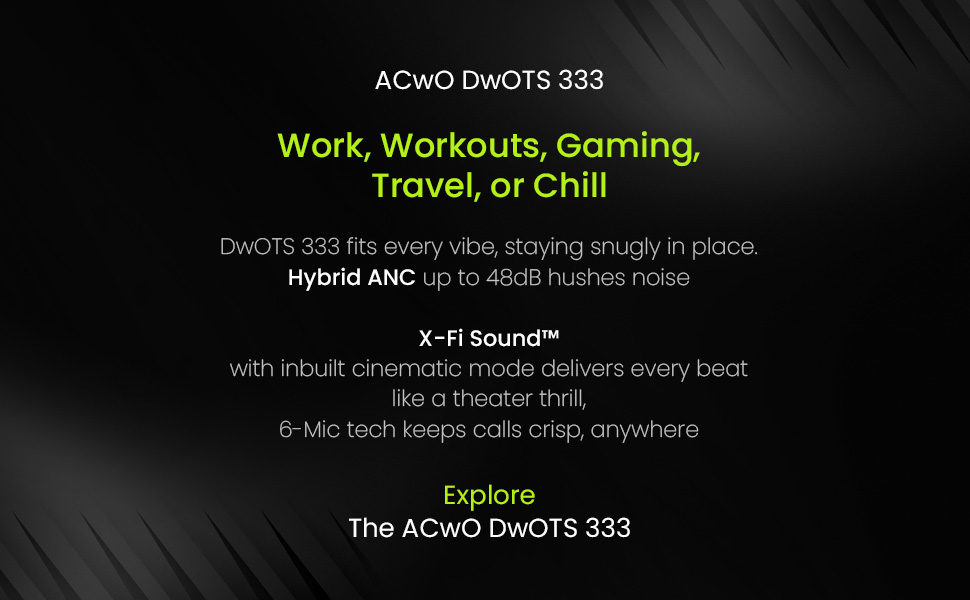
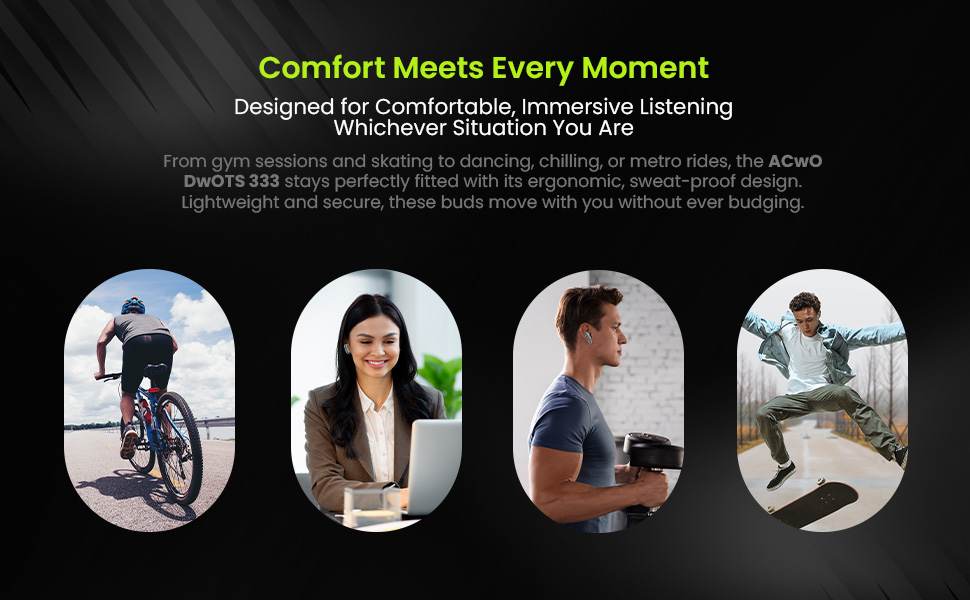
Imaxe 5.1: ACwO Dwots 333 for various activities. This image illustrates the versatility of the Dwots 333 earbuds, showing them being used during work, workouts, gaming, and travel, emphasizing their comfortable and secure fit for different lifestyles.
5.2 Controis táctiles
The ACwO Dwots 333 earbuds feature intuitive touch controls on each earbud. Specific functions may vary slightly based on the connected device.
| Acción | Auricular esquerdo | Earbud dereito |
|---|---|---|
| Reproducir/Pausa música | Toque un só | Toque un só |
| Próxima pista | Toca dúas veces | Toca dúas veces |
| Pista anterior | Toca tres veces | Toca tres veces |
| Responder/Finalizar chamada | Toque un só | Toque un só |
| Rexeitar a chamada | Presión longa (2 s) | Presión longa (2 s) |
| Activa o asistente de voz | Presión longa (2 s) | Presión longa (2 s) |
| Activar/desactivar o modo ANC/transparencia | Presión longa (3 s) | Presión longa (3 s) |
5.3 Cancelación activa de ruído (ANC)
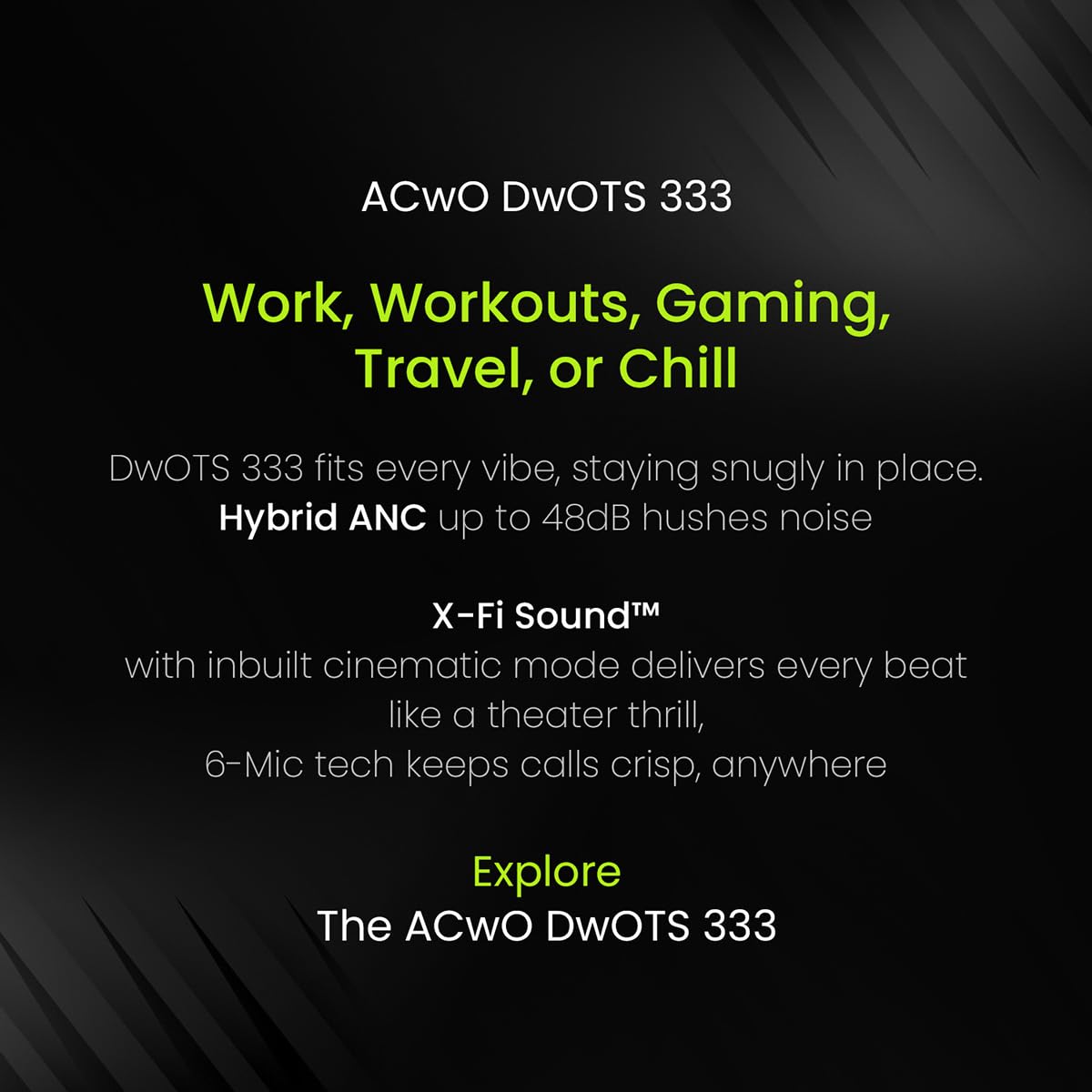
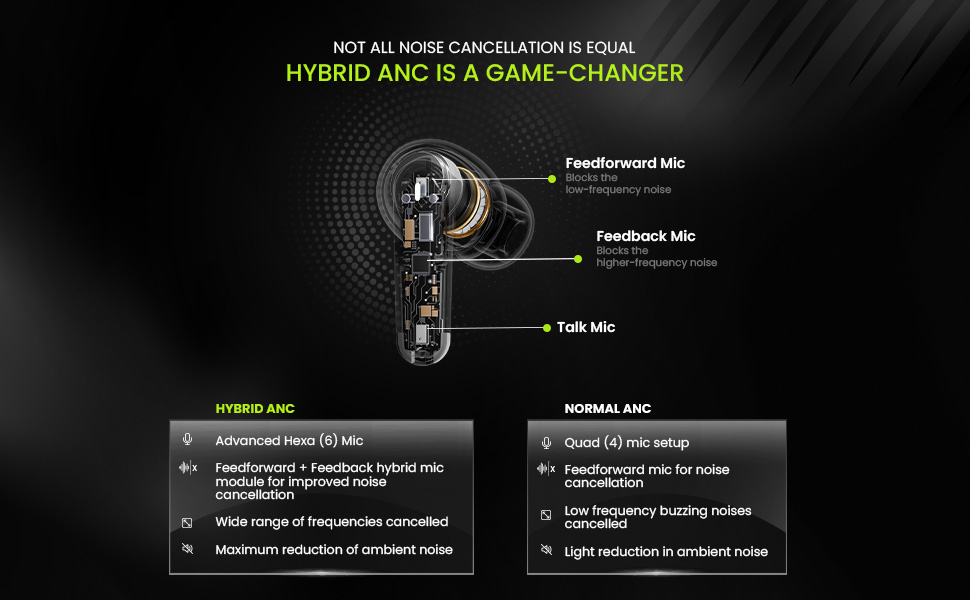
The Dwots 333 features 48dB Hybrid ANC to reduce ambient noise, allowing for a more focused listening experience. It also includes a Transparency Mode to stay aware of your surroundings.
- Activación/desactivación da ANC: Long press the touch area on either earbud for approximately 3 seconds to cycle through ANC On, Transparency Mode, and ANC Off.
- ANC híbrido: Utilizes both feedforward and feedback microphones to block a wide range of frequencies, effectively reducing low-frequency hums and higher-frequency sounds.
Imaxe 5.2: Hybrid ANC vs Normal ANC Explanation. This diagram illustrates the internal microphone setup for Hybrid ANC (Feedforward, Feedback, and Talk Mics) and compares its advanced noise cancellation capabilities, including wider frequency reduction and maximum ambient noise reduction, against standard ANC systems.
5.4 Call Quality with Hexa Mics and AI-ENC
The earbuds are equipped with a Hexa Mic setup (six microphones) and AI-Enhanced Noise Cancellation (AI-ENC) for clear voice pickup during calls, even in noisy environments.
Imaxe 5.3: Hexa Mic Setup for Clearer Calls. This image visually explains the placement of the six dedicated microphones on the earbuds, detailing how they work with noise-reducing algorithms to isolate the user's voice and provide up to 2x clearer calls in crowded environments.
5.5 Modo de baixa latencia
For an optimized gaming or video watching experience, the earbuds feature a low latency mode to minimize audio delay. Refer to your device's settings or the earbuds' touch controls for activation, if available.
6. Mantemento
6.1 Limpeza
Unha limpeza regular axuda a manter a calidade do son e a hixiene.
- Usa un pano suave, seco e sen fiapos para limpar os auriculares e a funda de carga.
- For eartips, remove them from the earbuds and clean with a mild soap solution, then rinse thoroughly and dry completely before reattaching.
- Non empregue materiais abrasivos, alcol nin produtos de limpeza químicos.
6.2 Almacenamento
Cando non estean en uso, garde os auriculares no seu estoxo de carga para protexelos e mantelos cargados.
6.3 Resistencia á auga (IPX5)
The ACwO Dwots 333 earbuds are rated IPX5 water and sweat resistant. This means they can withstand splashes of water and sweat, making them suitable for workouts and light rain. They are not designed for submersion in water or exposure to pressurized water jets.
7 Solución de problemas
If you encounter issues with your ACwO Dwots 333 earbuds, refer to the following common solutions:
| Problema | Posible Solución |
|---|---|
| Os auriculares non se emparejan | Ensure earbuds are charged. Place them back in the case, close, then reopen to re-enter pairing mode. Forget the device in your phone's Bluetooth settings and try pairing again. |
| Non hai son dun auricular | Check battery level of both earbuds. Try placing both earbuds back in the case and taking them out again. Re-pair with your device. |
| Mala calidade das chamadas | Ensure microphones are not obstructed. Move to a quieter environment. Check network signal strength on your phone. |
| O estuche de carga non se está cargando | Verify the charging cable and power adapter are working correctly. Ensure the cable is securely connected to the case and power source. |
| Os controis táctiles non responden | Asegúrate de ter os dedos limpos e secos. Tenta reiniciar os auriculares colocándoos na funda e sacándoos. |
8. Especificacións
Detailed technical specifications for the ACwO Dwots 333 Earbuds:
| Característica | Detalle |
|---|---|
| Nome do modelo | DwOTS 333 |
| Tecnoloxía de conectividade | Sen fíos (Bluetooth V5.4) |
| Alcance Bluetooth | 10 metros |
| Control de ruído | Hybrid Active Noise Cancellation (48dB) |
| Configuración do micrófono | Hexa Mics with AI-ENC |
| Tipo de controlador de audio | Controlador dinámico (10 mm) |
| Impedancia | 32 ohmios |
| Método de control | Toca |
| Duración da batería (total) | Ata 120 horas (con funda de carga) |
| Tempo de carga (caso) | Aprox. 2.5 horas |
| Nivel de resistencia á auga | IPX5 (resistente á auga e á suor) |
| Peso do elemento | 38 gramos |
| Dimensións do produto (caixa) | 4.2 x 6.2 x 2.7 cm |
| Material | Plástico |
| Dispositivos compatibles | Teléfonos móbiles, portátiles, tabletas |
| Compoñentes incluídos | Cable, Eartip, Warranty card |
9. Garantía e soporte
Your ACwO Dwots 333 Earbuds come with a warranty. Please refer to the included Warranty Card for detailed terms and conditions, including the warranty period and coverage.
For technical support, product inquiries, or warranty claims, please contact ACwO customer service through the contact information provided on your warranty card or the official ACwO websitio.


