1. Introdución
Grazas pola compraasing the IRRADIO IR-M5 Classic Portable Speaker. This manual provides essential information for the safe and efficient operation of your device. Please read it thoroughly before use and keep it for future reference.
2. Información de seguridade
- Non expoña o altofalante a temperaturas extremas nin á luz solar directa durante períodos prolongados.
- Evite deixar caer ou someter o altofalante a fortes impactos.
- Non desmonte, repare nin modifique o dispositivo vostede mesmo. Consulte persoal de servizo cualificado.
- Manteña o altofalante lonxe de dispositivos médicos, xa que contén imáns.
- Asegúrate de que o porto de carga estea seco antes de conectar o cable de carga.
- This device is IPX7 water-resistant, meaning it can be submerged in up to 1 meter of water for 30 minutes. Do not intentionally submerge it for longer periods or deeper than specified.
3. Contido do paquete
Comprobe se o paquete contén os seguintes elementos:
- IRRADIO IR-M5 Classic Portable Speaker
- Cable de carga USB
- Manual de usuario
4. Produto rematadoview
Familiarízate cos compoñentes e controis do altofalante.

Figura 4.1: Fronte view of the IRRADIO IR-M5 Classic speaker, showing the speaker grille, IRRADIO logo, and RGB LED light bar.
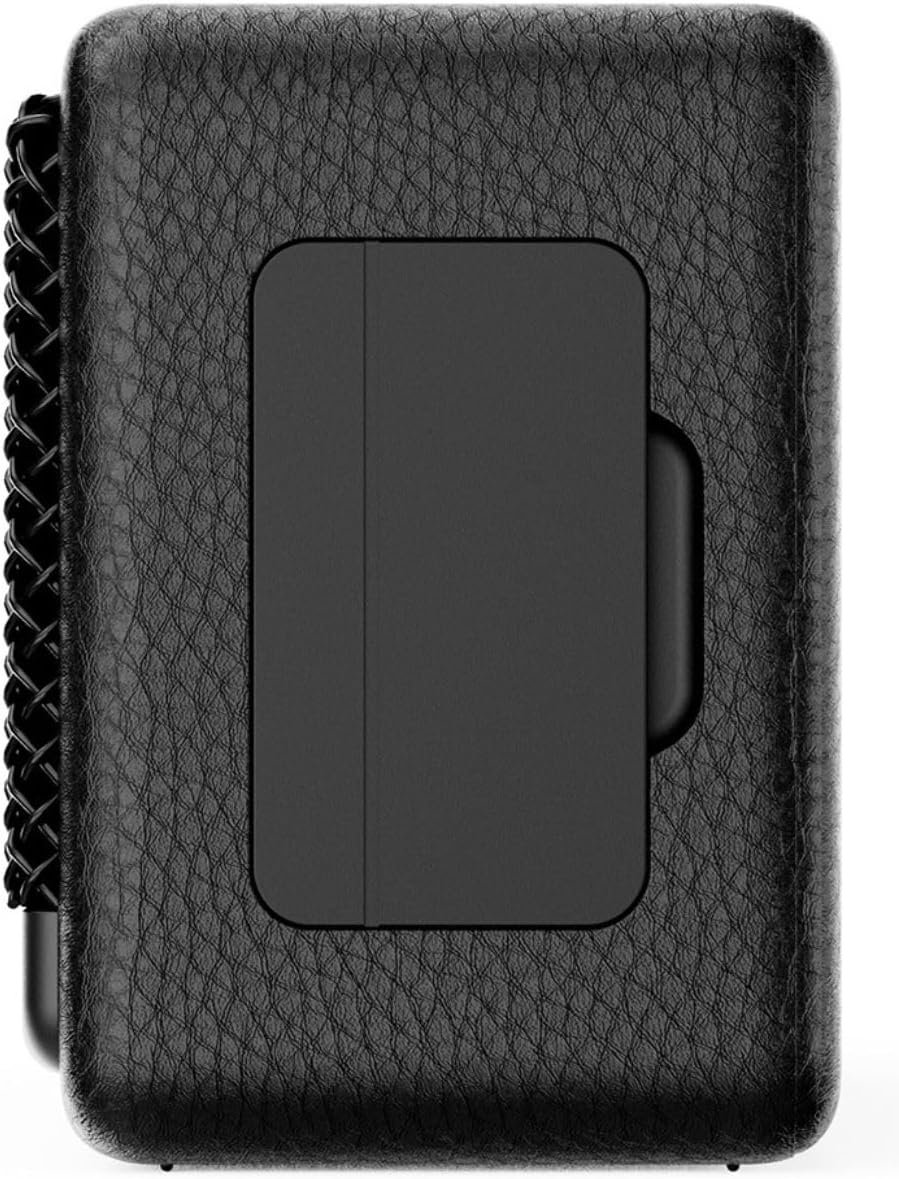
Figura 4.2: Atrás view of the IRRADIO IR-M5 Classic speaker, highlighting the passive subwoofer panel.

Figura 4.3: Lateral view of the IRRADIO IR-M5 Classic speaker, showing the integrated strap for portability.
Controis e portos:
- Botón de encendido: Mantén premido para activar/desactivar.
- Subir volume / seguinte pista: Prema brevemente para subir o volume, preme longa para a seguinte pista.
- Baixar volume / pista anterior: Presión curta para baixar o volume, presión longa para a pista anterior.
- Botón Reproducir/Pausar/Chamar: Press to play/pause music or answer/end calls.
- Botón de modo (M): Press to switch between Bluetooth and USB playback modes.
- Botón LED RGB: Prema para cambiar polos modos de iluminación RGB ou apagar as luces.
- Porto de carga USB-C: Para cargar o altofalante.
- Porto USB-A: For external USB music playback.
- AUX Input (3.5mm Mini Jack): Para conexión de audio con cable.
5. Configuración
5.1 Carga do altofalante
Before first use, fully charge the speaker. Connect the provided USB charging cable to the USB-C port on the speaker and the other end to a compatible USB power adapter (not included).
- O indicador LED mostrará o estado de carga.
- Unha carga completa leva aproximadamente 3.5 horas.
5.2 Encendido/apagado
- Para acender o dispositivo, manteña premido o botón de acendido ata que escoite unha indicación audible.
- Para apagar, manteña premido o botón de acendido/apagado de novo ata que o altofalante se apague.
5.3 Emparejamento Bluetooth
- Acenda o altofalante. Entrará automaticamente no modo de emparellamento Bluetooth, o que se indicará cun LED intermitente.
- No teu dispositivo (teléfono intelixente, tableta, portátil), activa o Bluetooth e busca os dispositivos dispoñibles.
- Select "IR-M5 Classic" from the list of devices.
- Once paired, the LED indicator will stop flashing and remain solid. You are now ready to play music.
6. Instrucións de funcionamento
6.1 Reprodución de música
- Modo Bluetooth: Despois de realizar o emparellamento correctamente, reproduce música desde o dispositivo conectado.
- Reprodución USB: Insert a USB drive with MP3/WAV files into the USB-A port. The speaker will automatically switch to USB mode and begin playback. Use the Mode button to switch if necessary.
- Modo AUX: Connect an audio device using a 3.5mm AUX cable to the AUX input. The speaker will automatically switch to AUX mode.
6.2 Control de volume
- Press the Volume Up (+) button to increase volume.
- Press the Volume Down (-) button to decrease volume.
6.3 Track Navigation
- Long press the Volume Up (+) button for the next track.
- Long press the Volume Down (-) button for the previous track.
Función estéreo sen fíos verdadeiro 6.4 (TWS)
To pair two IR-M5 Classic speakers for a stereo experience:
- Asegúrate de que ambos altofalantes estean acendidos e non conectados a ningún dispositivo Bluetooth.
- On one speaker, double-press the Play/Pause button. It will enter TWS pairing mode.
- The speakers will automatically connect to each other. You will hear a confirmation sound.
- Once TWS paired, connect your device to one of the speakers via Bluetooth as described in section 5.3. Both speakers will now play in stereo.
Iluminación LED RGB 6.5
Press the RGB LED button to cycle through different lighting modes or to turn the lights off.
7. Mantemento
- Limpa o altofalante cun pano suave e seco. Non empregues produtos de limpeza abrasivos nin disolventes.
- Garda o altofalante nun lugar fresco e seco cando non estea en uso.
- If the speaker will not be used for an extended period, charge it every 3 months to maintain battery health.
8 Solución de problemas
| Problema | Causa posible | Solución |
|---|---|---|
| O altofalante non se acende. | Batería baixa. | Cargue o altofalante completamente. |
| Non se pode emparellar por Bluetooth. | O altofalante non está en modo de emparellamento ou xa está conectado a outro dispositivo. | Ensure speaker is in pairing mode. Disconnect from other devices. Restart speaker and device. |
| Sen son. | Volume demasiado baixo; modo de entrada incorrecto; o dispositivo non reproduce. | Increase volume. Check input mode (Bluetooth/USB/AUX). Ensure source device is playing. |
| Fallou o emparellamento de TWS. | Speakers are already connected to a device or each other. | Asegúrate de que ambos altofalantes estean desconectados de todos os dispositivos antes de iniciar o emparellamento TWS. |
9. Especificacións
| Característica | Detalle |
|---|---|
| Nome do modelo | IR-M5 Clásico |
| Marca | IRRADIO |
| Potencia de saída | 20W (Rated), 28W (Music) |
| Condutores | 2 x 50mm Full-Range, 1 x Passive Subwoofer |
| Resposta en frecuencia | 85 Hz - 20 kHz |
| Versión Bluetooth | 5.4 |
| distancia wireless | Ata 10 metros (sen obstáculos) |
| Capacidade da batería | 2000mAh (3.7V, 7.4 Wh) |
| Tempo de reprodución | Aprox. 8 horas (ao 50 % do volume) |
| Tempo de carga | Aprox. 3.5 horas |
| Resistencia á auga | IPX7 |
| Dimensións (L x W x H) | 17.4 x 8 x 5.3 cm (6.8 x 3.15 x 2.1 polgadas) |
| Peso | 506 gramos (0.506 kg) |
| Formatos de audio admitidos | MP3, WAV |
10. Garantía e soporte
This product comes with a standard manufacturer's warranty. For detailed warranty terms and conditions, please refer to the warranty card included in your package or contact your local distributor. For technical support or service inquiries, please visit the official IRRADIO websitio ou póñase en contacto co seu servizo de atención ao cliente.
Note: Product specifications and design are subject to change without notice for improvement.


