1. Introdución
The Mentech Avant 700 is a GPS bike computer designed to provide comprehensive navigation, tracking, and training data for cyclists. Featuring a 2.8-inch touchscreen, dual-band satellite systems, and robust connectivity options, it offers a reliable solution for various cycling activities.
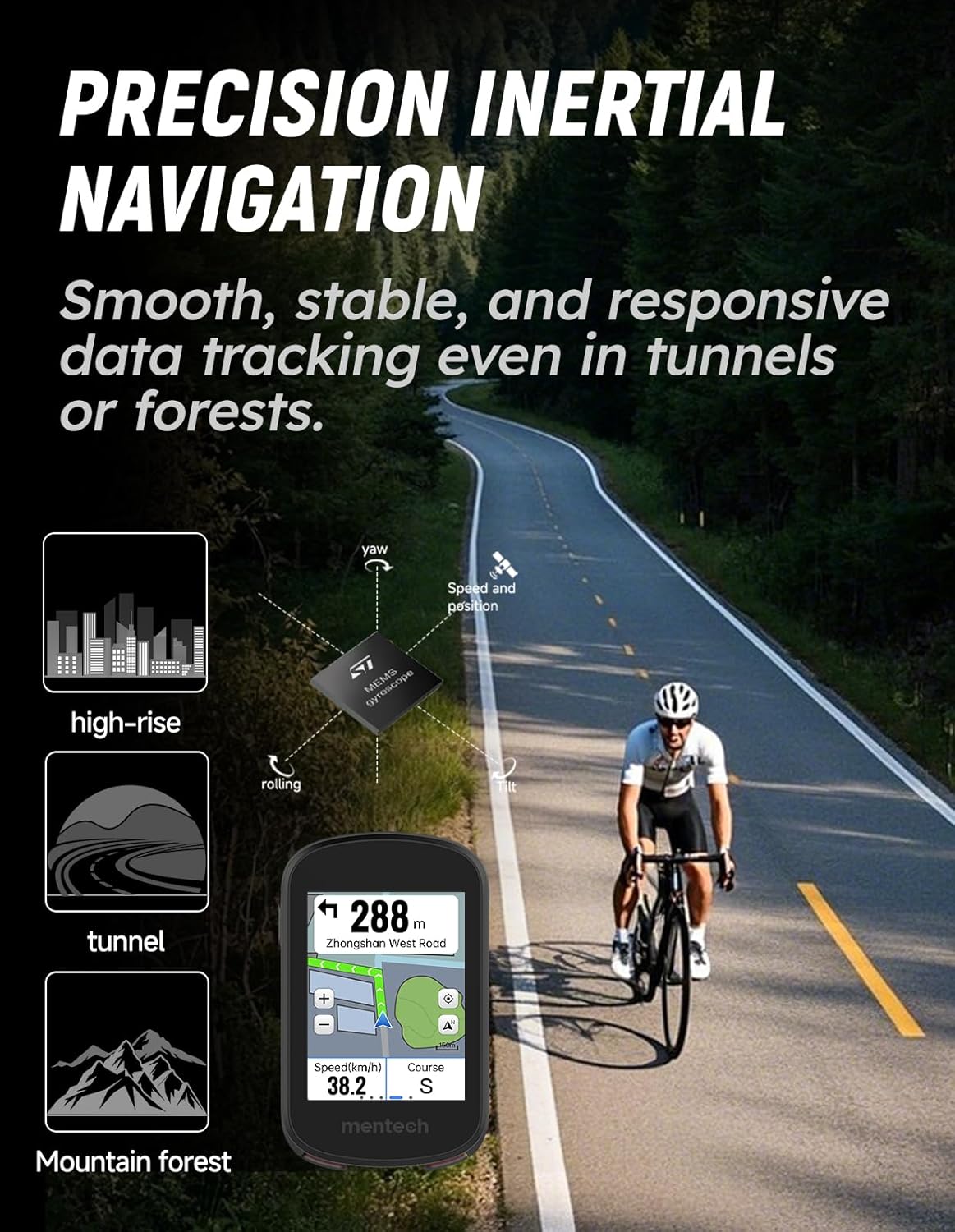
Image 1.1: The Mentech Avant 700 GPS Bike Computer.
2. Configuración
2.1 Desembalaxe e compoñentes
Carefully unpack the contents of the box. The standard package includes:
- Mentech Avant 700 GPS Bike Computer
- Cable de carga USB
- Kit de montaxe para bicicleta
- Manual de usuario (este documento)
2.2 Carga do dispositivo
Before first use, fully charge the Avant 700. Connect the provided USB cable to the charging port on the device and to a standard USB power adapter (not included) or a computer USB port. The charging indicator on the screen will show the charging status. A full charge typically takes approximately 2-3 hours.
2.3 Montaxe do ciclocomputador
Attach the bike mount to your bicycle's handlebars or stem using the provided straps or bolts. Ensure the mount is securely fastened and positioned for optimal viewing during your ride. Align the Avant 700 with the mount and twist it clockwise until it locks into place.
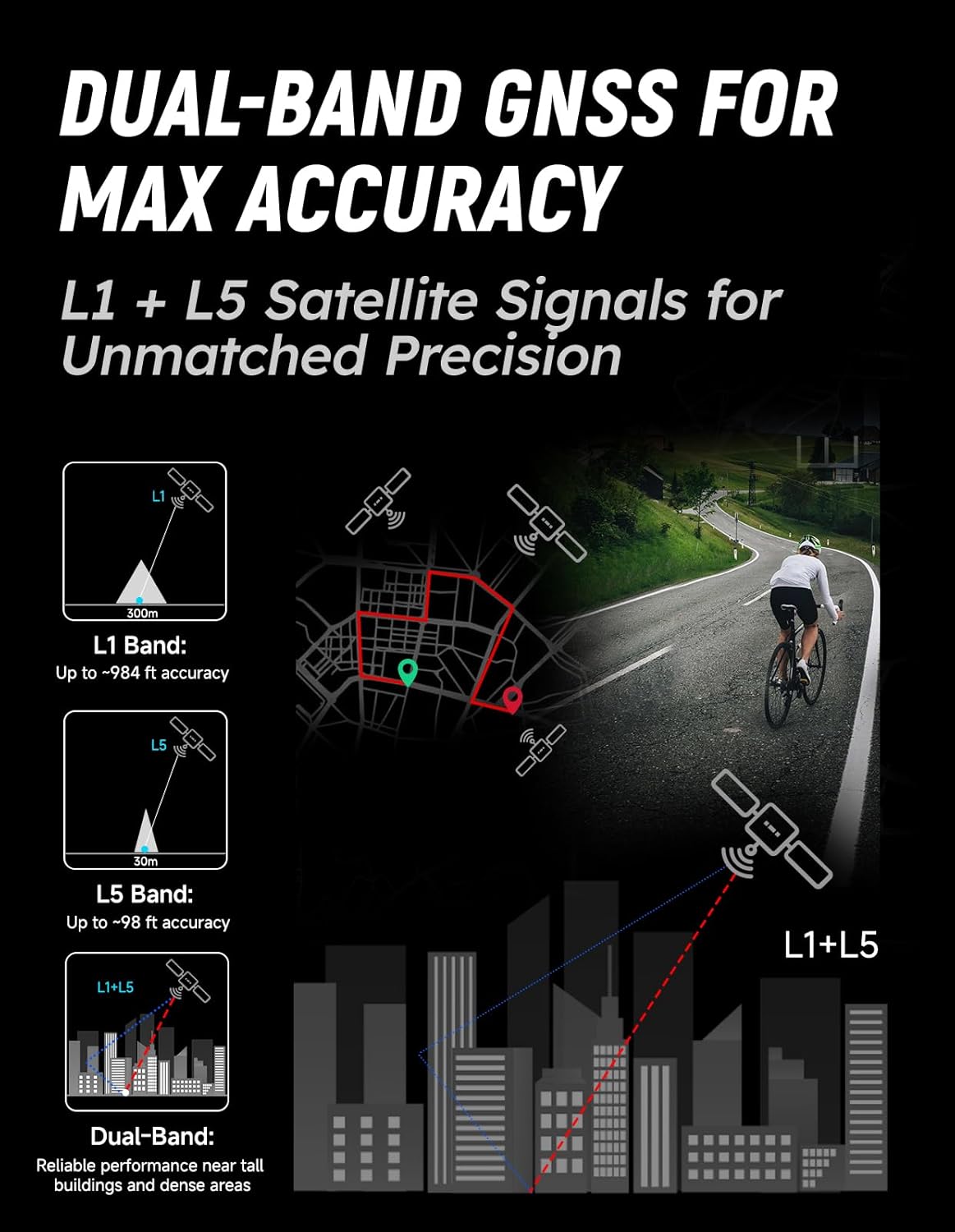
Image 2.1: The Avant 700 securely mounted on a bicycle.
2.4 Acendido inicial e configuración básica
Press and hold the power button to turn on the device. Follow the on-screen prompts to select your preferred language, time zone, and measurement units (e.g., kilometers/miles, Celsius/Fahrenheit).
2.5 Satellite System Configuration
The Avant 700 supports dual-band 5 satellite systems for enhanced accuracy. Navigate to the GPS settings menu to ensure all available satellite systems are enabled for optimal signal acquisition and tracking performance.
2.6 Sensor Pairing (ANT+/Bluetooth 5.2)
The device supports ANT+ and Bluetooth 5.2 for connecting external sensors such as heart rate monitors, speed sensors, cadence sensors, and power meters. To pair a sensor:
- Ensure the sensor is awake and in pairing mode.
- On the Avant 700, go to Configuración > Sensores.
- Seleccione Engadir un novo sensor and choose the appropriate connection type (ANT+ or Bluetooth).
- The device will scan for nearby sensors. Select your sensor from the list to complete pairing.
3. Instrucións de funcionamento
3.1 Interface de pantalla táctil
The Avant 700 features a responsive 2.8-inch full-color touchscreen. Swipe left/right to navigate between data screens, tap to select options, and use pinch-to-zoom gestures on maps. The screen is designed to be glove-friendly and readable in various lighting conditions.

Image 3.1: The 2.8-inch full-color touchscreen interface.
3.2 GPS Navigation and Offline Maps
The device supports precise GPS navigation, including pre-loaded offline maps. This allows for navigation without a phone or internet connection. To use navigation:
- No menú principal, seleccione Navegación.
- Choose to load a pre-saved route, search for a destination, or navigate back to your starting point.
- Follow the on-screen turn-by-turn directions.

Image 3.2: Offline maps provide navigation without a signal.
3.3 Data Display and Metrics
The Avant 700 displays a wide range of cycling metrics, including speed, distance, time, ascent, calories, heart rate, cadence, and power (with connected sensors). You can customize data fields on different screens to prioritize the information most relevant to your ride.

Image 3.3: Rich metrics provide real-time insights into your performance.
3.4 Training Features
Utilize the Avant 700's training features to set goals, follow structured workouts, and track your progress. This includes interval training, target power zones, and other customizable training plans.

Image 3.4: Custom training plans to boost cycling performance.
3.5 Sincronización de datos
After your ride, synchronize your data with compatible cycling apps and platforms like Strava via Bluetooth. This allows you to analyze your performance, share activities, and track long-term progress.

Image 3.5: Seamless data synchronization with cycling apps.
Vídeo 3.1: Un overview of the Mentech Avant 700 GPS Bike Computer features and usage during a ride.
4. Mantemento
4.1 Limpeza do dispositivo
Limpe o dispositivo cun suave, damp cloth after each ride to remove dirt and sweat. Avoid using harsh chemicals or abrasive cleaners, as these can damage the screen or casing.
4.2 Battery Life and Care
The Avant 700 offers up to 28 hours of battery life, with continuous use potentially extending to 35 hours depending on settings and usage. To prolong battery life:
- Evita temperaturas extremas.
- Cargue o dispositivo regularmente, pero evite deixalo completamente descargado durante períodos prolongados.
- Reducir o brillo da pantalla cando non sexa necesario.

Image 4.1: The Avant 700 is designed for extended battery performance.
4.3 Resistencia á auga (IPX7)
The Avant 700 has an IPX7 waterproof rating, meaning it can withstand immersion in up to 1 meter of water for 30 minutes. This protects it from rain, splashes, and accidental submersion. However, it is not recommended for prolonged underwater use.

Image 4.2: The IPX7 rating ensures durability in wet conditions.
4.4 Actualizacións de firmware
Periodically check for firmware updates to ensure your device has the latest features and performance improvements. Updates can typically be performed via the companion app or by connecting the device to a computer.
5 Solución de problemas
If you encounter issues with your Avant 700, refer to the following common solutions:
- O dispositivo non se acende: Ensure the device is fully charged. Try a different USB charging port or cable.
- Perda ou inexactitude do sinal GPS: Asegúrate de estar nunha zona aberta con clara view of the sky. Check GPS settings to confirm all satellite systems are enabled.
- Sensors not connecting: Ensure sensors are awake, in pairing mode, and have fresh batteries. Re-attempt pairing through the device settings.
- A pantalla táctil non responde: Perform a soft reset by holding the power button for 10-15 seconds. Clean the screen to remove any dirt or moisture.
- Datos sen sincronización: Ensure Bluetooth is enabled on both the Avant 700 and your smartphone. Check the companion app for connection status.
6. Especificacións
| Característica | Detalle |
|---|---|
| Nome do modelo | Avant 700 |
| Mostrar | Pantalla táctil de 2.8 polgadas |
| Sistemas GPS | Dual-Band 5 Satellite Systems |
| Almacenamento interno | 32 GB |
| Clasificación impermeable | IPX7 |
| Conectividade | ANT+/Bluetooth 5.2 |
| Duración da batería | Up to 28 hours (up to 35 hours continuous use) |
| Pilas incluídas | Yes (1 Nonstandard Battery) |
| Peso do elemento | 13.1 onzas (0.82 libras) |
| Dimensións do paquete | 6.06 x 3.78 x 2.4 polgadas |
| Fabricante | Mentech |
| ASIN | B0F6CV31Z9 |
| Data de primeira dispoñibilidade | 25 de abril de 2025 |
7. Información da garantía
The Mentech Avant 700 GPS Bike Computer comes with a 12 meses de garantía from the date of purchase. This warranty covers manufacturing defects and malfunctions under normal use. It does not cover damage caused by misuse, accidents, unauthorized modifications, or normal wear and tear. Please retain your proof of purchase for warranty claims.
8. Apoio
For further assistance, technical support, or warranty inquiries, please contact Mentech customer service through the official website or the contact information provided with your product packaging. You may also refer to the online FAQ section for common questions and solutions.


