1. Instrucións de seguridade importantes
Please read these instructions carefully before using the Audizio Canzo DAB+ Internet Radio. Keep this manual for future reference.
- Non expoña o dispositivo á choiva nin á humidade para evitar incendios ou descargas eléctricas.
- Non abras a c.asing. Non hai pezas que o usuario poida reparar no interior. Encomende calquera mantemento a persoal cualificado.
- Use só o adaptador de alimentación que se proporciona co dispositivo.
- Asegúrese de que haxa unha ventilación axeitada arredor da unidade. Non bloquee as aberturas de ventilación.
- Evite colocar a unidade preto de fontes de calor ou baixo a luz solar directa.
- Limpa a unidade só cun pano suave e seco. Non empregues produtos de limpeza líquidos.
2. Produto rematadoview
The Audizio Canzo is a versatile DAB+ Internet Radio designed for high-quality audio reception and playback. It features multiple connectivity options including Wi-Fi, Bluetooth 5.3, AUX, and USB, along with a remote control for convenient operation. The elegant wooden finish and clear display make it suitable for various home environments.
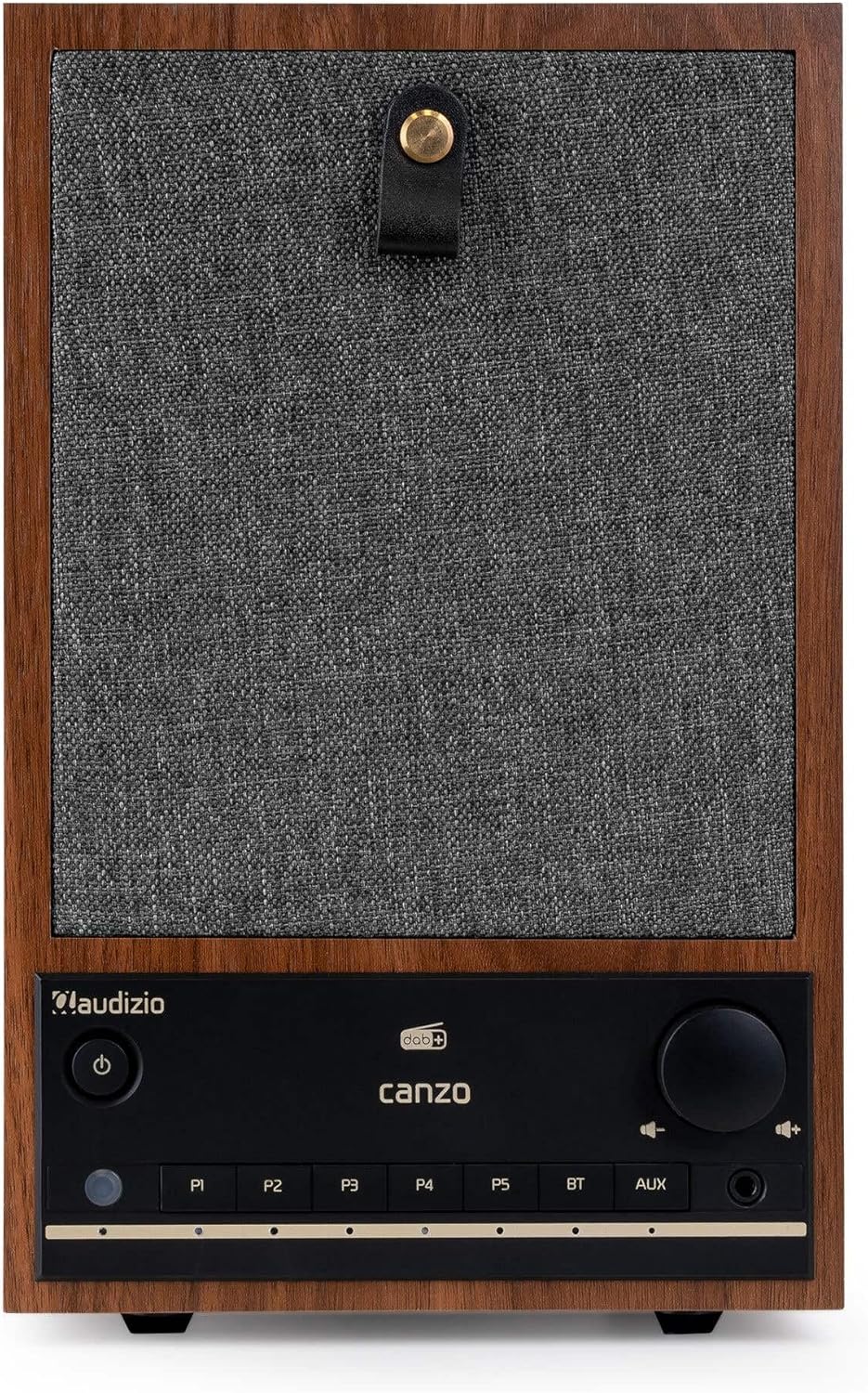
Figura 2.1: Fronte view of the Audizio Canzo DAB+ Internet Radio in walnut finish.

Figura 2.2: Fronte view with speaker grille removed, highlighting the speaker, display, and control panel.
3. Que hai na caixa
Desembala a caixa con coidado e asegúrate de que estean presentes todos os elementos:
- Audizio Canzo DAB+ Internet Radio
- Adaptador de alimentación
- Control remoto
- Guía de inicio rápido
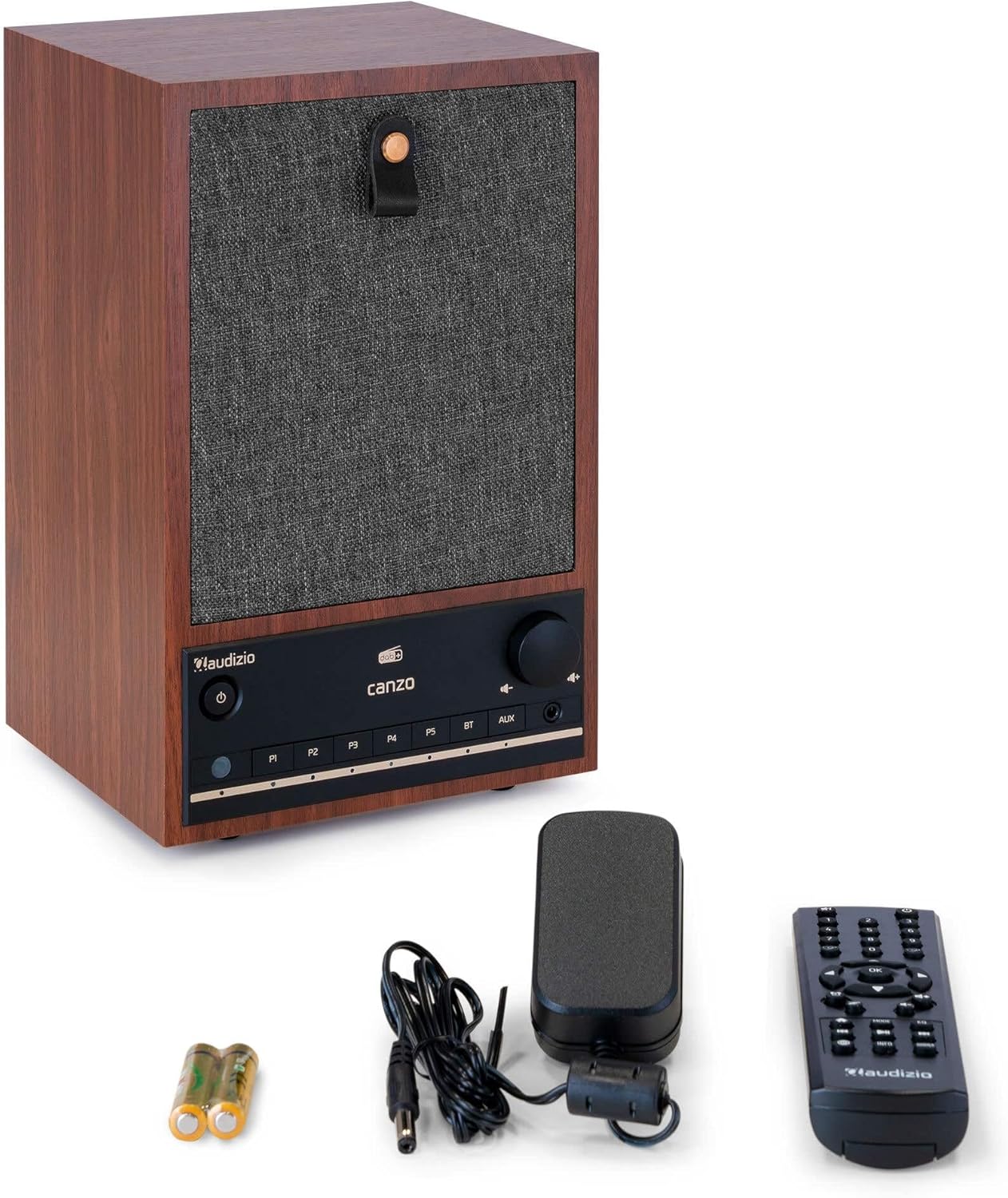
Figure 3.1: Audizio Canzo radio with its accessories.
4. Configuración
4.1 Conexión de enerxía
- Insert the DC plug of the power adapter into the DC IN port on the back of the radio.
- Plug the power adapter into a standard wall outlet (220V).
- Xire o ON/OFF switch on the back of the unit to the ON posición.
4.2 Conexión de antena
For optimal DAB+ and FM reception, extend the telescopic antenna located on the back of the unit. Adjust its position for the best signal.

Figure 4.1: Rear panel with power input, audio ports, USB, LAN, and antenna.
4.3 Acendido inicial e configuración da rede
- Preme o Poder button on the front panel or remote control to turn on the radio.
- The display will show the Audizio logo and then guide you through the initial setup wizard.
- Seleccione o seu idioma preferido.
- The radio will prompt you to connect to a network. Choose Wi-Fi or LAN.
- Para Wi-Fi: Select your Wi-Fi network from the list and enter the password using the navigation buttons and OK botón.
- For LAN: Conecta un cable Ethernet do teu enrutador ao LAN port on the back of the radio. The connection should be established automatically.
- Once connected, the radio will update the time and date automatically.
5. Instrucións de funcionamento
5.1 Controis básicos
The front panel features a power button, preset buttons (P1-P5), Bluetooth (BT) and AUX input buttons, a volume knob, and navigation controls. The remote control provides full access to all functions.
5.2 Selección de modo
Preme o MODO button on the radio or remote control to cycle through available modes: Internet Radio, DAB+, FM, Bluetooth, AUX, and USB Playback.
5.3 Radio por Internet
- Seleccione Radio por Internet modo.
- Use the navigation buttons to browse stations by location, genre, or search.
- Preme OK para seleccionar unha estación.
- Para gardar unha emisora como predefinida, manteña premido un dos botóns P1-P5 buttons until the display confirms.
Radio DAB+ 5.4
- Seleccione DAB+ modo.
- A radio buscará automaticamente as emisoras DAB+ dispoñibles.
- Use the navigation buttons to scroll through the list of found stations.
- Preme OK para seleccionar unha estación.
- Para gardar unha emisora como predefinida, manteña premido un dos botóns P1-P5 botóns.
5.5 Radio FM
- Seleccione FM modo.
- Manteña premido o Escanear button (usually on the remote or via menu) to auto-scan for FM stations.
- Use the navigation buttons to tune manually or select from scanned stations.
- Para gardar unha emisora como predefinida, manteña premido un dos botóns P1-P5 botóns.
5.6 Reprodución por Bluetooth
- Seleccione Bluetooth mode. The radio will enter pairing mode, indicated on the display.
- No teu teléfono intelixente ou tableta, activa o Bluetooth e busca os dispositivos dispoñibles.
- Select "Audizio Canzo" from the list to pair.
- Unha vez emparellado, podes reproducir audio desde o teu dispositivo a través da radio.
5.7 Entrada AUX
- Conecte un dispositivo de son externo (por exemplo, un reprodutor de MP3) ao AUX IN port on the back of the radio using a 3.5mm audio cable.
- Seleccione AUX modo.
- O son do dispositivo conectado reproducirase agora a través da radio.
Reprodución por USB 5.8
- Insira unha unidade flash USB que conteña audio files no REPRODUCCIÓN USB port on the back of the radio.
- Seleccione USB modo.
- Usa os botóns de navegación para explorar e seleccionar o audio files para a reprodución.
5.9 Reloxo despertador e temporizador de sono
- Alarma: Access the Alarm settings via the menu. Set up to two alarms with desired time, source (buzzer, radio), and volume.
- Temporizador de sono: Access the Sleep Timer settings via the menu. Set a duration (e.g., 15, 30, 60 minutes) after which the radio will automatically turn off.
- Repetición: Cando soe unha alarma, prema o botón Adiar button on the remote or radio to temporarily silence it.
6. Mantemento
6.1 Limpeza
To clean the radio, use a soft, dry, lint-free cloth. Do not use abrasive cleaners, waxes, or solvents as they may damage the finish or internal components.
6.2 Almacenamento
Se vai gardar a unidade durante un período prolongado, desconéctea da toma de corrente e gárdea nun lugar fresco e seco, lonxe da luz solar directa e de temperaturas extremas.
7 Solución de problemas
| Problema | Causa posible | Solución |
|---|---|---|
| Sen poder | Power adapter not connected; ON/OFF switch is OFF. | Ensure power adapter is securely connected and ON/OFF switch is ON. |
| Sen son | Volume too low; incorrect source selected; headphones connected. | Aumentar o volume; seleccionar o modo de entrada correcto; desconectar os auriculares. |
| Non se pode conectar á wifi | Incorrect password; router too far; network issue. | Verify Wi-Fi password; move radio closer to router; restart router. |
| Mala recepción DAB+/FM | Antena non estendida; zona de sinal débil. | Fully extend and adjust the telescopic antenna; try repositioning the radio. |
| O control remoto non funciona | Batteries depleted; obstruction between remote and radio. | Replace remote control batteries; ensure clear line of sight to the radio's sensor. |
8. Especificacións
| Característica | Especificación |
|---|---|
| Número de modelo | Canzo |
| Dimensións do produto | 22.5 x 20.5 x 34 cm |
| Peso do elemento | 2.9 quilogramos |
| Cor | Nogueira |
| Tamaño da pantalla | 2.4 polgadas |
| Tecnoloxía de conectividade | Aux, Bluetooth, Wi-Fi, LAN |
| Versión Bluetooth | 5.3 |
| Bandas de radio compatibles | DAB+, FM, radio por internet |
| Fonte de enerxía | Eléctrico con cable (220 voltios) |
| Características especiais | Integrated Clock, Sleep Timer, Alarm, Remote Control, Preset Stations |
| Dispositivos compatibles | Smartphone, Tablet, Headphones, MP3 Player, USB Storage Device |
9. Garantía e soporte
For warranty information and technical support, please refer to the warranty card included with your product or contact your retailer. Keep your proof of purchase for any warranty claims.