Introdución
The EPOS Adapt E1 True Wireless Bluetooth Earbuds are designed for seamless integration into both professional and personal audio environments. These earbuds offer a versatile audio experience, whether participating in virtual meetings, making calls, or enjoying music.
As características principais inclúen:
- Unmatched comfort and acoustic performance through EPOS IntelligentFit™ ear tip design.
- Certified for Microsoft Teams and Made for iPhone for optimal compatibility.
- Multi-point connectivity, allowing simultaneous connection to a smartphone and a laptop.
- Up to 50 hours of battery life with the charging case, including 5-minute quick charge for 1 hour of use.
- Hybrid Active Noise Cancellation (ANC) for focused listening.
- Water-resistant, sweatproof, rainproof, and splashproof design for durability.
- Solo mode for independent earbud use and automatic audio pause/resume.
O que hai na caixa
- EPOS Adapt E1 True Wireless Bluetooth Earbuds - Nordic White
- 3 x Sizes Silicone Eartips (Small, Medium, Large)
- Estuche de carga

Image: The EPOS Adapt E1 True Wireless Bluetooth Earbuds in Nordic White, shown alongside their compact charging case.
Configuración
1. Carga dos auriculares e da funda
Before first use, fully charge the earbuds and the charging case. Place the earbuds into the charging case. Connect the charging case to a power source using a USB-C cable. A full charge typically provides up to 50 hours of total battery life. A quick 5-minute charge can provide up to 1 hour of listening time.
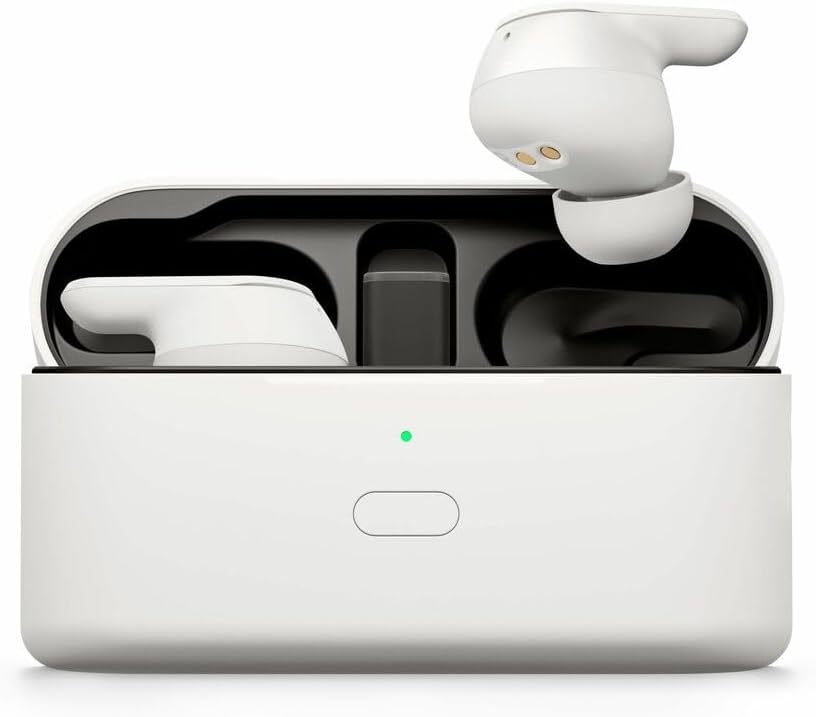
Image: The EPOS Adapt E1 earbuds are placed inside their charging case, with an indicator light showing the charging status.
2. Emparejamento Inicial
- For Android Devices (Google Fast Pair): Open the charging case near your Android device. A pop-up notification will appear for quick pairing. Follow the on-screen prompts.
- For iOS Devices (Made for iPhone Certified): Open the charging case. Go to your iPhone's Bluetooth settings and select "EPOS Adapt E1" from the list of available devices.
- For PC/Other Bluetooth Devices: Open the charging case. Go to your device's Bluetooth settings and select "EPOS Adapt E1" to pair.
3. Axuste óptimo
The EPOS Adapt E1 features IntelligentFit™ technology for comfort and acoustic performance. Experiment with the three included silicone ear tip sizes (Small, Medium, Large) to find the best seal for your ears. A proper fit is crucial for optimal sound quality and active noise cancellation.
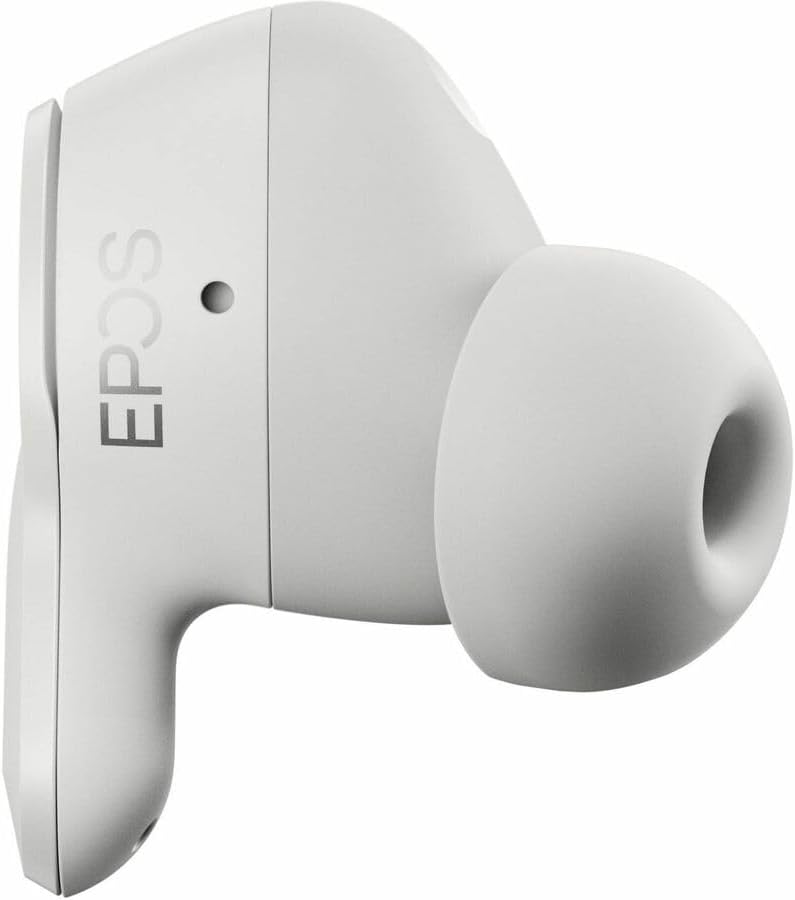
Imaxe: Unha detallada view of a single EPOS Adapt E1 earbud, highlighting its ergonomic design and silicone ear tip.
Instrucións de funcionamento
1. Controis básicos
- Control da aplicación: Utilize the dedicated EPOS app (available for mobile and PC) to customize settings, select sound profiles, and manage features.
- Auto Pause/Resume: Removing one earbud will automatically pause audio playback. Reinserting it will resume music playback.
- Modo Solo: Use one earbud independently while the other charges in the case. This allows for continuous use during long calls or listening sessions.
2. Multi-Point Connectivity
The Adapt E1 earbuds can connect to two devices simultaneously (e.g., your smartphone and laptop). This allows for seamless switching between calls on your phone and audio on your computer without needing to manually disconnect and reconnect.
3. Cancelación activa de ruído (ANC)
The hybrid ANC feature helps to reduce ambient noise, allowing for greater focus during calls or immersive listening. Manage ANC settings through the EPOS app to adjust to your environment.
4. Son Profiles
Select from various preset sound profiles available in the EPOS app to optimize your audio experience for different content, such as music, calls, or podcasts.
Mantemento
The EPOS Adapt E1 earbuds are designed to be durable and are water-resistant, sweatproof, rainproof, and splashproof. To ensure longevity and optimal performance:
- Limpa regularmente as almofadas e as superficies dos auriculares cun pano suave, seco e sen fiapos.
- Evite o uso de produtos químicos agresivos ou materiais abrasivos para a limpeza.
- Asegúrate de que os auriculares estean secos antes de volvelo colocar na caixa de carga para evitar danalos.
- Garda os auriculares no seu estuche de carga cando non estes en uso para protexelos e mantelos cargados.
Resolución de problemas
If you encounter any issues with your EPOS Adapt E1 earbuds, consider the following:
- Sen problemas de son/conexión: Ensure the earbuds are charged and within Bluetooth range of your device. Try unpairing and re-pairing the earbuds.
- Mala calidade de son: Check the ear tip fit for a proper seal. Ensure the earbuds are clean and free from debris. Adjust sound profiles in the EPOS app.
- Problemas de carga: Verify the USB-C cable and power source are working correctly. Ensure the earbuds are properly seated in the charging case.
- For further assistance, refer to the EPOS support websitio ou póñase en contacto co servizo de atención ao cliente.
Especificacións
| Característica | Detalle |
|---|---|
| Nome do modelo | ADAPT E1 |
| Número de modelo do artigo | 1001261 |
| Tecnoloxía de conectividade | Sen fíos |
| Tecnoloxía de comunicación sen fíos | Bluetooth |
| Versión Bluetooth | 5.3 |
| Control de ruído | Cancelación activa de ruído híbrida |
| Charging Time (Quick Charge) | 5 minutos para 1 hora de reprodución |
| Duración da batería (total coa funda) | Ata 50 horas |
| Nivel de resistencia á auga | Water Resistant (sweatproof, rainproof, splashproof) |
| UPC | 840064410700 |
Garantía e Soporte
EPOS provides free software for asset management and remote updates to ensure your device adheres to company policy and remains up-to-date.
For detailed warranty information, product registration, or technical support, please visit the official EPOS websitio ou póñase en contacto co seu departamento de atención ao cliente.


