1. Introdución
Thank you for choosing the ProtoArc EM15 Bluetooth Wireless Mouse. This manual provides detailed instructions for setting up, operating, and maintaining your new mouse. Please read this manual thoroughly before use to ensure optimal performance and longevity of your device.
2. Produto rematadoview
The ProtoArc EM15 is a versatile wireless mouse designed for enhanced productivity and comfort. It offers multiple connectivity options and a compact, ergonomic design.
- Conectividade multidispositivo: Connects to up to three devices simultaneously via Bluetooth, USB, and Type-C.
- Rechargeable & Energy Saving: Features a built-in Lithium-Ion battery, rechargeable via USB-C, offering extended use and standby times.
- DPI axustable: Three DPI levels (1000/1600/2400) for precise and smooth tracking across various surfaces.
- Quiet Click: Designed for silent operation, minimizing disturbance (note: scroll wheel is not silent).
- Ergonomic & Slim Design: Provides maximum hand support and comfort, ideal for travel.
- Ampla compatibilidade: Compatible with Windows 7/8/10/XP, Vista, Mac OS X 10.10 or later, and all Type-C devices.

Figure 1: ProtoArc EM15 Wireless Mouse (Gray)
3. Primeiros pasos (Configuración)
The ProtoArc EM15 mouse offers flexible connection options to suit your devices.
3.1. Desembalaxe e compoñentes
Inside the package, you will find the ProtoArc EM15 mouse, a USB-C charging cable, a USB receiver, and a Type-C receiver. The USB and Type-C receivers are conveniently stored in a dedicated compartment on the back of the mouse.
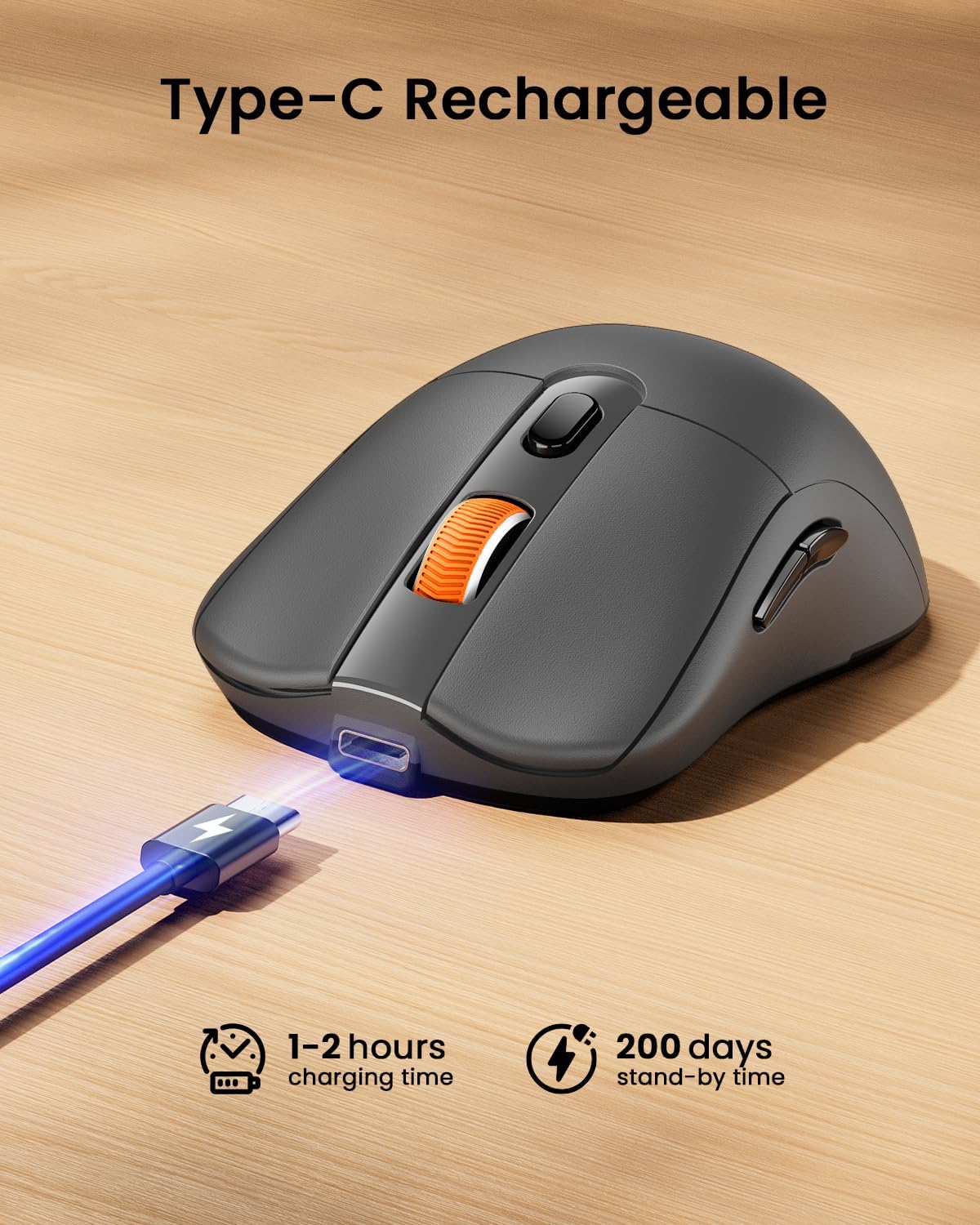
Figure 2: Mouse with integrated USB and Type-C receivers.
3.2. Conectando ao teu dispositivo
The EM15 mouse supports three connection modes: 2.4G USB Wireless, Type-C Wireless, and Bluetooth. You can switch between connected devices using the mode switch button on the bottom of the mouse.
Video 1: Demonstrates connecting the EM15 mouse via Bluetooth and 2.4G wireless receivers to multiple devices.
3.2.1. 2.4G USB or Type-C Wireless Connection
- Open the receiver compartment on the back of the mouse.
- Remove the appropriate receiver (USB or Type-C) for your device.
- Plug the receiver into an available USB or Type-C port on your computer, laptop, or tablet.
- Acende o rato usando o interruptor de acendido situado na parte inferior.
- O rato debería conectarse automaticamente ao teu dispositivo.
3.2.2. Conexión Bluetooth
- Acende o rato usando o interruptor de acendido situado na parte inferior.
- Press the mode switch button on the bottom of the mouse until the Bluetooth indicator light flashes.
- On your device (laptop, tablet, PC), go to Bluetooth settings.
- Busca new devices and select "ProtoArc EM15" from the list.
- Siga as indicacións en pantalla para completar o proceso de vinculación.

Figure 3: Multi-device connection setup with the EM15 mouse.
4. Instrucións de funcionamento
Familiarize yourself with the mouse's controls for efficient use.
4.1. Botóns e funcións

Figure 4: Key buttons and features of the ProtoArc EM15 mouse.
- Clic esquerdo/dereito: Funcións estándar do rato.
- Roda de desprazamento: Para desprazamento vertical.
- Interruptor DPI: Press to cycle through DPI settings (1000/1600/2400).
- Botóns de avance/retroceso: Navega web pages or documents (not compatible with Mac OS).
- Botón de cambio de modo: Located on the bottom, cycles between Bluetooth, 2.4G USB, and Type-C connections.
- Interruptor de alimentación: On/Off control for the mouse.
4.2. Axuste de DPI
The mouse features three adjustable DPI levels: 1000, 1600, and 2400. Press the DPI switch button located near the scroll wheel to change the sensitivity. A higher DPI provides faster cursor movement, while a lower DPI offers more precise control.
4.3. Quiet Click Feature
The left and right click buttons are designed for quiet operation, reducing noise in quiet environments. Please note that the middle scroll wheel does not have this silent click feature.
4.4. Deseño ergonómico
The mouse is shaped to provide maximum support and comfort for your hand, reducing strain during prolonged use. Its slim profile also makes it convenient for portability.
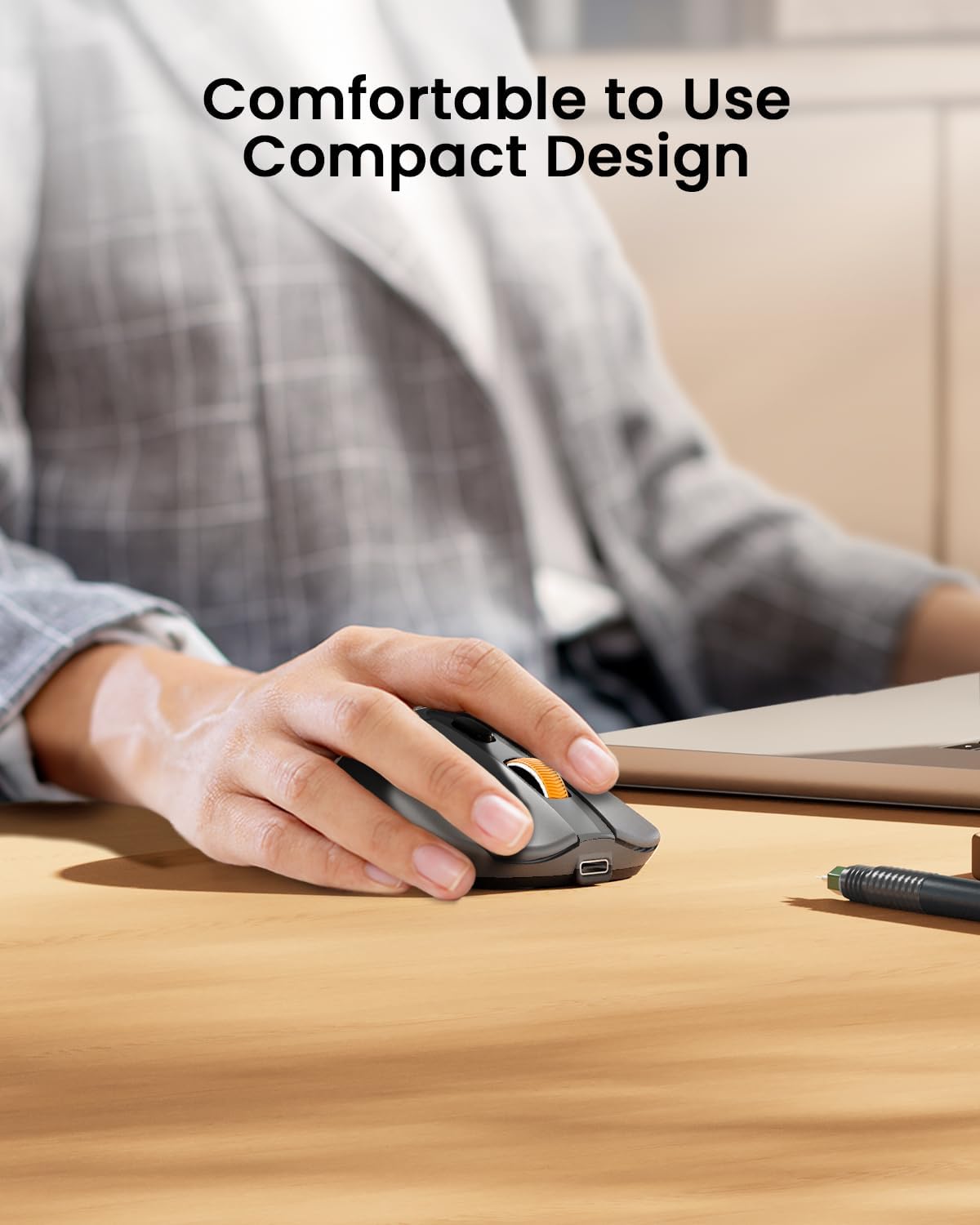
Figure 5: The ergonomic design of the mouse provides comfortable hand support.
5. Charging and Power Management (Maintenance)
The ProtoArc EM15 mouse is equipped with a built-in rechargeable Lithium-Ion battery.
5.1. Cargar o rato
- Locate the Type-C charging port at the front of the mouse.
- Connect the included USB-C charging cable to the mouse and a power source (e.g., computer USB port, USB wall adapter).
- Unha carga completa normalmente leva entre 1 e 2 horas.

Figure 6: Charging the EM15 mouse with the Type-C cable.
5.2. Battery Life and Energy Saving
Once fully charged, the mouse can be used for approximately 15 days. It features an energy-saving sleep mode, which it enters after a few minutes of inactivity, extending its standby time up to 200 days.
6 Solución de problemas
If you encounter issues with your ProtoArc EM15 mouse, please refer to the following common solutions:
- O rato non responde: Ensure the mouse is powered on and fully charged. Check the connection mode (Bluetooth, USB, Type-C) and ensure it matches your device's connection. For wireless connections, ensure the receiver is properly plugged in.
- Problemas de conexión Bluetooth: Make sure your device's Bluetooth is enabled. Try unpairing and re-pairing the mouse in your device's Bluetooth settings. Ensure the mouse is in Bluetooth pairing mode (flashing indicator light).
- Problemas de movemento do cursor: Adjust the DPI settings using the DPI switch button. Ensure the mouse is used on a suitable surface.
- Forward/Backward Buttons Not Working on Mac OS: These buttons are not compatible with Mac OS systems.
- Problemas de carga: Verify the Type-C cable is securely connected to both the mouse and the power source. Try a different USB port or charging adapter.
7. Especificacións
| Característica | Detalle |
|---|---|
| Modelo | EM15 |
| Marca | ProtoArco |
| Tecnoloxía de conectividade | 2.4G USB Wireless, Bluetooth, Type C Wireless |
| Tecnoloxía de detección de movemento | Óptica |
| Niveis de DPI | 1000/1600/2400 |
| Características especiais | Ergonomic Design, Lightweight, Portable, Rechargeable, Soundless |
| Tipo de batería | Ión de litio integrado |
| Porto de carga | Tipo-C |
| Peso do elemento | 7 onzas |
| Dimensións do paquete | 7.24 x 5.31 x 2.83 polgadas |
| Compatibilidade | Windows 7/8/10/XP, Vista, Mac OS X 10.10+, Type-C devices |
8. Garantía e soporte
For warranty information and customer support, please refer to the documentation included with your product or visit the official ProtoArc websitio. Conserve o recibo de compra para reclamacións de garantía.


