Introdución
This manual provides detailed instructions for the assembly, operation, and maintenance of your FLEXISPOT One-Piece Standing Desk with Rattan Drawers. Please read this manual thoroughly before installation and use to ensure proper function and safety. Keep this manual for future reference.

Image: The FLEXISPOT One-Piece Standing Desk in black with rattan drawers, featuring a monitor shelf and an integrated control panel.
Información importante de seguridade
Para evitar lesións ou danos ao produto, observe as seguintes pautas de seguridade:
- Siga sempre atentamente as instrucións de montaxe.
- Manteña os nenos e as mascotas lonxe da zona de reunión.
- Use appropriate tools and safety gear during assembly.
- Ensure all connections are secure before operating the desk.
- Non sobrecargues o escritorio. A capacidade máxima de peso é de 110 kg.
- Manteña as mans e os obxectos lonxe das pezas móbiles durante o axuste da altura.
Contido do paquete
Verify that all components are present before beginning assembly. The desk ships in two separate packages.
- Desktop with integrated monitor shelf and rattan drawers
- Desk frame and legs
- Panel de control
- Adaptador de alimentación e cables
- Ferraxes de montaxe (parafusos, bulóns, ferramentas)
- Manual de usuario

Image: A diagram illustrating the dimensions of the desk components and indicating that the product ships in two separate packages.
Instrucións de montaxe
Assembly typically takes approximately one hour. Refer to the separate detailed assembly guide included in your package for step-by-step instructions and diagrams. Ensure all fasteners are correctly identified and used in their designated locations.
- Desembale todos os compoñentes e compruébeos coa lista de contido do paquete.
- Attach the desk legs to the desktop frame using the provided hardware.
- Connect the control panel and motor cables as instructed.
- Secure any cable management components.
- Place the desk in its desired location.
Configuración
After assembly, connect the desk to a power source.
- Plug the power adapter into the desk's control box.
- Enchufe o cable de alimentación nunha toma eléctrica estándar.
- The desk is now ready for initial use.
Instrucións de funcionamento
Axuste de altura
The desk features an electric motor system for smooth height transitions.
- Preme o Frecha cara arriba botón para levantar o escritorio.
- Preme o Frecha cara abaixo botón para baixar o escritorio.
- The desk can adjust between 28.9 inches (minimum) and 46.5 inches (maximum).
- The motor operates quietly, typically below 50dB.

Image: The desk shown at its minimum (28.9") and maximum (46.5") adjustable heights.
Presets de memoria
Program up to three preferred height settings for quick adjustments.
- Axusta o escritorio á altura desexada.
- Preme o M button, then press one of the numbered preset buttons (1, 2, ou 3) within 3 seconds to save the current height.
- To recall a saved height, simply press the corresponding numbered preset button.

Imaxe: Primeiro plano view of the desk's control panel, highlighting the up/down arrows and memory preset buttons.
Estante monitor
The integrated monitor shelf is designed to elevate screens to an ergonomic eye level.
- Place your monitor(s) on the shelf to reduce neck and back strain.
- This helps maintain proper posture during extended work sessions.

Image: Visual comparison of poor posture versus ergonomic sitting and standing postures facilitated by the adjustable desk.
Rattan Drawers
The desk includes both sliding-door desktop compartments and an under-desk drawer for organized storage.
- Use the desktop compartments (47.2"x8.7"x5.5") for easy access to frequently used items.
- The under-desk drawer (23.6"x11.8"x3.9") provides discreet storage for documents or books.
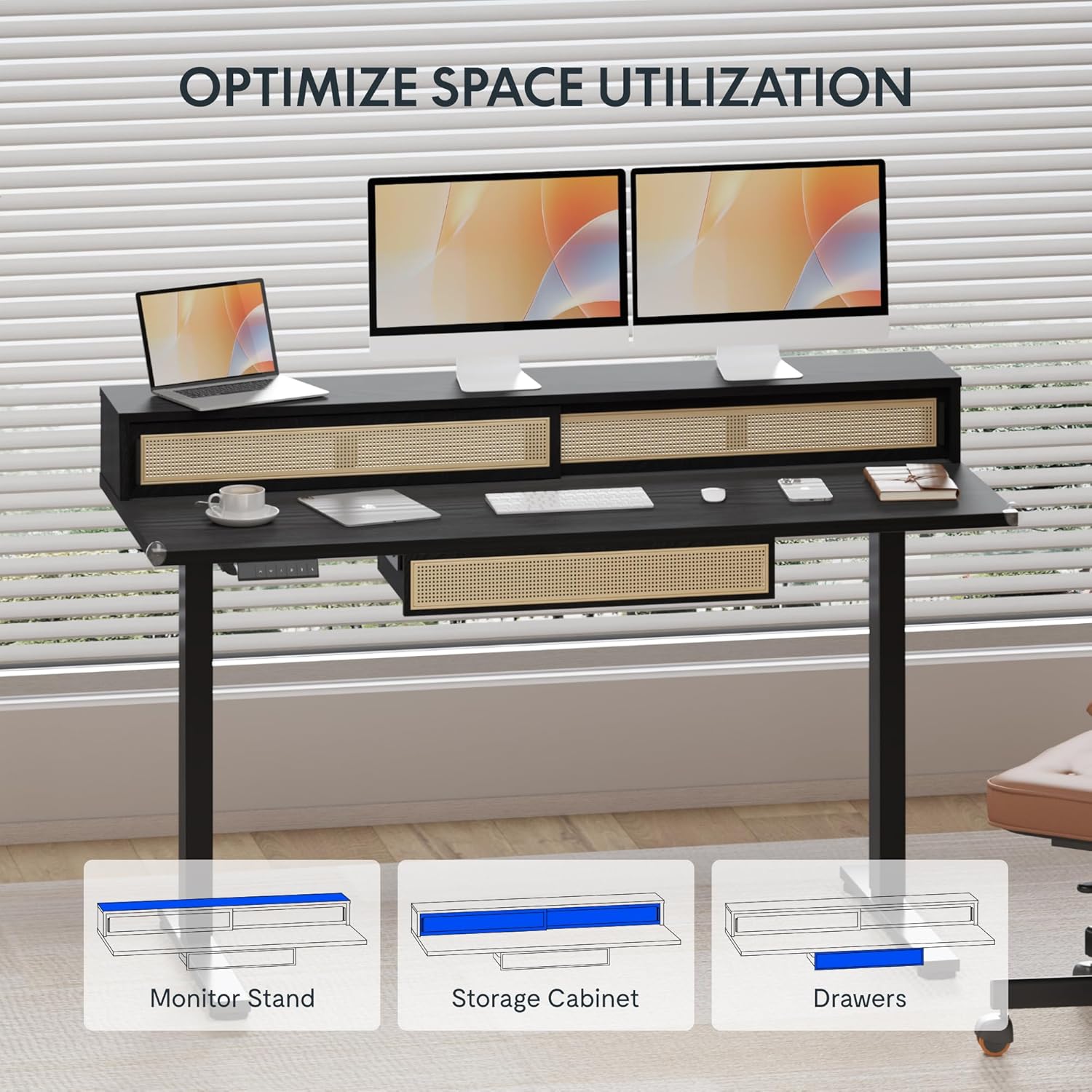
Image: An illustration demonstrating the various storage options, including the monitor stand, storage cabinet, and drawers, for optimal space utilization.
Mantemento
Un mantemento regular garante a lonxevidade e o rendemento óptimo da túa mesa.
- Limpeza: Limpa as superficies do escritorio cun pano suave eamp pano. Evite produtos de limpeza abrasivos ou produtos químicos agresivos que poidan danar o acabado.
- Inspección: Comprobe periodicamente todos os parafusos e bulóns para asegurarse de que estean ben axustados. Volva apertalos se é necesario.
- Xestión de cables Ensure cables are neatly organized and not interfering with the desk's movement.
Resolución de problemas
Se tes problemas co teu escritorio, consulta as seguintes solucións habituais:
| Problema | Causa posible | Solución |
|---|---|---|
| O escritorio non se move nin responde aos controis. | Power connection issue, cable disconnected, motor error. | Check power cord connection to outlet and desk. Ensure all motor cables are securely connected. Unplug and replug the power for 10 seconds to reset. |
| O escritorio móvese de forma irregular ou fai un ruído inusual. | Uneven load, loose connections, obstruction. | Ensure weight is evenly distributed. Check for any obstructions under the desk. Verify all assembly screws are tight. |
| Os predefinidos da memoria non funcionan. | Predefinicións non gardadas correctamente. | Re-save the desired height settings by pressing 'M' then the preset number within 3 seconds. |
Especificacións
| Característica | Detalle |
|---|---|
| Marca | FLEXISPOT |
| Dimensións do produto (P x A x A) | 23.6"D x 47.2"W x 29"H (at lowest point) |
| Cor | Negro |
| Material base | Aceiro de aliaxe |
| Tipo de material superior | Madeira |
| Altura mínima | 28.9 polgadas |
| Altura máxima | 46.5 polgadas |
| Número de caixóns | 1 (under-desk) |
| Enclosed Shelves | 2 (sliding-door desktop compartments) |
| Característica especial | Corded electric height adjustment, Memory Presets |
| Montaxe necesaria | Si |
Garantía e Soporte
FLEXISPOT provides comprehensive warranty coverage for your standing desk:
- Cadro e motor: Cobertura de 5 anos.
- Electrónica: Cobertura de 2 anos.
This warranty ensures lasting security for your workspace investment. For customer support, technical assistance, or warranty claims, please refer to the contact information provided in your product packaging or visit the official FLEXISPOT websitio.