1. Introdución
Thank you for choosing the Skyworth C50 Indoor Security Camera. This device is designed to provide comprehensive monitoring for your home, pets, children, or elderly family members with advanced features like high-resolution video, two-way audio, and smart detection. Please read this manual carefully before use to ensure proper operation and to maximize the camera's capabilities.
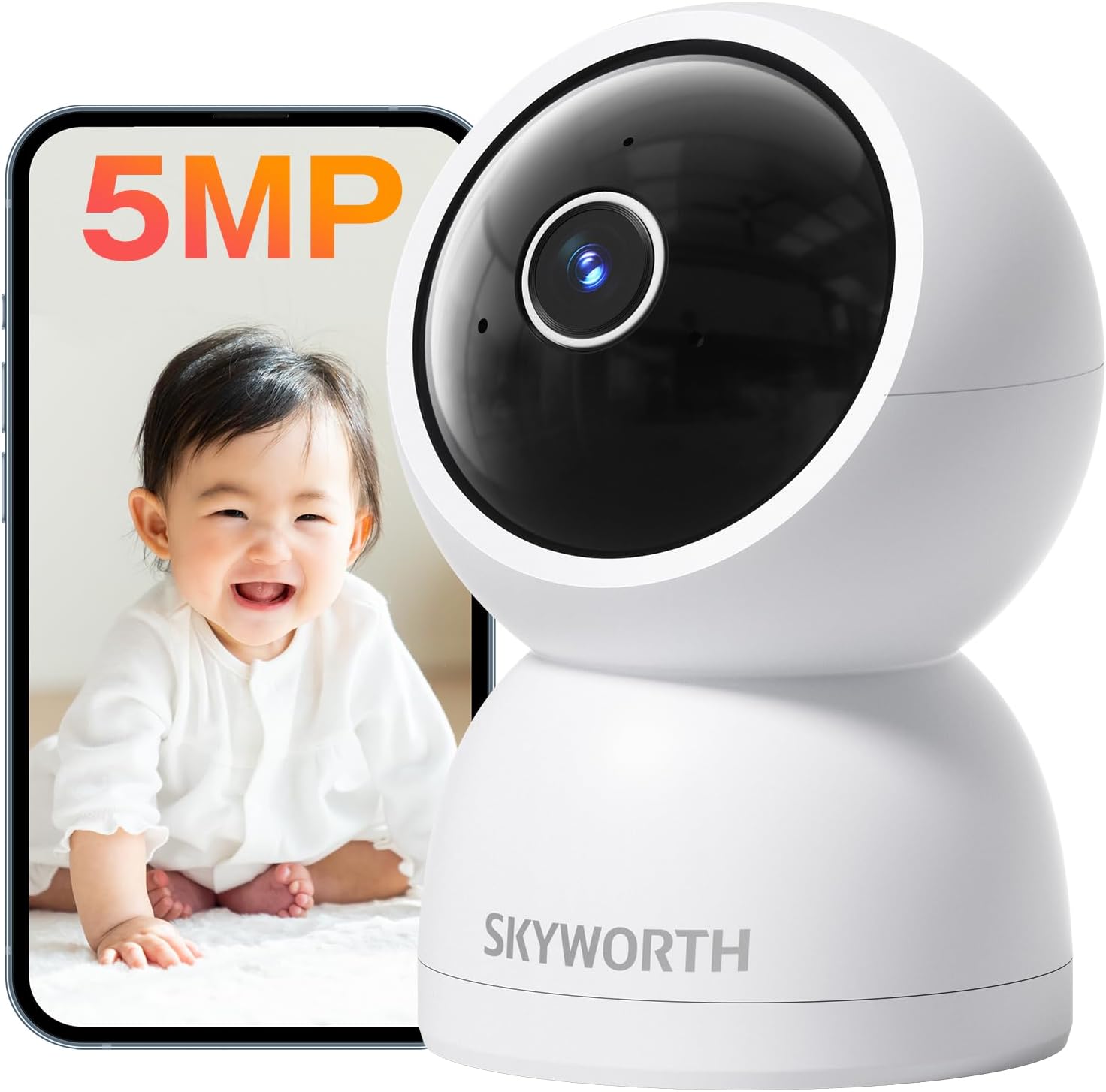
The Skyworth C50 camera, shown alongside a smartphone displaying a baby, highlights its primary use for monitoring. The camera is white with a black lens housing, featuring a sleek, modern dome design.
2. Contido do paquete
Comprobe o paquete para asegurarse de que conteñan todos os elementos:
- Unidade de cámara
- Manual de usuario
- Kit de montaxe no teito
- Adaptador de alimentación
- Cable de alimentación
3. Guía de configuración
3.1 Configuración inicial
- Descarga a aplicación: Busca the dedicated Skyworth AI Home Camera app on the App Store (for iOS) or Google Play Store (for Android) and install it on your smartphone.
- Encendido: Connect the power adapter to the camera and plug it into a power outlet. The camera will power on and indicate its status (e.g., blinking light).
- Engadir dispositivo: Open the app, create an account or log in, and follow the on-screen instructions to add a new device. The camera supports both 2.4GHz and 5GHz Wi-Fi networks for flexible connectivity. The app uses acoustic pairing for simple and quick connection.
- Colocación: Place the camera on a flat surface, mount it on a wall, or hang it from the ceiling using the provided mount kit. Ensure it has a clear view da zona que desexa controlar.

This image illustrates the Skyworth C50 camera's compatibility with App Store and Google Play, indicating easy app download. It also highlights key features such as 5MP resolution, 3K QHD, Google TV support, dual-band Wi-Fi (2.4GHz & 5GHz), night vision, 24-hour recording, QR code easy connection, two-way audio, and AI motion detection.
4. Instrucións de funcionamento
4.1 High-Quality Video & Night Vision
The Skyworth C50 camera features 5-megapixel (2880x1620P) resolution and an F1.6 large aperture lens, providing clear and vivid images with fine detail. Its advanced night vision capabilities, utilizing 940nm infrared light, ensure clear monitoring even in complete darkness without any visible light pollution, making it ideal for monitoring sleeping children or pets.

A detailed close-up of a sleeping cat demonstrates the camera's 5MP high-definition video quality, capturing fine details clearly. The image also shows resolution comparisons from 3MP to 5MP.

This image shows a child sleeping peacefully, emphasizing the camera's night vision feature. Details like F/1.6 lens, 20% increased brightness, 20dB low noise, and a 12m viewing distance are highlighted, ensuring clear monitoring without disturbing sleep.
4.2 360-Degree Coverage & Remote Control
The camera offers a 360° automatic patrol and PTZ (Pan-Tilt-Zoom) function, allowing you to cover every corner of your room without blind spots. You can remotely control the camera's view from your smartphone, ensuring you can check on your pets, children, or elderly family members anytime, anywhere.

The image displays the Skyworth C50 camera's 360-degree horizontal rotation and 115-degree vertical field of view, illustrating its comprehensive coverage. A smartphone screen shows the remote control interface for adjusting the camera's perspective.
4.3 Google TV Compatibility
Beyond smartphone compatibility, the Skyworth C50 camera supports Google TV, allowing you to view the camera feed on your television screen while watching other content. This innovative feature provides a convenient way to monitor different rooms, such as a baby's nursery or an elderly person's room, on a large display, offering peace of mind even when you are in another part of the house.

This image shows a person watching television, with the Skyworth C50 camera's live feed displayed simultaneously on a portion of the screen, demonstrating its Google TV compatibility for convenient multi-tasking and monitoring.
4.4 AI Motion Detection & Auto Tracking
The camera is equipped with AI human detection and motion detection capabilities. When suspicious movement is detected in a designated area, a message is sent to your smartphone. If the alarm function is activated, a warning message will be played from the camera. The AI auto-tracking feature ensures that the camera follows moving subjects, such as a child playing or a pet, capturing important moments in real-time. You can also set specific detection areas within the app to focus monitoring on critical zones.

This image illustrates the AI motion detection feature, showing how the camera identifies and tracks a child's movement and detects an unfamiliar person, sending alerts to a smartphone.
4.5 Two-Way Audio & Sharing
The Skyworth C50 camera features a two-way audio function, allowing you to have real-time conversations with family members through your smartphone. This provides a sense of security, enabling you to communicate with children or elderly family members when you are away from home. Additionally, the screen sharing function allows for unlimited sharing with multiple users, so your entire family can monitor pets or children together.

This image demonstrates the two-way audio function, showing a woman communicating via her smartphone and a child waving, indicating real-time interaction through the camera.
4.6 24-Hour Recording & Data Security
The camera supports both local storage via a microSD card (up to 512GB, sold separately) and cloud storage (with a 30-day free trial). Recording data automatically overwrites older files, enabling continuous 24/7 recording. Data is securely stored using encryption technology, ensuring your privacy and allowing you to record and share important moments.

This image highlights the camera's 24-hour recording capability with automatic overwriting, supporting both cloud storage and local storage via a microSD card (up to 512GB).
4.7 Protección da privacidade
The Skyworth C50 camera prioritizes privacy with features like one-tap recording off and scheduled power management. You can set specific times for the camera to automatically turn on or off, ensuring that monitoring is active only when needed, such as when you are away or during specific hours. This allows you to maintain daily peace of mind while protecting your privacy.

This image illustrates the privacy protection features, showing a woman sleeping peacefully while a smartphone displays the camera's schedule power management settings, allowing users to control recording times.
5. Mantemento
To ensure optimal performance and longevity of your Skyworth C50 camera, follow these maintenance guidelines:
- Limpeza: Use a soft, dry cloth to clean the camera lens and body. Do not use harsh chemicals, cleaning solvents, or abrasive cleaners, as they may damage the surface or lens.
- Colocación: Evite colocar a cámara baixo a luz solar directa, preto de fontes de calor ou en zonas con alta humidade.
- Actualizacións de firmware: Regularly check for and install firmware updates through the app to ensure your camera has the latest features and security enhancements.
6 Solución de problemas
If you encounter issues with your Skyworth C50 camera, refer to the following common problems and solutions:
| Problema | Causa posible | Solución |
|---|---|---|
| Cámara sen conexión | Poor Wi-Fi signal, incorrect Wi-Fi password, power issue. | Check Wi-Fi connection and signal strength. Ensure the camera is powered on. Re-enter Wi-Fi password in the app if necessary. Restart the camera and router. |
| Non se pode conectar á aplicación | Incorrect pairing process, app version outdated. | Ensure the camera is in pairing mode. Follow app instructions carefully. Update the app to the latest version. Try acoustic pairing again. |
| Mala calidade de imaxe | Dirty lens, insufficient lighting, network bandwidth. | Clean the camera lens with a soft cloth. Ensure adequate lighting in the monitored area. Check your internet speed and network stability. |
| A detección de movemento non funciona | Detection sensitivity too low, detection area not set. | Adjust motion detection sensitivity in the app. Define or adjust the detection zones. Ensure the feature is enabled. |
| Sen son da cámara | Microphone muted, volume too low. | Check audio settings in the app to ensure the microphone is enabled and volume is sufficient. |
Se o problema persiste, póñase en contacto co servizo de atención ao cliente para obter asistencia.
7. Especificacións
| Característica | Detalle |
|---|---|
| Número de modelo | C50 |
| Cor | Branco |
| Resolución de vídeo | 5 MP (2880x1620P) |
| Velocidade de cadros | 20 fps |
| Campo de View | 360° (horizontal), 115° (vertical) |
| Range de visión nocturna | Ata 15 metros |
| Tecnoloxía sen fíos | Wi-Fi (2.4GHz & 5GHz compatible) |
| Potencia Voltage | 5 V (CC) |
| Consumo de enerxía | 6 W |
| Opcións de almacenamento | microSD card (up to 512GB), Cloud Storage |
| Tipo de montaxe | Tabletop, Wall-mount, Ceiling-mount |
| Dimensións (LxWxH) | 6.9 x 7.3 x 10.6 cm |
| Peso | 320 g |
| Certificacións | PSE, TELEC |
8. Garantía e soporte
The Skyworth C50 camera comes with a 12-month product warranty. This warranty covers manufacturing defects and malfunctions under normal use. In case of any issues or missing accessories, please contact our customer support.
Our dedicated Japanese customer support team is available to assist you with any inquiries before or after your purchase. Please refer to the contact information provided on the product packaging or our official websitio para obter detalles de asistencia.
The product has obtained necessary safety certifications, including PSE (Electrical Appliance and Material Safety Law) and TELEC (Radio Law) technical standards conformity, ensuring safe and reliable use.